[HELP] Sonarr/Radarr/SabNZB/Jellyfin install driving me crazy

OK, i’ve read post after post, tried using AI, and I am reaching my breaking point on this, really need some help here. OK, this is the situation:

Hardware: Dell R730xd (192.168.1.191)

OS: TrueNAS Community 25.04.2.6

Relevant Shares:

/mnt/Storage/Files/Backups
/mnt/Storage/Files/Documents
/mnt/Storage/Files/Movies
/mnt/Storage/Files/Photos

/mnt/Apps-VM/jellyfin-cache

/mnt/Apps-VM/jellyfin-config

/mnt/Apps-VM/jellyfin-transcode

/mnt/Apps-VM/radarr-config

/mnt/Apps-VM/sabnzb-data

/mnt/Apps-VM/sonarr-config

IP’s:

Sonarr: 192.168.1.191:30113

Radarr: 192.168.1.191:30025

Jellyfin: 192.168.1.191:8096

I have all the “normal” settings set (my experience with all these apps is Windows) and adding a movie or show works, however the downloaded .nzb file is being downloaded by SabNZB, but then nothing happens. I am at the point where I want to go throw the damn server in the street. Let it be known, although I am quite knowlegeable about IT, all of it is Windows, I don’t know a damn thing about Linux, but i’m trying. I think the issue is “mounting” one of my shares to Radarr, but i’m not sure how to do it, b/c all the guides i’ve been following are not using containers in TrueNAS. Please help, my desktop mouse will thank you, cause it’s getting the hell beat out of it. :laughing:

I’ve not used SabNZB, I use qBit with Prowlarr but I’ll break down how I have mine setup which is all automated and hopefully it points you in the right direction with your setup:

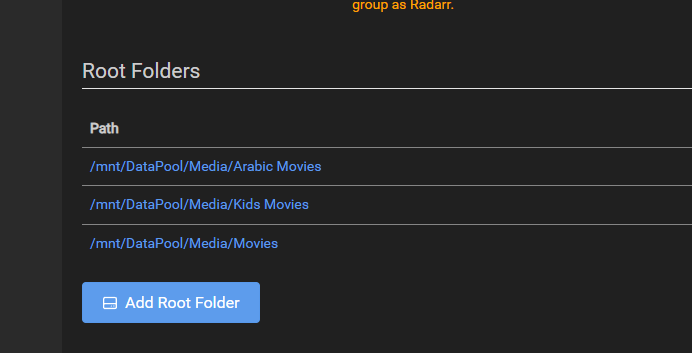
Media Paths: /mnt/DataPool/Media/Movies and /mnt/DataPool/Media/TVShows

Within TrueNAS Apps, installed the following:

Jellyfin
Jellyseer - for media requesting
Sonarr - TV Show organising etc
Radarr - Movie organising etc
Tdarr - Compressing to certain file type for me
Dockge - for qBit and VPN
Prowlarr - For index searching

Jellyseer - Has access to media paths, not technically needed I don’t think - has Jellyfin service linked and then under Services has Radarr and Sonarr Linked

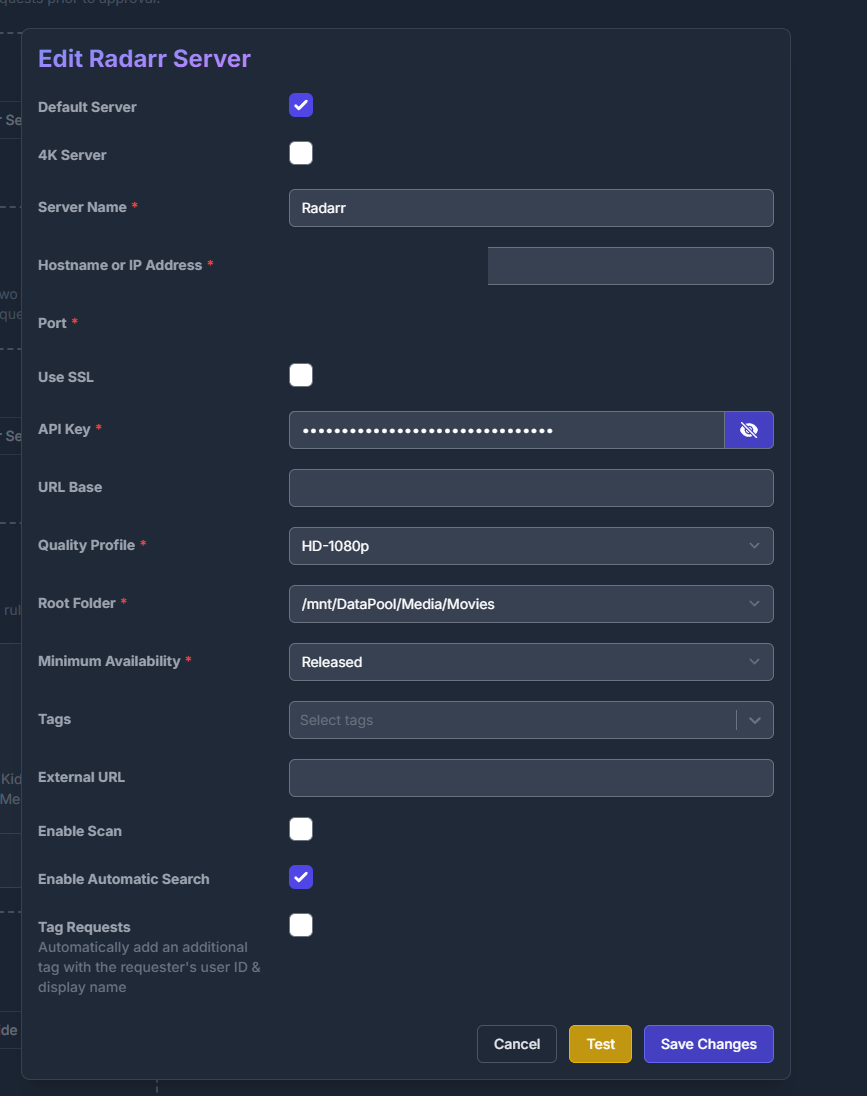
Sonarr and Radarr - linked to Jellyseer for request pushes; has qBit linked via the Download Client link; under Settings > Media Management > Root Folders are set for media paths per app.
They have access to the host paths under additional storage to Torrents and Movies/TV Show paths

Sonarr/Radarr Profiles - these Must be set correctly and I use Jellyseer to make certain rules for this:

For example, I filter French and Arabic into a different library to English with override rules within Jellyseer:

Then the Jellyseer link to Radarr/Sonarr is telling it where to send by default:

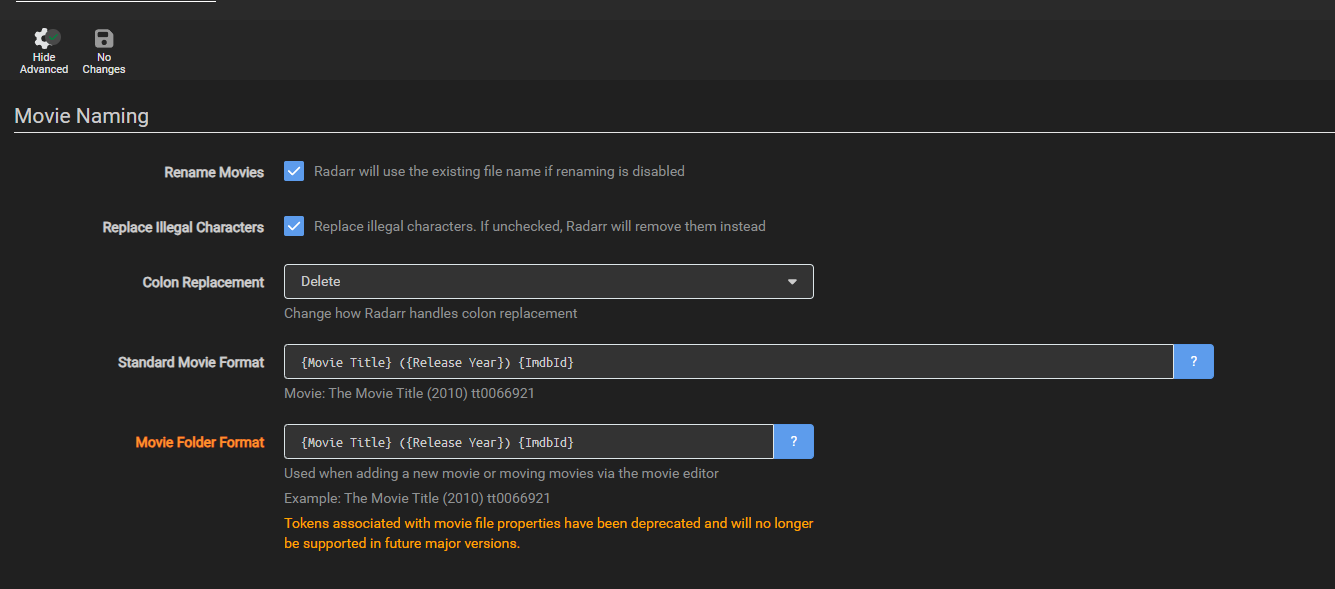
Radarr/Sonarr will then be told to organise media:

Prowlarr - Linked to Radarr and Sonarr via the API; has access to Torrent Path

qBittorrent - Hosted in dockge so I can have VPN Tunnel via gluetun; this has access to the Torrent folder

Tdarr - Has access to Movie/TV Show Folders, and just grabs and replaces with new files there.

Flow of this setup is:

Jellyseer (User Request Content) > Radarr/Sonarr Import > Prowlarr Searches > Gives info to Radarr/Sonarr > Sonarr/Radarr passes to qBit > qBit puts into Torrent Folder > Sonarr/Radarr sees this and moves into organised folder structure > tdarr will transcode file to my liking and replace original file.

Hope this helps :slight_smile:

trash guides are the best resource for setting all of these up. TRaSH Guides

But it sounds like after the download. Your saying radarr/sonarr don’t do anything with it after. You need to add categories in both radarr/sonarr and sabnzb. Also radarr/sonarr have to be able to see the directory that sabnzb downloaded it to. If you did these from the apps catalog. In the storage section add your downloads directory that sabnzb downloads to. This will give you the mount so they can see the directory. Mine look like this from dockge. I also use qbit and sabnzb

radarr:
image: ghcr.io/linuxserver/radarr:amd64-latest
container_name: radarr
network_mode: service:gluetun
environment:

  • PUID=568
  • PGID=568
  • TZ=America/New_York
    volumes:
  • /mnt/flashy/Apps/radarr:/config
  • /mnt/bulk/data:/data
  • /mnt/bulk/data/torrents:/torrents
  • /mnt/bulk/data/usenet/complete:/complete
    restart: unless-stopped
    sonarr:
    image: Package sonarr · GitHub
    container_name: sonarr
    network_mode: service:gluetun
    environment:
  • PUID=568
  • PGID=568
  • TZ=America/New_York
    volumes:
  • /mnt/flashy/Apps/sonarr:/config
  • /mnt/bulk/data:/data
  • /mnt/bulk/data/torrents:/torrents
  • /mnt/bulk/data/usenet/complete:/complete
    restart: unless-stopped

In the Apps under additional storage is where you would add it.

However if you are talking about the experimental containers. I have not touched those and would begin to know how to help there