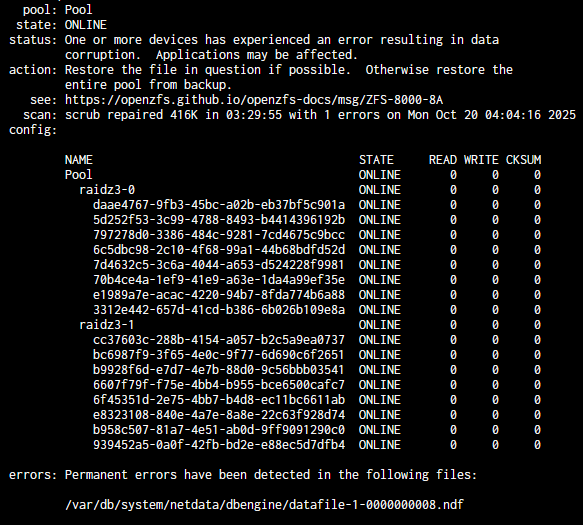
I know the cause of the errors are from using cables that were too long, not the drives themselves.
Now that the cause is resolved, is there a way to clear the ZFS errors or should I copy the pool’s data, wipe the drives, then create a new one?
I know the cause of the errors are from using cables that were too long, not the drives themselves.
Now that the cause is resolved, is there a way to clear the ZFS errors or should I copy the pool’s data, wipe the drives, then create a new one?
Depends on the error, are they read, write or checksum errors?
Have you checked from shell with sudo zpool status -v?
Take a look at my Drive Troubleshooting Flowcharts linked below in my signature. It covers some of the very frequent ZFS issues like what you are dealing with. It is a simple flowchart and if you have some difficulty understanding what is being asked, post a question. But give this a try, learning how to fix things faster, and you understand more of what is going on.
After you fixed the underlying problem and booted the error counters should have been zero. If not, then there are errors baked into data, which you can try to fix via a scrub. Expect the first scrub to flag errors (and fix them). After the first scrub completes, use /sbin/zpool clear to clear the error counters and run another scrub. If the second scrub does not come out clean (no errors) then plan to rebuild pool and restore from backup.
I had a bad HBA cause CRC errors to be registered in the smart attributes on a drive, making them semi-permanent, albeit benign.
@PK1048 I think you replied to the wrong post… i’m not op with the issue…