
Manjaro can import the pool and says all is well? How are you connecting the two ssd in a mirror to the laptop to test this?
What are results of:
zfs list -r -o name,mountpoint,overlay,canmount,available ssd_pool
Yes. I can copy over all data which I used as a temporary saving place. Like images, videos or the smb folder. What I couldn’t read was the data from the ix-applications.
Side note: i have to import both drives. When i do it with just one, some data cant be read correctly.
I connected them with a usb to 2x sata
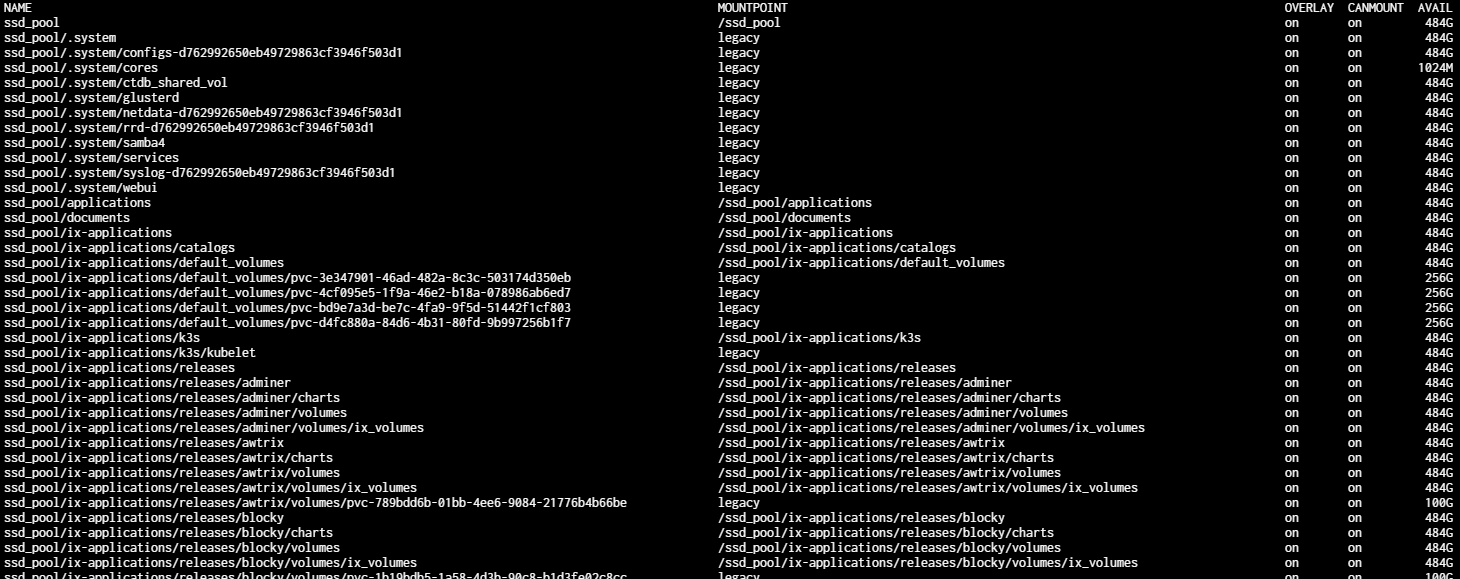
I wonder why a bunch of them show “legacy”? Legacy means must be manually mounted via mount command.
What happens if you zfs mount ssd_pool by itself, curious. And what does zfs list show?
zfs mount ssd_pool
zfs list
ls -la /ssd_pool/
not possible, because the only way to import the pool is with the readonly mode on. While having it on:

I still need the zfs list and the ls -la outputs. Might provide a hint as to a theory I have.
I should have asked for readonly property also
zfs list:
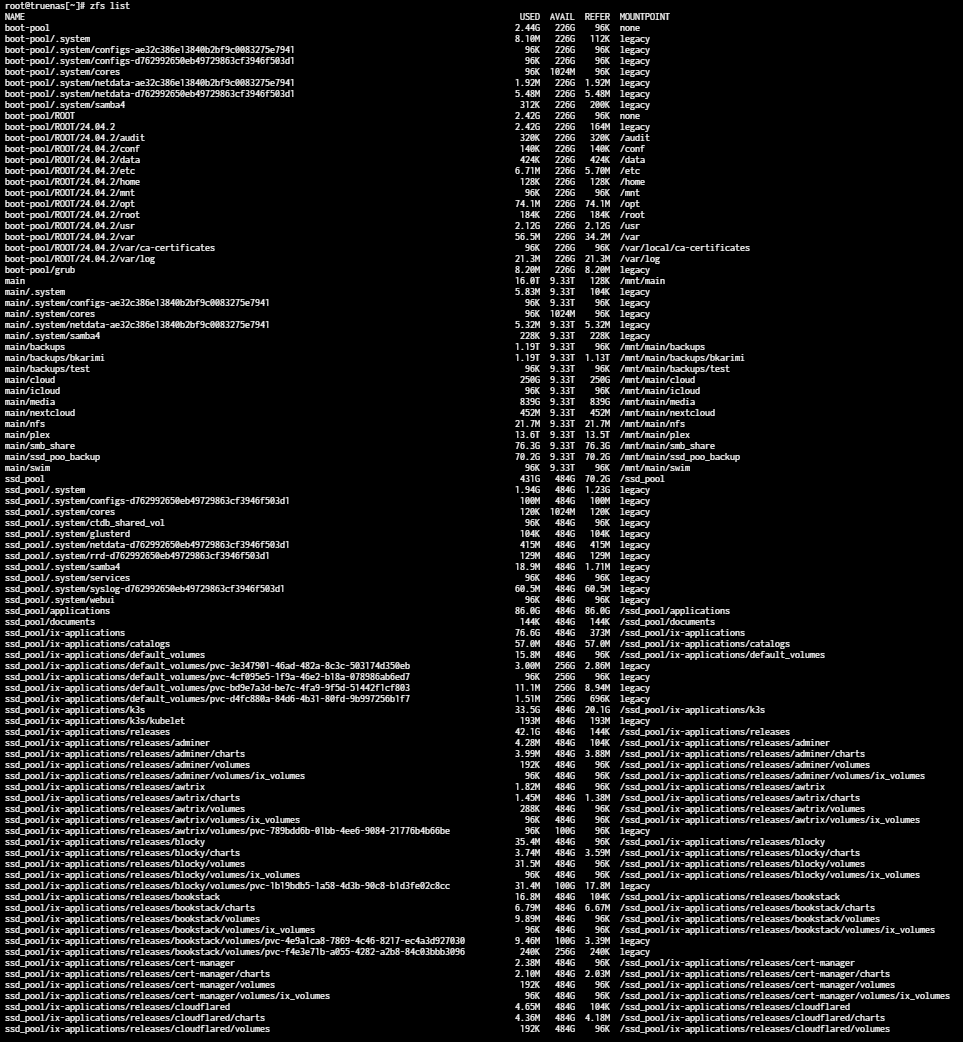
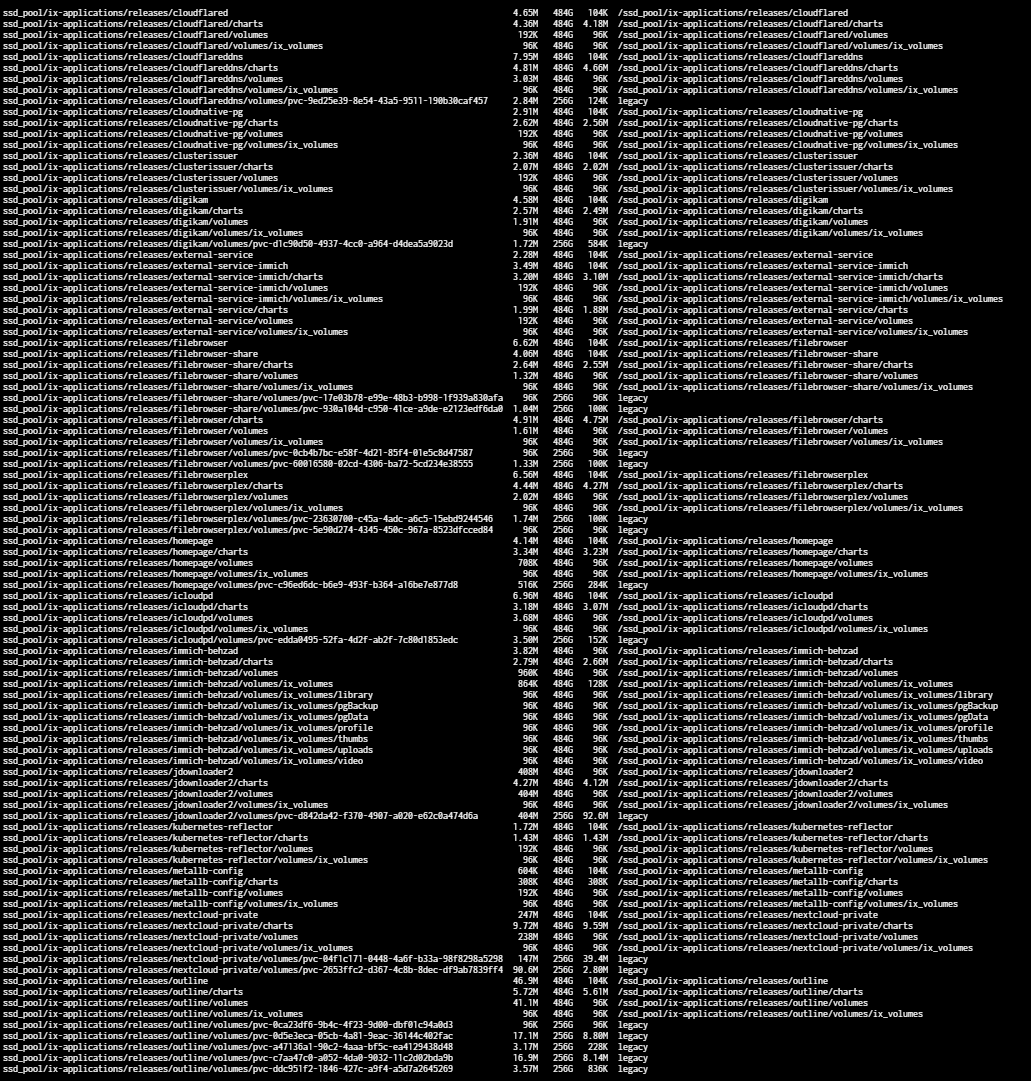
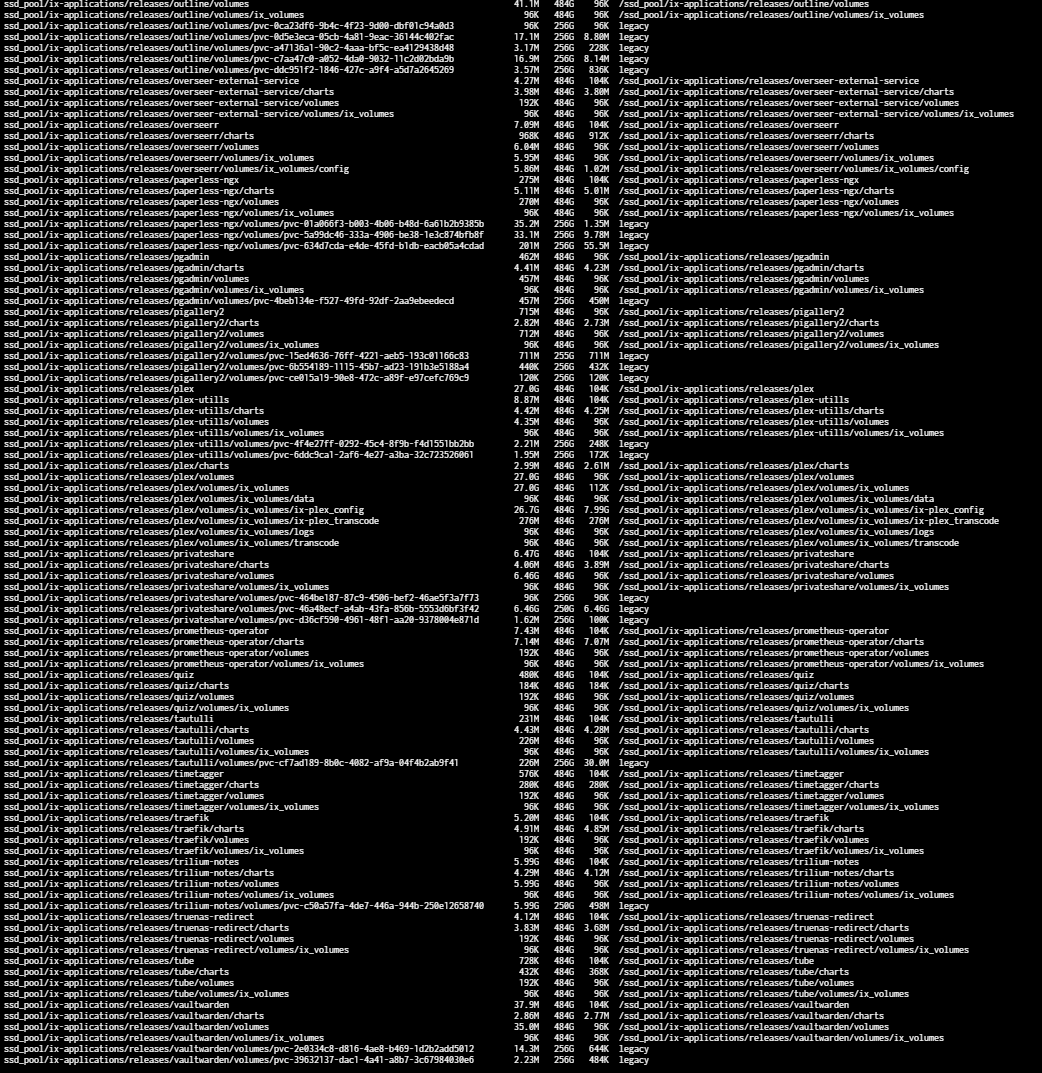
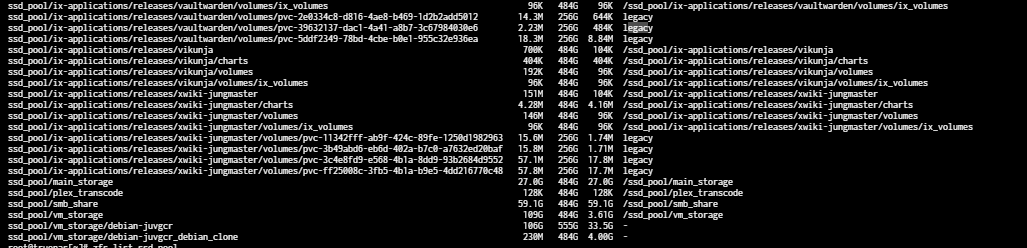
going to the ssd_dir is not working, because its telling me that the dir is not there.
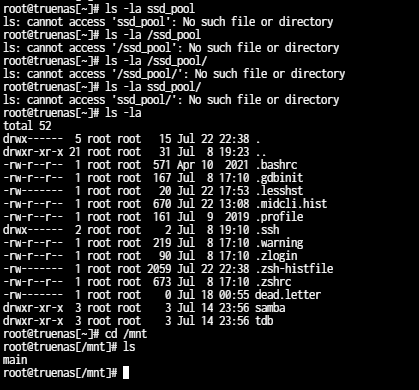
Blockquote
cannot set property for ‘ssd_pool’: pool is read-only
Sorry, I think you were using Truecharts and I vaguely recall something about using legacy for certain things. I am not familiar with Truecharts and the whys of what they do/did.
But anyway:
zfs list -r -o name,mountpoint,readonly ssd_pool
zpool get altroot ssd_pool
Curious as to why the ssd_pool has a mountpoint of / instead of /mnt/ssd_pool, maybe something you did on other system.
WIth mountpoint of /ssd_pool, you should mkdir /ssd_pool and then try exporting the pool, then importing with readonly flag as you originally did in post 20, maybe it will import then, it’s readonly anyway and maybe you can get stuff off of it.
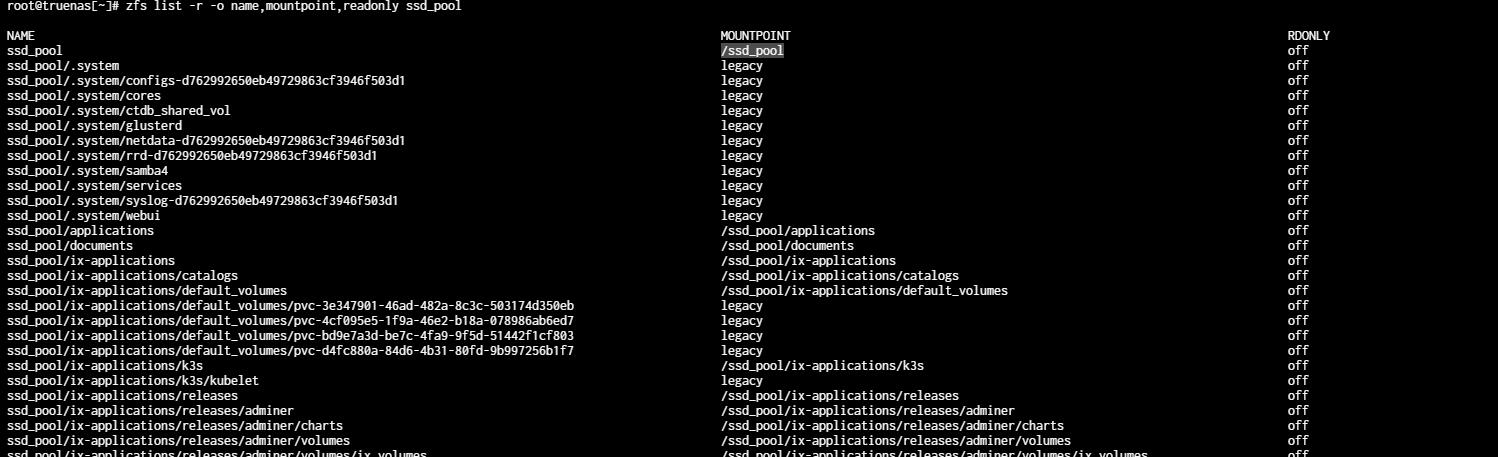


Crashed with readonly? Like you did originally, with -o readonly? If so, I am out of ideas. Sorry for so long, I didn’t recognize the Truecharts stuff and it threw me off. There are other people here who may be able to help with crashed pools. I’ve never actually had one myself.
If it mounted on another machine, that’s actually good news as you may be able to recover it from there. You would be able to mount the pvc storage and copy it off.
“readonly” for a pool import is different than “readonly” for a dataset.
I’m late into the game, but can you import the pool normally?
(Nevermind the datasets / readonly mounts.)
yes i did. No problem, still thanks for your time. I really appreciate it!
no its not working.
EDIT:
i can’t reply anymore, wtf. Need to wait 13h. 
@sfatula the zfs version is equal to my laptop.
@winnielinnie i connected a display + keyboard directly to my server.
EDIT 2:
@winnielinnie i will give it a try, update you in a few minutes!
EDIT 3:
@winnielinnie now i have access to the ix-applications folder and copy it over. Just inside the k3s dir with some of its folders can’t be copied.
**EDIT 4
i can do that, but i already copied them all over. Should i still do it?
yes i know.
i also think now, that its enough wasted time for all of us. And i should probably just wipe the ssd drives. I could mostly recover everything. Its just not usable as it was right now.
He can import it on a different machine he said (perhaps it’s a different zfs version, not sure why that would be). I know tldr; If he can do that, he might be able to replicate it back or at least extract the data. And he might be able to recover his config backup.
How / where are you doing this?
GUI Shell? Console (via attached monitor)? SSH session? Booted into a non-TrueNAS Linux distro?
If you can import it on a different machine:
First, import the pool
zpool import ssd_pool
Then create a checkpoint:
zpool checkpoint ssd_pool
Then set a dataset (that you wish to browse) to “readonly”.
zfs set readonly=on ssd_pool/documents
Then create a temporary mount path for the sake of browsing and recovery:
mkdir /zfsrecuva
Then change the mountpoint for the dataset:
zfs set mountpoint=/zfsrecuva ssd_pool/documents
Then try to mount the dataset:
zfs mount ssd_pool/documents
Then navigate and browse the location /zfsrecuva/
Are you able to even get this far?
Yeah, nice try… BOT. 
@ericloewe @HoneyBadger @kris @joeschmuck
Can this user’s limits be lifted? He may be made of metal instead of skin, circuits instead of blood, but he’s pretty nice for a robot.
3 Likes
When someone cannot write new replies, so they have to keep editing previous posts with updates:
1 Like