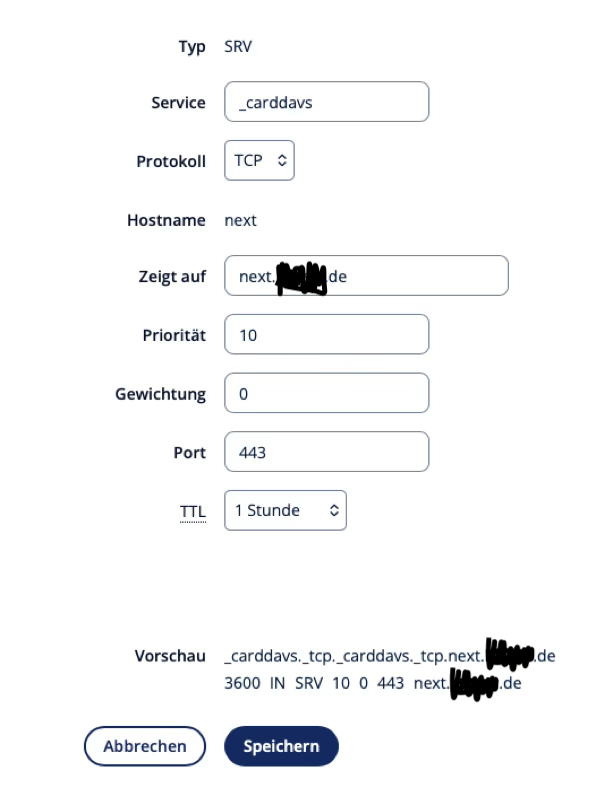
I am trying since weeks to set up a configuration with working iOS and Mac OS syncing of calendars and contacts. But it is not possible. I receive
“[DAAccountValidationDomain:100]”
I checked the redirection, I think here is one error.
if I try to open https://example.com/.well-known/carddav I receive a message:
"Safari cannot open the page
Too many redirects occurred when opening “https://nextcloud.****.de:30027/.well-known/carddav”. This is possible if the opened page redirects to another page that refers back to the original page. https://example.com/remote.php/dav works as expected.
What to do? Where can I set up the rewrite rules? Where are the according config files located?
I have this hint:
You’ll need to add proper redirection in NGINX to point .well-known/carddav and .well-known/caldav to /remote.php/dav .
Are you using the app or a custom yaml? If app, I can’t help as I am not familiar with how IX has set it up. I presume you have found the nextcloud docs on their site as far as what you need to do.
Hi, thanks for your response. This is exactly the problem with IX. It is very simple to install the app, but if it doe not work you don’t know where to correct it.
90% of the app is running, but I need CalDAV and CardDAV support. Without nextcloud is nearly useless for me.
I know the help of nextcloud, but I did not know where are the corresponding files.
Where is .htaccess located in the trueness-nextcloud-app?
I don’t use the nextcloud app, I use my own custom yaml. But, it should be wherever the data folder is in nextcloud container. Which I presume you used a hostpath to map to somewhere outside the container.
In general, ix uses the relevant softwares docker images. So, in general, the software packages docker instructions should be relevant.