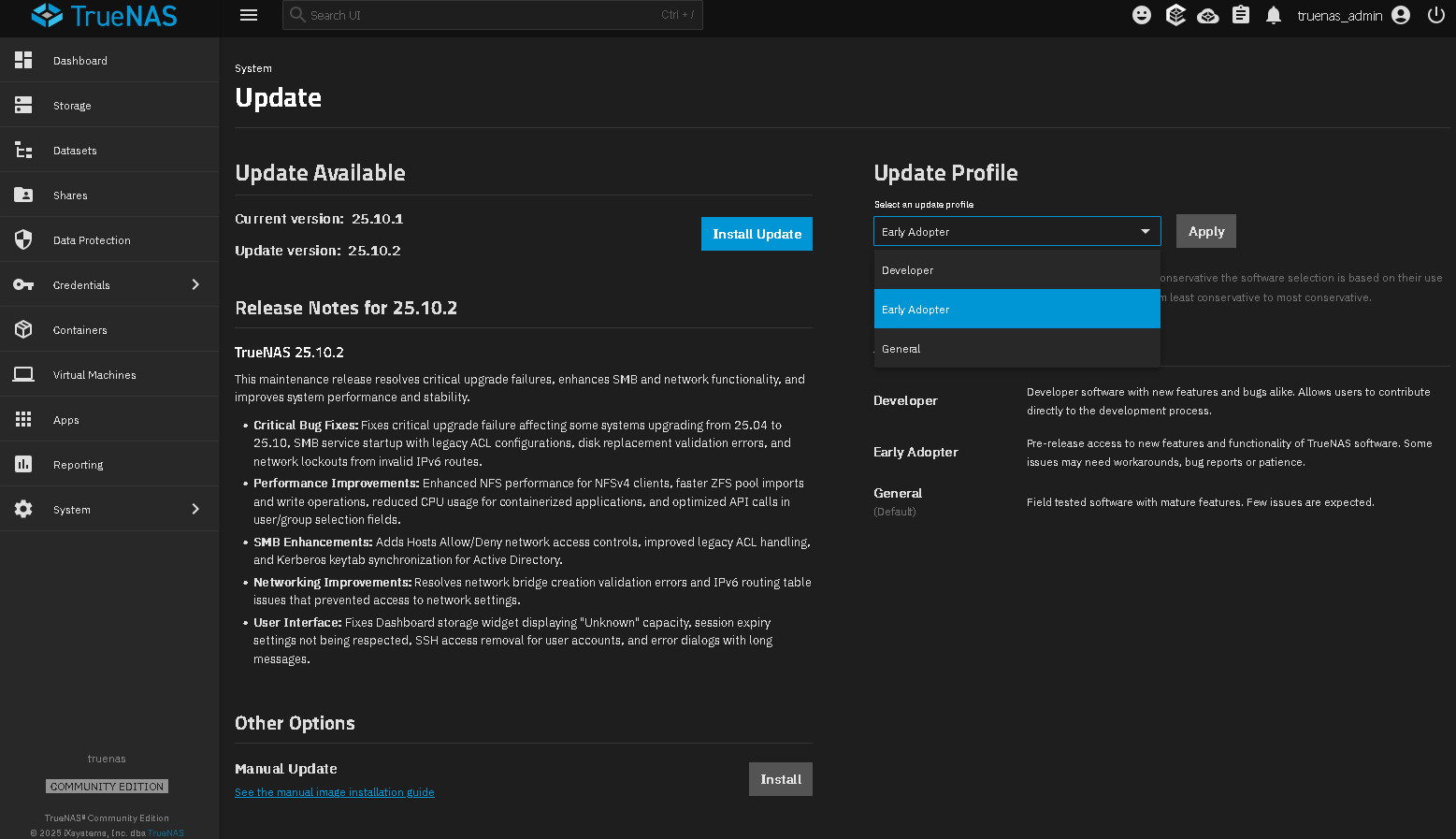
I think the title is pretty clear. Im just struggling to understand how to do this, as the “General” train is still greyed out, even though as I understand, 25.10.1 is now available in General, which is a higher version that my current one, which is 25.10.0.1 Early Adopter.
If anyone could help this would be greatly appreciated, thankyou
If you don’t see the option to change trains in 25.10.0.1, do a manual update to 25.10.1 and then do a check for update and try to switch the Train then.
Just so I am completely sure (as ive never done it this way before), I should download the file “TrueNAS-SCALE-25.10.1.update”. I intend to copy this onto a temporary SMB Share, then select it from the UI under Manual update, and install. All Correct?
Just as a matter of context, “early adopter,” “developer,” “general,” etc. are not distinct releases of TrueNAS. Instead, they’re designations iX gives to various releases of their software when they decide they’ve reached certain levels of stability. The current release is 25.10.2.1, and I expect it’ll be tagged as “general” shortly. What I’d suggest, then, is upgrading to 25.10.2.1, wait for it to show as “general” on TrueNAS Software Status | TrueNAS Documentation Hub, then set your update profile to “General.”
Thankyou @dan and @SmallBarky for your replies. For now I have decided to 25.10.2.1 under Early Adopter, with a view to then change to the General train once it become available, hopefully in the next few weeks.