
How to use inter-container communication in Truenas 25.4.2.1?
Anyone have any idea?
Is this a broken feature or something?
Do you need to bridge the networks similar to virtual machine?
vote for
and a community member created a script for inter app communication and shared it in the feature request.
I am running some apps that I would rather not be network accessible. I’d rather they communicate between each other.
Not broken. It is explained in the Docs.
By Default, Docker Containers use NAT Networking.
You need to use Network Mode Host for the container to use the host’s network stack.
Now, if you need to connect docker apps internally, you need YAML or Docker Compose so you can put them in the same container.
Some godsends on the internet have built the tjhorner/dragonify tool since truenas doesn’t support custom docker networks for apps yet. It adds TrueNAS app containers to custom docker networks.
I would suggest you use the fork by casse-boubou/dragonify, which adds network names via docker labels, you’ll have to read the PR conversation at tjhorner/dragonify/pull/3 on how to use the docker labels.
Hi. I know this thread is a few months old, but I’m struggling with the same. Is dragonify actually still needed? The referenced thread indicates this was supposed to be fixed for 25.04, and indeed the last comment states “This item has been addressed”. However, I’m on 25.10 and still seem to be seeing the same problem, and it’s extremely unclear how this is supposed to work.
Does inter-container communication actually work in 25.10, if configured this way:
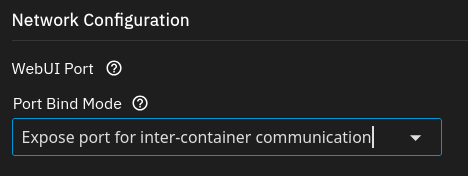
I second this. wanting more details but cant find clear information on it.
I’m trying to only expose Immich or other TrueNAS apps via NPM which is also an App in TrueNAS.
In TN 24.04 Kubernetes was used as runtime for the apps. Kubernetes has a flat network model, which made it easy for apps to communicate with each other, without any extra effort.
With TN24.10+ Docker is used as runtime for the apps. Docker has isolated networks: a container can only communicate with other containers when they share at least one container network.
Docker based TN apps leverage docker compose for their deployments. Each app has their own compose configuration (you guys seem to consistently just call it YAML here) and deploys a compose project with their own isolated default network. Docker compose itself allows having multiple networks, including external networks that already exist in the docker engine.
It should be a low hanging fruit to implement a network picker in the ui, and add picked networks as external networks in the configuration.
Inter-Container Communication is enabled by default for docker bridge networks.
The way docker based apps are working at the moment is not fully “docker-esq”.
I was unable to figure out any way to make it work in 25.10 other than using dragonify in Dockge which worked. I have the same use case of forcing certain apps that don’t natively support authentication to only go through NPM (which can add basic HTTP auth which is probably good enough for a service not exposed to the internet).
It can be done with custom apps, which are basically configured through a yaml compose configuration.
You can turn any installed TN app to a custom app, which transforms the config to a yaml compose configuration. If you edit the cusom app, you can directly edit the compose configuration and add additional networks, and use those in the services.
If a TN app exists for an application, it’s usually a better starting point to install it as app, then turn it into a custom app. The resulting compose configuration is security hardend compared to compose files you find in the wild, which usually aim to be a simple example, but typically not contain any security configuration (like cap_drop: ALLand then adding the required capabilities individually)
Of course, you can skip TN apps/custom apps all together and install compose projects with Dockge (or whatever tool you prefer to deploy compose configurations). But then you won’t see them in the TN apps ui.
Yeah I should clarify that I couldn’t get it to work via the UI. For now I don’t see any real downside to running the Dragonify container as it should be at worst as secure as running it with the ports exposed to the host but I really hope they make a UI to set this up with Docker apps since it is security best practice. I run all of my Truenas apps via the official app catalog except for my gluetun/qbittorrent compose which was too hard to figure out that way so I just pasted a config into Dockge and it’s worked for me.
Hi there,
I now found a method to make this work. It is not fully UI but still.
I use this method together with nginx proxy manager app, so I use this as an example
- Go to shell,
sudo -i docker network create npm-internal- Go to web UI Apps → Nginx Proxy Manager - Edit
- Under Network Configuration - Networks click add
- Name npm-internal, container npm
- Leave all other fields empty
- Go to shell,
sudo -i docker inspect ix-nginx-proxy-manager-npm-1 --format '{{json .NetworkSettings.Networks}}' | tr ',' '\n'to find IP. As npm was first container to join it got 172.16.9.1- Did this again for other containers, e.g. bentopdf, immich, authentik, …
- For some stacks only expose the “server” container of the app to the npm-internal network
- Find IP with command in 8. Get container name with
docker ps - Ports are either defined in UI or can be seen via
docker ps
Hope this helps 
EDIT: To find compose file:
$ docker inspect ix-nginx-proxy-manager-npm-1 | grep com.docker.compose.project.config_files
> "com.docker.compose.project.config_files": "/mnt/.ix-apps/app_configs/nginx-proxy-manager/versions/1.3.6/templates/rendered/docker-compose.yaml",
Hello there, feel free to review my approach on this problem with native TrueNAS GUI tools: