going to add something else to this thread because just now I thought I’d have to go through this all over again - latest updated fail to start. this time through some digging into the logs I figured out that my instance of adguard was blocking a critical install function - seems immich reaches out to the internet for machine learning. had to add an exception for sentry.ixsystems.
OMG THANK YOU!!!
I have been encountering this, as well. I was on vacay in Disney when I discovered my immich server was borked for some reason. It looks like it crashed at some point and the app was failing to start for this reason. After jacking around with it today it seemed that by turning off “machine learning” I was able to get it to start again, but haven’t been able to figure out why until I read your comment!!! THANK YOU!!!
You don’t actually have to install a new instance if you are comfortable with the command line.
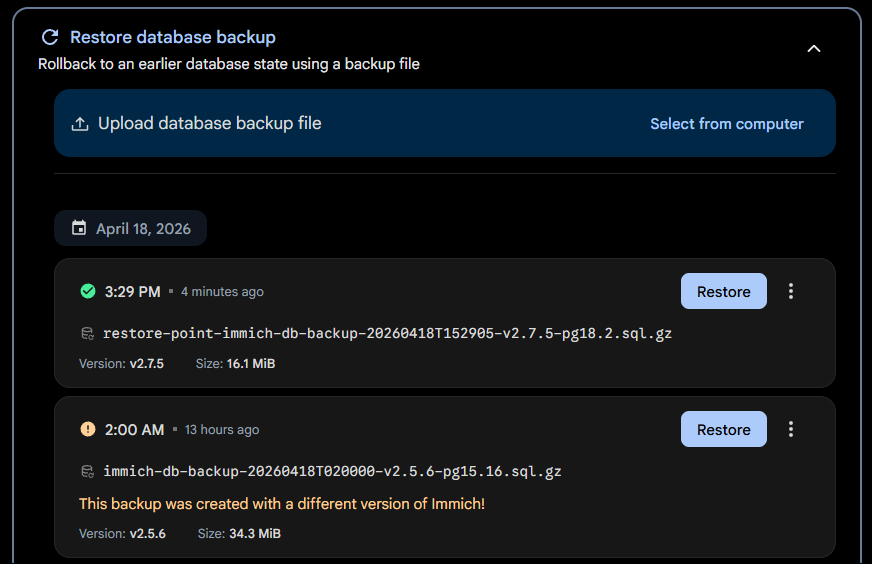
Verify that Immich is backing up the database
Administration > Maintenance
Stop the app
Change Postgres Image to Postgres 18
Rename your old db folder and then create a new one
cd /apps/immich # Your dataset that holds the db folder
mv db db15
mkdir db

ls -aln
total 10
drwx------ 3  999  999 3 Apr 18 15:28 db
drwx------ 3  999  999 3 Apr 18 15:21 db15

chown -R 999:999 db
chmod -R 700 db
Upgrade the app in the webui
Start the app
Restore from backup
Thanks so much for this! Total lifesaver. I will only add for future people that after step 8 the app wouldn’t deploy (for obvious reasons). So, while it was stuck in the deploy loop, I clicked “upgrade” in the top right corner of the gui. That completed the migration without a hitch.
Having same problem, solution was I convert it to app instead and it works.
I tried this and after changing to postgres 18 and saving it now says up to date but keeps changing back and forth from “Deploying” to “Running”. During the 30 seconds or so of it saying “Running” I am not able to access the WebUI
This worked for me! Thank you for the simple solution. I was getting nervous
Replicated the same steps and worked perfectly! On the step 8 it just took a bit to finish the deployment but after some waiting I was able to upgrade Immich from the apps UI and worked!