Since migrating to the new storage layout for Immich, I’ve been getting an error for failing DB backups. I thought I had followed the process rigorously at the time, but maybe not. I had ignored this error for a while but thinking that if I want to recover a database at anytime, I should sort it out. I’m on ElectricEel-24.10.2.4 with app version 2.5.6. The error is below.
These are my permissions (no ACL enabled)
admin@zus:/mnt/zeus1p1/immich$ ls -la
total 72
drwxr-xr-x 6 root root 6 Oct 7 09:46 .
drwxr-xr-x 20 root root 20 Oct 5 22:46 ..
drwxr-xr-x 8 root root 8 Oct 5 20:28 data
drwxr-xr-x 7 root root 7 Nov 9 11:52 mldata
drwxr-xr-x 2 netdata docker 21 Nov 16 2024 pgBackup
drwx------ 4 netdata docker 4 Dec 6 23:26 pgData
and then in the data folder:
ntonio@zeus1:/mnt/zeus1p1/immich/data$ ls -la
total 96
drwxr-xr-x 8 root root 8 Oct 5 20:28 .
drwxr-xr-x 6 root root 6 Oct 7 09:46 ..
drwxr-xr-x 2 netdata docker 22 Oct 7 00:02 backups
drwxr-xr-x 5 root root 6 Nov 30 13:28 encoded-video
drwxr-xr-x 5 root root 6 Nov 30 13:27 library
drwxr-xr-x 2 root root 3 Oct 12 2024 profile
drwxr-xr-x 5 root root 6 Nov 30 13:27 thumbs
drwxr-xr-x 5 root root 6 Nov 30 13:27 upload
The netuser has write permission to backups folder
admin@zus:/mnt/zeus1p1/immich$ sudo ls -al ./pgData
total 48
drwx------ 4 netdata docker 4 Dec 6 23:26 .
drwxr-xr-x 6 root root 6 Oct 7 09:46 ..
drwxr-xr-x 3 netdata docker 3 Dec 6 23:25 15
drwxr-xr-x 2 root root 2 Dec 6 23:26 data
Where are the permissions wrong? Also, presumably the pgBackup is part of the old storage configuration is not used anymore? This question led me to check the app configuration and I noticed that pgBackup is not used anywhere so looks like I can safely delete.
But this made me realise that I’m using a deprecated version of postgres and I wonder if this may be the problem? See second screenshot below. I’m I safe to select Postgres18 here? It does say that its a one-way migration and if things go wrong I’m screwed. Given the above error with database backups I think I’m in dangerous territory here …
Before any of this do you have daily system wide snapshots or a copy of your old immich dataset?
If so you can attempt the immich db migration with less concerns. I think you may need to fix the immich migration before migrating the db. You can take the dataset for immich and try to recursively re-apply the permission as they used or should be for the whole dataset. The immich database migration is all about putting old directories under the same file structure. I’d say create a new dataset and immich instance, then use the terminal to check what is underneath it, then move the old directories you have into a similar structure, fix your old instance, then cleanup the new dataset and immich instance that only served as an example. Don’t forget to make a snapshot if you hadn’t have one before.
Can you please explain what you mean with the above sentence? Do you mean that I apply the migration to the 3 folder structure from the previous 6-7 folder structure and once that is complete I migrate the DB from Postgress 15 to Postgress 18?
If I remember correctly, the data storage migration process was quite clear about the required permissions and I followed those rigorously. I’ll take a look at the procedure again and go through the permissions. This is definitely a permission issue.
I think you should make sure the app can start and work properly before migrating the postgress database. If it fails during conversion it will probably corrupt the database. So if can’t even start now, I see little reason to believe that updating the pg database will go smoothly.
Make sure to have backups.
Feels like a classic case where permissions and migration got slightly out of sync. The fact backups fail while folders look mostly correct usually points to ownership mismatch between containers and host paths. I’d honestly pause any Postgres upgrade and focus on fixing the current setup first. Also worth comparing with a fresh install structure as a reference — something like Immich setup guide helped me spot differences before.
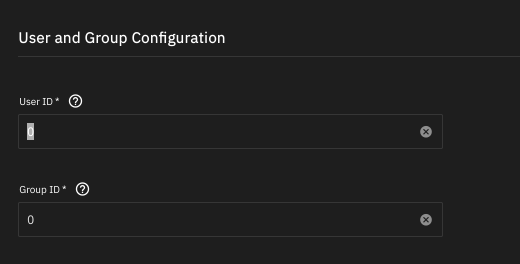
I think I may have figured out what has gone wrong. When I originally setup Immich a few years ago, I did not set the APPS option when creating the dataset. This means that the dam thing is running as root. Do you think I can simply change this to the APPS user-group of 568 in the settings and not face a catastrophe?
The other thing is that I realised another setting is probably wrong. the “Database Storage Type” is set to SSD despite the pdData dataset actually being on a HDD pool. Can’t afford an addition SSD pool a.t.m. Its never complained but never say never …