I had a previous install running nicely on V12
I’ve just upgraded to 25.04.2.6
Installing plex from the built in apps but want to try and replicate the old install and unsure on some of the new options needed.
Plex was originally installed in a Jail on existing dataset mnt/BACKUP (as is all the additional data, thumbnails, etc)
Media files are in mnt/MEDIA
TrueNAS IP is 10.0.1.2 (network is 10.0.1.1/24)
Plex was configured at 10.0.1.100:23400, and I have routing/ forwards in place already.
What is needed to replicate the old config on a new App install?
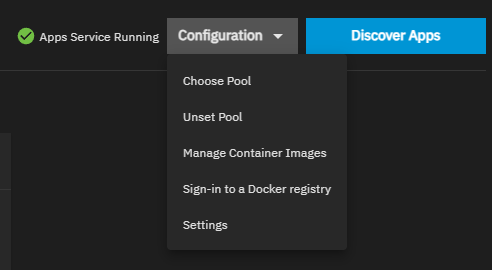
First determine which pool apps will be installed to. You can determine where the .ix-apps dataset will be mounted in the apps configuration UI by “Setting the pool”. Whichever pool you select, is where the system places .ix-apps.
Personally, I mount .ix-apps on a dedicated SSD mirror pool along with all of my installed app config files. I also migrated the TrueNAS .system dataset to that pool. (the “.system” dataset is mounted to the first available pool during installation by default).
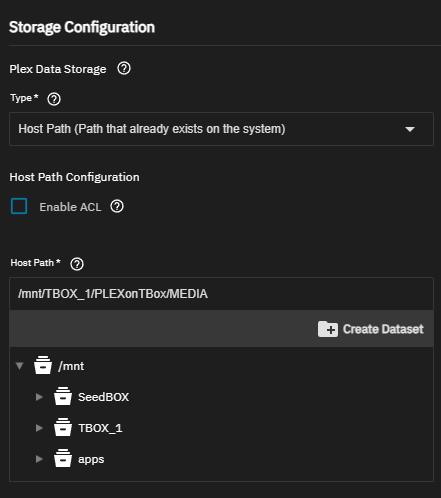
For Plex, during setup in the “Edit Plex” UI, configure the storage section to your needs. You can put the installation wherever you need to put it, and point Plex to where your media files are mounted. eg.
The basic logic for my use case is to divert as much I/O traffic away from the big media pool as possible. There is no reason to access a 14 disk pool with system and app function I/O traffic. I also have a separate mirrored pool for seeding torrent files. This keeps much un-needed traffic off of the big pool. The only time it shows activity is when actually accessing media files.
There are many good TrueNAS/Plex how-to videos on YT and discussions in this forum that can explain this much better than I can if you need further instruction or explanation.
Welcome to the learning curve.
Thanks heaps for the reply.
Storage setup and mapping the app install to my Apps pool is straighfroward.
My real issue is setting the Plex server to be on it’s old IP (10.0.1.100:32400)
Rather than it looking directly at the TrueNAS IP (10.0.1.2:32400)
I have a bunch of firewall config and rules already setup for that address.
I have found this thread from a few years ago
Maybe functionality was not added?
Basically it only works with static ip and not dhcp. You have to add an additional alias to your nic. when you edit the app there should be a dropdown menu to choose that ip.