
Under Credential > Users search your user fillg1 and go edit… What Is set under Shell setting? You can adjust It here in case
Thanks for the suggestion @oxyde
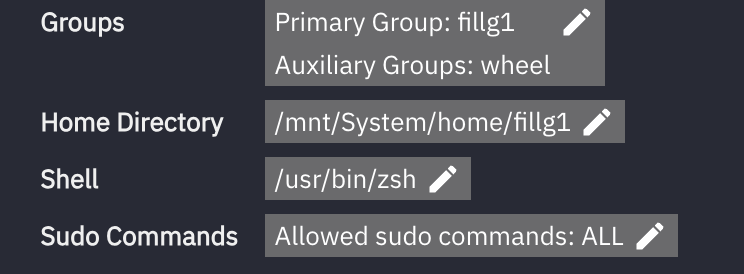
Strange thing is, it say No Shell Access in the UI
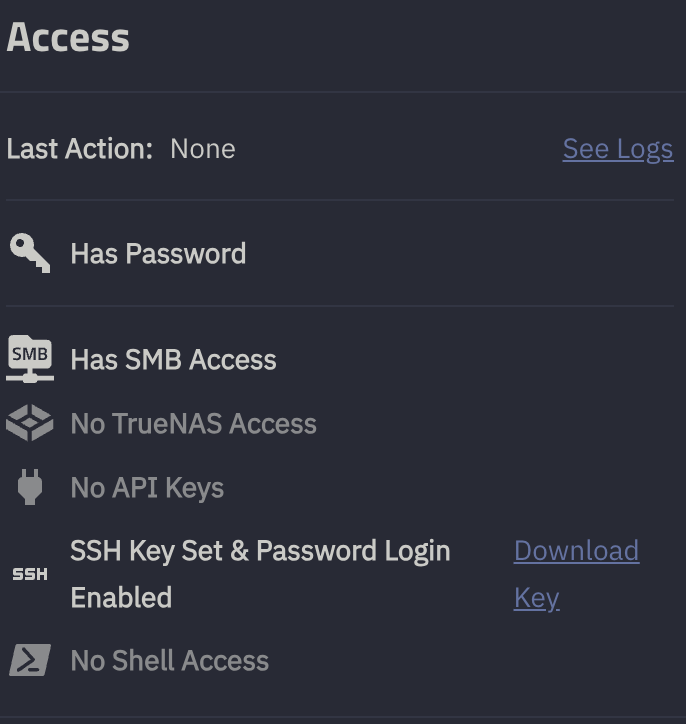
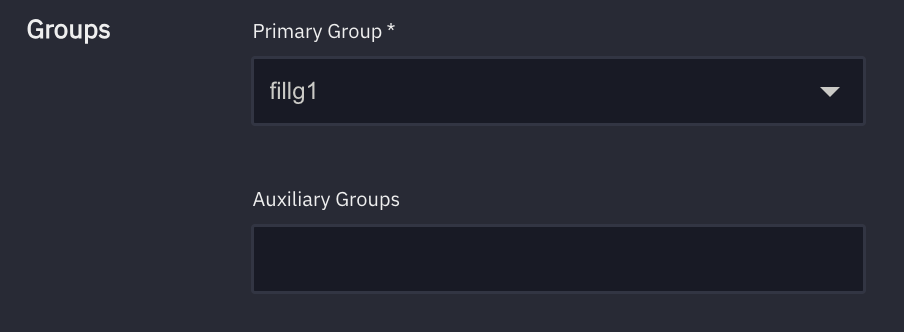
And when I click on Edit, I do have?
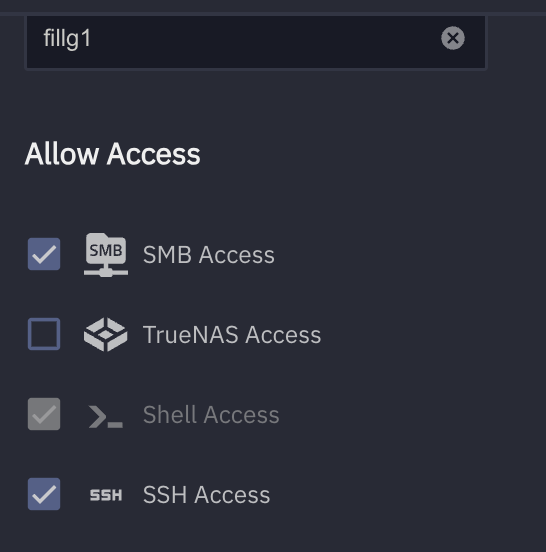
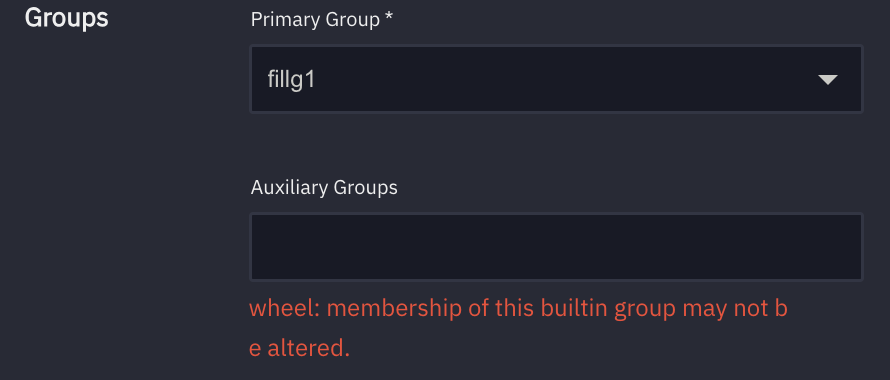
I cannot save because
wheel: membership of this builtin group may not be altered.
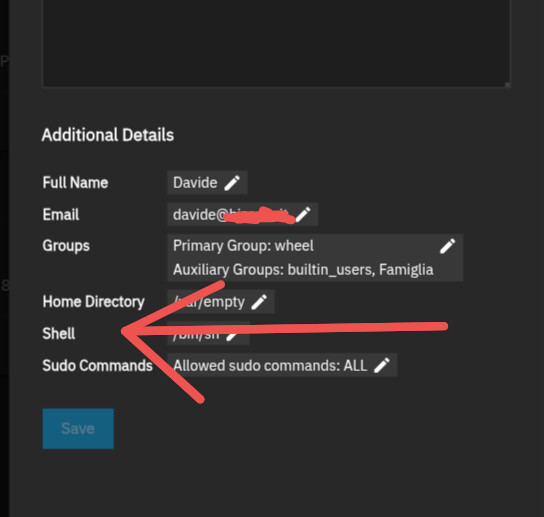
No, I tried to change to bash, same error wheel: membership of this builtin group may not be altered.
I’m out of idea, never had this error 
The issue is that user is a member of the wheel group, which isn’t allowed under recent versions of SCALE. You should be able to edit the user to remove that additional group membership.
now the fun part 
sudo deluser fillg1 wheel
[sudo] password for fillg1:
deluser: The user fillg1' is not a member of group wheel’.
➜ ~ sudo gpasswd -d fillg1 wheel
Removing user fillg1 from group wheel
gpasswd: user ‘fillg1’ is not a member of ‘wheel’
Why? You should not be managing users (or much of anything else, really) at the shell. You could use API commands for that, but it’d be a lot easier to use the GUI.
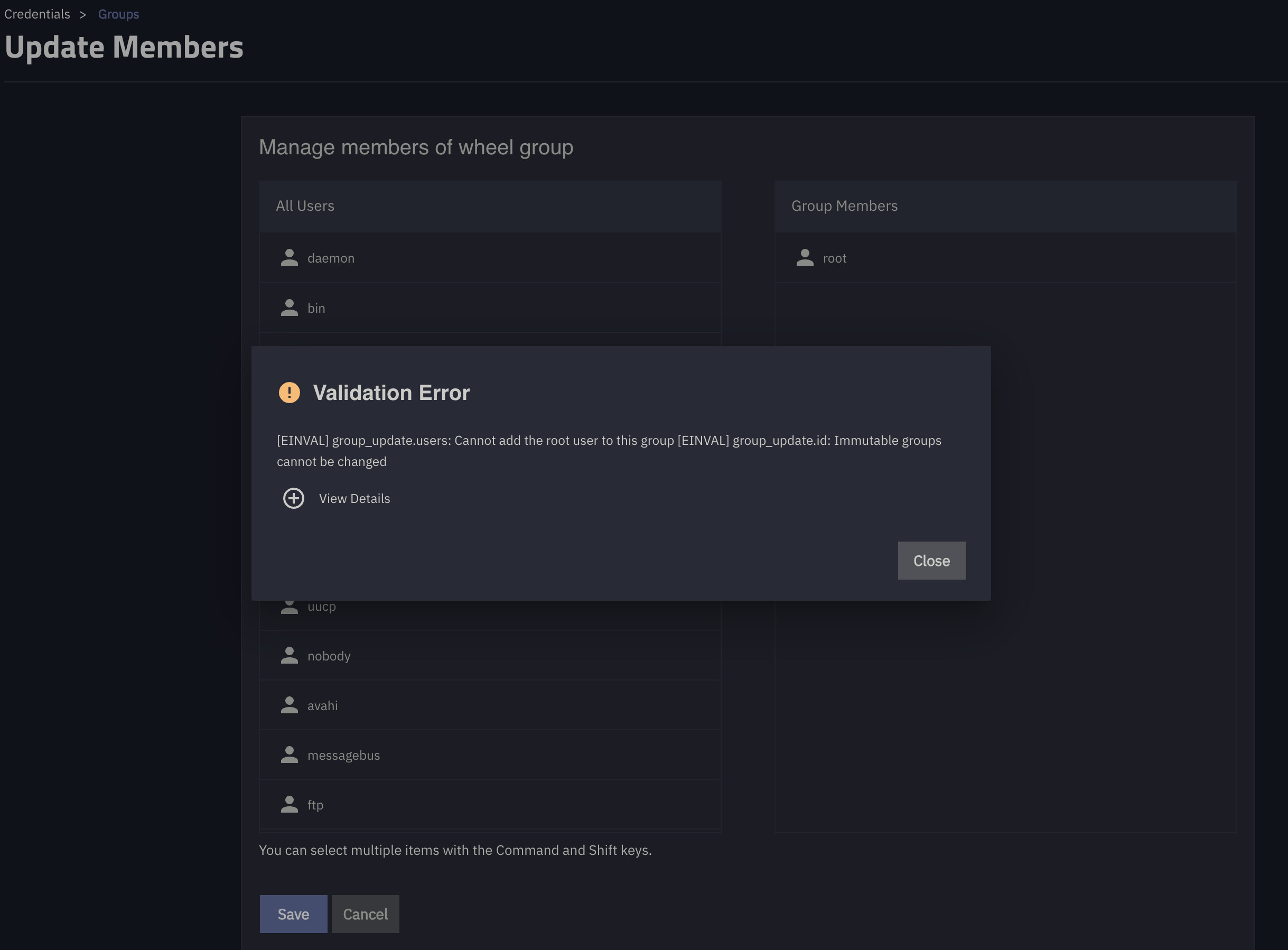
As I said above:
(emphasis added)
I had the same issue and was able to resolve it in the following way.
Navigate to the TrueNAS shell as an admin, and enter the TrueNAS cli (type cli in the shell). Then run the following command:
account user update uid_or_username=<uid-or-username> groups=<all the applicable groups>
This command sets all the applicable groups on the given user. So be careful when running it as it could affect any access based on groups.
Hope this helps anyone looking into this similar issue after migrating from core to scale
Thanks for the hint, after an update to 25.10.3 my problem kind of vanished, my main user is now able todo ssh etc. The only thing missing is that I have to sudo for docker commands and
account user update uid_or_username=fillg1 groups=docker
Validation errors:

user_update.groups.0: docker: membership of this builtin group may not be altered.
but I can live with that 
Sorry, I cave to pickup this topic again. This SSD died after 3 months with a controller failure, storage seems to be fine, according to the latest logs.
It is very hard to find small SSDs, only cheap OEM stuff, nothing from major vendors. maybe “we” should think about how to deal with the boot devices hear, it does not make sense to spend 200$ for a 512GB SSD just for booting .
NVMe in a USB adapter, small regular hard drive will work also. You can repurpose old laptop hard drives but it’s just slower.
Design of the boot drive being separate is a design choice and I don’t see it changing for TrueNAS.