
My Mini X+ has 4, 8TB drives that will eventually store my 1,174 movies, photo and videos. I have a LAN connection, a Denon AVR that has a network input, as well as HDMI eARC inputs and outputs and a LG display that has an HDMI eARC input. How do I configure the Mini X such that it connects to the AVP and displays on the LG display? I’m not new to home theater computers, but very new to the Mini X+.
You don’t. TrueNAS doesn’t have any local graphical display capabilities. It would serve the data over your network (probably using a media server like Plex or Jellyfin) to something else (like a Roku or Apple TV, or a smart TV).
I plan to use Plex on the NAS as a plugin to provide the graphic display capabilities and the LG G5 (2025) is a smart TV. I know I can use VLC Player with a laptop, but I think there is a way to display the NAS directly on the G5 and control it with a wireless keyboard.
I mean, even if you’re successful you’ll just get the following (or something very close to it):
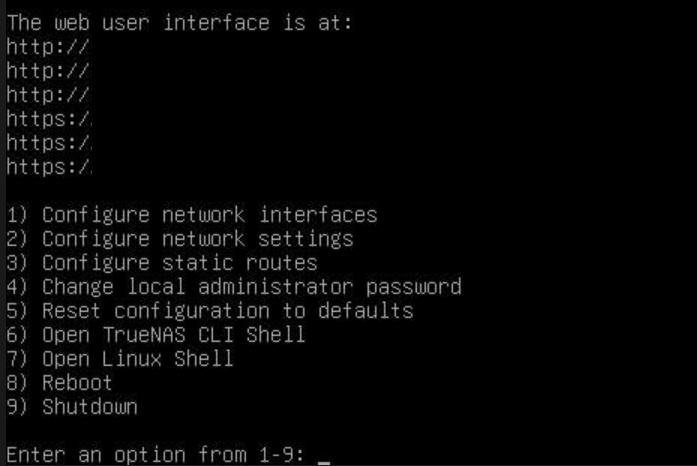
…congrats, you’ll be able to input cli commands, make networking changes, or even make changes the power state of the NAS! All from the comfort of your TV. Hardly what you were expecting.
To actually get the results you want; set up Plex on the NAS, once it is setup on the NAS, get the Plex app on the Smart TV & enjoy your media without having to connect anything other than the TV to your home network.
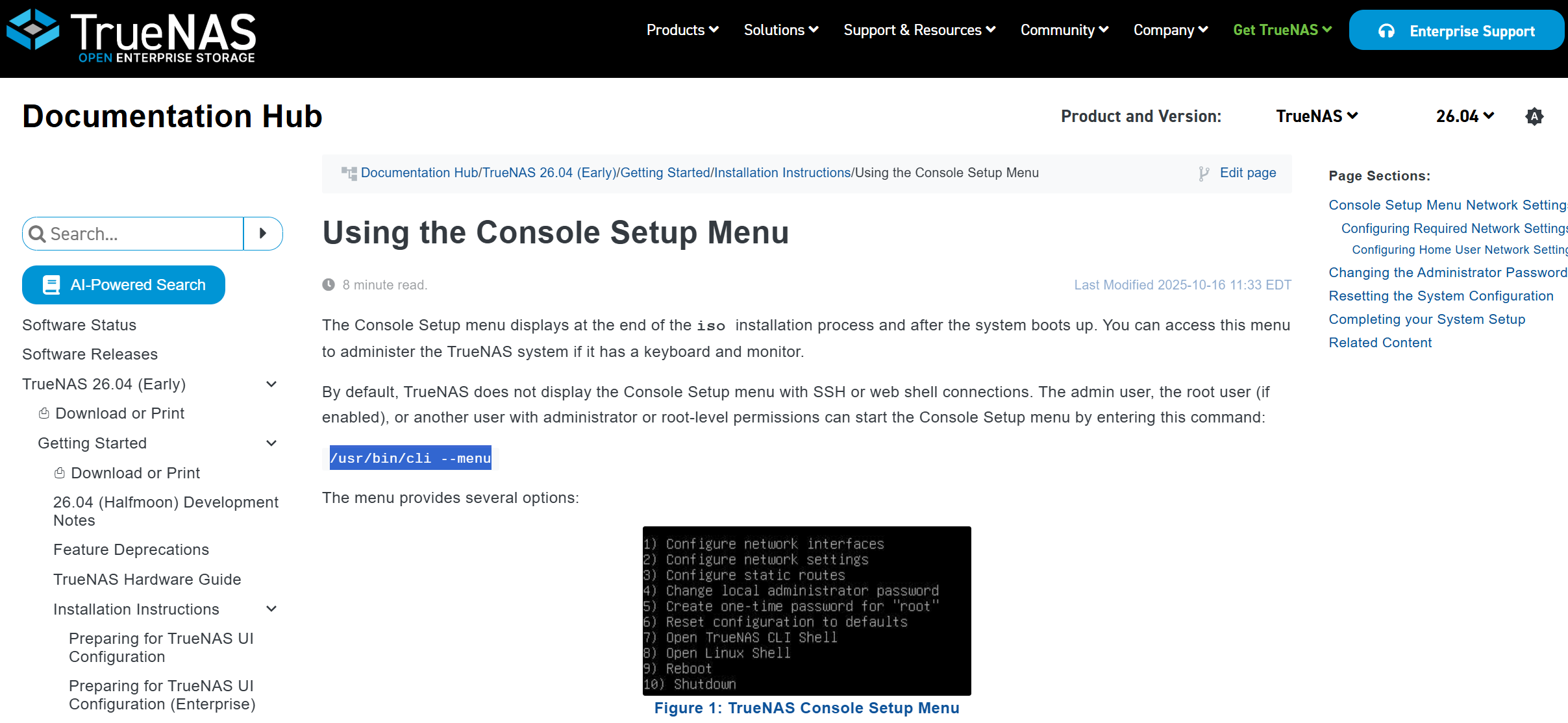
You prolly wanted to enter the linux shell; hit 7 then ‘enter’. Anyway, there is no point continuing this way.
Use the web interface, go to the apps section, download plex & set it up… I’m not 100% sure on where we went wrong, but having a display & keyboard connection between your nas & tv won’t get you the results you’re looking for.
Setup Plex or Jellyfin.
After I select “shell” from the dashboard, what command do I enter to get to the console setup menu? I can’t get the TrueNas instruction to use “usr/bin/cli/ --menu” to work. Thanks.
Why on earth would you want to? The command given by the docs you shared is correct; the one you gave has a misplaced slash. But I can’t see any reason you’d want to invoke the console menu from within the web GUI.
Which version of TrueNAS are you using?
I’m not sure what you mean by “version.” The Mini X+ was delivered Monday of this week.
So, If I don’t need to go into the shell, against other’s advice, exactly how, per my original post, do I get the NAS connected through my AVR receiver to the LG G% display such that I can watch movies on the NAS with a wireless keyboard? Thanks.
What you want is a HTPC. Not a NAS. The Truenas Mini+ you bought is a NAS.
It only stores the Movies and cant display them.
- Install and configure the Plex server/Jellyfinn or Emby App on the Mini+
- Install the corresponding App on your TV
- watch movies
1 Like
I’m confused. You said I can’t use the Mini X+ to display the films on it on a smart TV. I need an HTPC. Then you appear to say that I can if I install Plex on the Mini X+, install Plex on the LG G5, then I can watch movies on the Mini X+ through the Denon AVR on the LG G5. What am I missing?
Yes. The Mini X will never display anything.
The App on the TV will connect to the app on the Mini X to get the movie data and then display it on the TV.
A HTPC you connect directly via HDMI to a TV using software like Kodi.
But aren’t you saying that the 1,174 movies on the Mini X+ through Plex will be displaying those movies on the TV? If so, exactly how?
Your NAS cannot (easily) output video playback to a TV, and TrueNAS is absolutely not designed for this use (nor are most other NAS operating system and hardware combinations). You’re misunderstanding the established practices for storing and serving media from a NAS to a playback device here. It’s not how Plex, Jellyfin, etc. work.
They’re all based on a two-part client/server architecture where the server component runs on your NAS, and the client runs directly on the TV, or another device connected to the TV, but crucially, not on the server itself.
- you should store your media files (TV, music, movies, etc.) on your NAS
- you can install a media server application, such as Plex, on the NAS that indexes that media, manages artwork, etc. and crucially serves that data over the network to a client
- the software that actually generates the video for your TV to display will be the client component of whatever software you chose as your media server. This will either run natively as an app on your LG TV (LG TVs are well supported by Plex), on an HDMI-connected device like a Roku, Firestick or Shield, or a HTPC
- you should then use the eARC HDMI socket on your TV to connect back to your Denon AVR (is using a TV app) or connect your HDMI playback device to an HDMI input on your AVR
Ok, so I can play movies stored on the Mini X+ through the AVR to the TV. Since the AVR and TV need HDMI and the Mini X+ doesn’t have an HDMI out, which Mini X+ USB port should be used (USB3 to HDMI cable) to connect to the AVR? Thanks.
I don’t know how the question can be any clearer.
Nobody has advised you do go to the shell.
None. The Mini X+ is a NAS–Network Attached Storage. It connects to your network. Something else (like your receiver, or your smart TV) also connects to your network. The Plex (or other) server runs on your NAS; the Plex client runs on the receiver/TV/whatever. They communicate over your network to show your media.
No, you don’t connect your Mini X+ to the AVR or the TV. The Mini X+ plus cannot output any video or audio that your TV or AVR will be able to reproduce.
Let’s assume, for the sake of argument, you’re using Plex Server on the NAS, and the Plex Client on your TV.
You:
- connect the NAS to your network
- put your media files on the NAS
- install Plex Server on the NAS
- connect your TV to the network
- install the Plex Client on your TV
- (optional: connect your TV to your AVR using the TV’s eARC HDMI port to get audio looped out to your AVR)
- play back content from your NAS, over the network, using the Plex Client on your TV
No USB is involved.
edit and just for clarity, you noted that your Denon AVR has a network socket. This will almost certainly only allow it to be used as a streaming audio device (using Airplay, Chromecast, SpotifyConnect, etc.). You will not be able to access audio data on the NAS directly from the Denon AVR. You’d need an intermediate client running on another device.
This is way over my head and I’m more confused than when I started. A local IT guy recommended the Mini X+ for my setup. I need to hire him to fix this. Thanks.
1 Like
Honestly, from what you’re saying, I think you’ve been mis-sold the Mini X+, as it’s not capable of doing what you appear to be trying to achieve.
Correct me if I’m wrong, but you seem to want a single device to store all your media on, that can be connected directly to your TV or AVR via an HDMI cable and play that media.
Your Mini X+, sadly, cannot do that.
It’s designed to store your media and make it available on your home network for other devices to play back.
Now, that’s not to say that you cannot make your Mini X+ work with your TV, because you absolutely can! It’s just going to be a little different to how you imagined, but it will probably work a lot better! 
My Vu+ satellite box mounts a share from my NAS, where I store the recordings I do want to keep. To play back, the Vu+ reads back over Ethernet and outputs to the TV.
No Plex/Jellyfin involved. And no display output from the NAS.