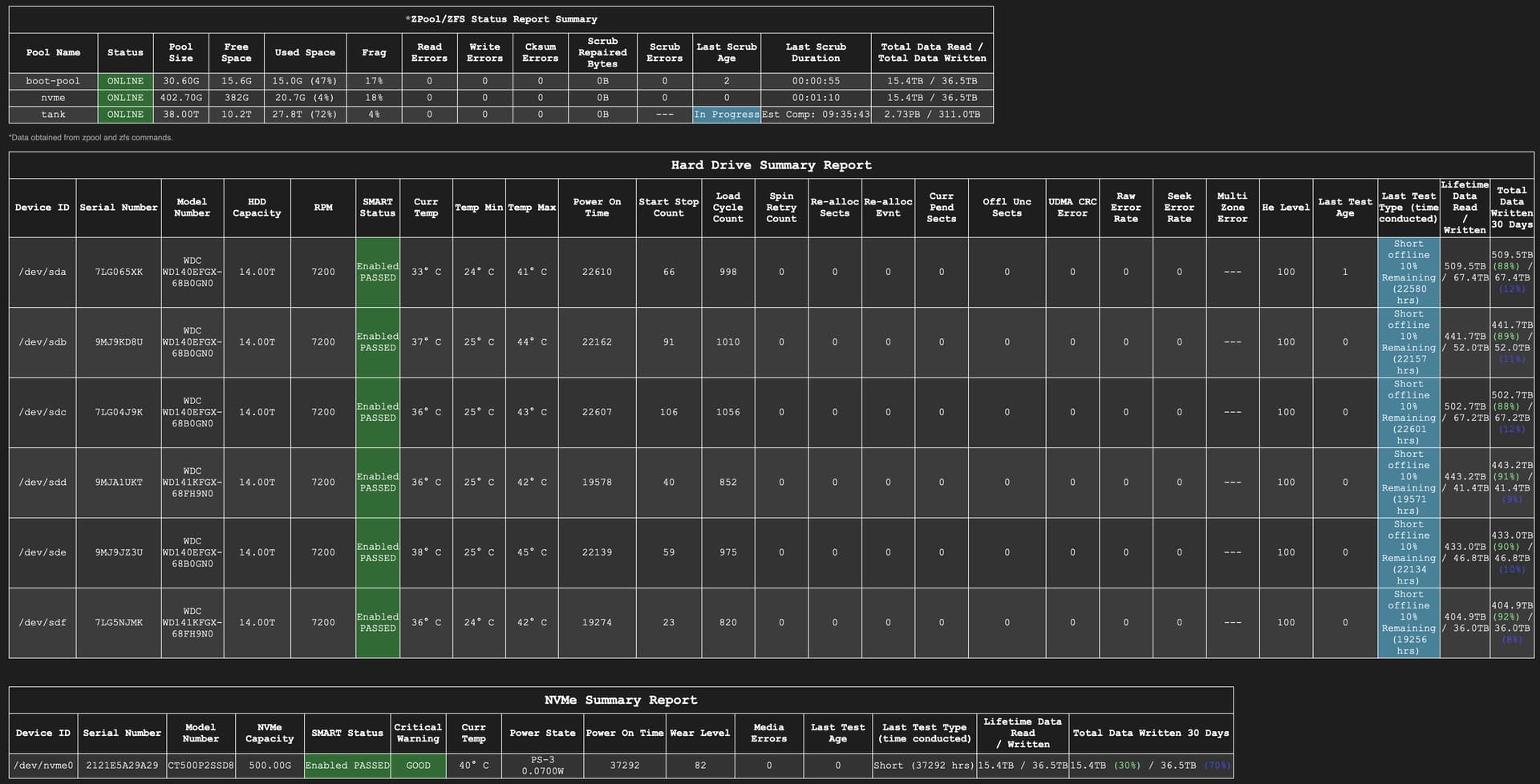
Multi-Report

@joeschmuck heya mate, sorry if a silly question. I’ve been running your script on my two TrueNAS Core servers for years, working great.

Now trying to get it working on a new TrueNAS Scale server, but having trouble with the sendmail side of things. How does the sendmail config work, does it use what I’ve already configured in Scale to send emails?

SCALE is a different beast so we had to implement our own home spun email tool called sendemail.py which should have been automatically installed the first time you ran the script.

If you can get test emails from TrueNAS GUI, then you should be able to do the same here.

In your config file, you may need to change the From= address to From="" or you may need to change it to the actual email server you are using. I am using the MS Outlook email server so I used the example. In CORE you might have been able to get away with just about anything since it used what was actually in the GUI for the email setup.

Looking back at your previous dumps you sent me, I’m not sure what you would do here since this looks like a personal email server.

You can test the sendemail.py functionality without tested the heck out of your drives, use the -test_sendemail switch.

If you are having no luck, send @Oxyde a DM and include the output of the test mode, he will help you out as it is his Python script hat makes this even possible in SCALE. Also include what version of SCALE you are using, just in-case something else is causing it.

3 Likes

You can also make some test “outside” the multi report, here there are some switch and example usefull to troubleshoot.
Let me know if i can help you somehow!

1 Like

Hi Joe,
sorry for the late response, i was on vacation and this topic got lost, unfortunately.

The previous version that i was using was v3.22.

I just enabled the disk layout feature again, logged in as root via SSH and executed the script.
I got the same error again, so I sent the dump to your mail address.

Thanks for the explanation of the tool’s benefits in general, tho as I am also just using 4 drives, I think I will keep it disabled.
But for users with numerous (replaceable) disks, this can surely be very helpful.

Edit: Well at least now the email looks correctly:

This is how it was looking before (nothing below):

1 Like

Umm, this afternoon when both of my multi_report scripts ran I got this as an error for the Disk Layout. the email shows a area titled Disk Layout so I re ran one in an ssh session and the layout script exited with error code 1. The render_case.py script is 0.15 referenced inside the script and also in the text section of multi_report:
4) Disk Layout - Beta (v0.15)

Exiting Joe's SMART Drive Self-test Script
Collecting Multi-Report Data...
<><><><><><><><><><><><><><><><><><><><><>
<>          Disk Layout - Error         <>
<>   render_case had an error code = 1  <>
<><><><><><><><><><><><><><><><><><><><><>

Multi-Report v3.29 dtd:2025-12-10 (TrueNAS SCALE - Fangtooth 25.04.2.6)
Report Run 04-Jan-2026 Sunday @ 16:20:57
Total Memory: 125Gi, Used Memory: 83Gi, Free Memory: 23Gi

@Oxyde did update the render_case.py script to version 0.15. That could be the issue. I have not grabbed a copy of this new version yet, been pretty busy around the house. Attached is version 0.14 if you don’t have it so you can roll back to test it out.

render_case_v0.14.txt (38.9 KB)

Thanks,
I saw it had been updated. I’ll get the 0.14 version → the display works with that version.

1 Like

Problems fixed in 0.16… second time i get caught by an f-string expression that not work in the older python version in TN, but run perfectly in the newer i use on test machine :melting_face:

2 Likes

@oxyde These thing don’t only bite you in the rear, I deal with it as well, maybe not specifically with Python.

1 Like

Thanks fellas, changing the “From” address got it working.

Now to see if I can get the drives showing the email… just reading the rest of the thread now and it appears that might be a known issue.

2 Likes

Yep, download latest update from the hub to get It working :smile:

My apologies if this has been asked and answered but I couldn’t find details in the documentation, or in this thread.

Why does the e-mail subject line include “Warning” if a smart test is currently running?

I don’t see any values out of range or highlighted with scary colors in the output - only green statuses and blue for the drives currently running tests.

It should not, it might be that the drive is hot from the test running? Post up examples plz.

E-mail subject line - server name redacted:

*WARNING* SMART Testing Results for xxxxx *WARNING*

If you look at the Text Section, there will be a Warning Log. If you have Critical issues then a Critical Log. This will tell you exactly what was flagged.

This happens a lot, people do not read the Text Section which is full of good information, and these logs.

2 Likes

Thanks for the tip. I usually have the text section disabled, but I reenabled it for this test:

WARNING LOG FILE
No Statistical data on file for this drive sda.
If this is the first time using this drive with Multi-Report, you can ignore this message.
...

Then I ran the script manually with the -s parameter to grab the statistical data (I thought) and I continue to receive these:

WARNING LOG FILE
No Statistical data on file for this drive sda.
If this is the first time using this drive with Multi-Report, you can ignore this message.
No Statistical data on file for this drive sdb.
If this is the first time using this drive with Multi-Report, you can ignore this message.
No Statistical data on file for this drive sdc.
If this is the first time using this drive with Multi-Report, you can ignore this message.
No Statistical data on file for this drive sdd.
If this is the first time using this drive with Multi-Report, you can ignore this message.
No Statistical data on file for this drive sde.
If this is the first time using this drive with Multi-Report, you can ignore this message.
No Statistical data on file for this drive sdf.
If this is the first time using this drive with Multi-Report, you can ignore this message.
No Statistical data on file for this drive nvme0.
If this is the first time using this drive with Multi-Report, you can ignore this message.

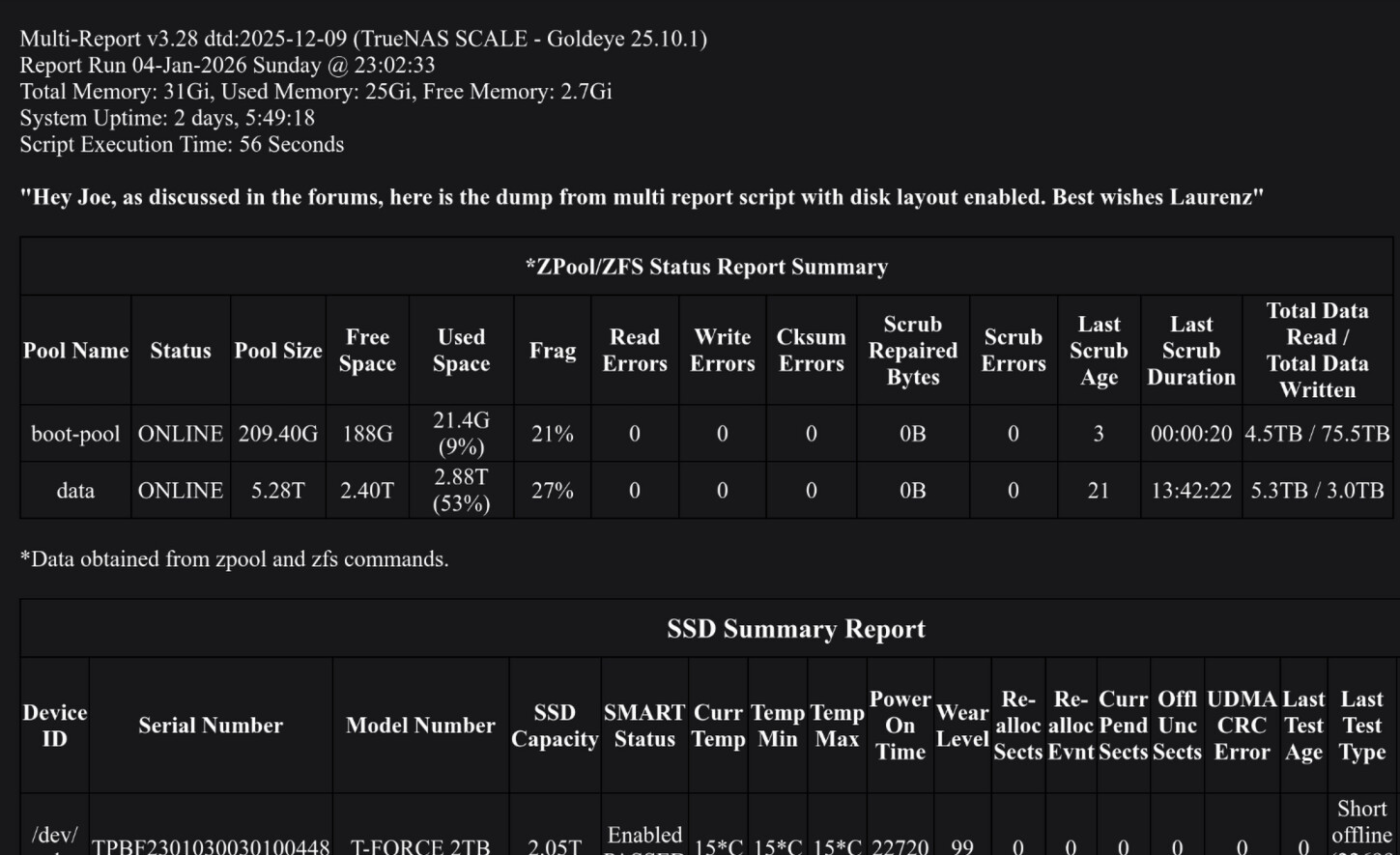
What am I missing???

Run the script normally, without any parameters. It will generate the needed file. I will need to check as to why the file was not generated when you used the -s parameter.

This alert occurs the first time for every install if the file does not exist and the file should be created at the end and then you should not see any further messages like this, until you install a new/different drive.

I ran the script from the CLI as suggested.

I see a statisticalsmartdata.csv in the scripts directory with the following contents:

Date,Time,Device ID,Drive Type,Serial Number,SMART Status,Temp,Power On Hours,Wear Level,Start Stop Count,Load Cycle,Spin Retry,Reallocated Sectors,Reallocated Sector Events,Pending Sectors,Offline Uncorrectable,UDMA CRC Errors,Seek Error Rate,Multi Zone Errors,Read Error Rate,Helium Level,Total MBytes Written,Total MBytes Read2025/07/07,11:32:11,sda,HDD,7LG04J9K,PASSED,42,18193,—,106,873,0,0,0,0,0,0,0,—,0,100,62059158,3981030382025/07/07,11:32:11,sdb,HDD,7LG065XK,PASSED,39,18197,—,66,815,0,0,0,0,0,0,0,—,0,100,62162211,4036265802025/07/07,11:32:11,sdc,HDD,9MJ9KD8U,PASSED,42,17749,—,91,827,0,0,0,0,0,0,0,—,0,100,46890721,3356981192025/07/07,11:32:11,sdd,HDD,7LG5NJMK,PASSED,40,14860,—,23,637,0,0,0,0,0,0,0,—,0,100,30540219,2976692932025/07/07,11:32:11,sde,HDD,9MJ9JZ3U,PASSED,43,17725,—,59,792,0,0,0,0,0,0,0,—,0,100,41607433,3282305462025/07/07,11:32:11,sdf,HDD,9MJA1UKT,PASSED,41,15164,—,40,669,0,0,0,0,0,0,0,—,0,100,35783974,3253817462025/07/07,11:32:11,nvme0,NVM,2121E5A29A29,PASSED,46,32890,85,—,—,—,—,—,—,—,—,—,—,—,—,33306279,14575411

I’m still getting the warning tag in the e-mail subject and the text section still contains

WARNING LOG FILE
No Statistical data on file for this drive sda.
If this is the first time using this drive with Multi-Report, you can ignore this message.
No Statistical data on file for this drive sdb.
If this is the first time using this drive with Multi-Report, you can ignore this message.
No Statistical data on file for this drive sdc.
If this is the first time using this drive with Multi-Report, you can ignore this message.
No Statistical data on file for this drive sdd.
If this is the first time using this drive with Multi-Report, you can ignore this message.
No Statistical data on file for this drive sde.
If this is the first time using this drive with Multi-Report, you can ignore this message.
No Statistical data on file for this drive sdf.
If this is the first time using this drive with Multi-Report, you can ignore this message.
No Statistical data on file for this drive nvme0.
If this is the first time using this drive with Multi-Report, you can ignore this message.
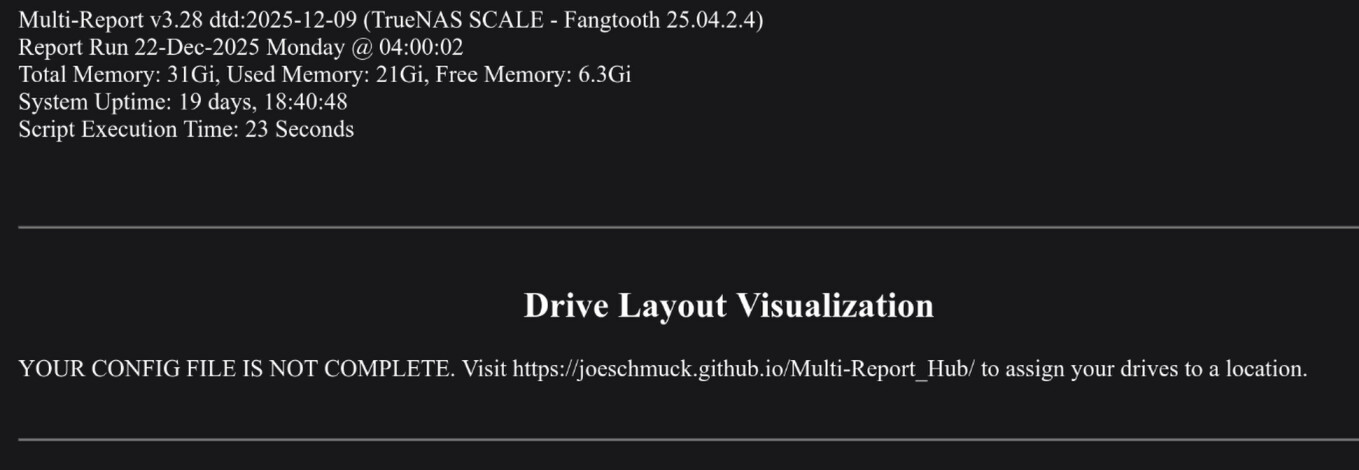
That is very odd. By chance, you didn’t “save” the data after you opened it to view it? This will corrupt the file.

Try this:

  1. Delete the statisticalsmartdata.csv file.
  2. Run the script ./multi_report.sh from the CLI, as user root.
  3. Once the email has arrived, repeat step 2, do not open the csv file.

On the second run, if you still get the same error, if you do not mind, please send me a dump using ./multi_report.sh -dump email and it will ask you to send me a message, please enter JV9 and I will know it is from you. Then I can try to see what is going on. You will also get a copy of the same email I will receive with all the extra information to help me debug what is happening.

Thanks very much for this amazing tool.

I must be missing something obvious but how do I update render_case.py?

I’m getting a message saying RENDER_CASE.PY UPDATE → V0.16 (Disk Layout) but running multi_report.sh -update doesn’t update it and I can’t find the file on github.

EDIT: ignore me, found it here

1 Like