Hello all, I haven’t used Truenas or Truenas Scale in a long while. I at some point a few years ago switched to Unraid and honestly don’t remember why. I think it was just the JBOD integration as I was considering using it with some different sized disks initially.
All that said, recently I’ve started working on a new NAS system. I installed TrueNAS scale on it and immediately have trouble finding the SMART tests since I have new drives and want to throw some tests at them before I start using them. A little dumbfounded I can’t find them, then I find out that the maintainers actually removed these features.
I have to admit, I’m pretty flabbergasted on that. A NAS system should care about protecting your data and SMART is an integral way of testing drives to be sure they are performing correctly. In fact, on thing that kind of pushed this new NAS is exactly because of SMART catching 2 drive failures in my old system before they actually failed and lost data. So since the drives in there are getting old I decided to build something new.
What alternative methods does TrueNas Scale have for testing drives and ensuring they are not showing signs of failing? I’ve never really heard of using a different tool in any nas system I’ve use before, so have no clue what to even look for. I did stumble across one post with someone that seemed like a dev or community rep or something saying they were looking for feedback on drive health monitoring systems… that seems to indicate they don’t actually have anything in place now. Makes this entire situation even crazier that they may have removed something without a replacement already in place.
I still kind of want to use TrueNas scale, but if the tools don’t exist for me to be comfortable that my data is as safe as I can make it, then I might have to look again at other NAS OS systems. So if something does exist for TrueNas, please let me know! I’ll probably be making my final decision toward the end of next week after burn in testing is done on new drives.
I really prefer solutions that don’t require me to go to the command line. If I have to go to the command line to do things, then I might as well just run Ubuntu and do everything from the command line lol. It’s not that I can’t go to a command line, just that I don’t want to spend that much time and effort on every single server I run, so quick GUI interfaces are better in that sense.
Smart isn’t gone, just the ui setting to schedule smart scans and display the “passed” or “failed” status is gone.
You can still schedule smart tests via cronjob or execute them manually via cli.
They also talked about their reasoning in one of their podcast episodes
The reasoning behind removing the web GUI for SMART and associated middleware continues to challenge me. Thankfully, on my system the old SMART jobs were automatically turned into cron jobs.
Then there is multi-report, which is an awesome tool from @joeschmuck which incudes SMART tests. I am going to have to spend some more time with that to take advantage of all features and execute the script regularly.
The app that ixsystems management recommends as an alternative to built in SMART monitoring (scrutiny) is abandonware since last year and looking for a new maintainer.
That’s awesome since I recall multiple commenters here pointing out unfinished features and lack of support for some drives.
It’s kind of hilarious that in an industry dominated by just three players, marketing has created sufficient segmentation entropy that it is hard to code for all drives being produced by them.
Much of that seems to be driven by code, not construction, though there are physical differences like CMR, SMR, HMR, etc. and filling the case with He vs. Air, for example.
Has anyone ever answered the question whether higher end drives feature better motors, nicer bearings, etc. or whether the differences in tiers are driven by code, like the infamous “5900-RPM Class” drives that WD tried to fob off?
Running a long smart on a new drive and examining the result is a sensible process, but I don’t view it as enough to give the drive a clean bill of health. Only actual writing and reading over an extended time can do that.
That’s why the burn-in scripts that are posted about every now and then often have smart testing and recording built-in, as well as 1 - 2 weeks of writing/verifying as their process.
Nothing about the GUI changes alters this functionality in the burn-in scripts.
Agreed. Hard drives fail so rarely now that spending a little time up front to qualify them is justified. I use smart tools and bad blocks with every drive I buy and have a few hot-swap cages to house them in.
If they can survive the literally hot conditions in there for a few days as every block is written to, I consider them good enough to set aside in cold storage until a need arises to replace a drive in the NAS.
I just use the shell with tmux to make it happen but obviously a script is more elegant.
So, in their podcast they state that it’s being configured automatically. Well that is great, however, where do I see the results? In Unraid I can just click the disk and go to the attributes tab to see the typical results from a smartctl -a. And any self tests that were run show up under the Self-Test tab. Easy, quick, gui access. Don’t have to go to the command line or anything like that. Unraid also monitors the results and alerts if there is something wrong, but it still allows me to see the results myself easily.
I’ve got OMV installed on a NVME nas board. Again, immediately upon logging in on the Dashboard I see SMART status and can click it to see self-test logs and attributes as well as extended information. It also alerts if a problem is detected in addition to allowing me to see the results.
Automatically doing tests and monitoring in the background is great. But I still want to be able to go in and see the information myself. I don’t want to rely only on some mysterious hidden automated alert. Emails might get lost or things like that. I want to be able to go in and see the information myself from time to time. I see no justification to take away the GUI to see this information and force admins to have to go to the CLI if they want to see this information.
I haven’t looked at the alternative scripts / apps people have mentioned yet. No idea if they have GUI interfaces or not. I might look into them. But I find that rather disappointing that the core system doesn’t have such critical test results easily accessible and viewable in the GUI.
I know this is just one thing, but if the maintainers are making dubious choices with something crucial like this, I don’t know that I can trust them on anything else. So I will have to decide if I’m willing to risk my data with the uncertainty of truenas scale or use something else.
Relying on a third party app to be able to see critical information for myself is just really not acceptable. The Scrutiny app’s github hasn’t had a new release since April 2024. I mean that in itself is fine if no release is needed, but combined with others stating it is abandoned and looking for new maintainers is exactly why something like this should not be left to a 3rd party app. This 100% should be core system functionality.
And I also don’t find forcing CLI usage acceptable. As I said before, if I’m going to be forced to use the CLI, what am I using a GUI for at all? Especially for something that is so easy to display in the GUI and used to be accessible in the GUI (the official truenas scale documentation even still gives instructions on how to view it in the gui) but was willfully removed.
I get that many don’t like having to access a separarate webui to view the results of smart tests, but the truenas ui never displayed the information scrutiny does. All the webui did was display “passed” or “failed” for each disk. If you wanted to know what exactly failed, you always had to use the cli. And there’s already a fork of scrutiny that’s in active development since a few weeks ago.
Iirc, the pre-25.10 implementation would not show anything other than pass/fail, and pretty much any SMART error could trigger a email to the admin, warning of an issue. That allegedly was creating too many false positives, along wi the being increasingly irrelevant in the SSD age.
As I understand it, the newer system allegedly is more nuanced but the details are lacking re: what does and doesn’t trigger a TrueNAS warning in the new system, ditto what the scan interval is, and so on.
Perhaps the documentation hub has been cleaned up? It’s kind of hard to document a feature that has been largely removed from the UI. To me, the stats as displayed by scrutiny should have been the inspiration for a better SMART GUI in the reporting or data protection sections of TrueNAS rather than a substitute for a feature removal.
Let’s see what happens. Other features like SMB aux config settings also were removed at some point, only to reappear, presumably due to feedback from paying customers.
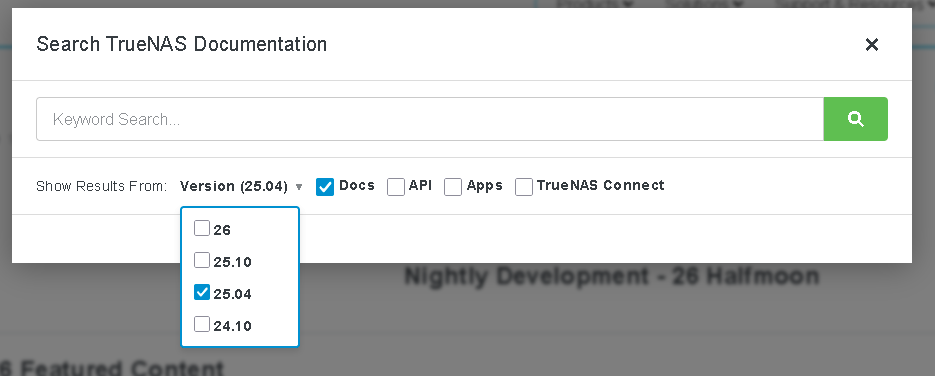
It is in fact under 25.04, I didn’t do a search on the documentation, it was a google search that brought me there. I didn’t even realize the documentation had versions. It does still show 25.04 as the current version though, maybe that is accurate??
I did see that 25.04 is still available for download, maybe if I decide to go with truenas scale I’ll just download version 25.04 and not update it for a while.
But, I didn’t know the GUI only displayed pass / fail. Like I said in my first post, it’s been a long time since I last used Truenas. I just assumed if it had a way to display smart results, it displayed the actual results like every other NAS os I’ve used. I guess not.
I agree that just having pass / fail isn’t much use, although I’ll admit that I’m confused by the “false positives” and fails that people talk about for drives that are fine. I’ve currently got around 30 drives that I monitor with SMART regularly, and in my lifetime I’ve probably monitored / gone through a few hundred at least since I did work a few years as a sys admin for a smaller IT shop that offered hosting services. I’ve never seen something I’d consider a false positive in SMART. I’m curious what would cause a fail in truenas that wasn’t actually a fail?
Generally if SMART starts showing problems, I replace the drive. For example, if the reallocated sector count suddenly goes from 0 to 400, I would never just keep using that drive to see if it’s really ok lol. My data is too important to for that. I know that drives have thousands of spare sectors these days to use for reallocation, but more than a few, especially in a quick time frame is signs of a problem.
If truenas scale was showing fail messages for drives that weren’t actually failing, it sounds like that should’ve been addressed rather than just removing it and claiming there is still a behind the scenes monitoring that no one sees or knows what it’s checking. I’ve seen mentions from others that they had drives that failed smart in other systems, failed vendor testing tools, had lots of errors, and Truenas didn’t alert anything at all on it. Obviously I don’t personally know what amount of truth those reports have, but it is concerning and one of the reasons I want UI components that an admin can check in on themselves. Again, I get that they can go to the CLI, but the entire purpose of using something like truenas is to not have to go to the CLI and do things manually imo.
I do it on my NAS in three dedicated hot swap bays. If the drives can survive getting cooked nonstop for three days in 50C conditions, then they’ll be happy to endure a lifetime loafing along inside the HDD tower at 27C.
I just set up a new TrueNAS SCALE instance (25.04.x), and I was surprised to find that the UI for scheduling S.M.A.R.T. tests is no longer available.
Previously, being able to configure and visually verify short and long SMART test schedules directly in the UI was extremely useful—especially for multi-disk systems. It made it easy to confirm coverage and catch misconfigurations at a glance.
From what I understand, this now requires manual cron configuration. While that technically works, it’s a step backward in usability and observability.
This feels like a regression in UX:
Less discoverable
Harder to audit across many disks
No centralized visibility in the dashboard
Is there a plan to bring back a UI for SMART test scheduling and visibility? Even a simple view showing configured tests and last run status would go a long way.
Would love to hear the rationale behind this change.