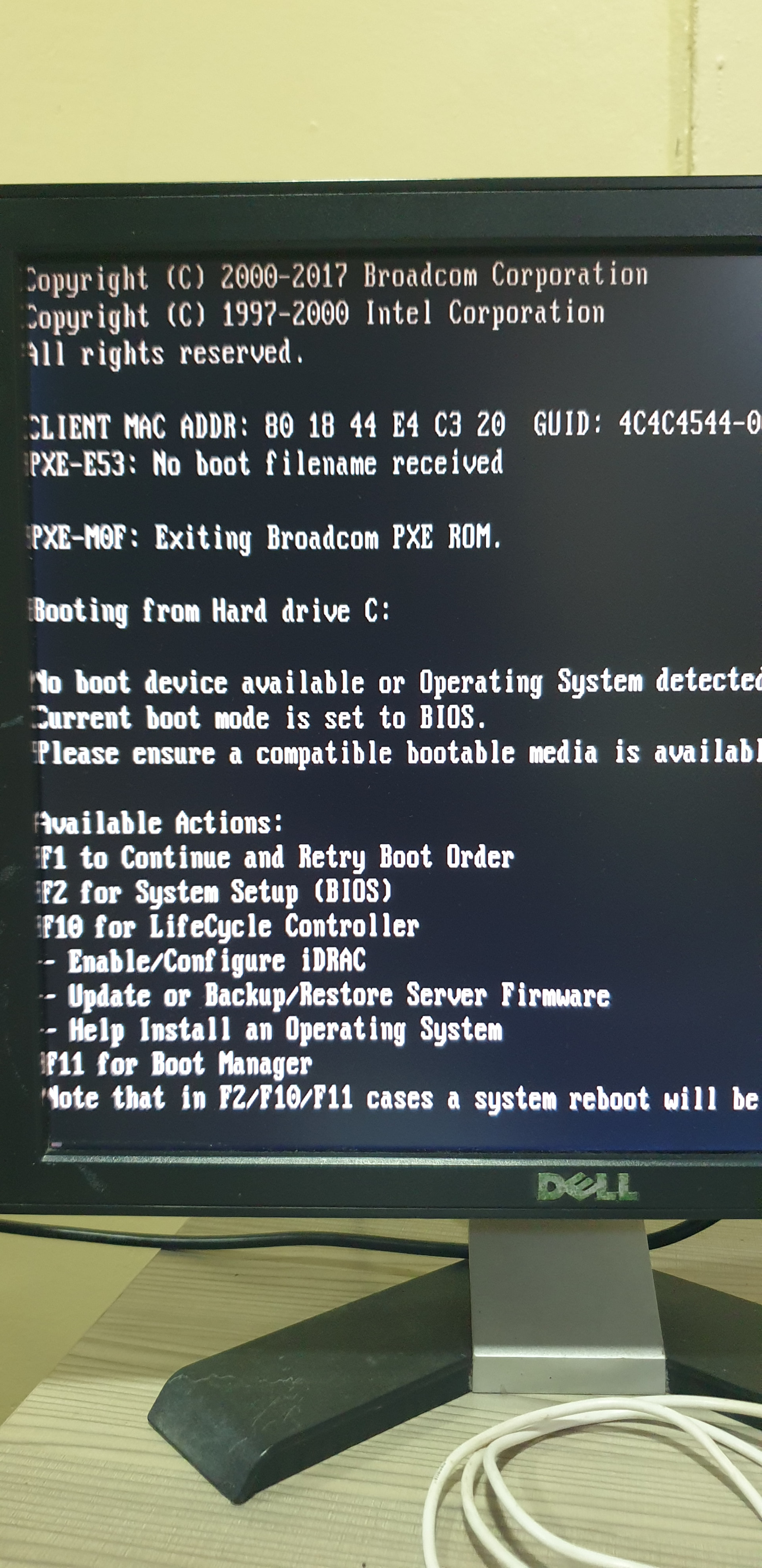
I just got this R730 with 64gb RAM installed. When it arrived, I installed truenas on an SSD plugged in bay 0. Was able to install it successfully and access the UI. But then, I forgot to create a VD with my 4 8TB HDDs. So I configured, then created VD. For some reason, I decided to just start over.
I reinstalled truenas successfully but have been stuck in a loop with this screen. I have tried changing some settings in F11 and F2, but to no avail.
This is my first time tinkering a server. No formal IT background as well. What could I be missing here?
If VD stands for Virtual Disks please stop here. Truenas wants direct access to the disks, no hardware raid. And if your boot ssd is connected to the raid controller it may be that the raid controller prevents booting from connected disks.
It looks like your server is attempting to boot over the network card using PXE. Check the section of the BIOS that has the boot order and make sure your boot-pool device is listed first. Post any other questions or what the current set up is.
Tried installing truenas in a physical drive and it still didnt work. Set it to non-raid, still didnt work.
But you know what… for the past 2 days I’ve literally checked every settings you could find from F2, F10, F11, Disk configuration and so on. Reinstalled truenas about 5 times. Reseated the disks..
There was one thing I didnt try because I thought it would just bring me back to that “no bootable media” loop. That is…. F11 >>> Continue to Normal Boot.
And that was it. There was no problem after all. I was just dumb. Haha. Thank you!