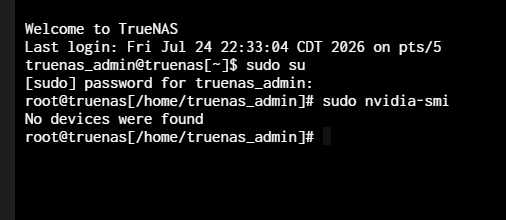
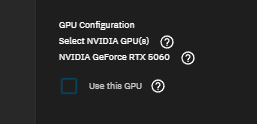
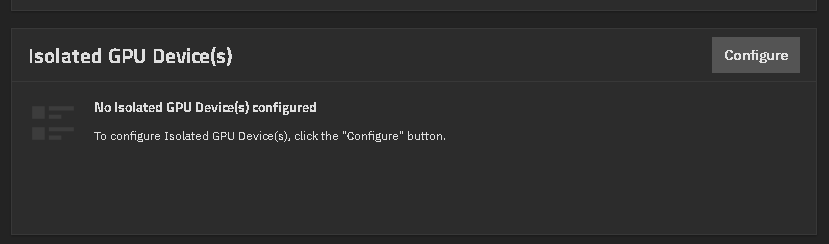
Hello, I’m trying to solve an error with my gpu encoding apps (immich and jellyfin), and after testing and removing the gpu physically then reinstalling, using the command “nvidia-smi” does not show any devices whilst showing up inside my app configuration menus and in gpu isolation menu. Also the command “lspci” shows
MB: ROG STRIX Z370-E
CPU: Intel(R) Core™ i7-8700K CPU @ 3.70GHz
GPU: ASUS Nvidia 5060 8gb OC
Storage: 10ct 3tb SAS drives connected via HBA card LSI 9300-16i IT Mode
Ethernet: Dell Intelx540-T2 Dual port Copper RJ-45 NIC (two cat6 ethernet cables are plugged in running with a bond)
You listed dual Nvidia 5060. Do you have two and are they the same revision number? Try reading through the following thread and try to diag to make sure you have the correct driver, etc. There are some 5060 cards that don’t work with the current 25.10 version of Scale and need newer drivers. You may be able to find other threads or mentions of users testing 26 Beta versions with that card.
Try to diag to see if the card is not isolated and you are loading the proper drivers. Post any command results back using preformatted text (</>) or Ctrl+e for better readability.
Have you tried unchecking the install NVIDIA Drivers rebooting and then rechecking that box?
Verifying you are not seeing anything using nvidia-smi also.
If you have tried both, I am at a loss since you said it was working previously. I thought it was going to be a revision number that wasn’t supported by the current driver and it needs a newer version even though it was listed.
@HoneyBadger Just looking for help in a NVIDIA 5060 diag to sort out what the problem may be.
After restarting, it now doesn’t even read anywhere and after putting into my windows pc, nothing displays. Concluded that the 5060 I bought was dead after a week of use in the my nas. I’m returning it and getting a new one I’ll update if anything new happens.