
The sda is the WD 
So, somehow, the Barracuda managed to keep current while the genuine NAS drive lagged behind. (There’s something rotten in OpenZFS…)
I would still remove sdb, let the pool import in degraded state, add a new drive to resilver, and then re-add the WD Red Plus as a new drive to the pool to replace the Barracuda.
so I removed my sda (WD Red) and ran zpool status, showing it went to degraded state
truenas_admin@truenas[~]$ sudo zpool import
  pool: DataSet
    id: 8610289484681839548
 state: DEGRADED
status: One or more devices contains corrupted data.
action: The pool can be imported despite missing or damaged devices.  The
        fault tolerance of the pool may be compromised if imported.
   see: https://openzfs.github.io/openzfs-docs/msg/ZFS-8000-4J
config:

        DataSet                                   DEGRADED
          mirror-0                                DEGRADED
            c912daae-836f-4228-bde0-631de6bd8ed6  ONLINE
            09cc475a-e7ab-4509-8ca4-0cfdd152913f  UNAVAIL
When I tried to run zpool import DataSet, it gave the same error
truenas_admin@truenas[~]$ sudo zpool import DataSet
cannot import 'DataSet': insufficient replicas
        Destroy and re-create the pool from
        a backup source.
ok I think the found the culprit… the Barricuda
Good news is I believe the data is accessible so I am going to back try to back it up
I disconnected it and only kept the WD Red, now it imported the pool back but it is showing a degraded state.
I have my new drive ready to add to the pool but I am not sure what the appropriate steps would be to take from here
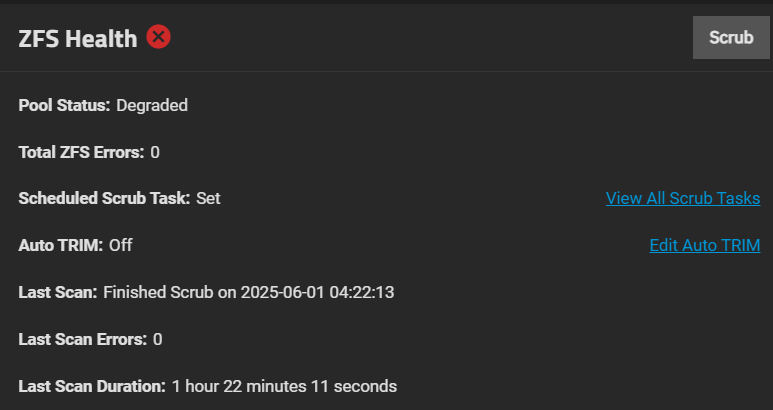
truenas_admin@truenas[~]$ sudo zpool status -v DataSet
[sudo] password for truenas_admin:
  pool: DataSet
 state: DEGRADED
status: One or more devices has experienced an error resulting in data
        corruption.  Applications may be affected.
action: Restore the file in question if possible.  Otherwise restore the
        entire pool from backup.
   see: https://openzfs.github.io/openzfs-docs/msg/ZFS-8000-8A
  scan: scrub repaired 0B in 01:22:11 with 0 errors on Sun Jun  1 01:22:13 2025
config:

        NAME                                      STATE     READ WRITE CKSUM
        DataSet                                   DEGRADED     0     0     0
          mirror-0                                DEGRADED     0     0     0
            14739960081565547348                  UNAVAIL      0     0     0  was /dev/disk/by-partuuid/c912daae-836f-4228-bde0-631de6bd8ed6
            09cc475a-e7ab-4509-8ca4-0cfdd152913f  ONLINE       0     0     8

errors: Permanent errors have been detected in the following files:

        DataSet/.system/netdata-ae32c386e13840b2bf9c0083275e7941:<0x83>
In the GUI, you can do Storage, Manage Devices Button, select your mirror VDEV and then you choose Extend. Select your new disk and it should add it to your current mirror. After you have it resilvered, you can Select and Detach / remove the bad drive from the mirror. You will have a three wide mirror for a bit. Two way after Detatching
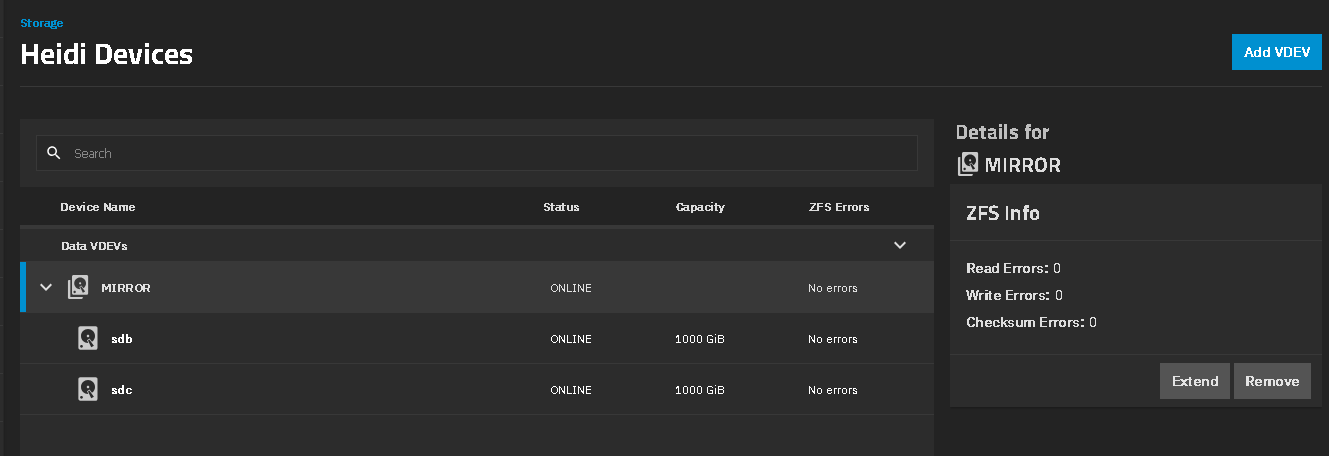
Resilvering now. Appreciate everyone’s help 
I am a complete idiot and should of fully backedup my files first yesterday after I was able to import my pool
Don’t want to restart the thread again as I think my drive might be finished this time. While I added my new drive yesterday to resilver, I saw a bunch of errors in my I/O while it was scanning for resilvering. I left it over night and then eventually my original drive seemed to have disconnected and then it left my resilvering at 40%
I rebooted my machine and noticed now my two drives were exported again ? It mentioned there was no pools to import when I checked ‘zpool import’ so I did a manual export again in the GUI even though I saw there was 2 drives already exported
long story short, I cannot reimport back from my original WD drive as the resilvering may have messed it up. Is there any other methods I can try to import back one of the drives?
truenas_admin@truenas[~]$ sudo zpool import
[sudo] password for truenas_admin:
  pool: DataSet
    id: 8610289484681839548
 state: DEGRADED
status: One or more devices were being resilvered.
action: The pool can be imported despite missing or damaged devices.  The
        fault tolerance of the pool may be compromised if imported.
config:

        DataSet                                   DEGRADED
          mirror-0                                DEGRADED
            14739960081565547348                  UNAVAIL
            09cc475a-e7ab-4509-8ca4-0cfdd152913f  ONLINE
            fe2d4d34-1dac-45f5-8320-c12ed3b436aa  UNAVAIL
It looks like your new, just added drive went UNAVAIL.
What is the make and model of the just added HD? Was it a SMR type and not CMR? Did you reuse a SATA cable from the first Barracuda drive that we couldn’t get to come up as a single disk in a Mirror pair? Also check your power cables to the drives.
It was actually online when I booted and exported the pool. But I wiped the drive… Hence why it’s unavailable now
What drive got wiped? Are they all different makes and models? What drives are physically in the computer? We need to keep them straight
Only the original WD is physically plugged right now. I unplugged the Barracuda which fixed the import yesterday. Added another WD to the pool to resilver.
After the resilvering failed, I thought because the new WD never resilvered correctly, I wiped the drive from the GUI and was hoping to reimport my pool and resilver again, but turns out I could not import the pool again
Which drive? 
Have spare drives you trust.
Unplug the WD drive.
Put back the Barracuda and a good drive.
Try to import the pool. If it works, make a backup and/or mirror the Barracuda with a good drive. Then replace the Barracuda.
The Old WD and a New WD were able to import the pool and it started to resilver. Stuck at 40%. He rebooted, pool import stuck again. He wiped New HD, with 40% of a resilver, when the drives weren’t showing attached to a pool.
The Old WD and the Barracuda don’t match TXG. Barracuda wouldn’t import by itself.
I was thinking this needs importing the pools with rolled back transactions or something. I think the system is currently set up as a three way mirror of Old WD, Barracuda and New WD.
I wiped the new WD which created a 3 way mirror
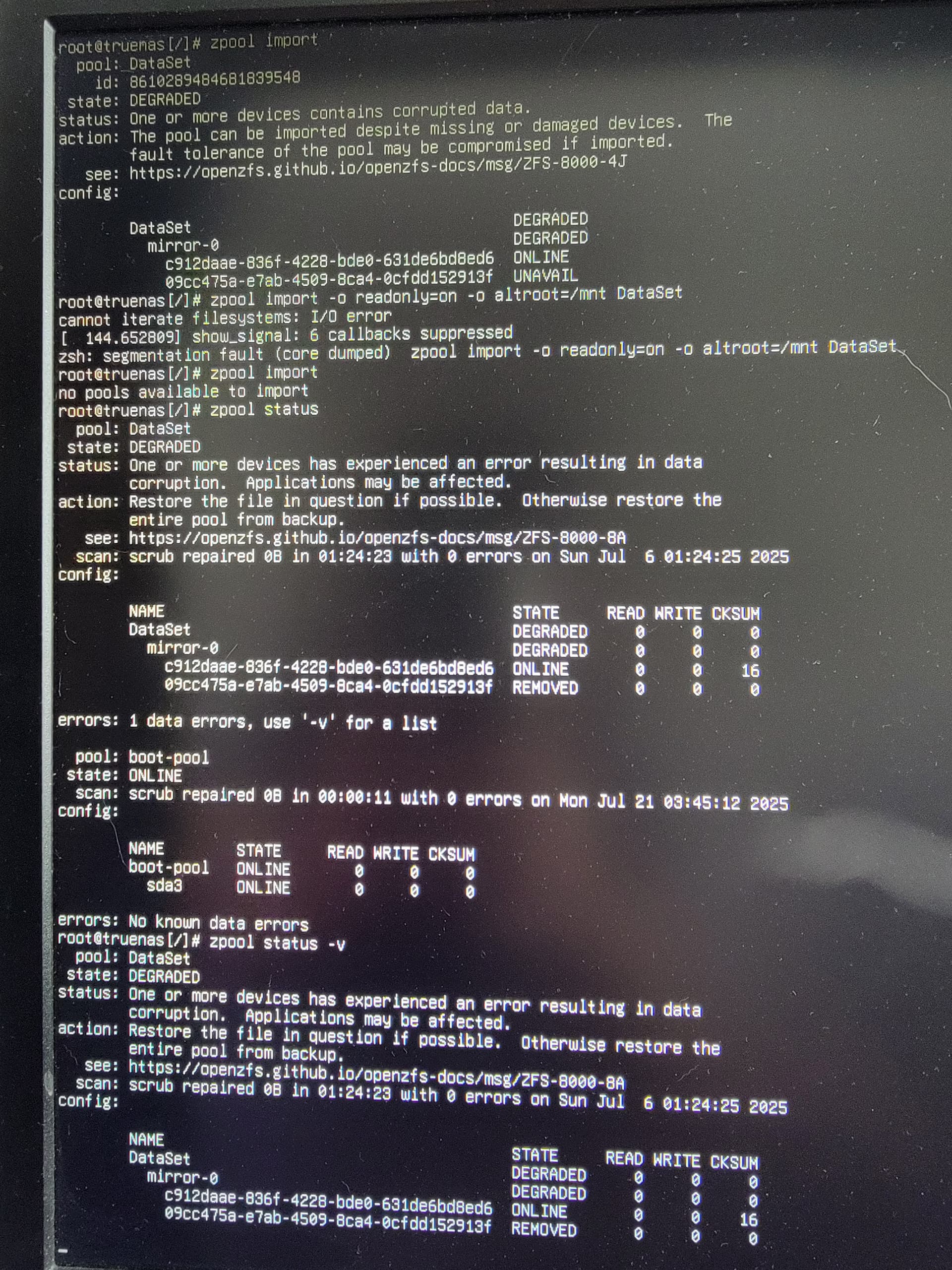

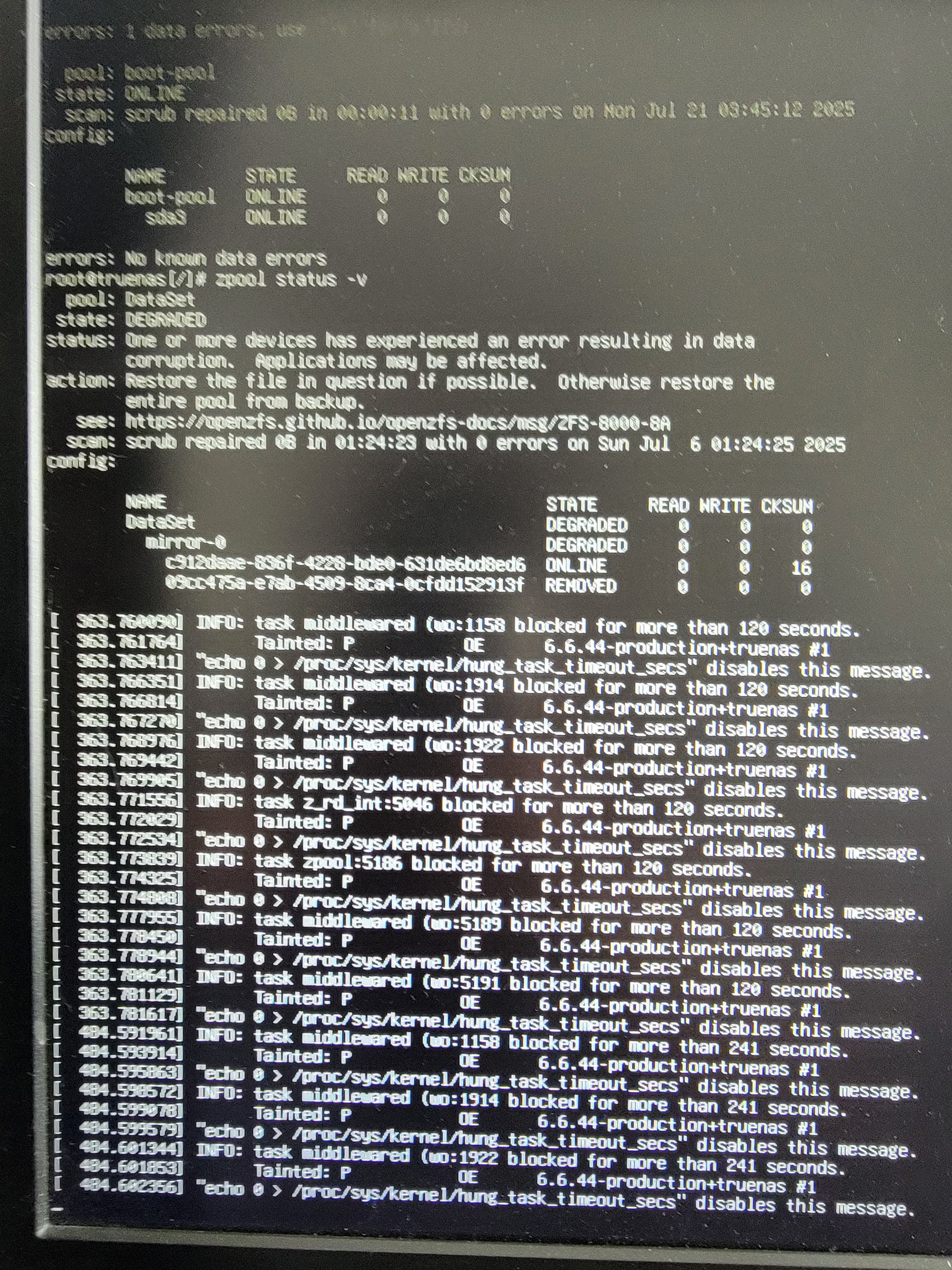
Lets start with you booting a Live Linux ISO and running stress tests on the memory and CPU. We should check for hardware failures. Memtest86+ and CPU stress test. You just make a bootable usb, using the Rufus tool and run those two tests. It won’t touch your data. Report back after your have run them for a while. Multiple passes on Memory (full test) and CPU for a hour or more.
https://www.ultimatebootcd.com/
zpool import -F -R /mnt -o readonly=on DataSet
If -F doesn’t work on its own, try -FX and then -FXT <txg> to import at a specified txg. Lesser options will search for the highest txg. Since the Baracuda is well ahead of the WD, it holds a more recent version of your data—though with a corrupted file it seems.
Drop the readonly option if you’re ready to commit the change, and possible data loss.
Should he be trying the import with the two, original drives attached or you just want to work with the Barracuda? Should the new WD be physically connected? It was a third mirror when we got the Old WD to inport once but I don’t know what the pool status would be on two or three mirrors in the VDEV now.
Just the Barracuda, since the drives are way of sync. Any single drive should be able to import on its own—of course, as a degraded pool without redundancy.