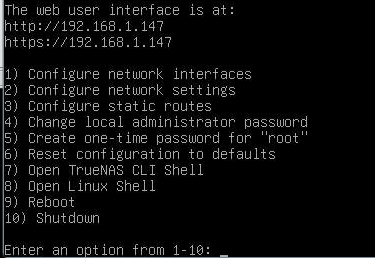
My system crashes and I lose access to web pages about 5-15 minutes after startup, but the PC is still running at least the fan is still running, but the HDDs are shut down. I ran tests with Memtest but nothing came up, and I ran sector tests on the HDDs and NVMe SSD but nothing came up. I’m at a dead end and don’t know what to do next.
My config :
Aoostar wtr pro with a Ryzen 7 5825U
32 Go of ram Crusial
1 To of ssd nvme Crusial
4x14To of hdd Seagate Exos X16
Is this just storage or are you running apps, VMs and containers? You really don’t give much info to even guess at the cause.
Did you run at least 5 runs of memtest86?
Is this a new setup or it just started having troubles?
Apps, VMs and containers are usally put on a mirror VDEV of SSD or NVMe with data residing on regular HDs. How do you have your HDs set up for the VDEV? Is it Raid-Z2, mirror pairs, etc? You can try turning off your apps, VMs or containers, one by one, and try to narrow down if one of them is a cause.
I started to having troubles and I make a complete reinstallation of truenas with no apps, VMs and containers and I have the same issue. The pool is a Raid-Z2.
Have you run SMART Long tests and checked the results on all your drives? Run CPU stress tests? Other than that, it could be bad hardware or power. You would have to watch the console to see if you get any error messages before it locks up. You might have to set up SSH and just watch it.
I don’t have made SMART Long tests, but I have made a sector tests on all the disks on Windows live with medicat, and I don’t have any issue. And also a stress test with OCCT also on the windows live in medicat and also nothing. How can I retrieve the data that is happening via SSH?
You either watch the console on an attached keyboard, mouse and video monitor or you would have to set up SSH and watch the console over that. Without any error messages there isn’t anything to follow.
You already tried testing CPU, RAM and the drives. You did a new install without any apps, VMs or containers. There is no other information to go on.
My 2 cents: those low power platform tend to be instable when CPU reach low power states. Try to disable via BIOS lower states and every aggressive Power management settings
With another os you have the same behaviour?
Unplug all the rust disks and try again, i have read some reddit post where people struggle on use 4 disks
I tested it with another operating system like Windows and didn’t experience any crashes even after 12 hours, and I’ve already done another installations without the 4HDDs connected and still had constant crashes after a fresh installation. With no config of VDEV.
This is a pretty odd scenario honestly.
You have a machine that can pass stress test and can run smoothly Windows, but crash after few minutes under TN…
Some driver or kernel incompatibility? Did you see some kernel panic into the audits?
I think my system crashing because the ssh not working and disconnect me, I lose the web page and when I have a monitor and keyboard attached, the image freeze and I can’t type.