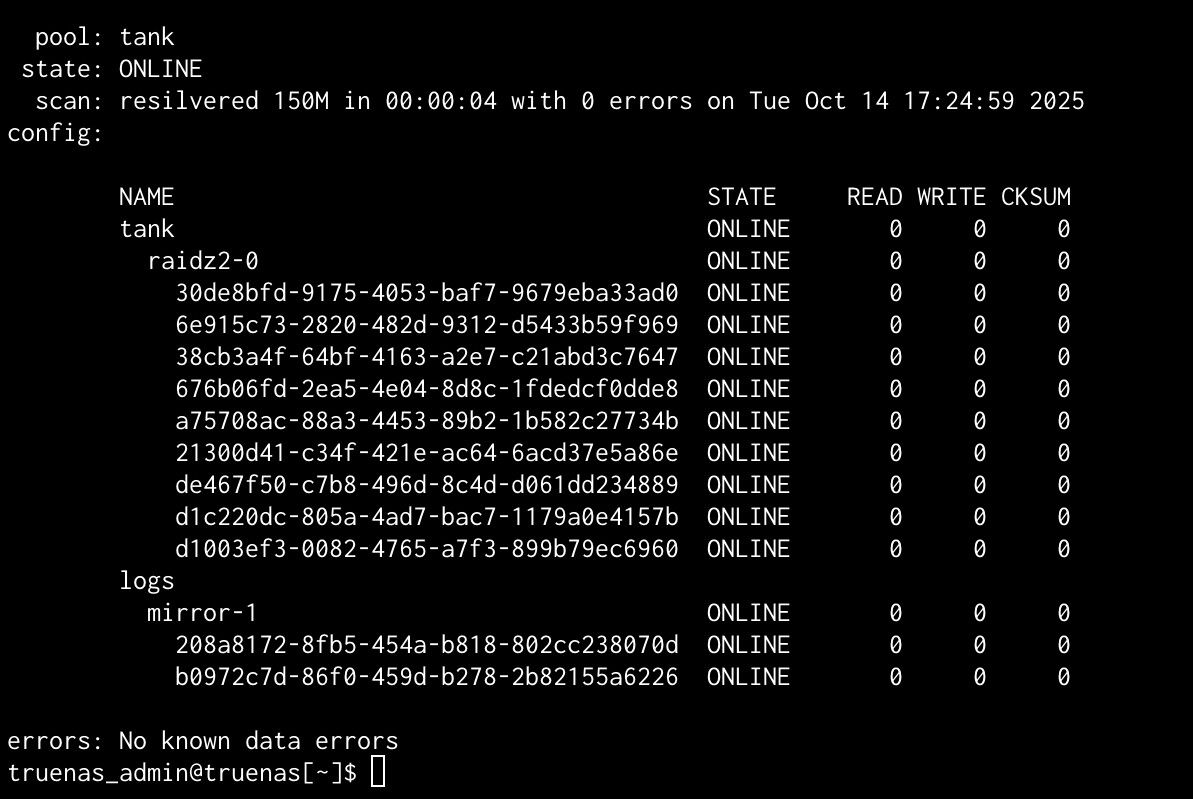
A few times in the last month I have gotten alerts similar to these:
New alerts:
Pool tank state is DEGRADED: One or more devices has been removed by the administrator. Sufficient replicas exist for the pool to continue functioning in a degraded state.
The following devices are not healthy:
Disk WDC_WD80EAAZ-00BXBB0 WD-RD0A71WE is REMOVED
Current alerts:
Pool tank state is DEGRADED: One or more devices has been removed by the administrator. Sufficient replicas exist for the pool to continue functioning in a degraded state.
The following devices are not healthy:
Disk WDC_WD80EAAZ-00BXBB0 WD-RD0A71WE is REMOVED
When I check, the pool shows all good, all disks online, smart on the affected disks show all good. I even did offline smart tests on all the drives and all came up good.
Today it happened to be logged in to the Truenas console and saw the email alert, I instantly went to the pools page, and tank shows absolutely no errors, that disk is online and the pool is not degraded.
It’s possible a drive is losing connection or power intermittently, and then coming back online.
ZFS is fully capable of safely bringing a disconnected drive back into its vdev with a “quick resilver” to re-sync it with the pool, as long as it wasn’t disconnected for too long.[1]
I would check the PSU and the data and power connections on the drives, motherboard, and any HBA card.
EDIT: Maybe unrelated, but are you using Western Digital Blue drives?
Your pool’s status shows a likely “quick resilver” that took 4 seconds to complete. ↩︎
Yes, than model appears to be a Western Digital Blue drive. From Google’s AI, (which has been known to be wrong).
AI Overview
Yes, the model number WD80EAAZ corresponds to the WD Blue product line from Western Digital. The WD Blue series is designed for everyday computing, making it suitable for use as a primary drive in desktop PCs and for office applications.
Desktop hard disk drives are known to have 2 problems when used for RAID:
Too long of a TLER, Time Limited Error Recovery
Quick head parking
This first is caused by a disk sector that is failing, but not yet failed. Desktop HDDs tend to use more than 60 seconds as the maximum for attempting to read a failing sector. (And or applying the error correction code…) Enterprise and NAS drives tend to limit this to less than 7 seconds, because they will use RAID to repair it.
On a desktop without RAID redundancy, this is a good thing. But, for ZFS with redundancy, bad because ZFS would automatically correct the failing sector. And do it long before the 60 seconds is up.
While this SATA drive is doing it’s long recovery, ZFS moves on with other writes. When this SATA drive is available again, if soon enough, then ZFS will re-silver the missing data and bring the drive back in sync.