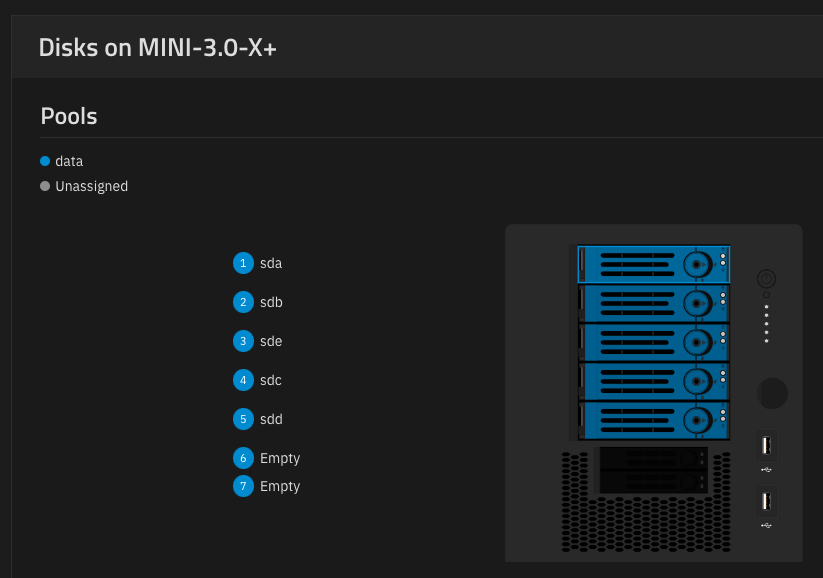
This is a silly thing, but the misordering of the drives is making me batty. Is there a way to safely reorder the drives so they are alphabetical, without rebuilding the entire array?
This is on Fangtooth (25.04.2.1)
This is a silly thing, but the misordering of the drives is making me batty. Is there a way to safely reorder the drives so they are alphabetical, without rebuilding the entire array?
This is on Fangtooth (25.04.2.1)
Safely or not, no–the drive names are assigned on boot and will frequently change. So even if you got it that way now, next time you boot the system they could change.
Ok, so it’s not a setting, which is a relief. Thank you, that makes it less maddening. 
Suggestion: Make a little spreadsheet or a text file with the drive serial numbers and the location within your enclosure, or make labels with the serial number to go next to or on the drive caddy door. Then, when one goes bad you know where in the enclosure the bad drive is so the wrong drive is not pulled. Never rely on the sd? letters for drive positioning in a chassis or for doing anything that may be destructive to the data of a drive.