Hi Y’all, I had to RMA a drive (you can find my last post about it in the history). Finally got my new drive, installed it and booted up. 10 minutes later I got this warning email below! I tried reseating the cables and rebooting, but no change in error. I’m adding two photos, one from the VDEV tab and one from the DISK tab. Any command line tools I can use to aid in diagnosing? I’m not even sure where to start.
TrueNAS @ [system name
New alerts:
Current alerts:
Did you follow the Documents for your version of TrueNAS on how to replace a disk?
Linked to version 25.10. change if you are on a different version.
Are the alerts pointing to your previous, removed disk SN?
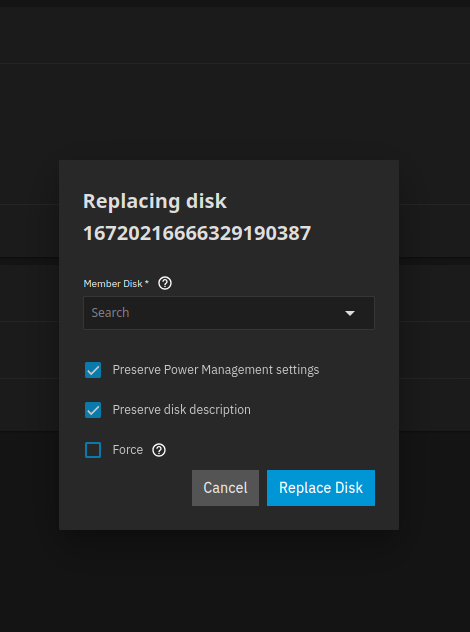
Select the UNAVAILABLE drive and click replace selecting your new drive. You can’t just take the old drive out and put the new one in your need to tell the system what to do.
Totally, makes sense. I don’t see anything in this drop down menu to select.
Power the system off and check your cables to the new drive if you are not seeing it in the GUI. It should have showed on your disks screenshot, as long as that was after you put in the drive and attached power and SATA and then booted back up
If you can’t see your new disk in the BIOS / UEFI and TrueNAS, you may have got a DOA drive or something after checking power and SATA connections.
Hi, thanks for the reply.
I’ll get the serial number later but i can confirm its not K5K3, thats the serial number of a drive I bought a few months ago.
The new drive came as a replacement from an RMA request to western digital. Its a refurbished WD Blue. As its an RMA, it should be an identically sized drive to the original drive.
I will double check the cables are are all plugged in and seated correctly and then try again. A reboot of the machine did not detect the second drive.
I once had to push back onto WD for sending me an ‘equivalent space 8TB drive’; while burning it in I noticed that it performed about 75MBps slower than what I sent in. They took back the refurb & sent me a brand new identical model (as the original non-refurb’d drive) - performance on it was within +/- 5MBps & acceptable.
Also, unrelated, but a 4TB WD Blue might be SMR; double check if it is CMR or SMR. SMR eventually will have serious issues when used with ZFS.
Either way, it seems like the drive isn’t being detected. If you’ve confirmed & reseated power/data connections & it also isn’t showing up in bios, then the previous two points are useless as I’d guess the refurb is DOA.