Hi, I have 2x 4T HDDs in a mirrored configuration running SCALE Fangtooth 25.04.
Recently, I replaced the drive /dev/sda after the pool degraded following a building number of alters about unreadable/unrecoverable sectors. The replacement and resilvering process with the new drive was succesful. However, within a day errors began appearing for the new drive and only a week later the drive has been marked as FAULTED and the pool degraded again.
From the output of smartcl (attached) I think I may have just been unlucky with a faulty new drive, but as the failure is very similar to that of the previous drive I wanted to check if anyone might suspect another hardware issue e.g. cable or controller? I have 4 drive bays so could use a different SATA port on the motherbard.
Alerts from the new drive:
Device: /dev/sda [SAT], ATA error count increased from 0 to 3.
Device: /dev/sda [SAT], Self-Test Log error count increased from 0 to 1.
Device: /dev/sda [SAT], ATA error count increased from 3 to 5.
Device: /dev/sda [SAT], 8 Currently unreadable (pending) sectors.
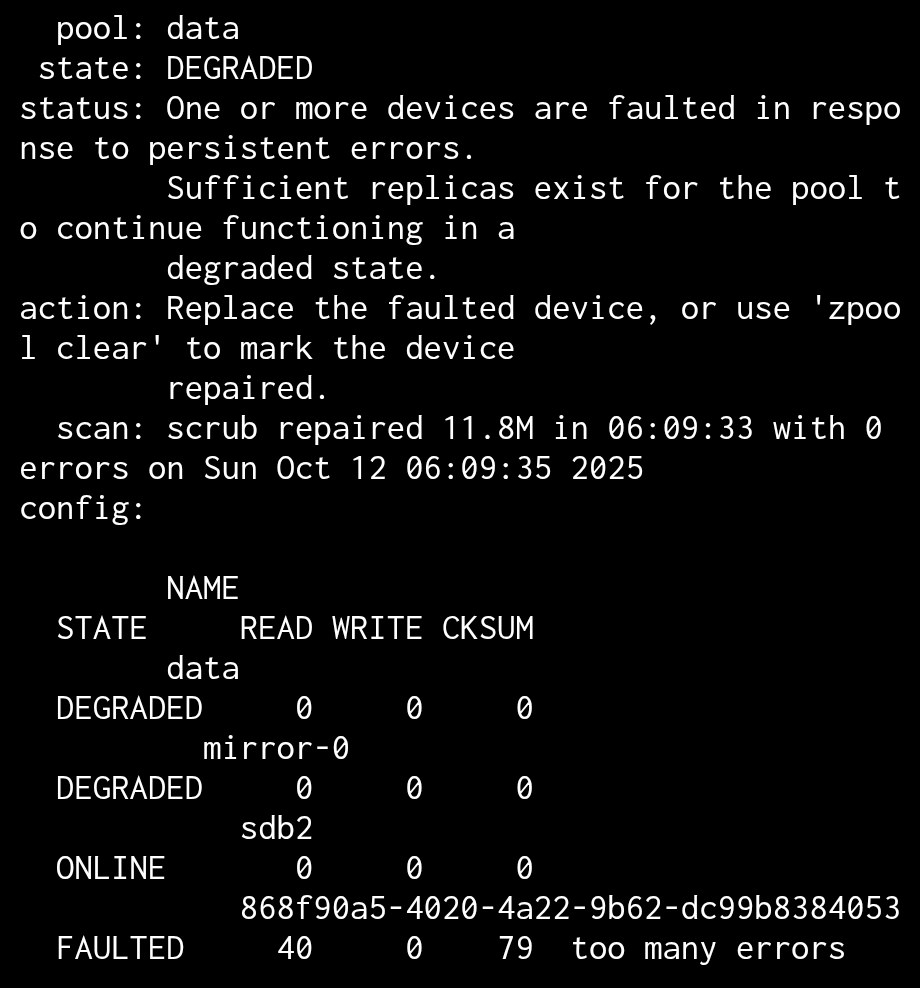
Pool data state is DEGRADED: One or more devices are faulted in response to persistent errors. Sufficient replicas exist for the pool to continue functioning in a degraded state.
The following devices are not healthy:
Disk ST4000VN006-3CW104 Z0IDB4VH is FAULTED
Device: /dev/sda [SAT], ATA error count increased from 5 to 17.
Output of zpool status and smartctl -a /dev/sda attached (apologies for the screenshots, I am currently remote and only have access via my mobile).
Track drives by serial number as the positions can change at boot time. SDA can be SDB the next time. You can try reseating power and SATA cables. You can swap positions of port to individual drives to figure out if a single port is bad or cable.
Other than that, memory / CPU testing and listing full hardware details may help
Thanks @SmallBarky for the quick response. To confirm, ST4000VN006-3CW104 Z0IDB4VH is the new drive (and I used S/N to identify and replace the last one).
For swapping ports/cables, should I offline the drive, swap and replace in the UI as if I was purchasing a new drive (with —force so the ‘failing’ drive is resilvered)?
I can share full hardware info when I am next local with the machine, but if there is any specific hardware details that would be helpful or tests you would suggest running, please do let me know.
No need to offline, just power off, try moving drive to narrow down port or cable problems. If it follows drive and everything else is same, you know it’s the drive. Memory and CPU test is just to rule those out. I wasn’t sure if you had a HBA but we usually double check the firmware version and ‘IT mode’ using sas2flash, sas3flash or storcli depending on what card is installed. If there is a HBA, I usually mention it requires good cooling airflow. A lot get shoved in PC cases or users turn down fans on servers to make them quiet.
Thanks, so TrueNAS pick up the drive correctly when moving (assuming it has a UUID)? I can try that when I next have access to the machine and report back here.
I didn’t purchase any separate HBA. sas2flash/sas3flash report No LSI/Avago SAS Adapters found, and storcli show reports Number of Controllers = 0.
One other thing to check, if you have not already RMAed the drive, is that it could have been a used drive.
Scammers recently sold a bunch of heavily used drives that had their normal SMART data altered to indicate the drive was new. But, Seagate has some other stats that those scammers did not or could not alter. I don’t remember much, but it appears to be called FARM data. If I remember correctly @joeschmuck MultiReport captures that data… search around and see if that was the case.
First of all, Welcome to the TrueNAS Forums. I wish it were under better circumstances.
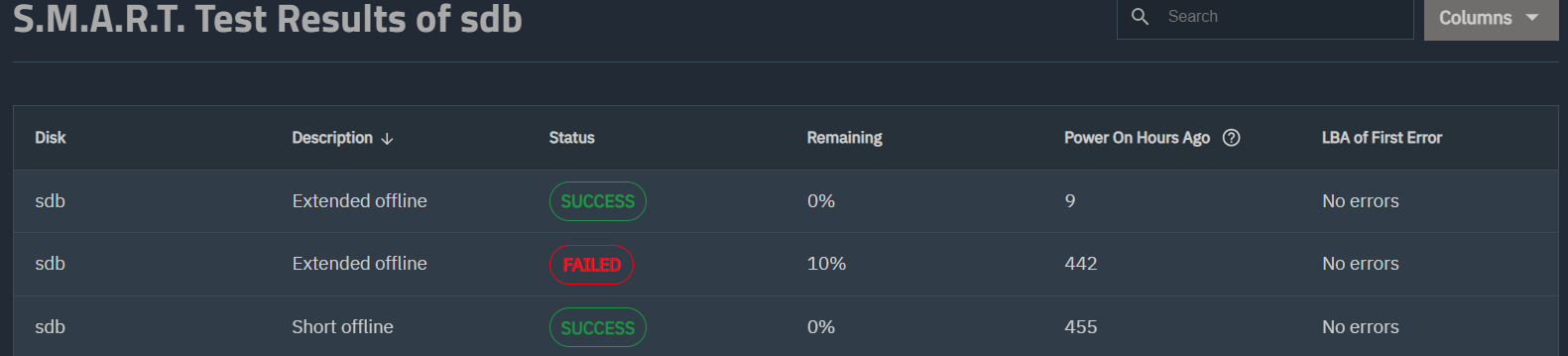
To me it seems quite obvious, the drive failed the Extended Self-test. It is a 4TB drive, while not impossible, I doubt it was part of the big FARM issue, and even if it was, it would not matter.
Infant mortality exists and it happens. I suggest that is what you have here.
There is a reason for testing the drives before putting them into service, to weed out the problems up front. And you did run a Long test at 34 hours. Remember to look at the rest results, it will not tell you automatically.
Your action, RMA the drive, or if your vendor will replace it, that is your path.
I would also suggest you backup any important data you have, you only have one drive holding your data.
Thanks everyone for the welcome and the constructive input, which has been reassuring and given me better idea of what to qualify when installing new drives. And yes I should have put this in the original post, but I have (two) separate backups (the nas is mainly for convenient remote access of the data).
I’ll report back if anything surprising comes up regarding the drive failure.
I look forward to engaging with the community more in the future.
To close the loop, I successfully replaced the faulty Seagate drive with a WD Red using the same SATA connectors - no issues. I’ve raised a RMA with the seller who admitted ‘something went wrong at their distribution centre’, which sounds a lot like they sent me a used/refurbished drive.
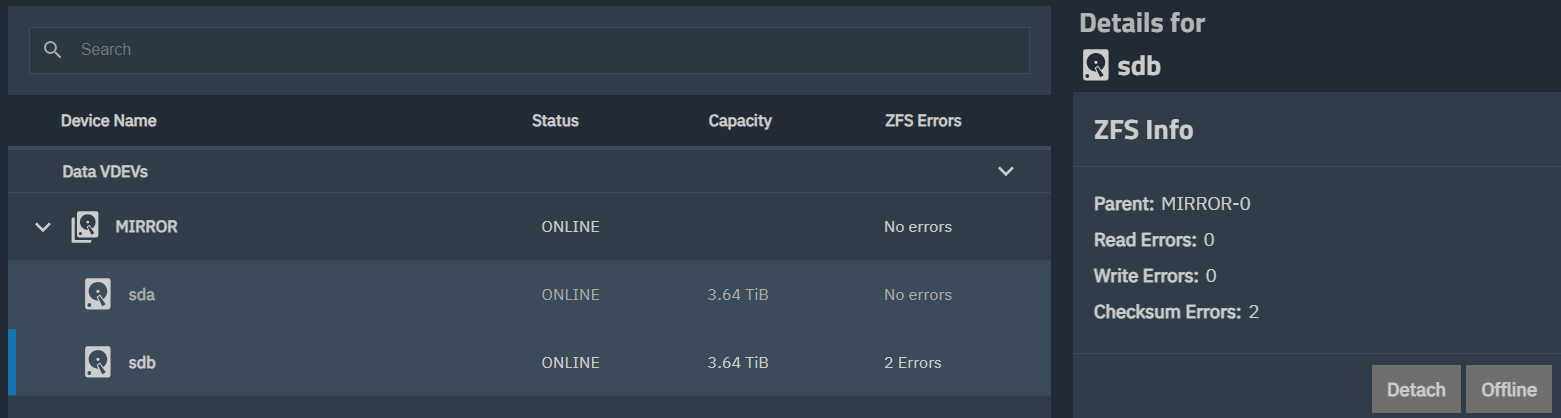
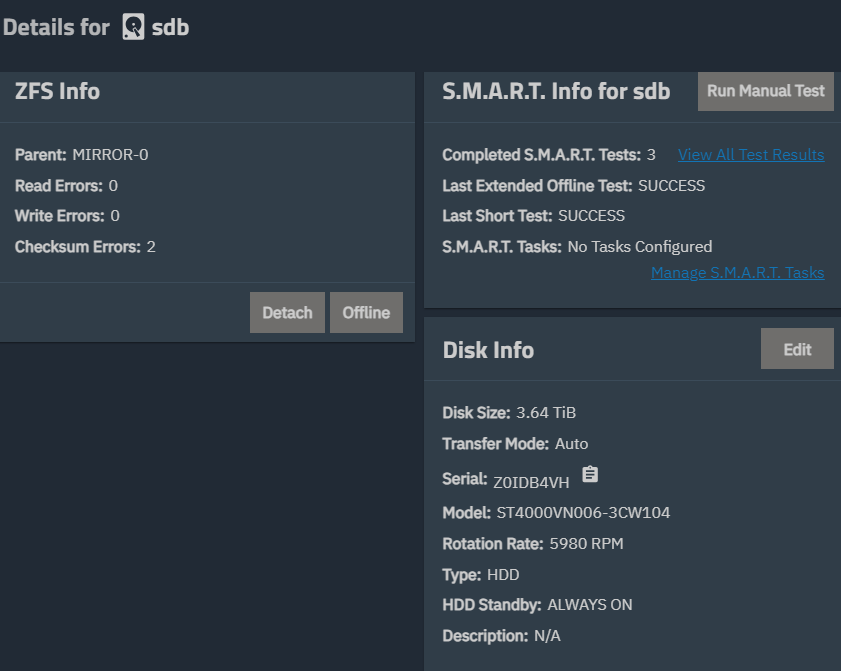
One interesting thing, it was 1-2 weeks before I replaced the faulty drive. Over this time, the number of errors reduced to 2 and the ‘degraded’ pool state label disappeared (see attached). I think a resilver happened during this time.
I wasn’t sure if the error change was some bug in the Truenas GUI; generally smartctl and disk health seems a bit sporadic and indeed before replacing the faulty drive I ran a new long test and this passed without and errors (possibly due to re-allocations on the disk?). Anyway, the errors I shared before were definitely still there, and I am glad to have replaced it.