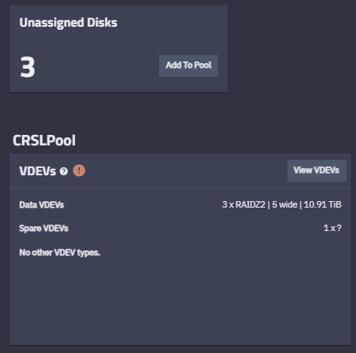
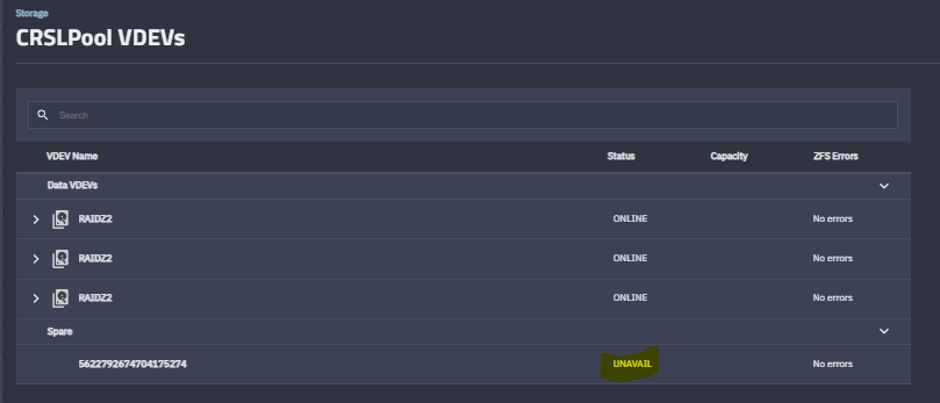
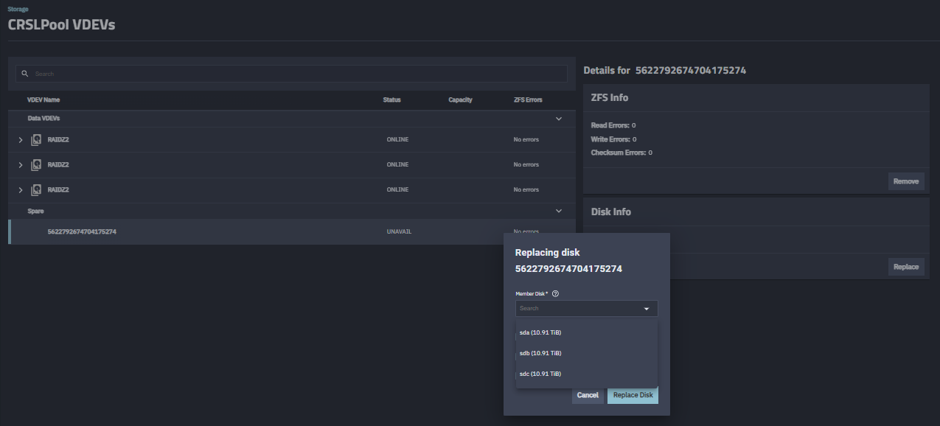
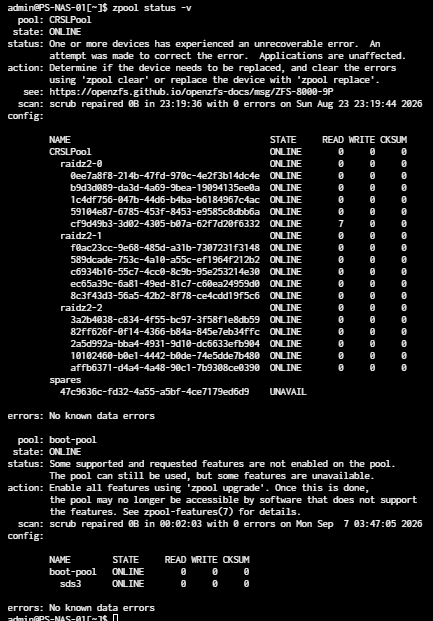
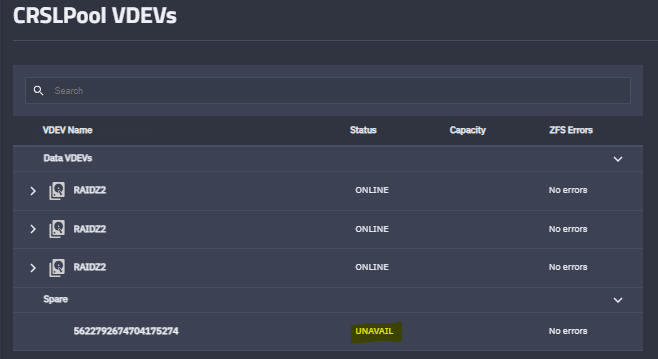
yeah that gui “unavailable” on a spare while drac still sees the drive is usually the pool still holding the old spare reservation, not the disk being dead.
stuff that usually clears it for me:
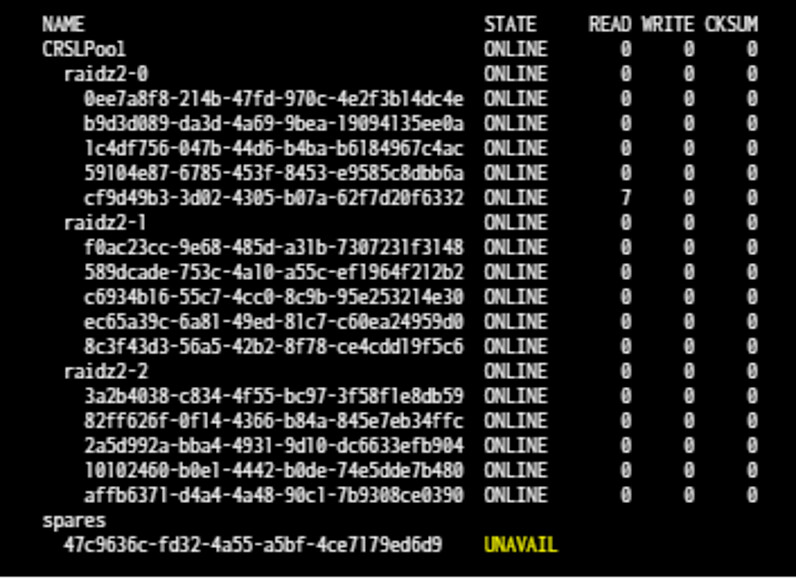
zpool status -v and look for the spare path / guid under spares
if the old spare is still listed, remove it first: zpool remove POOL <old-spare-guid-or-path> then add the replacement
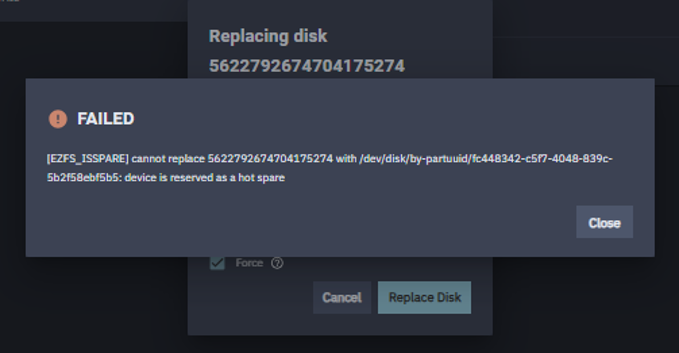
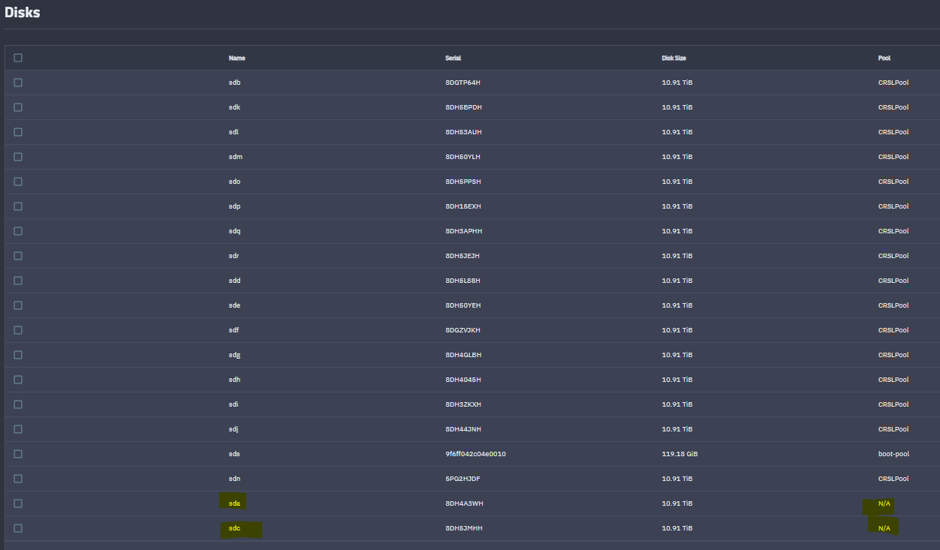
the “device is reserved as a hot spare” error on unassigned disks usually means that guid is still marked spare in the pool label. zpool labelclear -f /dev/disk/by-id/... on the NEW candidate only after you are sure it is empty, then try attach again from the ui
paste zpool status -v for that pool plus ls -l /dev/disk/by-id | grep -i sdb (or the serial from drac).
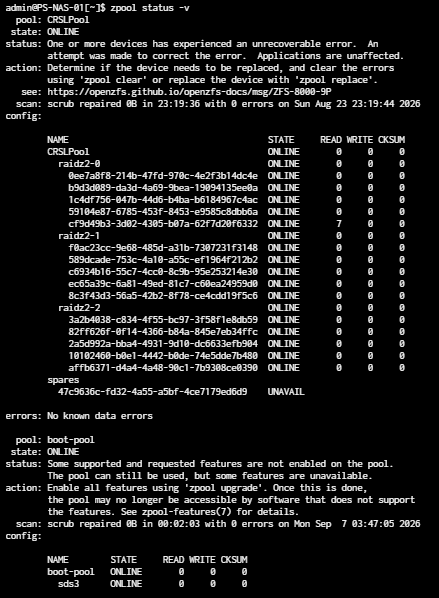
Post your detailed hardware listing and how the drives are attached. Your latest screenshot isn’t showing the spare in use from your zpool status -v results. Do you have a plain HBA?
I have had a similar issue before, but the disks show up as DEGRADED or REMOVED. Then I can go and REPLACE the failed one, and re-silver.
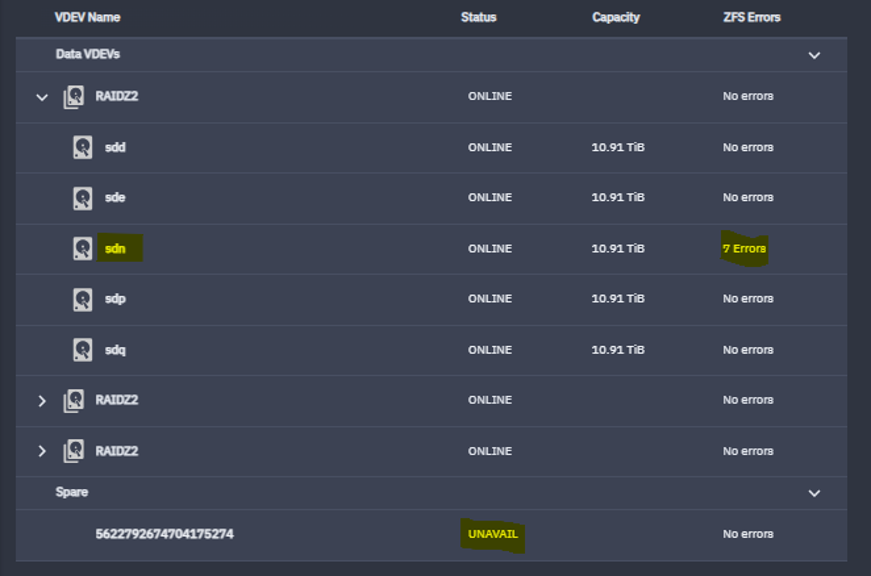
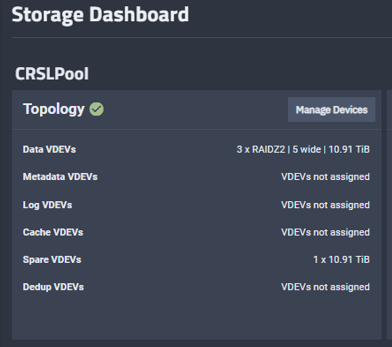
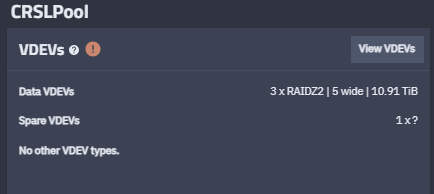
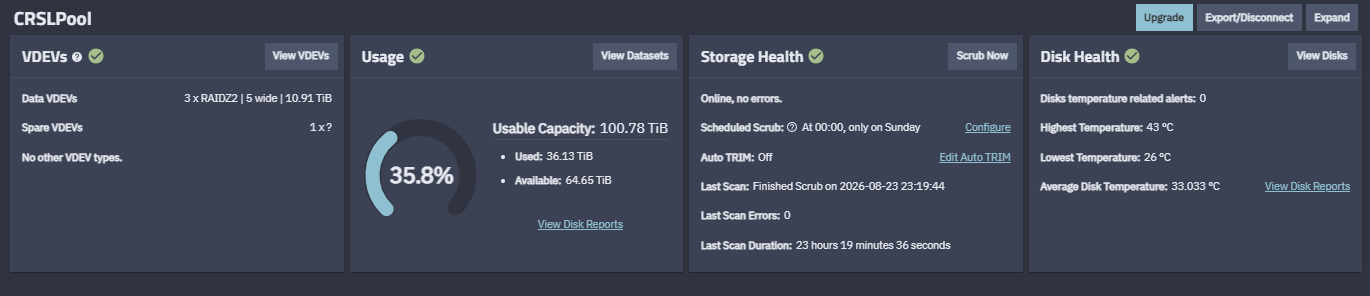
But this time it is showing all 15 x disks all fine - but somehow my spare UNAVAIL - so I would guess it has swapped itself in for another disk. But which one?
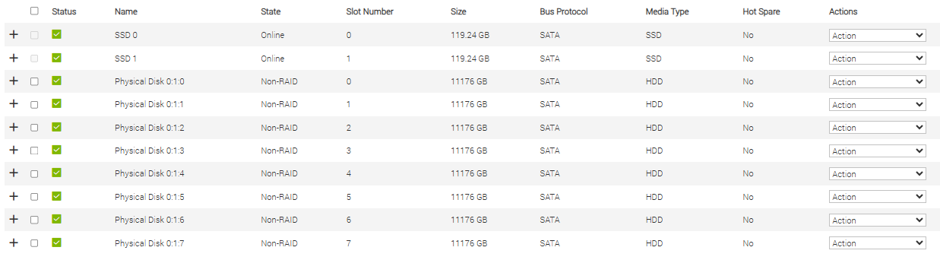
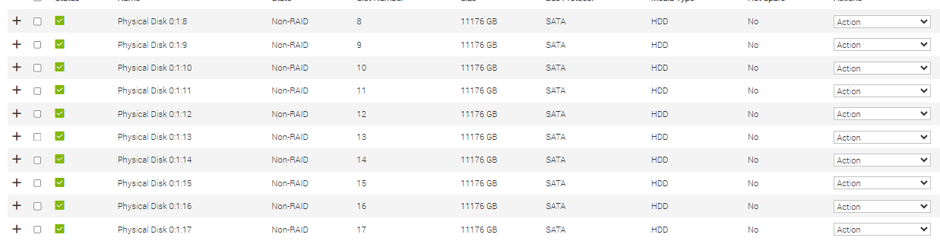
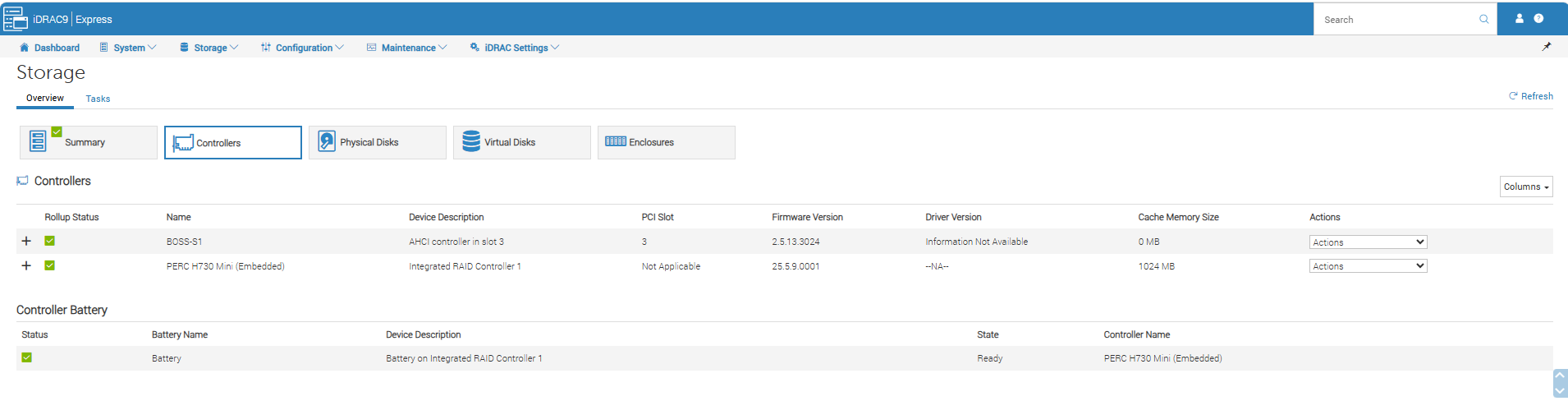
Dell PERC 730 Mini is a RAID controller and is not recommended for use with TrueNAS. It may be the cause of some issues as ZFS (TrueNAS) needs direct access to the disks. The article or post I linked in a previous post should explain it a bit. RAID controllers also can cause issues with moving the pool (disks) to another system or just recovery efforts.
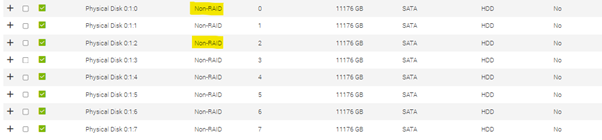
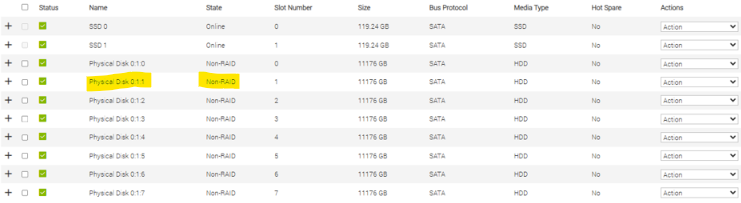
Maybe I explained it wrong. Although the server does have a RAID controller - the disks used for the TrueNAS are all Non-RAID. So TrueNAS formats them etc.
I have 2 x Dell PE and both have been running fine for 8 years.
Try rebooting.
You really need to read the HBA post. Your controller is presenting the disks as individuals but it is not the same as a plain HBA, as highly recommended. Your controller also lists a cache and that is another red flag issue.
The online documentation also has warning about your controller setup.
looking at that zpool status shot, i dont see a spare marked INUSE replacing a vdev member. if the spare had actually swapped in for sdn, youd usually see that disk FAULTED/REMOVED and the spare sitting ONLINE in its place. UNAVAIL under spares with every data disk looking ONLINE usually means the spare reservation itself is sick, not that a silent replace already finished.
on a PERC 730 that gets messier because TrueNAS is not talking to the drives the way ZFS wants. SmallBarky’s HBA note is the real long term fix. short term, paste a fresh zpool status -v (full text) and the by-id path for the UNAVAIL spare serial from DRAC so we can see whether remove + re-add is even safe. dont labelclear anything that might still hold pool data.
Thanks for your help nite_route. You are correct, last time it swapped in a drive, and showed which one had failed/degraded etc. This time it is showing all 15 disks in the pool are fine, just the spare UNAVAILABLE.
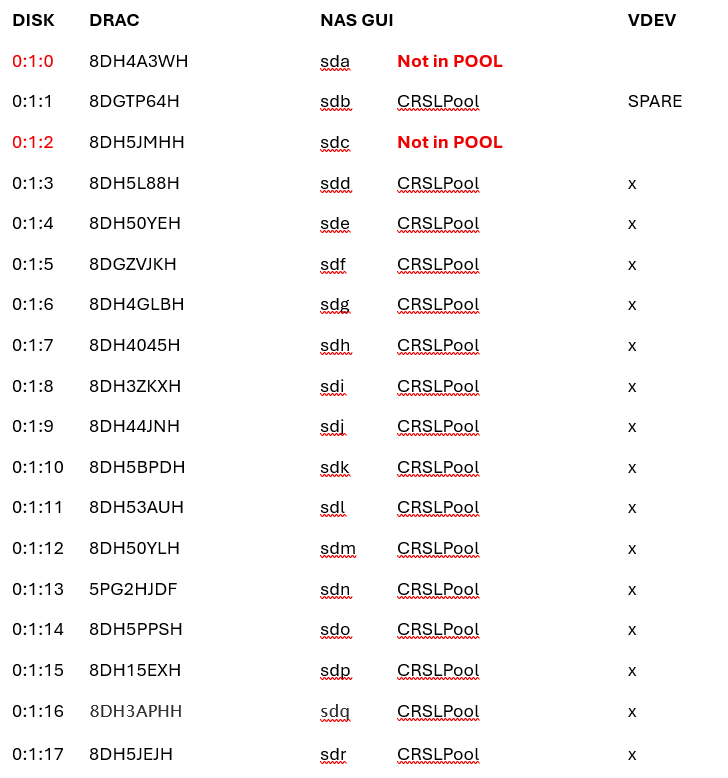
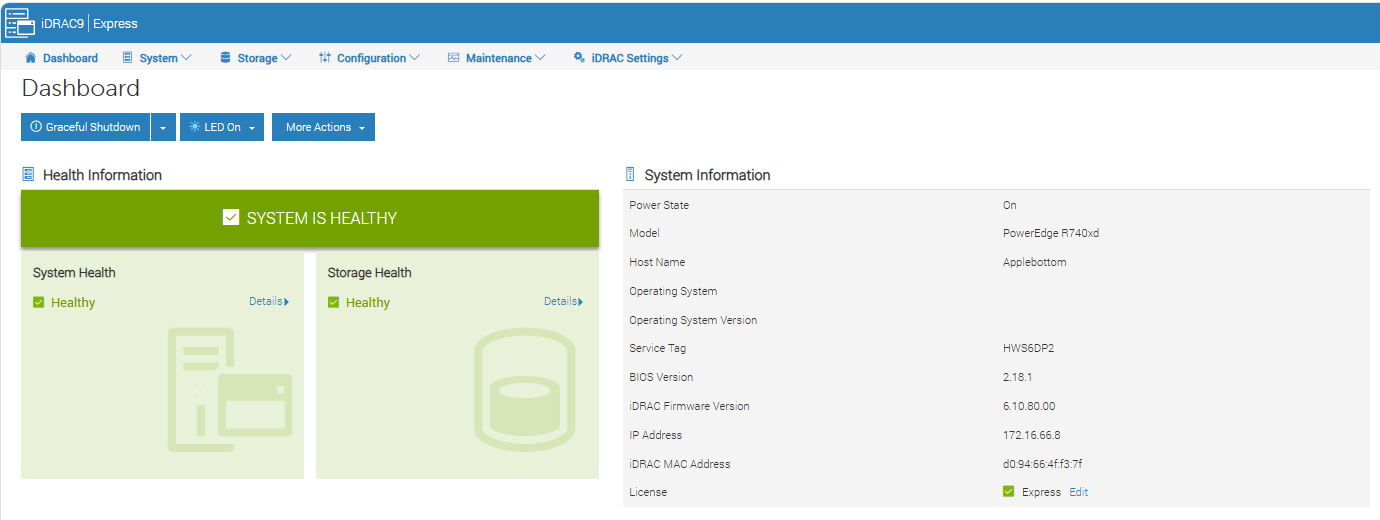
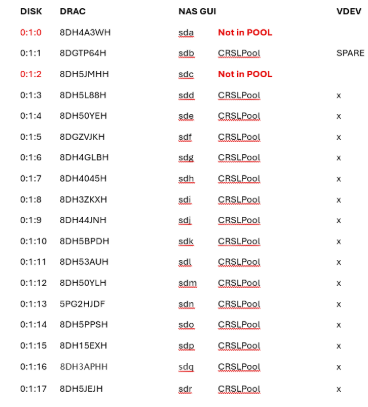
I audited the disks, and can tell you the spare is disk 0:1:1 which is showing as fine and online in DRAC. It is disk sdb in TrueNAS.
yeah if DRAC shows 0:1:1 / sdb healthy and every data disk is ONLINE, i would not kick a resilver. that only helps when a vdev member is actually FAULTED or DEGRADED.
what i would try next:
zpool status -v and copy the full spares section (guid + path)
zpool remove POOL <that-spare-guid> to drop the UNAVAIL spare reservation
re-add the same disk by-id as spare from the UI or zpool add POOL spare /dev/disk/by-id/...
if remove says busy / in use, reboot once (PERC Non-RAID can leave stale state), then retry remove before re-adding.
do not labelclear the live spare unless remove already succeeded and you are re-adding a blank candidate. paste the exact zpool remove error if it refuses.