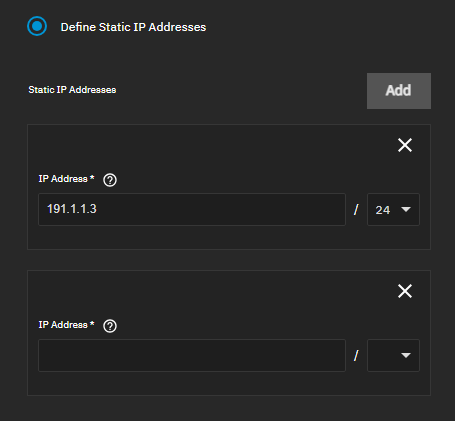
Quick question maybe someone with more knowledge can answer.
I’m playing around with static IP to my apps, and watched Lawrence Systems and Serversathome youtube video’s on setting up static IP’s.
Now they differ a little bit. As Lawrence sets up a new VLAN on the existing interface, and Serversathome adds an ALIAS under the existing interface.
Anyway, both of them use /24 at the end of the IP-address.
But as I was also playing around in Gemini with some questions regarding /24 vs /32 I got this response:
Avoiding Subnet Conflicts
When you assign an IP address with a /24 mask (like 192.168.1.10/24), you are telling the system: “This interface is the primary gateway to the entire 192.168.1.0/24 network.”
If you then add an Alias (a second IP) with that same /24 mask, the system sees two identical network definitions on the same interface. This creates a logical conflict in the routing table:
The system gets confused about which “instance” of the network should handle broadcast traffic or ARP requests.
In some versions of TrueNAS/FreeBSD, using the same mask for an alias can cause the secondary IP to “hijack” traffic meant for the primary IP or stop the interface from responding entirely.
What exactly is your question? Do you want to know if you should use /24 or /32 when adding an alias?
First of all, when it comes to aliases there are differences between operating systems. The AI generated answer is for FreeBSD. You likely got that answer because TrueNAS Core is based on FreeBSD. The situation is different on Linux, which is that TrueNAS Scale uses.
On linux, you can have multiple IP address with the same subnet on the same interface.
For a concrete example, let’s say your interface is eno1 which has an IP Address and Network 192.168.11.10/24. If you want to add an IP Alias to that network interface then you would typically add it with the same netmask as the existing Address.
For example you would add a secondary IP as 192.168.11.242/24 with the command:
$ ip address add 192.168.11.242/24 dev eno1
Because this is an alias the “primary” IP has already added the necessary routes. You can thus also use /32 as the subnet mask for the “secondary” IP.
$ ip address add 192.168.11.242/32 dev eno1
There should be no effective difference between those two in this specific scenario. At least if you are on Linux - FreeBSD has different rules. You could argue that the first variant is more fool proof - because it will create the correct routing entires if they don’t exist.
It was always supported, but in previous versions it was called “Add Alias” and was hidden in the advanced options. I also just found out that the gui has changed on 25.10