You need to check that the UI is in step with Linux/ZFS, and that all your apps are up and working.
The none just indicates that the dataset is not automatically mounted - because these are (or were) specialised TrueNAS-managed datasets.
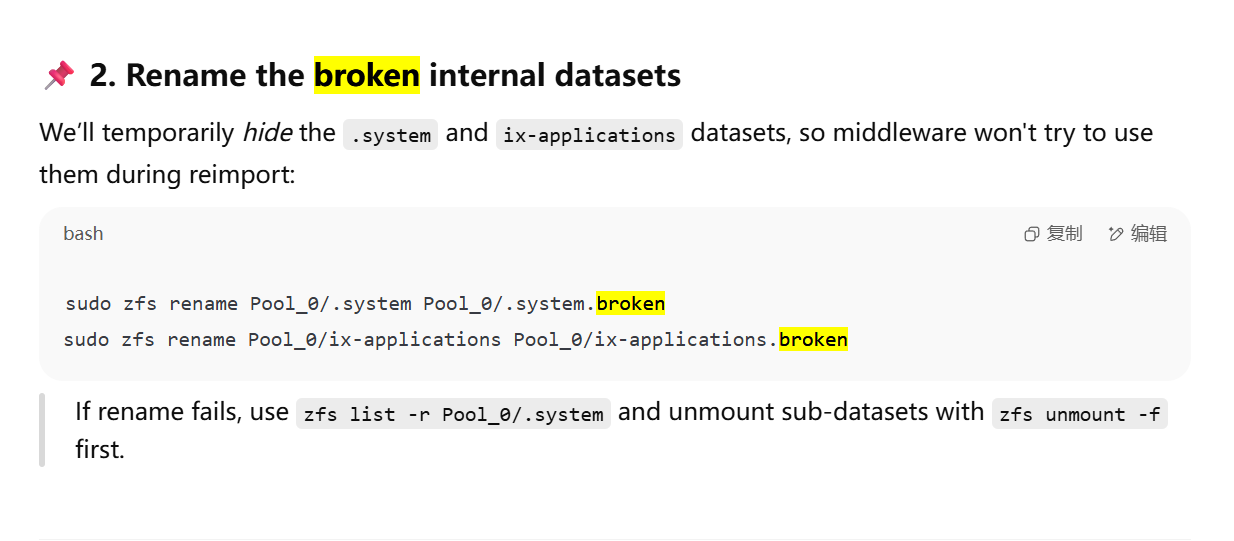
Also a clean-up might be in order, specifically Pool_0/ix-applications.broken is I believe the old Dragonfish Kubernetes applications directory so unless you plan to go back, this can be deleted.
Sorry for the prolonged delay! It has been a long day of work here.
The Pool_0/ix-applications.broken was another not-so-smart advice by gpt at the beginning of my quest.
My apps are of no importance, so they are to be installe anew.
Again, thanks for the walkthrough! My data will be ruined without your help.
Please, pretty please, do NOT rely on ChatGPT (at least for anything TrueNAS related) in the future.
Sure, I will keep that in mind.
How i wish i checked with the forum before trusting GPT.
Hi, sorry to bother again, but i have ran into another problem.
I am trying to reinstall the apps. All installation attempts failed with this: [EFAULT] Failed ‘up’ action for ‘zerotier’ app. Please check /var/log/app_lifecycle.log for more details
Upon checking with /var/log/app_lifecycle.log, it says:
[2025/06/29 16:14:22] (ERROR) app_lifecycle.compose_action():56 - Failed 'up' action for 'zerotier' app: Container ix-zerotier-zerotier-1 Creating\nError response from daemon: invalid mount config for type "bind": bind source path does not exist: /mnt/.ix-apps/app_mounts/zerotier/config\n
However, the folder does exist, thus i an speculating that it have something to do with the unsolved “none” mountpoints.
Then i ran the sudo zfs list | grep ix-apps, it says:
truenas_admin@truenas[~]$ sudo zfs list | grep ix-apps
Pool_0/ix-apps                                           2.90G  37.7T   312M  /mnt/.ix-apps
Pool_0/ix-apps/app_configs                               1.88M  37.7T  1.88M  none
Pool_0/ix-apps/app_mounts                                 142M  37.7T   163K  none
Pool_0/ix-apps/app_mounts/qbittorrent                     141M  37.7T   151K  none
Pool_0/ix-apps/app_mounts/qbittorrent/config              141M  37.7T   130M  none
Pool_0/ix-apps/app_mounts/qbittorrent/downloads           140K  37.7T   140K  none
Pool_0/ix-apps/app_mounts/zerotier                        593K  37.7T   140K  none
Pool_0/ix-apps/app_mounts/zerotier/config                 453K  37.7T   273K  none
Pool_0/ix-apps/docker                                    2.45G  37.7T  2.45G  none
Pool_0/ix-apps/truenas_catalog                            140K  37.7T   140K  none
truenas_admin@truenas[~]$ sudo zfs list -r Pool_0
NAME                                                      USED  AVAIL  REFER  MOUNTPOINT
Pool_0                                                   15.0T  37.7T  3.25G  /mnt/Pool_0
Pool_0/.system                                           2.04G  37.7T  1.55G  legacy
Pool_0/.system/configs-ae32c386e13840b2bf9c0083275e7941  14.3M  37.7T  14.3M  legacy
Pool_0/.system/cores                                      140K  1024M   140K  legacy
Pool_0/.system/netdata-ae32c386e13840b2bf9c0083275e7941   487M  37.7T   487M  legacy
Pool_0/.system/nfs                                        163K  37.7T   163K  legacy
Pool_0/.system/samba4                                     506K  37.7T   506K  legacy
Pool_0/ChenYZ                                             962G  37.7T   609G  /mnt/Pool_0/ChenYZ
Pool_0/ChenYZ/chenyz                                      352G  37.7T   352G  /mnt/Pool_0/ChenYZ/chenyz
Pool_0/Download                                          11.4T  37.7T  11.4T  /mnt/Pool_0/Download
Pool_0/Download/chenyz                                    151K  37.7T   151K  /mnt/Pool_0/Download/chenyz
Pool_0/Linux Live ISO                                    11.1G  37.7T  81.4K  -
Pool_0/StableDiffusion_Files                             2.63T  37.7T  2.63T  /mnt/Pool_0/StableDiffusion_Files
Pool_0/WPS_sync                                           140K  37.7T   140K  /mnt/Pool_0/WPS_sync
Pool_0/Windows VM                                        44.0G  37.7T  16.9G  -
Pool_0/apps                                               140K  37.7T   140K  /mnt/Pool_0/apps
Pool_0/ix-apps                                           2.90G  37.7T   312M  /mnt/.ix-apps
Pool_0/ix-apps/app_configs                               1.88M  37.7T  1.88M  none
Pool_0/ix-apps/app_mounts                                 142M  37.7T   163K  none
Pool_0/ix-apps/app_mounts/qbittorrent                     141M  37.7T   151K  none
Pool_0/ix-apps/app_mounts/qbittorrent/config              141M  37.7T   130M  none
Pool_0/ix-apps/app_mounts/qbittorrent/downloads           140K  37.7T   140K  none
Pool_0/ix-apps/app_mounts/zerotier                        593K  37.7T   140K  none
Pool_0/ix-apps/app_mounts/zerotier/config                 453K  37.7T   273K  none
Pool_0/ix-apps/docker                                    2.45G  37.7T  2.45G  none
Pool_0/ix-apps/truenas_catalog                            140K  37.7T   140K  none
Pool_0/openwrt                                           11.0G  37.7T  18.6M  -
The Pool_0/ix-apps/app-mounts mountpoint being none seemes to be the cause of problems.
Should i run sudo zfs set -u mountpoint=/.ix-apps/app_mounts Pool_0/ix-apps/app_mounts ? Since the Pool_0/ix-apps/ have many other subfolders, is there a way to recursively do this?
Thanks again for helping!
You’re right that the child datasets should also be mounted, but currently aren’t for some reason.
Have you previously unset (Apps → Configuration → Unset Pool) and then Set the apps pool again? If not, try that first.
Yes, i have tried this, and still the problem persists.
I have now compared the ix-apps dataset mountpoint properties with my own system, and it appears that they should probably not be set to “none”.
You probably need to run
sudo zfs inherit -r mountpoint Pool_0/ix-apps/app_configssudo zfs inherit -r mountpoint Pool_0/ix-apps/app_mountssudo zfs inherit -r mountpoint Pool_0/ix-apps/dockersudo zfs inherit -r mountpoint Pool_0/ix-apps/truenas_catalog
If that doesn’t work then we may need to set explicitly the correct mountpoints for these datasets and their subdatasets.
Thanks for replying!
Strange, even though mountpoint looks good after these commands:
truenas_admin@truenas[~]$ sudo zfs list | grep ix-apps
Pool_0/ix-apps                                           2.90G  37.7T   312M  /mnt/.ix-apps
Pool_0/ix-apps/app_configs                               1.88M  37.7T  1.88M  /mnt/.ix-apps/app_configs
Pool_0/ix-apps/app_mounts                                 142M  37.7T   163K  /mnt/.ix-apps/app_mounts
Pool_0/ix-apps/app_mounts/qbittorrent                     141M  37.7T   151K  /mnt/.ix-apps/app_mounts/qbittorrent
Pool_0/ix-apps/app_mounts/qbittorrent/config              141M  37.7T   130M  /mnt/.ix-apps/app_mounts/qbittorrent/config
Pool_0/ix-apps/app_mounts/qbittorrent/downloads           140K  37.7T   140K  /mnt/.ix-apps/app_mounts/qbittorrent/downloads
Pool_0/ix-apps/app_mounts/zerotier                        593K  37.7T   140K  /mnt/.ix-apps/app_mounts/zerotier
Pool_0/ix-apps/app_mounts/zerotier/config                 453K  37.7T   273K  /mnt/.ix-apps/app_mounts/zerotier/config
Pool_0/ix-apps/docker                                    2.45G  37.7T  2.45G  /mnt/.ix-apps/docker
Pool_0/ix-apps/truenas_catalog                            140K  37.7T   140K  /mnt/.ix-apps/truenas_catalog
The installation of apps still failed the same way as they did before.
Here in /var/log/app_lifecycle.log:
[2025/06/29 22:46:04] (ERROR) app_lifecycle.compose_action():56 - Failed 'up' action for 'zerotier' app: Container ix-zerotier-zerotier-1 Creating\nError response from daemon: invalid mount config for type "bind": bind source path does not exist: /mnt/.ix-apps/app_mounts/zerotier/config\n
And I double checked the folder, /mnt/.ix-apps/app_mounts does exist, and the /zerotier/config subfolder is expected to be auto-generated by the system I suppose.
truenas_admin@truenas[/mnt/.ix-apps]$ ls
app_configs  app_mounts  docker  metadata.yaml  truenas_catalog  user_config.yaml
truenas_admin@truenas[/mnt/.ix-apps]$ ls -ld app_mounts
drwxr-xr-x 2 root root 2 Jan 30 13:03 app_mounts
truenas_admin@truenas[/mnt/.ix-apps]$ cd app_mounts
truenas_admin@truenas[/mnt/.ix-apps/app_mounts]$ ls
truenas_admin@truenas[/mnt/.ix-apps/app_mounts]$
If its not the mountpoint issue, why is this folder unrecognized…
It could be permissions that make these seem empty. Try these same commands after doing sudo -i and (temporarily) becoming root.
Thanks for helping!
The mountpoints looks exactly the same when commands are run with root. However, the problem is still there.
I was wondering if this is because the middleware isnt aware of this change, as the case in making changes to the pool via cli, so i tried again to unset and set the apps pool again.
After unsetting, the /mnt/.ix-apps become empty. And with setting pool again, this problem mysteriously resolved itself.
My guess is that each time I select pool for apps, the system re-initiallzes the mounting and so