
I’ve not been able to leave comments on open issues for a while now. Such as providing additional information or corrections for open community issues.
I’ve noticed this happens and typically refreshing (and signing back in) will fix it. I just recently had it where the problem persisted regardless of how many times I refreshed / signed back in. I also noticed that clicking on the “Storage”, the page would spin and load forever. Although everything else was working and responsive, editing datasets, apps, vms, etc.
It went back to normal after a reboot but it’s still weird.
So, today I noticed the console is constantly pasting the messages below, every 1 second or so. Related to the broken dashboard?
Dec 15 14:11:52 TrueNAS netdata[663846]: CONFIG: cannot load cloud config ‘/var/lib/netdata/cloud.d/cloud.conf’. Running with internal defaults.
Dec 15 14:11:52 TrueNAS netdata[663846]: Found 0 legacy dbengines, setting multidb diskspace to 256MB
Also, is netdata used for the widgets? Should I install it?
● netdata.service - netdata - Real-time performance monitoring
Loaded: loaded (/lib/systemd/system/netdata.service; disabled; preset: disabled)
Drop-In: /etc/systemd/system/netdata.service.d
└─override.conf
Active: activating (auto-restart) (Result: exit-code) since Mon 2025-12-15 17:38:34 CST; 1s ago
Docs: man:netdata
file:///usr/share/doc/netdata/html/index.html
Process: 6582 ExecStart=/usr/sbin/netdata -D (code=exited, status=1/FAILURE)
Main PID: 6582 (code=exited, status=1/FAILURE)
CPU: 82ms
The bug that this is a duplicate of is mark as closed and merged, but I’m still seeing it in the 26.04 nightlies. Jira
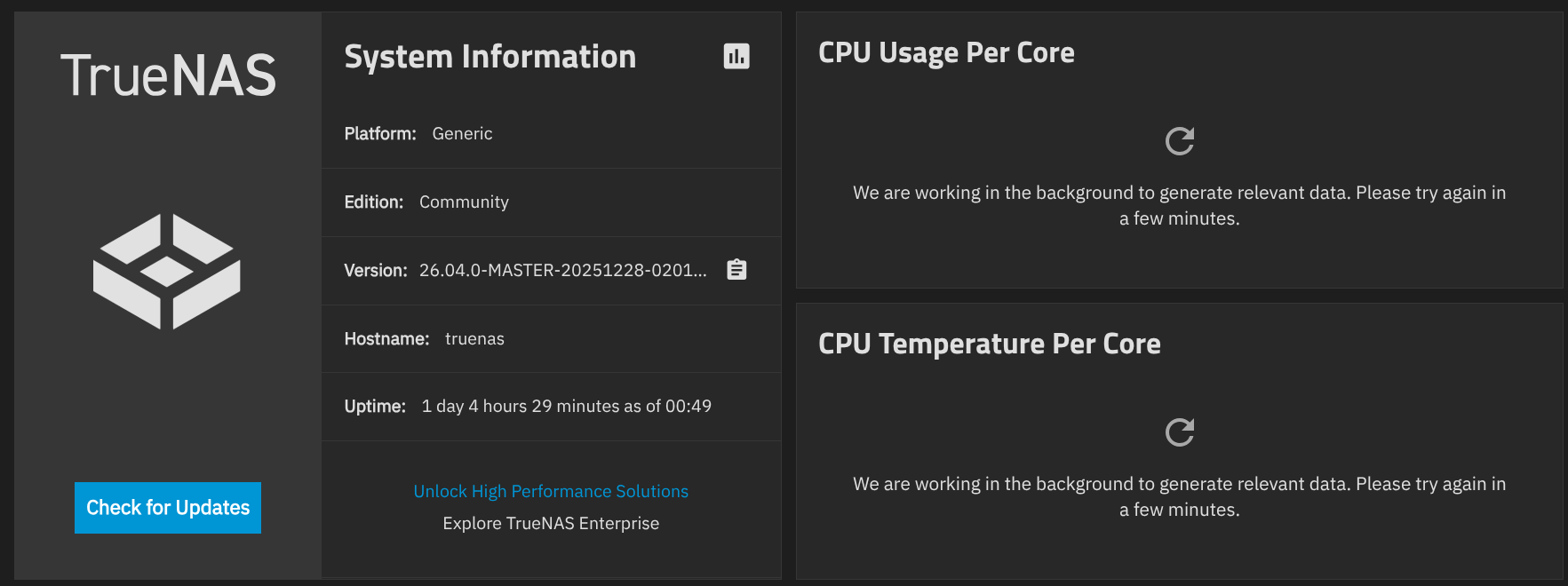
I’ve been battling this problem for a few weeks and I found two problems that killed my charts.
For anyone still suffering from this issue, run:
curl -sS ‘http://127.0.0.1:6999/api/v1/allmetrics?format=json’ | python3 -m json.tool >/dev/null
In my case, there’s a drive that creates an invalid JSON key:
        "truenas_disk_stats.io.{serial}"8": {
                "name":"truenas_disk_stats.io._serial___8",
                "family":"truenas_disk_stats",
                "context":"truenas_disk_stats.io.{serial}' 8",
The problem seems to be that TrueNAS is getting the drive’s serial from the unit serial number SCSI inquiry rather than the device identification page, and this particular device is returning a buggy value that TrueNAS shoves into the JSON without escaping:
truenas_admin@truenas[~]$ sg_inq --page=0x83 /dev/sda
sg_inq: error opening file: /dev/sda: Permission denied
sg_inq failed: Permission denied
truenas_admin@truenas[~]$ sudo sg_inq --page=0x83 /dev/sda
VPD INQUIRY: Device Identification page
  Designation descriptor number 1, descriptor length: 12
    designator_type: NAA,  code_set: Binary
    associated with the Addressed logical unit
      NAA 3, Locally assigned:
      [0x3089052892498752]
  Designation descriptor number 2, descriptor length: 44
    designator_type: T10 vendor identification,  code_set: ASCII
    associated with the Addressed logical unit
      vendor id: CL1-3D25
      vendor specific: 6-Q11 NVMe S22308905289249875223
truenas_admin@truenas[~]$ sudo sg_inq --page=0x80 /dev/sda
VPD INQUIRY: Unit serial number page
  Unit serial number: " 8905289
I don’t have a fix for this as this is definitely a TrueNAS bug, but hopefully running curl against your local netdata daemon will give some other people some answers.
Use Report a Bug in the TrueNAS GUI and submit all your data. Looks like a smile icon for Feedback / Report A Bug.
Reported.
I also hacked my local middleware installation at /usr/lib/python3/dist-packages/middlewared/utils/disks_/disk_class.py:
                    # Extract only the serial number data, skipping the 4-byte header
                    serial_txt = raw[4:4 + page_len].decode('ascii', errors='ignore')
                    serial = re.sub(r'[\x00-\x1f\x7f]', '', serial_txt).strip().replace('"', '')
After this, I get graphs again. 