Truenas - Beelink Me Mini - 10gbps via Aquantia Corp. AQC107 NBase-T/IEEE 802.3bz Ethernet Controller [AQtion] (rev 02)

Hello,

After fixing M.2 disconnect problem on Beelink Me Mini with this command :

I try to have 10 gbps on my new Beelink Me Mini,

Installed :
-Truenas scale 25.04.2.1
-M.2 extender : chenyang PCIe 3.0/4.0 M.2 NVME/NGFF SSD 30cm Flexible Extension Cable Supports 2230/2242/2260/2280 M.2 NGFF NVME SSD : Amazon.fr: Computers
-M.2 to 10gbps ethernet adapter :
Aquantia Corp. AQC107 NBase-T/IEEE 802.3bz Ethernet Controller [AQtion] (rev 02)
KALEA-INFORMATIQUE M2 PCIe B+M to RJ45 10G LAN 10 Gigabit Ethernet Network Controller Card with Aquantia AQC107 Chipset : Amazon.fr: Computers
-Beelink ME Mini has two 2.5gbps ports
-connected 3 ethernet links to 10gbe switch :
TP-Link Omada TL-SX105 Switch 5 Ports 10G Desktop/Rack : Amazon.fr: Computers
-tested from Mac Mini M4 with 10gbe ethernet port
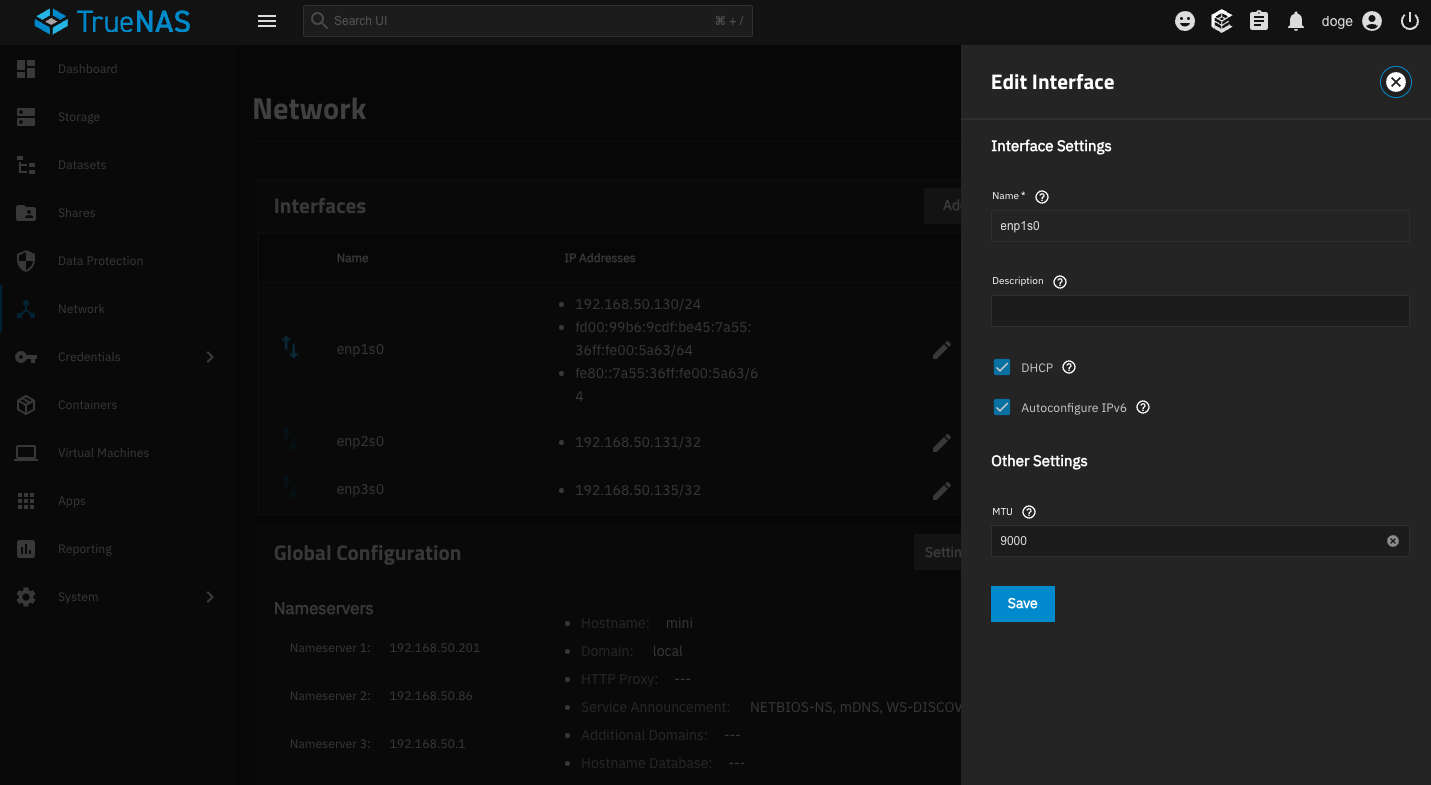
-MTU 9000 on all devices : my router (Asus GT AXE 16000), mac mini 10gbe, all 3 ethernet cards in Beelink Me mini

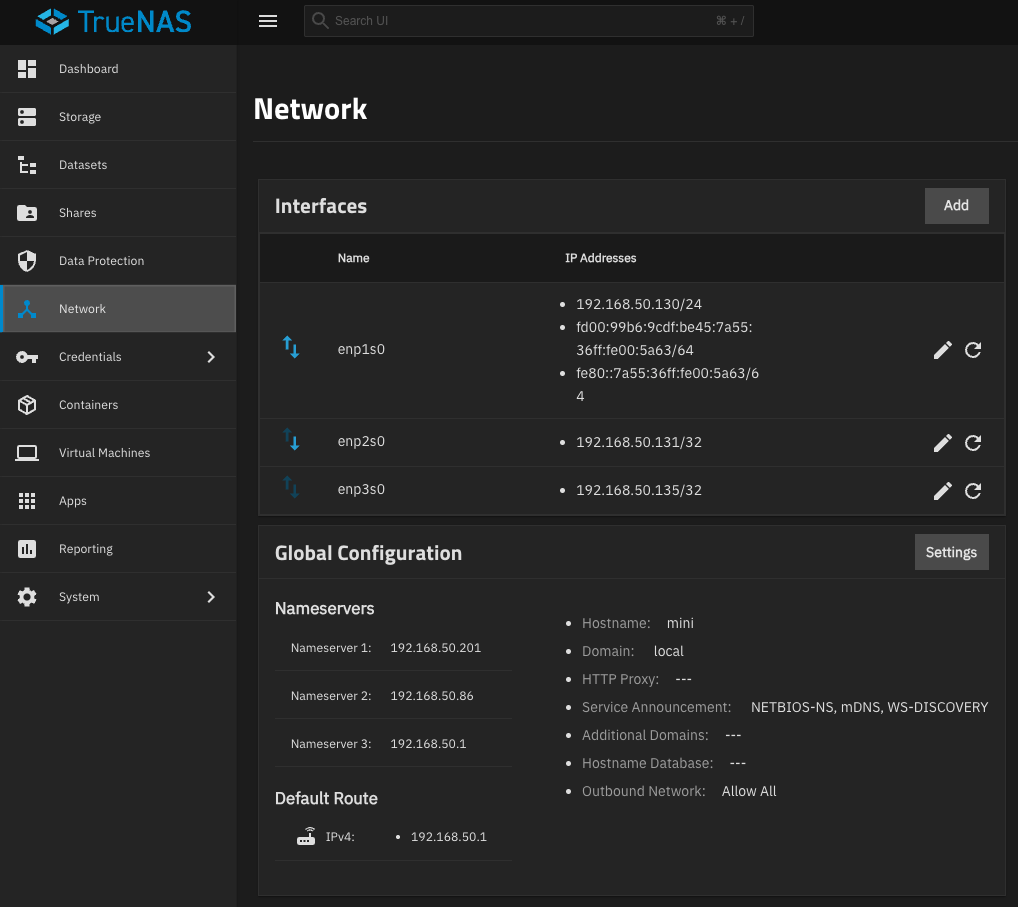
enp1s0 - 2.5gbe - 192.168.50.130/24 - dhcp + ipv6 auto + mtu 9000
enp2s0 - 2.5gbe - 192.168.50.131/32 - mtu 9000
enp3s0 - 10gbe - 192.168.50.135/32 - mtu 9000

#Test with iperf3 : 
#-start server on Beelink Me Mini listening on 10gbe card :
tmux new -s ip3
iperf3 -s -B 192.168.50.135

#-start client from my mac : 
# up : 4 threads + 10 sec + recieve
iperf3 -c 192.168.50.135 -P 4 -t 10 
# down : 4 threads + 10 sec + send
iperf3 -c 192.168.50.135 -P 4 -t 10 -R

(before testing iperf3 on Truenas/Bellink Me Mini, i tested with other devices on the network, i have Ok iperf3 10 gbps test between 10 gbe mac and PC in this network)

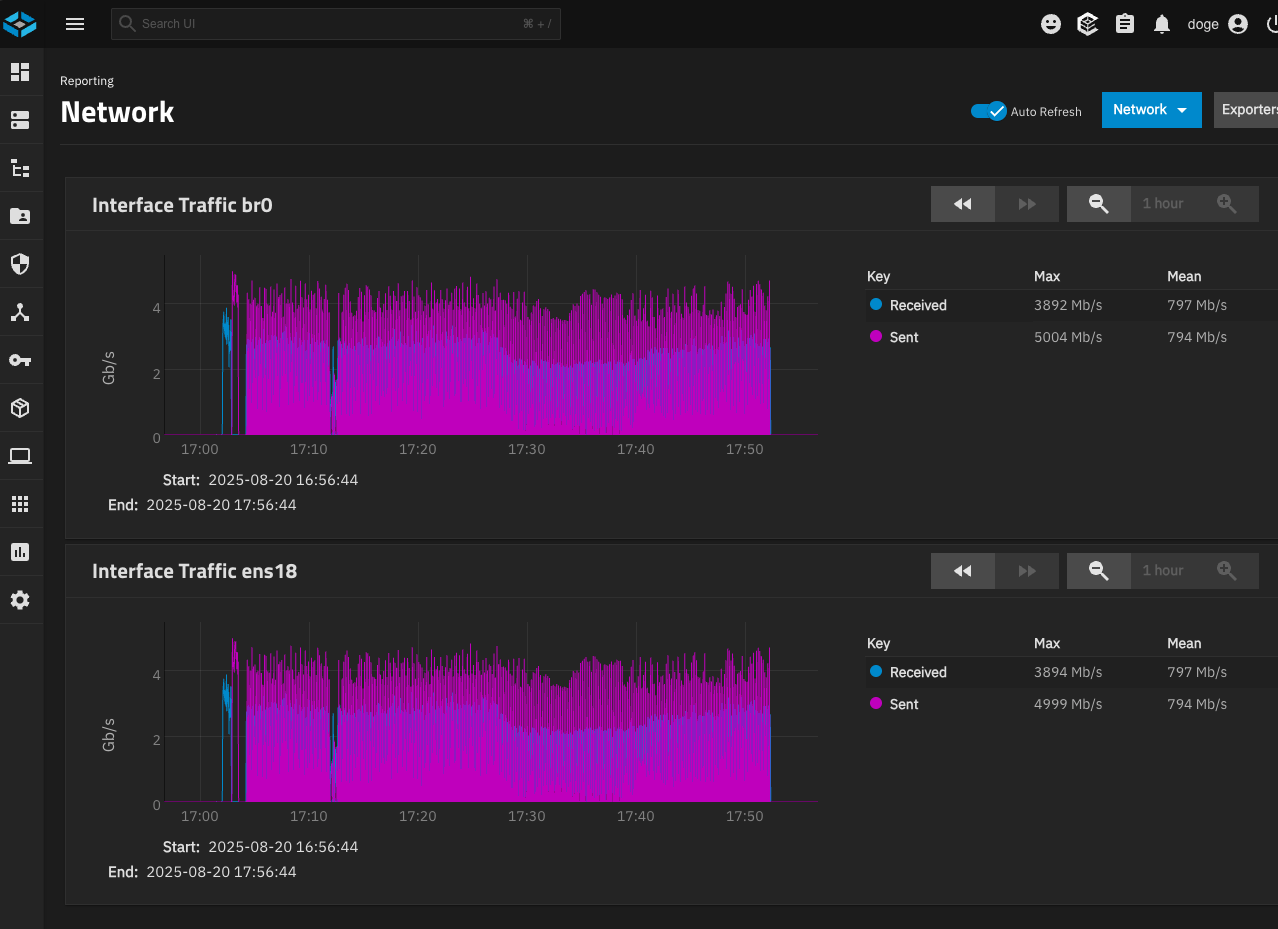
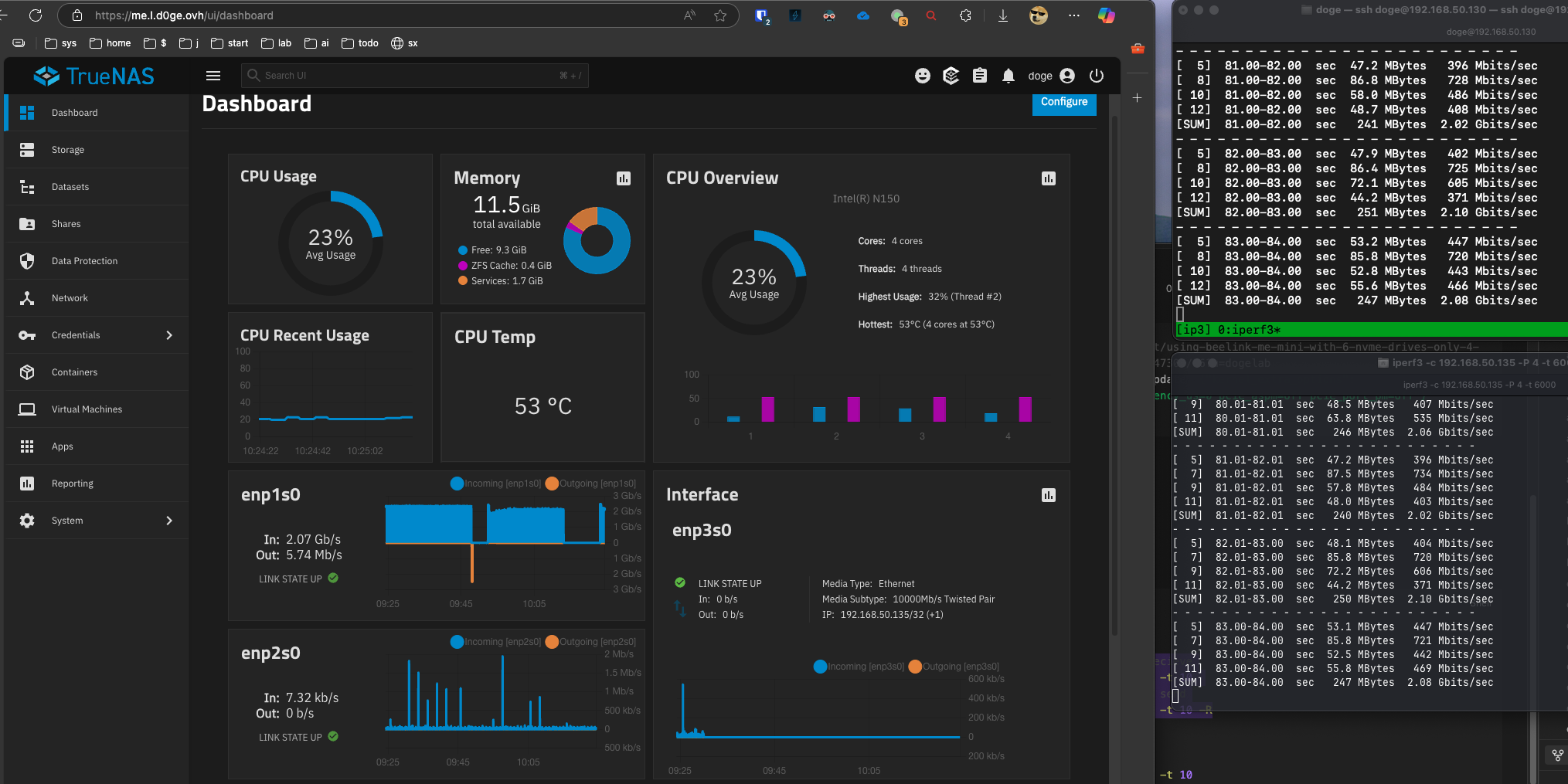
Added the three ethernet cards to dachboard and observed + stats ethernet observed :

1/ All trafic goes through 192.168.50.130 (2.5 gbe adapter) instead of going through 10gbe adapter, WHY ???

2/ SMB/NFS goes through random adapters when IP fixed in sevice propreties to 10gbe card, sometimes : “up” goes through one adapter, “down” goes through an other adapter, WHY ?

3/ How to fix 2.5 ethernet cards to be used only for administration, and anything else to go through 10gbe adapter ?

Help please :slight_smile:

doge@mini:~$ sudo ifconfig
[sudo] password for doge: 
docker0: flags=4099<UP,BROADCAST,MULTICAST>  mtu 1500
        inet 172.16.0.1  netmask 255.255.255.0  broadcast 172.16.0.255
        inet6 fdd0::1  prefixlen 64  scopeid 0x0<global>
        ether 02:42:3e:4e:2e:a8  txqueuelen 0  (Ethernet)
        RX packets 0  bytes 0 (0.0 B)
        RX errors 0  dropped 0  overruns 0  frame 0
        TX packets 0  bytes 0 (0.0 B)
        TX errors 0  dropped 59 overruns 0  carrier 0  collisions 0

enp1s0: flags=4163<UP,BROADCAST,RUNNING,MULTICAST>  mtu 9000
        inet 192.168.50.130  netmask 255.255.255.0  broadcast 255.255.255.255
        inet6 fd00:99b6:9cdf:be45:7a55:36ff:fe00:5a63  prefixlen 64  scopeid 0x0<global>
        inet6 fe80::7a55:36ff:fe00:5a63  prefixlen 64  scopeid 0x20<link>
        ether 78:55:36:00:5a:63  txqueuelen 1000  (Ethernet)
        RX packets 392299075  bytes 559639323130 (521.2 GiB)
        RX errors 0  dropped 0  overruns 76  frame 0
        TX packets 30473720  bytes 17898947990 (16.6 GiB)
        TX errors 0  dropped 2 overruns 0  carrier 0  collisions 0
        device memory 0x80e00000-80efffff  

enp2s0: flags=4163<UP,BROADCAST,RUNNING,MULTICAST>  mtu 9000
        inet 192.168.50.131  netmask 255.255.255.255  broadcast 0.0.0.0
        inet6 fe80::7a55:36ff:fe00:5a62  prefixlen 64  scopeid 0x20<link>
        ether 78:55:36:00:5a:62  txqueuelen 1000  (Ethernet)
        RX packets 29414  bytes 7462470 (7.1 MiB)
        RX errors 0  dropped 0  overruns 0  frame 0
        TX packets 6436  bytes 25932399 (24.7 MiB)
        TX errors 0  dropped 661 overruns 0  carrier 0  collisions 0
        device memory 0x80b00000-80bfffff  

enp3s0: flags=4163<UP,BROADCAST,RUNNING,MULTICAST>  mtu 9000
        inet 192.168.50.135  netmask 255.255.255.255  broadcast 0.0.0.0
        inet6 fe80::1efd:8ff:fe7b:2b65  prefixlen 64  scopeid 0x20<link>
        ether 1c:fd:08:7b:2b:65  txqueuelen 1000  (Ethernet)
        RX packets 5208  bytes 1144916 (1.0 MiB)
        RX errors 0  dropped 0  overruns 0  frame 0
        TX packets 94  bytes 9768 (9.5 KiB)
        TX errors 0  dropped 24 overruns 0  carrier 0  collisions 0

lo: flags=73<UP,LOOPBACK,RUNNING>  mtu 65536
        inet 127.0.0.1  netmask 255.0.0.0
        inet6 ::1  prefixlen 128  scopeid 0x10<host>
        loop  txqueuelen 1000  (Local Loopback)
        RX packets 107193  bytes 71153328 (67.8 MiB)
        RX errors 0  dropped 0  overruns 0  frame 0
        TX packets 107193  bytes 71153328 (67.8 MiB)
        TX errors 0  dropped 0 overruns 0  carrier 0  collisions 0


doge@mini:~$ lspci
00:00.0 Host bridge: Intel Corporation Device 461c
00:02.0 VGA compatible controller: Intel Corporation Alder Lake-N [Intel Graphics]
00:04.0 Signal processing controller: Intel Corporation Alder Lake Innovation Platform Framework Processor Participant
00:08.0 System peripheral: Intel Corporation Device 467e
00:0d.0 USB controller: Intel Corporation Alder Lake-N Thunderbolt 4 USB Controller
00:14.0 USB controller: Intel Corporation Alder Lake-N PCH USB 3.2 xHCI Host Controller
00:14.2 RAM memory: Intel Corporation Alder Lake-N PCH Shared SRAM
00:14.3 Network controller: Intel Corporation CNVi: Wi-Fi
00:15.0 Serial bus controller: Intel Corporation Device 54e8
00:15.1 Serial bus controller: Intel Corporation Device 54e9
00:16.0 Communication controller: Intel Corporation Alder Lake-N PCH HECI Controller
00:1a.0 SD Host controller: Intel Corporation Device 54c4
00:1c.0 PCI bridge: Intel Corporation Alder Lake-N PCI Express Root Port
00:1c.1 PCI bridge: Intel Corporation Alder Lake-N PCI Express Root Port
00:1c.2 PCI bridge: Intel Corporation Alder Lake-N PCI Express Root Port
00:1c.3 PCI bridge: Intel Corporation Device 54bb
00:1c.6 PCI bridge: Intel Corporation Alder Lake-N PCI Express Root Port
00:1d.0 PCI bridge: Intel Corporation Alder Lake-N PCI Express Root Port
00:1d.2 PCI bridge: Intel Corporation Alder Lake-N PCI Express Root Port
00:1d.3 PCI bridge: Intel Corporation Alder Lake-N PCI Express Root Port
00:1e.0 Communication controller: Intel Corporation Alder Lake-N Serial IO UART Host Controller
00:1e.3 Serial bus controller: Intel Corporation Device 54ab
00:1f.0 ISA bridge: Intel Corporation Alder Lake-N PCH eSPI Controller
00:1f.3 Audio device: Intel Corporation Alder Lake-N PCH High Definition Audio Controller
00:1f.4 SMBus: Intel Corporation Alder Lake-N SMBus
00:1f.5 Serial bus controller: Intel Corporation Alder Lake-N SPI (flash) Controller
01:00.0 Ethernet controller: Intel Corporation Ethernet Controller I226-V (rev 04)
02:00.0 Ethernet controller: Intel Corporation Ethernet Controller I226-V (rev 04)
03:00.0 Ethernet controller: Aquantia Corp. AQC107 NBase-T/IEEE 802.3bz Ethernet Controller [AQtion] (rev 02)
04:00.0 Non-Volatile memory controller: Sandisk Corp WD PC SN810 / Black SN850 NVMe SSD (rev 01)
05:00.0 Non-Volatile memory controller: Sandisk Corp WD PC SN810 / Black SN850 NVMe SSD (rev 01)
06:00.0 Non-Volatile memory controller: Micron/Crucial Technology T500 NVMe PCIe SSD (rev 01)
07:00.0 Non-Volatile memory controller: Micron/Crucial Technology T500 NVMe PCIe SSD (rev 01)
08:00.0 Non-Volatile memory controller: Micron/Crucial Technology T500 NVMe PCIe SSD (rev 01)
1 Like

Because you are doing your network incorrectly.
the addresses for NIC 2&3 are covered by NIC 1

You need to use different networks for example 192.168.51.xx/24. Of course then you have to work out how to route to those addresses

or

Ditch the 2 2.5Gb NICs (disable them whatever), and use the 10Gb with multiple alias’s on it - then limit the GUI to one of the alias’s

2 Likes

Thank you,

Is there some simple way to aggregate the 3 ethernet links (a do not have router/switch link aggregation aware), so by default it takes 10g, but if 10g fails/drops it will use others ?

Best regards :slight_smile:

Then no; any sort of link aggregation would require a managed switch.

1 Like

And how about bridge ? What is it for ?
Making apps/containers available on the LAN network ?

You can aggregate with a managed switch, but keep in mind that for the time being, every user can only use one connection at a time. That may change in the future as multi-threaded/session whatever they call it SMB becomes available, but for now, SMB is a single-threaded task in TrueNAS.

Thus, your biggest bang for the buck usually comes from finding the largest trunk you can get to the NAS, 10GbE is pretty affordable these days. Similarly, for SOHO settings with few users, lower-core but higher frequency CPUs are better re: throughput vs. higher-core but lower frequency CPUs for file server-only applications. (D-1508 vs. D-1537, for example)

I have tried failover LAGGs, and it was so consistent in borking my connections, I gave up on that. Instead, I simply rely on a rock-solid, 10GbE connection trunking to my switch. Other folk have had better experiences. FWIW, this is an all Intel system, so drivers don’t explain the issue. More likely than not, I somehow screwed it up despite confectioning the connections from the console.

As for the bridge, that becomes interesting for VMs and some Apps, IIRC.

2 Likes

Thank you,

So for now i pushed 10gbe nic to DHCP, so it is the default nic, and i have 6.9 gbps with iperf3, witch is OK for me.
I keep other nics connected with aliases.
If 10gbe happens to crash, i will reconfigure 2.5gbe nic to be the main.

Best regards :slight_smile:

2 Likes

Unfortunatly 10gbe nic continue crashing randomly.
I return it to Amazon.

1 Like

Ordered an other 10gbe M.2 NIC from Amazon, will test it.

3 Likes

Test with an other 10gbe Amazon Nic (amazon links below for parts used) :
Aquantia Corp. AQtion AQC113 NBase-T/IEEE 802.3an Ethernet Controller [Antigua 10G] (rev 03)

It works with Truenas VM in Proxmox.

Problems solved :

1/ The wire
The wire that connects the two parts of the NIC (ethernet connector part / M.2 part) : with the first card it never connected well, with the second the connector is better and connects well, i immediatly see the green light on the NIC when system starts.

2/ Truenas vs Proxmox
In Truenas system you can’t do much tuning, so i installed Proxmox and some tools to do linux tests :
nala cockpit+navigator btop ncdu intel-gpu-tools tmux iperf3 iftop hwloc lm-sensors.

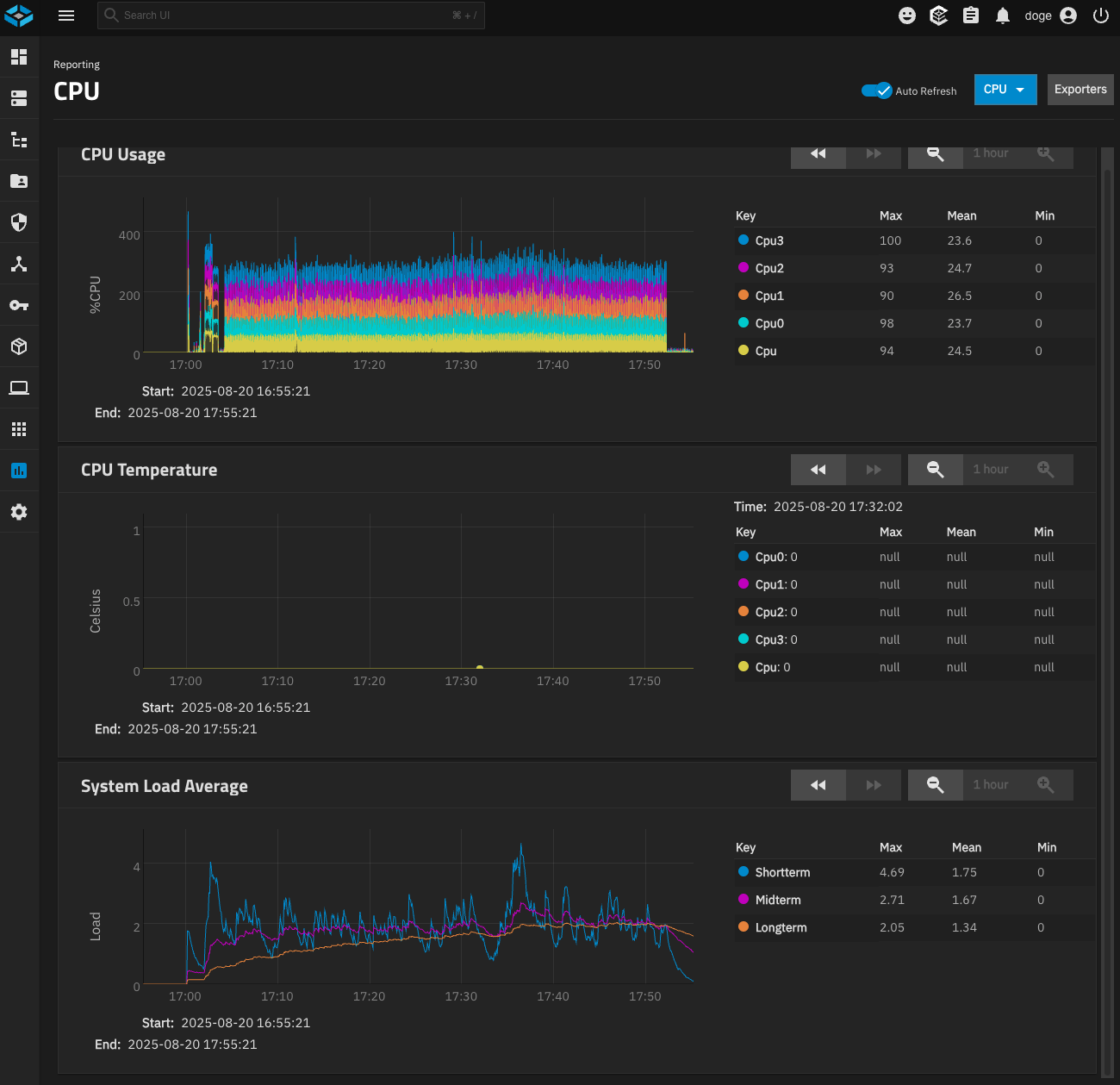
3/ The oveheating : +102.0°C on the M.2 NIC with the default heatsink !!!

After seeing +102.0°C on the M.2 10gbe NIC, i immediatly shut down the Beelink Me Mini and added active heatsync.

Temperatures with the default heatsync :

sudo nala install lm-sensors
while true; do clear; sensors; sleep 1; done

doge@pxm:~$ sensors

iwlwifi_1-virtual-0
Adapter: Virtual device
temp1:            N/A

acpitz-acpi-0
Adapter: ACPI interface
temp1:        +27.8°C

coretemp-isa-0000
Adapter: ISA adapter
Package id 0:  +57.0°C  (high = +105.0°C, crit = +105.0°C)
Core 0:        +55.0°C  (high = +105.0°C, crit = +105.0°C)
Core 1:        +55.0°C  (high = +105.0°C, crit = +105.0°C)
Core 2:        +55.0°C  (high = +105.0°C, crit = +105.0°C)
Core 3:        +55.0°C  (high = +105.0°C, crit = +105.0°C)

enp5s0-pci-0500
Adapter: PCI adapter
PHY Temperature: +102.0°C
MAC Temperature: +102.0°C

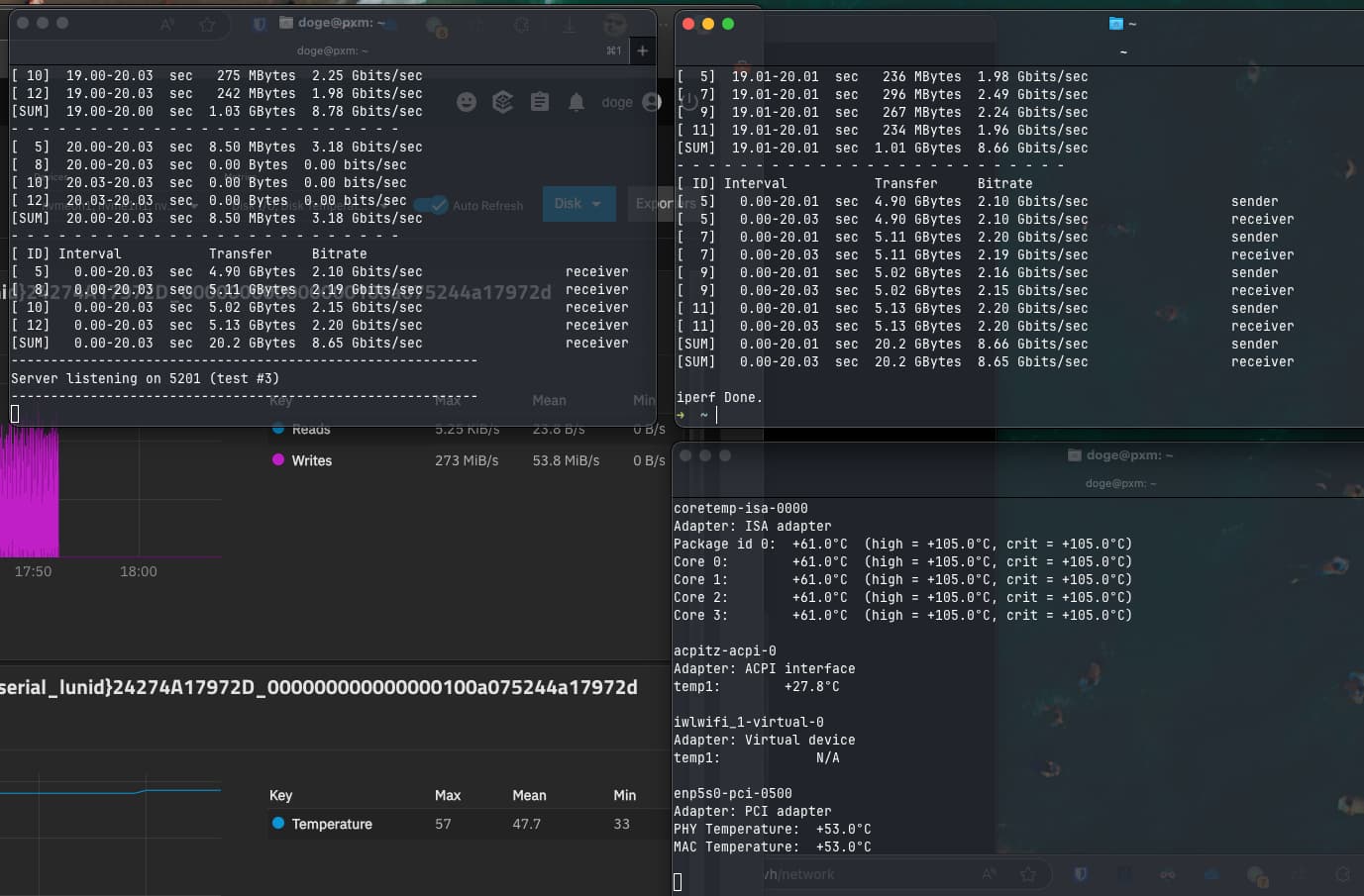
After adding active heatsync : +53.0°C (after 1 hour test with BlackMagic Disk Speed Test - writing on the NFS share continuously)

doge@pxm:~$ sensors
coretemp-isa-0000
Adapter: ISA adapter
Package id 0:  +75.0°C  (high = +105.0°C, crit = +105.0°C)
Core 0:        +75.0°C  (high = +105.0°C, crit = +105.0°C)
Core 1:        +75.0°C  (high = +105.0°C, crit = +105.0°C)
Core 2:        +75.0°C  (high = +105.0°C, crit = +105.0°C)
Core 3:        +75.0°C  (high = +105.0°C, crit = +105.0°C)

acpitz-acpi-0
Adapter: ACPI interface
temp1:        +27.8°C

iwlwifi_1-virtual-0
Adapter: Virtual device
temp1:            N/A

enp5s0-pci-0500
Adapter: PCI adapter
PHY Temperature:  +53.0°C
MAC Temperature:  +53.0°C

Temp few minutes after test stop :

doge@pxm:~$ sensors
coretemp-isa-0000
Adapter: ISA adapter
Package id 0:  +60.0°C  (high = +105.0°C, crit = +105.0°C)
Core 0:        +60.0°C  (high = +105.0°C, crit = +105.0°C)
Core 1:        +61.0°C  (high = +105.0°C, crit = +105.0°C)
Core 2:        +61.0°C  (high = +105.0°C, crit = +105.0°C)
Core 3:        +61.0°C  (high = +105.0°C, crit = +105.0°C)

acpitz-acpi-0
Adapter: ACPI interface
temp1:        +27.8°C

iwlwifi_1-virtual-0
Adapter: Virtual device
temp1:            N/A

enp5s0-pci-0500
Adapter: PCI adapter
PHY Temperature:  +53.0°C
MAC Temperature:  +53.0°C

4/ Performance
iperf3 gave 8gbe up and down
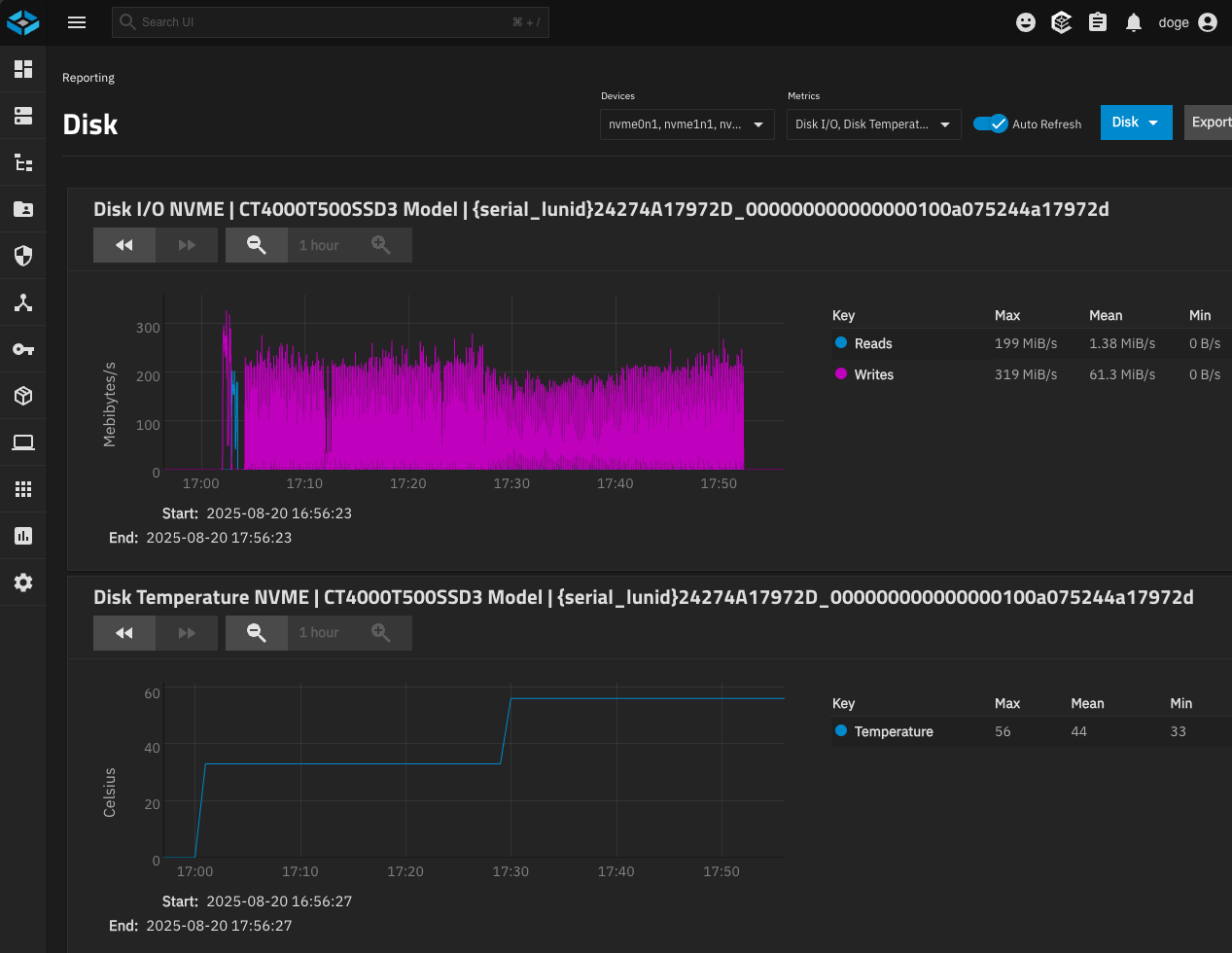
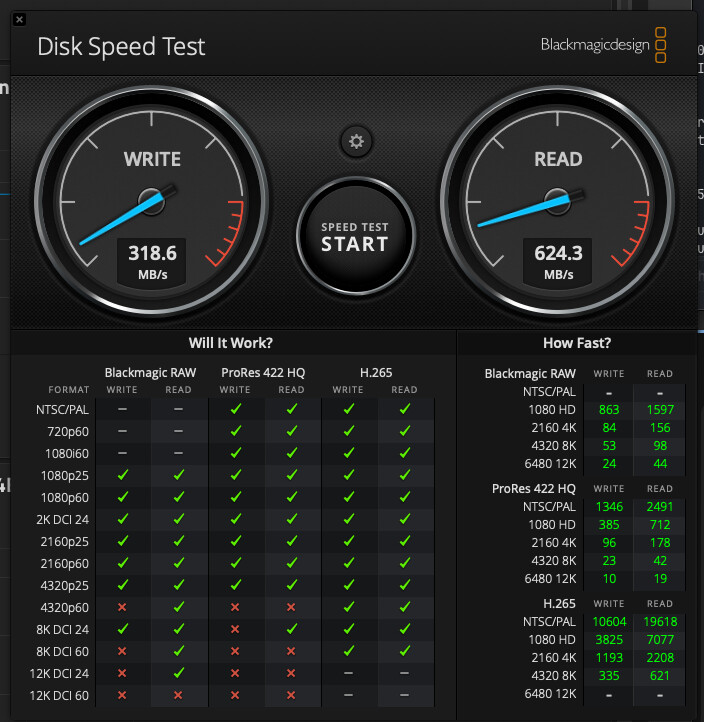
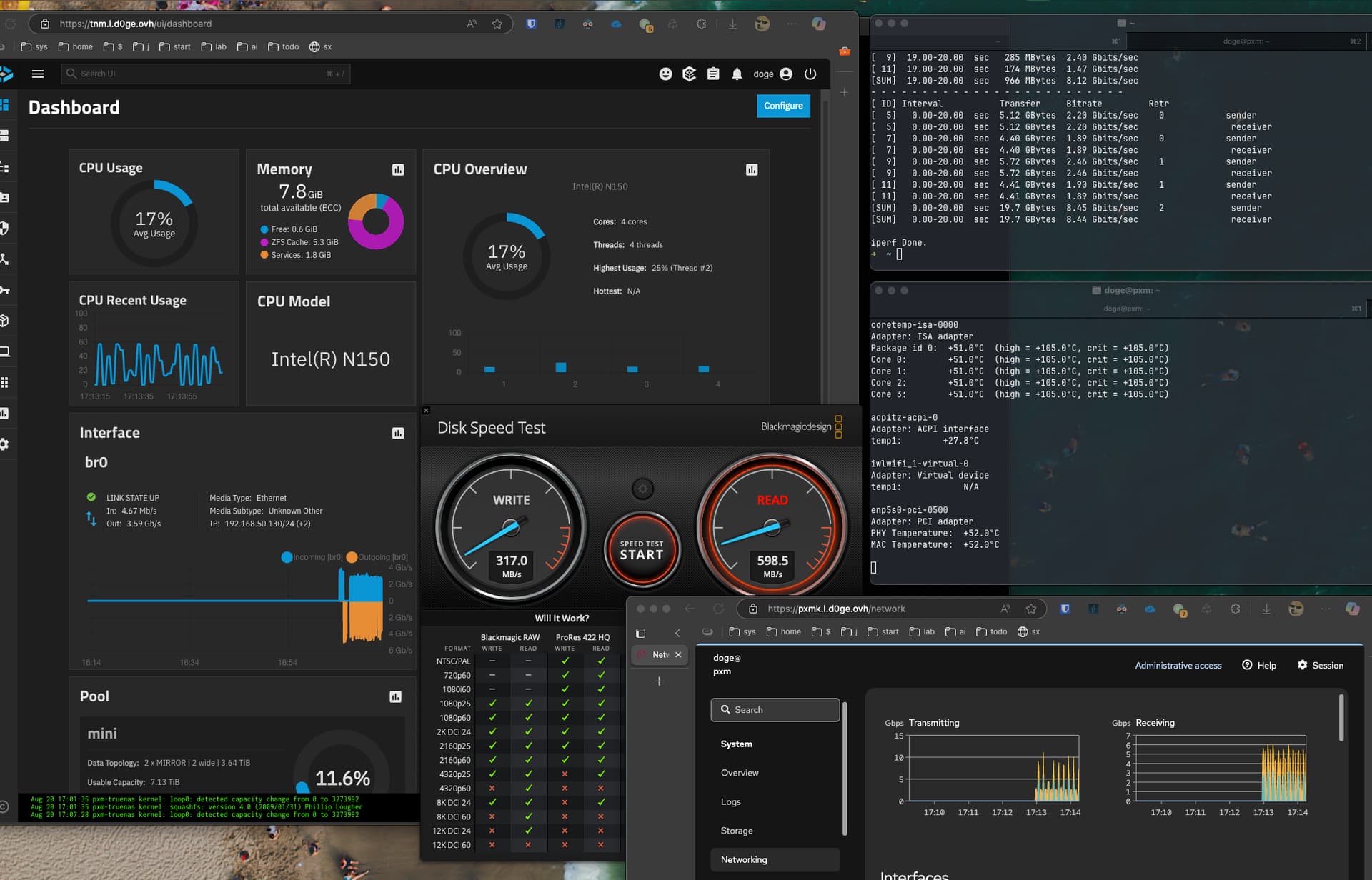
BlackMagic write to NFS share with dataset SYNC=OFF and 4 M.2 (Crucial T500 4tb - 2 mirrors of 2 NVME) : 318 MB/s write 624 MB/s read (not full 10gbe, bottleneck somewhere ?)

5/ Tuning

Also i modified IRQ and RX/TX in proxmox :

# IRQ -----------------------------------------------
sudo nano /etc/systemd/system/my-irq-affinity.service
	[Unit]
	Description=Set IRQ affinity for enp5s0
	After=network.target
	
	[Service]
	Type=oneshot
	ExecStart=/usr/local/bin/my-irq.sh
	RemainAfterExit=yes
	
	[Install]
	WantedBy=multi-user.target

sudo nano /usr/local/bin/my-irq.sh
	#!/bin/bash
	
	NIC="enp5s0"
	CPU_COUNT=$(nproc)
	echo "Detected $CPU_COUNT CPU cores."
	
	# Get IRQs associated with the NIC
	IRQS=$(grep $NIC /proc/interrupts | awk '{print $1}' | tr -d ':')
	
	echo "Setting IRQ affinity for $NIC..."
	
	i=0
	for irq in $IRQS; do
	  cpu=$((i % CPU_COUNT))
	  mask=$((1 << cpu))
	  printf -v hex_mask "%x" $mask
	  echo $hex_mask | sudo tee /proc/irq/$irq/smp_affinity > /dev/null
	  echo "IRQ $irq assigned to CPU$cpu (mask 0x$hex_mask)"
	  ((i++))
	done
	
	echo "IRQ affinity updated successfully."

sudo chmod +x /usr/local/bin/my-irq.sh

sudo systemctl daemon-reexec
sudo systemctl enable my-irq-affinity.service


# RX / TX : FIX -----------------------------------------------

sudo ethtool -G enp5s0 rx 8184 tx 8184

service : 
sudo nano /etc/systemd/system/my-ethtool-buffer.service

	[Unit]
	Description=My : Set ethtool buffer sizes for enp5s0
	After=network-online.target
	Wants=network-online.target
	
	[Service]
	Type=oneshot
	ExecStart=/sbin/ethtool -G enp5s0 rx 8184 tx 8184
	RemainAfterExit=yes
	
	[Install]
	WantedBy=multi-user.target

sudo systemctl daemon-reexec
sudo systemctl enable my-ethtool-buffer.service
# test
sudo systemctl start my-ethtool-buffer.service
# reboot + check
sudo ethtool -g enp5s0
# test
pxm : iperf3 -s -B 192.168.50.141
mac : 
	iperf3 -c 192.168.50.141 -P 4 -t 10
	iperf3 -c 192.168.50.141 -P 4 -t 10 -R

6/ My Bios Settings
https://drive.google.com/drive/folders/1qKy8X5LHsY8KTqGCWHt1RucNrNHCf933?usp=sharing

7/ Misc

lspci :

doge@pxm:~$ lspci
00:00.0 Host bridge: Intel Corporation Alder Lake-N Processor Host Bridge/DRAM Registers
00:02.0 VGA compatible controller: Intel Corporation Alder Lake-N [Intel Graphics]
00:04.0 Signal processing controller: Intel Corporation Alder Lake Innovation Platform Framework Processor Participant
00:08.0 System peripheral: Intel Corporation GNA Scoring Accelerator
00:0d.0 USB controller: Intel Corporation Alder Lake-N Thunderbolt 4 USB Controller
00:14.0 USB controller: Intel Corporation Alder Lake-N PCH USB 3.2 xHCI Host Controller
00:14.2 RAM memory: Intel Corporation Alder Lake-N PCH Shared SRAM
00:14.3 Network controller: Intel Corporation CNVi: Wi-Fi
00:15.0 Serial bus controller: Intel Corporation Device 54e8
00:15.1 Serial bus controller: Intel Corporation Device 54e9
00:16.0 Communication controller: Intel Corporation Alder Lake-N PCH HECI Controller
00:1a.0 SD Host controller: Intel Corporation Device 54c4
00:1c.0 PCI bridge: Intel Corporation Alder Lake-N PCI Express Root Port #1
00:1c.1 PCI bridge: Intel Corporation Alder Lake-N PCI Express Root Port #2
00:1c.3 PCI bridge: Intel Corporation Alder Lake-N PCI Express Root Port #4
00:1c.6 PCI bridge: Intel Corporation Alder Lake-N PCI Express Root Port #7
00:1d.0 PCI bridge: Intel Corporation Alder Lake-N PCI Express Root Port #9
00:1d.2 PCI bridge: Intel Corporation Alder Lake-N PCI Express Root Port #11
00:1d.3 PCI bridge: Intel Corporation Alder Lake-N PCI Express Root Port #12
00:1e.0 Communication controller: Intel Corporation Alder Lake-N Serial IO UART Host Controller
00:1e.3 Serial bus controller: Intel Corporation Device 54ab
00:1f.0 ISA bridge: Intel Corporation Alder Lake-N PCH eSPI Controller
00:1f.3 Audio device: Intel Corporation Alder Lake-N PCH High Definition Audio Controller
00:1f.4 SMBus: Intel Corporation Alder Lake-N SMBus
00:1f.5 Serial bus controller: Intel Corporation Alder Lake-N SPI (flash) Controller
01:00.0 Ethernet controller: Intel Corporation Ethernet Controller I226-V (rev 04)
02:00.0 Ethernet controller: Intel Corporation Ethernet Controller I226-V (rev 04)
03:00.0 Non-Volatile memory controller: Micron/Crucial Technology T500 NVMe PCIe SSD (rev 01)
04:00.0 Non-Volatile memory controller: Micron/Crucial Technology T500 NVMe PCIe SSD (rev 01)
05:00.0 Ethernet controller: Aquantia Corp. AQtion AQC113 NBase-T/IEEE 802.3an Ethernet Controller [Antigua 10G] (rev 03)
06:00.0 Non-Volatile memory controller: Micron/Crucial Technology T500 NVMe PCIe SSD (rev 01)
07:00.0 Non-Volatile memory controller: Micron/Crucial Technology T500 NVMe PCIe SSD (rev 01)
Parts used :

The NIC :

Active heatsink :

USB power for heatsink :

M.2 extension :

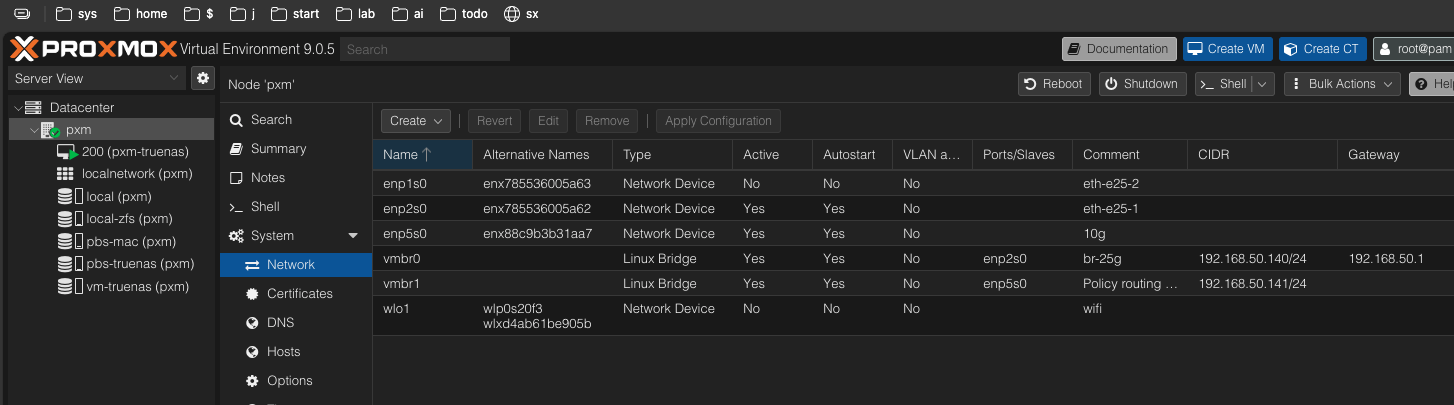
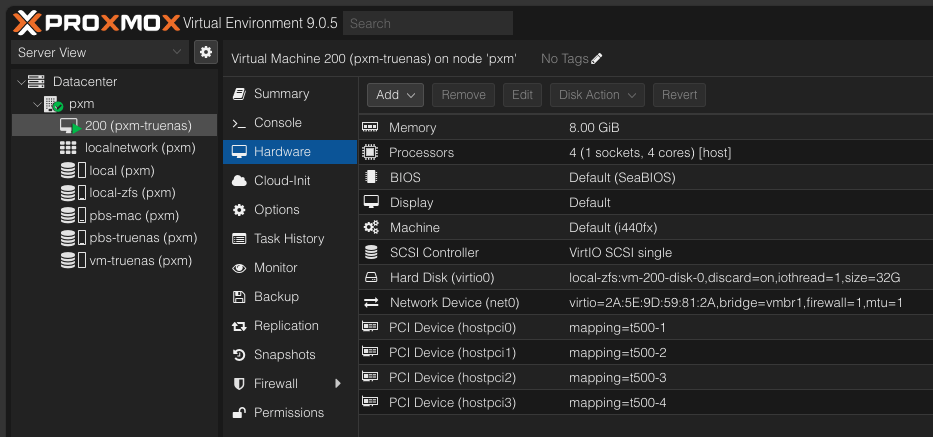
Proxmox : network + VM config

iperf3 + BlackMagic writing from the Mac Mini M4 with 10gbe port to the Beelink Me Mini with 10gbe M.2 adaper, via NFS share with SYNC=OFF

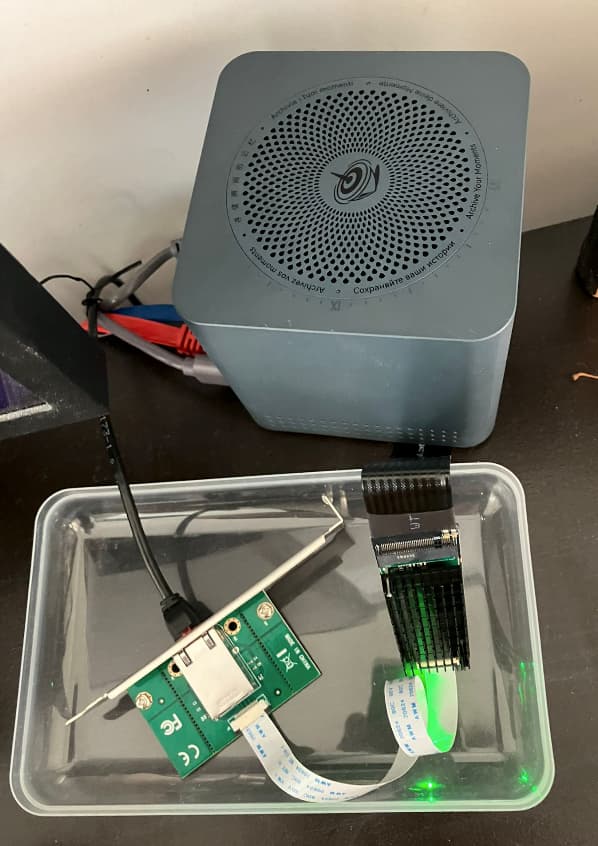
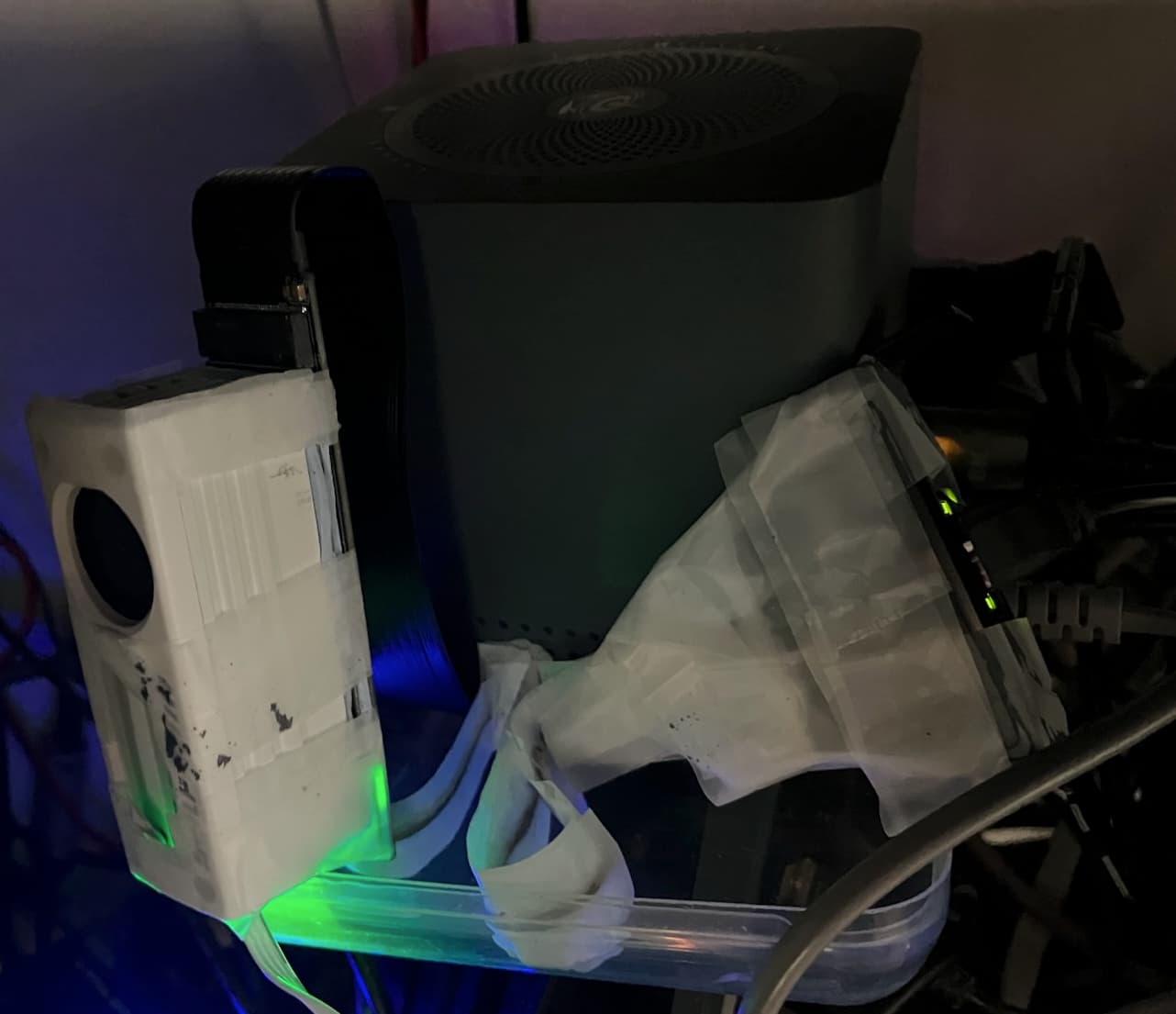
M2 10gbe NIC with active cooling (i used tape to secure the fragile cable) :

BalckMagic test 1 hour writing to NFS share via 10gbe NIC with active heatsync :

iPerf3 :

BlackMagic :

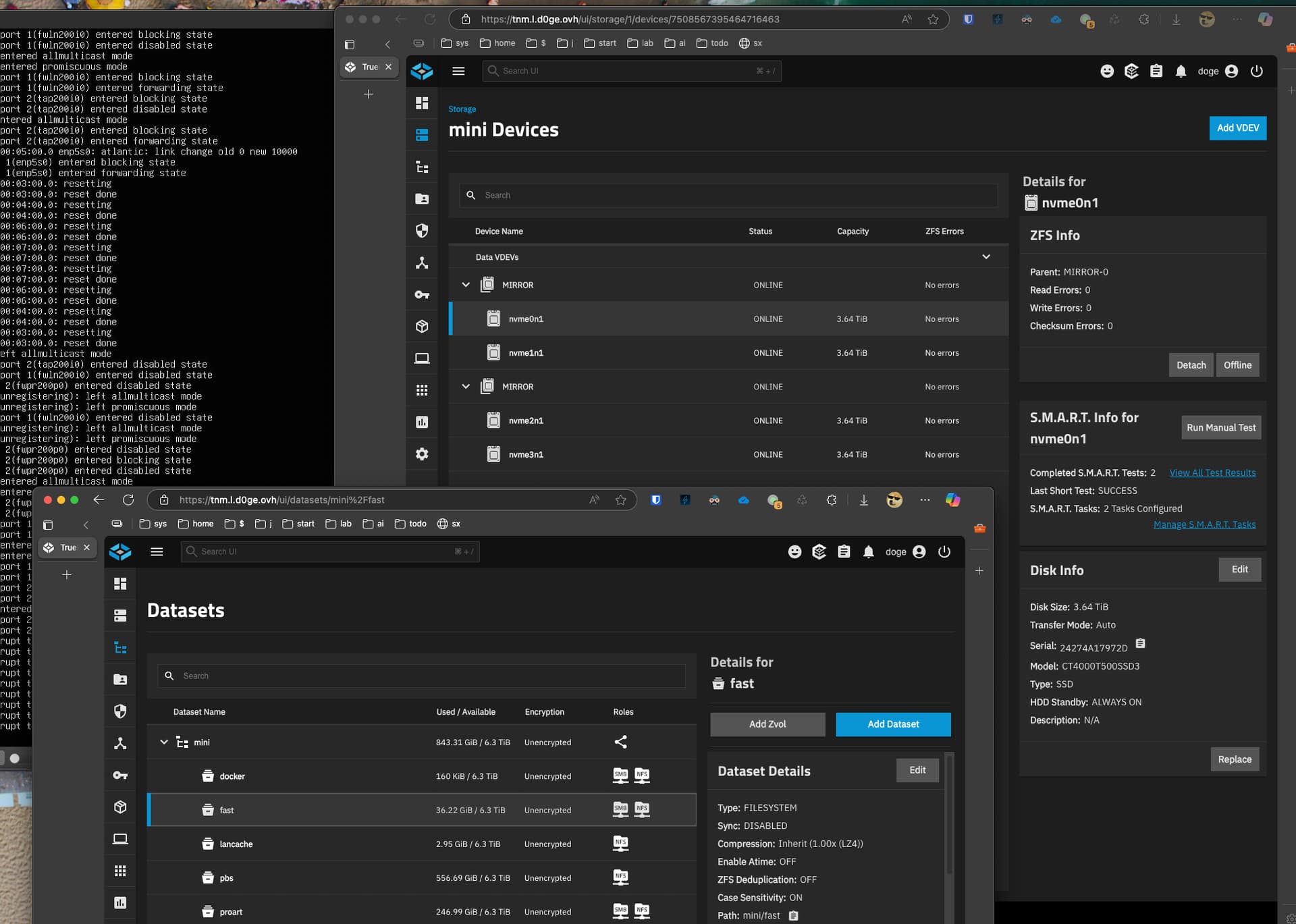
Stogare config : “fast” dataset with SYNC=OFF + 2 mirrors of 2 MNVME Crucial T500 :

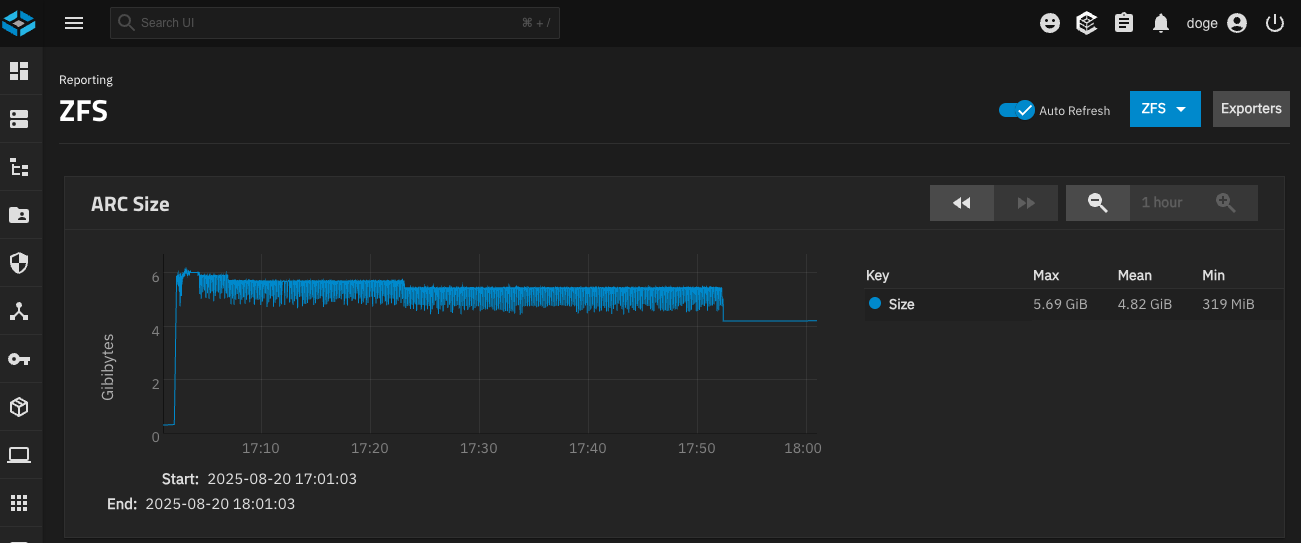
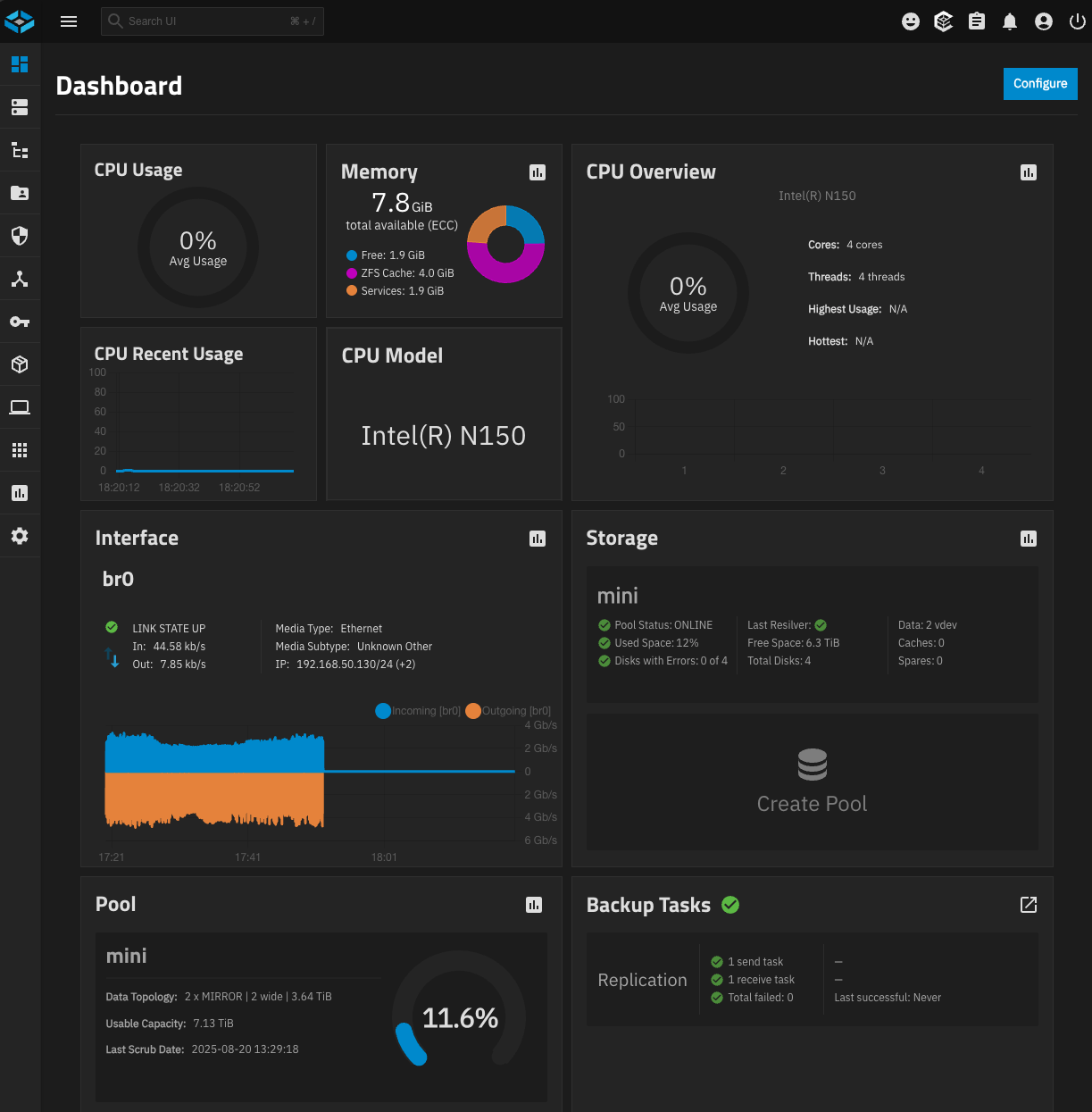
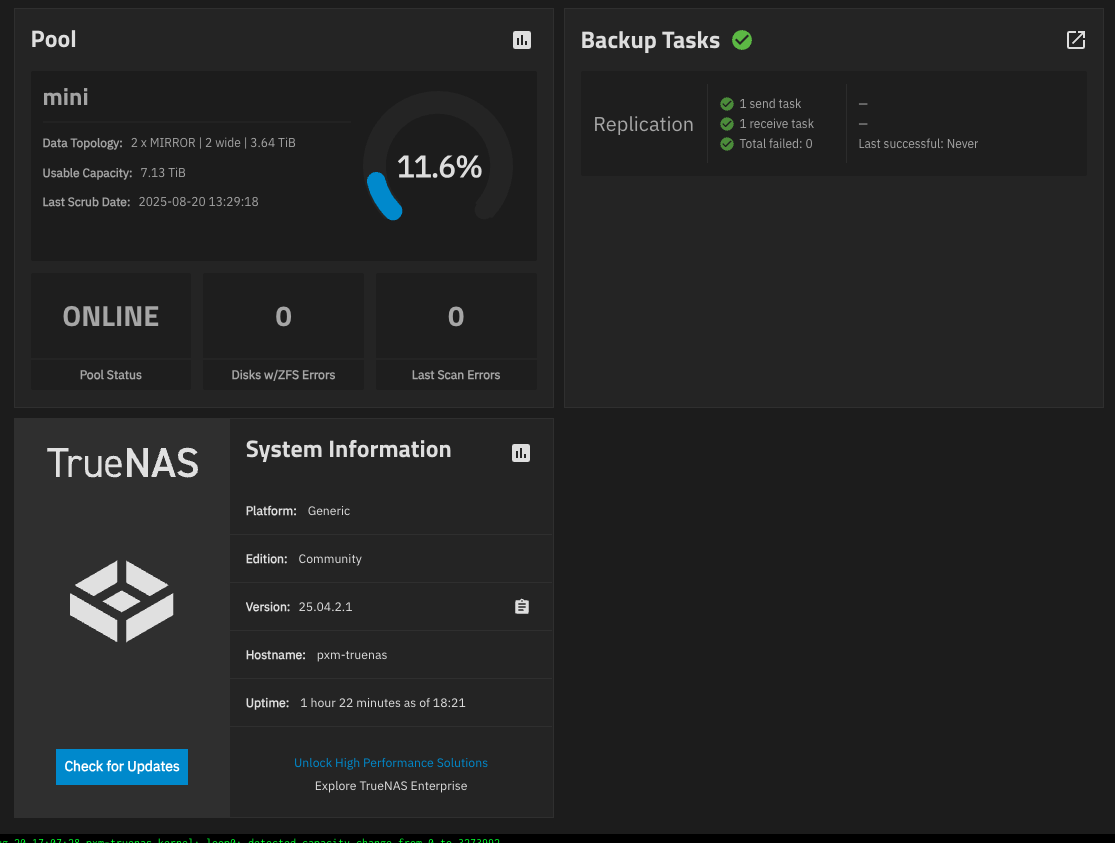
Truenas Dashboard :

4 Likes

A folloup on this :

All above was tested with 10gbe M2 + 4 Crucial T500 M2,
i had a plan to add one more.

Purchasing on Amazon France, dicounted T500. :

  • to save a buck i always buy Amazon discounted parts
  • unfortunatly in France some people buy 4tb M2, then put the 4tb sticker on an old M2 then send them back to Amazon
  • so i recieved 3 discounted false M2 drives, and sent them back
  • finally recieved a real fifth T500

Now put the fifth T500 in the Beelink Me Mini, and … it turned bad :

  • had several M2 falling in the D3cold state and never come back to D0 state until full power off and on (of course it broke the pool, no problem i am just testing now, no data lost)
  • tryed everything with proxmox and truenas with no success, then tryed to reinstall windows
  • pluged two USB M2, one with install files from Beelink, other empty to recieve Windows install
  • install to USB : second USB M2 dropped and first M2 overwrite itself
  • install to EMMC : unplugged second M2 witch is dropping, and installed to EMMC, after few trials it worked
  • in windows , i replaced install M2 by empty M2, then cloned EMMC to empty M2 (used DiskGenius)
  • then booted to USB M2 clone
  • discovered that : when 2 USB M2 are plugged into USB ports one of them drop, and in windows i only see 2 of my five internal T500
  • tested dropping M2 on a PC and it is fine
  • Conclusion : Beelink Me Mini PSU does not have enough power
  • then instead of plugging 2 M2 on USB directly, tryed to plug USB hub with external power, and it worked : now in windows i see my 2 USB m2 + my 5 T500 but some time later drives drop again
    so i will have to :
  • remove 10gbe M2 NIC and try to run without it and see if my 5 T500 are stable
  • change internal PSU to a more powerful one

Trying to have a raid 5 in Windows :

  • raid 5 is not avalable in windows 11 pro
  • storage spaces said my T500 has not the right block/cluster size

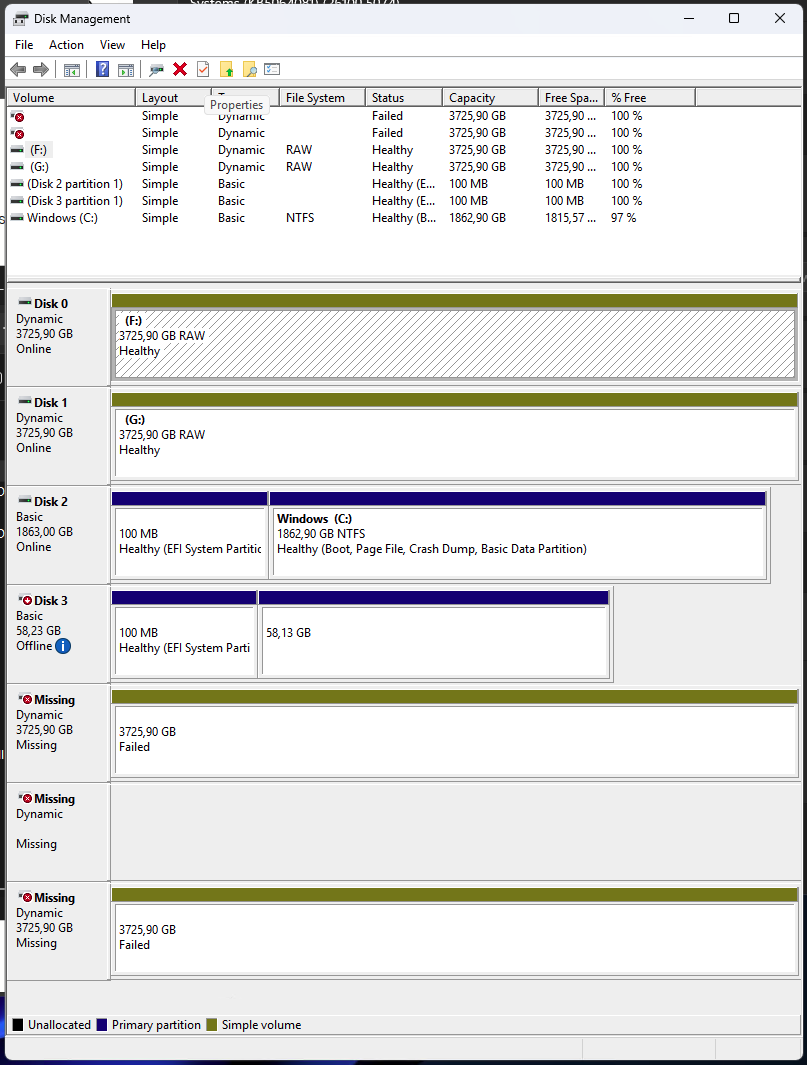
Windows shows failed drives :

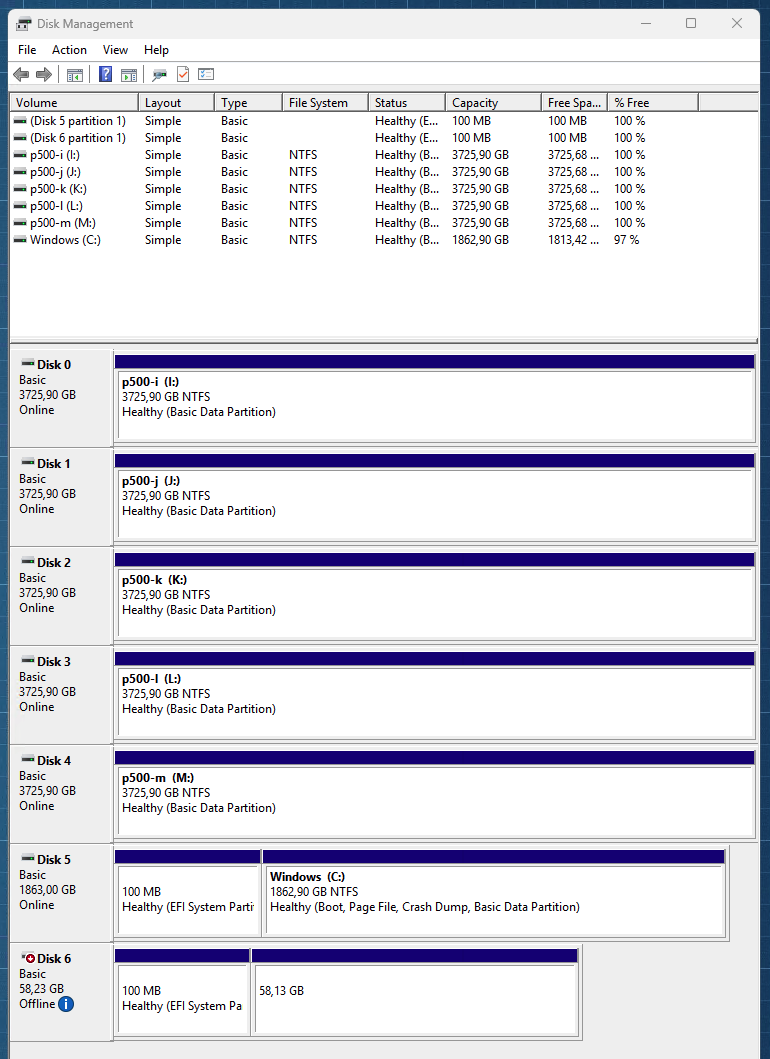
After removing 10gbe, and deleting recreating broken disks :

Tryed latest bios M1V307, M2 keep disconnecting after a day.

Information about NVME randomly disconnecting on Me Mini (hardware fixed on units produced after september 8 2025) :
https://www.reddit.com/r/BeelinkOfficial/comments/1nr73c8/comment/ngkuhfo/