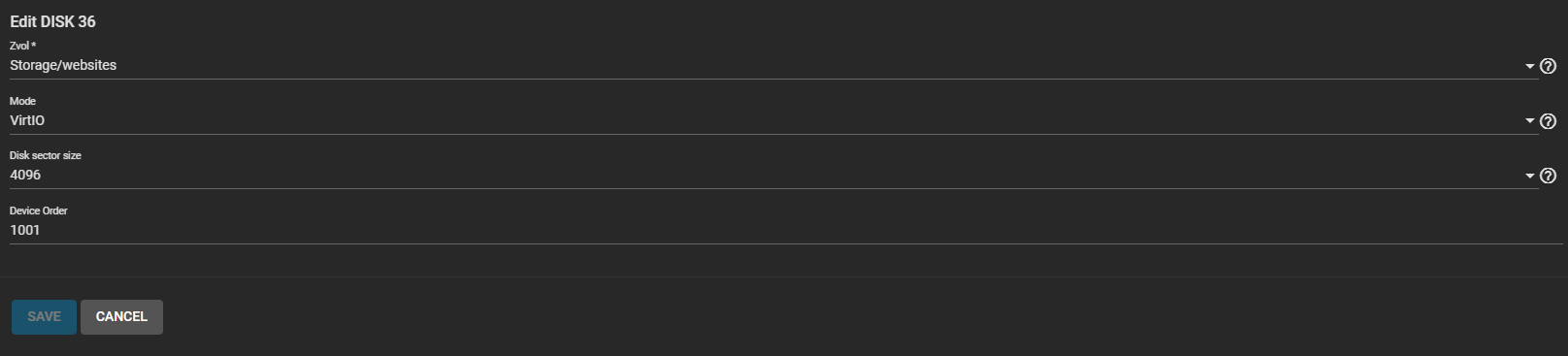
I have the following situation. I have a webserver for internal use on an Ubuntu server 25.10. Because of limited space on the VM I have mounted a ZVOL named websites as root for Apache. This zvol is fully accessible for everyone in ACL.
Thanks pmh. I see the created zvol now as ‘vda’ in /dev. Trying to make a partition with kpartx but getting error:
Incompatible libdevmapper 1.02.205 (2025-02-27) and kernel driver (unknown version).
device mapper prerequisites not met.
And well I made a little mistake in the last post. I mounted dataset called Websites. My NAS is on 192.168.2.2 as storage. My Ubuntu is on 2 seperate disks on 192.168.2.4. Same machine tho. Ubuntu runs as VM.
Is it possible to give the mount the appropriate rights in FSTAB? As the dataset already has full ACL access. Strange thing is when I look at permissions from Ubuntu it shows 777 permission already.
As you can see below I have made it a VirtIO disk. Anyway i think it might be an issue with Ubuntu instead of Truenas. I think I might drop the question there also. At least I want to thank you for your efford.