Hey all, not sure if this is the right area to post support. If not I do apologize. However, if it is:
I am running TrueNAS Core 13.0-U5.1. Specs are as follows:
CPU: AMD FX-6300
RAM: 12GB DDR3 (I believe 1600)
Storage: 2 1TB seagate drives.
Connection Method: Direct Connect to pc (for now the router isn’t in a spot that can fit the nas at the moment)
I haven’t touched this machine in a while hence why it’s so outdated. However, I wanted to access the data on it and also use it to backup my PS3 games. So I started it up again and was going, but it wouldn’t let me access the SMB share. The exact error I’m getting is “Windows cannot access \\TRUENAS\Photos You do not have permission to access \\TRUENAS/Photos. Contact your network administrator to request access”
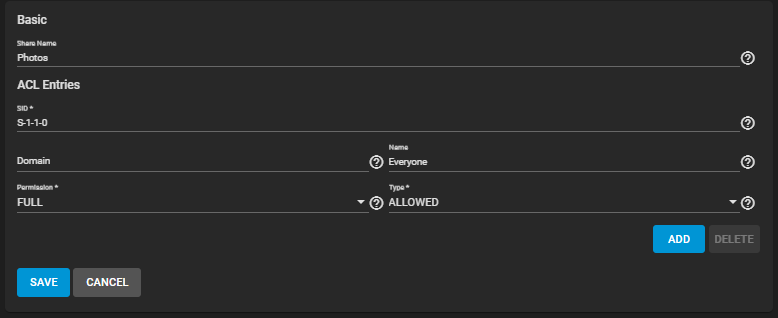
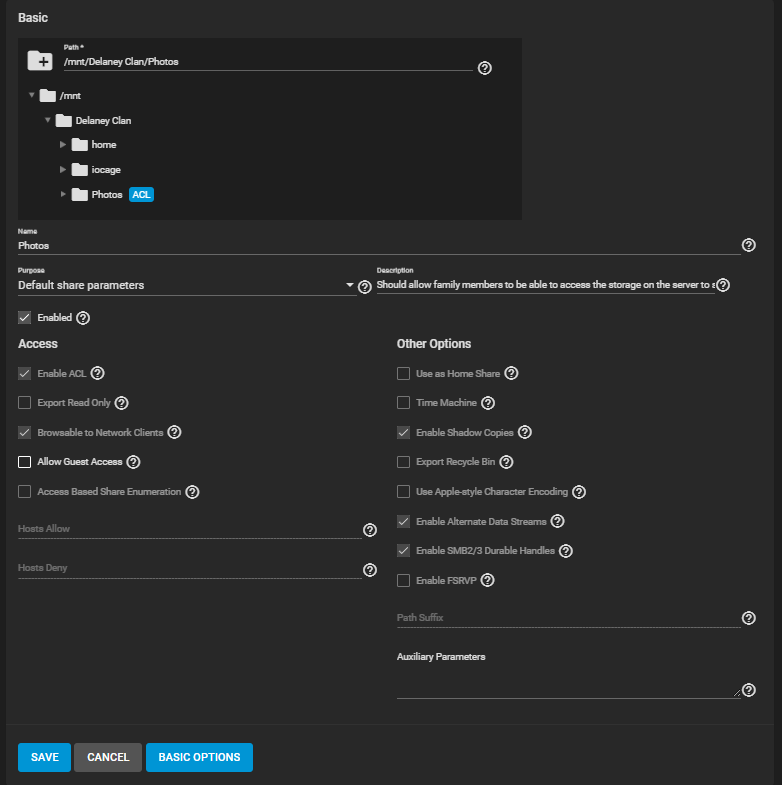
So I went through double checked my user profile. I believe I have it setup right. I stripped and redid my ACL permissions multiple times and applied everything recursively. Still didn’t work. I used the permission manager and just turned everything to open access nothing changed. I checked the share ACL permissions it was set to Name: Everyone, Permission: FULL, Type: Allowed. I’m not sure what else to change.
I had no idea what I was doing when I set this up so I may have followed a youtube guide that might have told me to do some chmod commands. I looked at a couple other posts on here the old forum and reddit and can’t seem to get heads or tails of how to diagnose this. Any help would be greatly appreciated.
I’m not sure how much information or what information is helpful here so I’m going to take screenshots of everything sorry if some of them aren’t helpful!
I don’t have specific pointers right now I’m afraid, but Tom from Lawrence systems has some really good resources that might help - maybe start with one of these?
Hey, so I watched the first video in it’s entirety. I didn’t watch the second one since it seemed to be based off scale. That does give me some reassurance that I setup my permissions correctly. However, I did find out that if I add the Delaney user to the wheel group I do get access. However, that basically just overrides all permissions I’m pretty sure so I want to find a permanent fix. I did follow the steps in the first video to create a new test pool and share along with a new user. However, it still gives me the same error even though the permissions are set up the same. I think something might be bricked in my install. Would shutting the NAS down. Disconnecting the pool drives (to prevent accidental format of those drives). then reinstall true nas and reconnecting the pool drives. Be a potential way to fix the issue. I just want to make sure that doing so won’t somehow brick the pool since I don’t want to loose the data on there.
So just to clarify. You’re saying I should update from core to scale? Is there a difference between the two, and you’re also saying that I should strip the ACLs before upgrade? Just want to make sure I’m understanding correctly. Thank you for the help!
well - you need to make your own mind up about moving forward, but you’re likely to find more and more information is only for Scale - or community as it’s called now. Truenas Core is in maintenance mode and is approaching end of life, it’s time to start thinking about the move across to Scale/Community.
You can try in either order, I can’t tell you a definitive answer of what’s right for you, but personally I’d move to scale and then worry about getting your permissions right
I’ve done a core to scale upgrade on a test system without any issues.
You’ll need to update to one of the versions of Core listed there, and then you can move (in sequence) to the version of Scale or Community you’d like to get to. (Again personally) I’d stop at Fangtooth for now, get everything working how you want it and then look at all the information you can about Goldeye before considering that upgrade.
Just for documentation purposes. I upgraded to TrueNas Scale Fangtooth 25.04 by changing the update trains according to the link above. However, I was still running into the same issue. Turns out I at one point or another changed the execute perms for ‘/mnt/Delaney Clan’ (root dataset) to drwx-x- - -. So running chmod 751 ‘/mnt/Delaney Clan’ (changing it to drwxr-x- - x) which adds back the execute permission for other allowed the permissions I was setting to actually work. Yeah I know really stupid thing to do honestly I don’t remember doing it, but now my system is up to date and I can actually use it without having to add a user to the wheel group. Thank you all for your help!