Today I had 2 drives fail in my pool because the NVMe connector seemed to be overheating. The NVMe bay now has active cooling and after a fresh install of TrueNAS with a config restore I am unable to add a CACHE VDEV to my existing pool.
Trying this I get the following error: [EFAULT] [EZFS_BADDEV] cannot add to 'hddPOOL': one or more vdevs refer to the same device
Error code
 Error: Traceback (most recent call last):
  File "/usr/lib/python3/dist-packages/middlewared/job.py", line 515, in run
    await self.future
  File "/usr/lib/python3/dist-packages/middlewared/job.py", line 560, in __run_body
    rv = await self.method(*args)
         ^^^^^^^^^^^^^^^^^^^^^^^^
  File "/usr/lib/python3/dist-packages/middlewared/service/crud_service.py", line 287, in nf
    rv = await func(*args, **kwargs)
         ^^^^^^^^^^^^^^^^^^^^^^^^^^^
  File "/usr/lib/python3/dist-packages/middlewared/schema/processor.py", line 48, in nf
    res = await f(*args, **kwargs)
          ^^^^^^^^^^^^^^^^^^^^^^^^
  File "/usr/lib/python3/dist-packages/middlewared/schema/processor.py", line 174, in nf
    return await func(*args, **kwargs)
           ^^^^^^^^^^^^^^^^^^^^^^^^^^^
  File "/usr/lib/python3/dist-packages/middlewared/plugins/pool_/pool.py", line 769, in do_update
    raise CallError(extend_job.error)
middlewared.service_exception.CallError: [EFAULT] [EZFS_BADDEV] cannot add to 'pool': one or more vdevs refer to the same device
I wiped the drive and I also changed the physical port it was seated in. There was no change.
sudo zpool status -v
Output
  pool: boot-pool
 state: ONLINE
config:

        NAME        STATE     READ WRITE CKSUM
        boot-pool   ONLINE       0     0     0
          sda3      ONLINE       0     0     0

errors: No known data errors

  pool: POOL
 state: ONLINE
  scan: resilvered 0B in 00:00:00 with 0 errors on Mon Aug 18 18:58:03 2025
config:

        NAME                                      STATE     READ WRITE CKSUM
        POOL                                   ONLINE       0     0     0
          raidz1-0                                ONLINE       0     0     0
            50bc85b4-100d-4ba4-9e9c-50e7c2dd31d3  ONLINE       0     0     0
            5f3fd91e-cb7b-48a3-9b9b-474782123a7f  ONLINE       0     0     0
            965966e8-f7fd-4c4e-bb5d-f7cde632068b  ONLINE       0     0     0
        logs
          mirror-1                                ONLINE       0     0     0
            2321475e-267d-4896-9410-c0b5c2f8a7ea  ONLINE       0     0     0
            888c1dba-eae1-4390-814a-16abceaa382f  ONLINE       0     0     0

errors: No known data errors

  pool: POOL
 state: ONLINE
  scan: resilvered 3.47G in 00:00:03 with 0 errors on Mon Aug 18 12:35:49 2025
config:

        NAME                                      STATE     READ WRITE CKSUM
        POOL                                   ONLINE       0     0     0
          mirror-0                                ONLINE       0     0     0
            e45ce975-7c45-40a0-909a-84182c73a117  ONLINE       0     0     0
            bcfe0ad4-76ca-44d7-97df-cc566d2d6186  ONLINE       0     0     0

errors: No known data errors
If I use the following command: sudo zpool add pool cache nvmeX
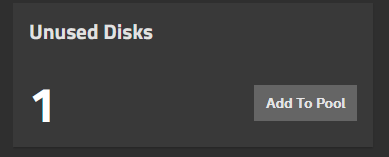
I did get the cache VDEV configured but the UI would still show a drive available:
For example, the error message includes pool name of “hddPOOL”, except that the zpool status output does not show a pool with that name. I understand that may be a typo, as there is a pool named “POOL”.
Please supply the output of the following commands:
zpool status -L
lsblk
Last, TrueNAS is not intended to be used separately from it’s user interface. Some actions taken in standard Unix Shell will not be recognized by the GUI / TUI. Adding a L2ARC / Cache device is one example that won’t work. An export / import of the pool through the GUI / TUI would cause it to recognize the change. Or a simple reboot.
Okay, it appears that nvme2n1 is not in use, and probably the device you wanted to use for L2ARC / Cache. However, it is not partitioned the way the others are.
If you used the whole device from the command line like you showed:
sudo zpool add pool cache nvme2n1
That may have confused the middleware software, causing the GUI to show the device still available. So that could explain the error.
Since it is possible their is left over junk on nvme2n1, you may need to wipe the 2 disk labels / partition tables, (even if their are no partitions). Then possibly reboot to make sure the middleware notices the changes. Afterwards, attempt to add the device as a L2ARC / Cache again.
As for how to wipe the 2 disk labels, it has been a long time since I have had to do such. A quick google search says this is how:
wipefs -a /dev/nvme2n1
Make sure you have the right device and you feel comfortable doing the task. (Caveat emptor…)