UPS keeps generating alert

Hello everyone, I have bought a brand-new APC UPS(Back-UPS BX1200CI-CN) last week.
I connected it with TrueNAS, but during the past week, the ups keeps generating alerts:

TrueNAS @ nas

New alerts:
UPS ups battery level low.

UPS Statistics: 'ups'

Statistics recovered:

1) Battery charge (percent)
    battery.charge: 100

2) Battery level remaining (percent) when UPS switches to Low Battery (LB)
    battery.charge.low: 10

3) Battery runtime (seconds)
    battery.runtime: 1630

4) Battery runtime remaining (seconds) when UPS switches to Low Battery (LB)
    battery.runtime.low: 120

UPS ups Battery needs replacement.

UPS Statistics: 'ups'

Statistics recovered:

1) Battery charge (percent)
    battery.charge: 100

2) Battery level remaining (percent) when UPS switches to Low Battery (LB)
    battery.charge.low: 10

3) Battery runtime (seconds)
    battery.runtime: 1630

4) Battery runtime remaining (seconds) when UPS switches to Low Battery (LB)
    battery.runtime.low: 120

Current alerts:
UPS ups battery level low.

UPS Statistics: 'ups'

Statistics recovered:

1) Battery charge (percent)
    battery.charge: 100

2) Battery level remaining (percent) when UPS switches to Low Battery (LB)
    battery.charge.low: 10

3) Battery runtime (seconds)
    battery.runtime: 1630

4) Battery runtime remaining (seconds) when UPS switches to Low Battery (LB)
    battery.runtime.low: 120

UPS ups Battery needs replacement.

UPS Statistics: 'ups'

Statistics recovered:

1) Battery charge (percent)
    battery.charge: 100

2) Battery level remaining (percent) when UPS switches to Low Battery (LB)
    battery.charge.low: 10

3) Battery runtime (seconds)
    battery.runtime: 1630

4) Battery runtime remaining (seconds) when UPS switches to Low Battery (LB)
    battery.runtime.low: 120

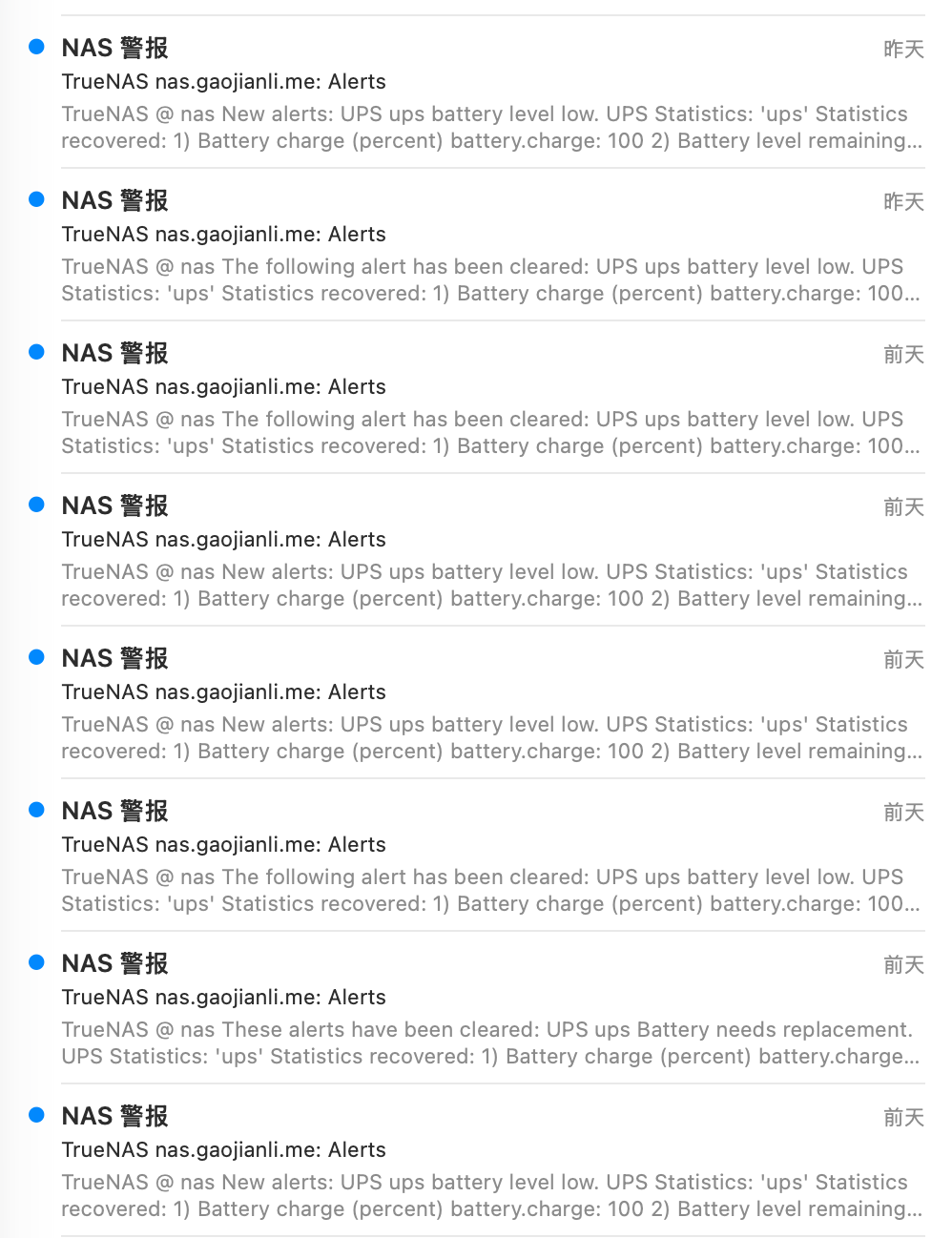
My mail box is full of alerts now:

I tried to run upsc ups and everything looks ok:

upsc ups
Init SSL without certificate database
battery.charge: 100
battery.charge.low: 10
battery.mfr.date: 2001/01/01
battery.runtime: 1630
battery.runtime.low: 120
battery.type: PbAc
battery.voltage: 13.5
battery.voltage.nominal: 12.0
device.mfr: American Power Conversion
device.model: Back-UPS BX1200CI-CN
device.serial: 9B2552A08507
device.type: ups
driver.name: usbhid-ups
driver.parameter.pollfreq: 30
driver.parameter.pollinterval: 2
driver.parameter.port: auto
driver.parameter.synchronous: auto
driver.version: 2.8.0
driver.version.data: APC HID 0.98
driver.version.internal: 0.47
driver.version.usb: libusb-1.0.26 (API: 0x1000109)
input.sensitivity: medium
input.transfer.high: 285
input.transfer.low: 145
input.voltage: 234.0
input.voltage.nominal: 230
ups.beeper.status: enabled
ups.delay.shutdown: 20
ups.firmware: 369200G -002600G 
ups.load: 12
ups.mfr: American Power Conversion
ups.mfr.date: 2025/12/24
ups.model: Back-UPS BX1200CI-CN
ups.productid: 0002
ups.realpower.nominal: 650
ups.serial: 9B2552A08507
ups.status: OL
ups.test.result: Done and passed
ups.timer.reboot: 0
ups.timer.shutdown: -1
ups.vendorid: 051d

Also the ups don’t have any alert from itself (It will beep if there’s some problem with the battery).
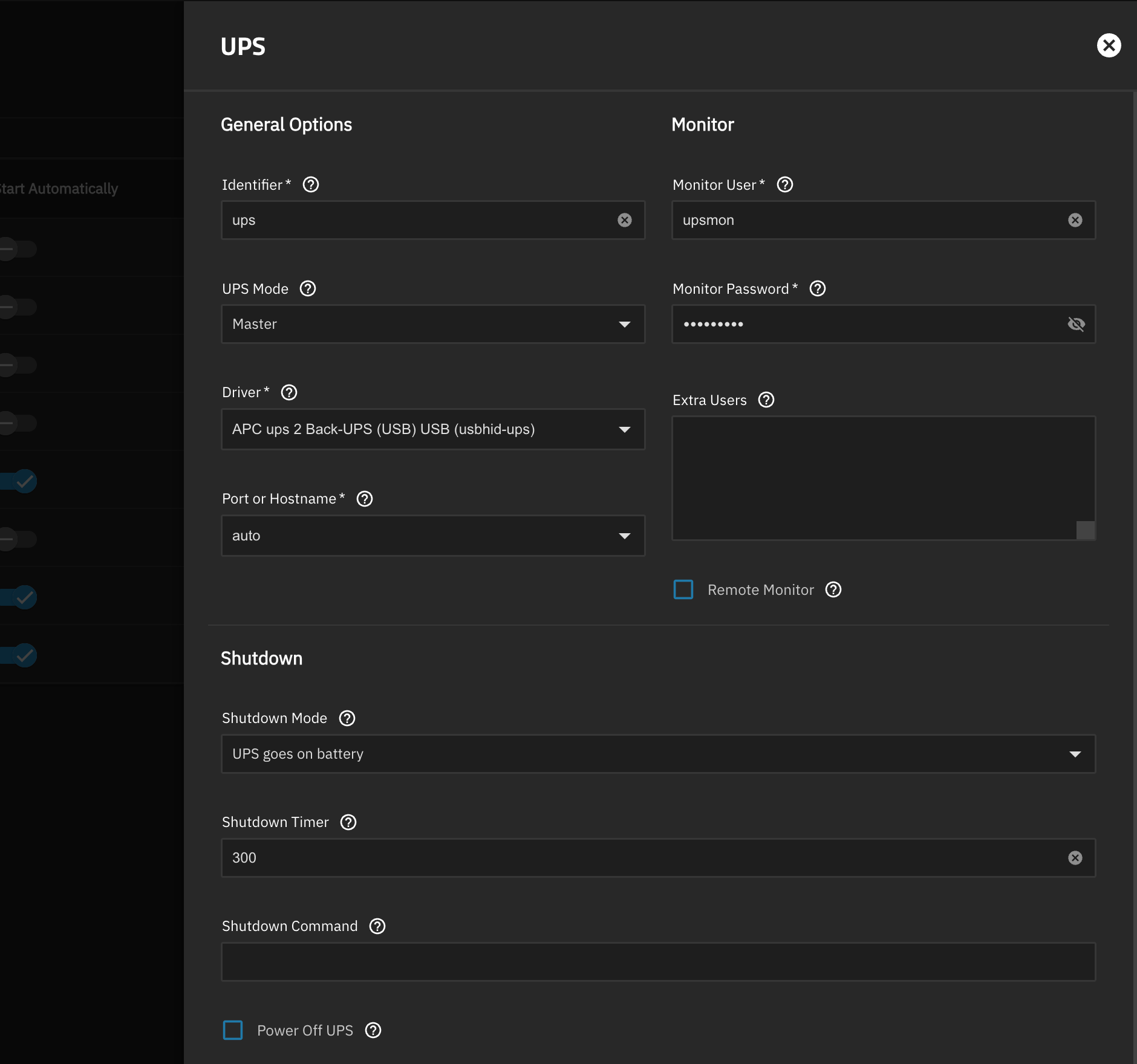
I wonder if there’s something misconfigured?

Says in message battery needs replacement. Check/Look at the manufacturing date on the battery as it does not line up anywhere near your UPS manufacturing date. Let us know…

I asked my friends to run upsc ups on his synology (Back-UPS BK650M2-CH) , the battery.mfr.date is also 2001/01/01 . It seems that the driver is reporting a default value. The real manufacturing date on the battery label is 2025/11/08

Don’t know if this will help any but when I changed a battery module in the rack mounted SmartUPS (APC), I had to go into the UPS interface and reset the battery date. The ups had set a maintenance alert or something like that So you mght try changing the battery date in the UPS interface (not Truenas) to match the battery date on the battery and see if the alerts go away.

There should be a sticker with the date on the unit, the battery or possibly the packaging somewhere, doublecheck how old it is. If you got a unit that’s been sitting on a shelf for 5 years you were basically scammed.

Was that done physically on your ups or by running a command?

I think he means physically on the UPS using the LCD screen menu. It’s mentioned in the user manuals for APC

All APC ups systems I have used (back ups, smart ups, rack mounts, and larger units all have had a way to at least turn off the annoying beep when on battery, or to reset and calibrate the battery. Some systems have fixed parameters but still offer battery calibration. Sometimes it is through their software that comes with the unit. If the unit has a LCD screen then they are more likely to offer more options settings than pnes with just buttons on the front panel.

My two rackmount ups systems happen have a network card and a web interface which makes everything much easier. Even the backups etc. usually have a way to set basic things and calibrate the battery.
I don’t happen to have any of the back ups, or small smart ups or I would post how to do a calibrate and see if that solves the issue.

@Gaojianli Try searching for the manufacturer documentation for your UPS model and see if there are instructions to do the reset.

I asked the seller and he told me there’s no way to do a reset..

Relevant manufacturer docs:
https://download.schneider-electric.com/files?p_enDocType=User+guide&p_File_Name=BU-UM-990-6291B-EN.pdf&p_Doc_Ref=SPD_BU-UM-990-6291_EN

I concur, there’s no mention of a reset or calibration procedure.
The model number doesn’t match exactly unfortunately, the model in this thread is probably one made for the local Chinese (?) market.

Battery date is just information.

There are ways to reset it when replacing the battery (disconnect, reconnect, run battery test), but it’s just for reference, so:

Unless you know when the battery was replaced, and how often was recharged discharged/used or how long it was left unplugged discharging, you have zero idea of the real battery health/capacity (regardless of “charge level”).

Test the battery runtime with a similar load (70 watts?), or even with the system, but don’t boot it, so there is no sudden power off when the UPS goes out (power usage will be lower so keep that in mind).

Apparent runtime is around 26 min, see how many minutes you get in real life.

My question is which measure caused the “battery replacement event”? The upsc ups shows everything is ok, the led on the UPS is also green. So I wonder even how can I reproduce this test result then I can ask for a replacement from the seller.

Yes, but my USP is just looked like the photo in this docs. I believe there are the same base models.

Is /etc/nut/ups.conf editable on TrueNAS? I only use SLAVE (with reporting hack) so I’m a little unfamiliar with the way MASTER is configured.

You can override the battery date in NUT by adding override.battery.mfr.date = 2025-11-08.

Although why TrueNAS is parsing the battery manufacturing date and using that as a trigger doesn’t make a lot of sense… you’d expect there to be a more reliable variable based on voltage, capacity, runtime etc.

root@raspberrypi:~# cat /etc/nut/ups.conf

[ups]
driver = usbhid-ups
vendorid = 0764
productid = 0501
port = auto
desc = “CyberPower 1500EPFCLCD-UK in closet”

ignorelb

ondelay = 120
offdelay = 60

override.ups.mfr.date = 2023-03-28
override.battery.mfr.date = 2023-03-28
override.battery.charge.low = 3
override.battery.runtime.low = 180

root@raspberrypi:~# upsc ups battery.mfr.date
2023-03-28

It should be editable, but anything changed will not be persistenst across system updates

The fundamental issue is that the TrueNAS Scale UPS support is totally half-arsed and iX Systems won’t take responsibility for it. :woman_shrugging:

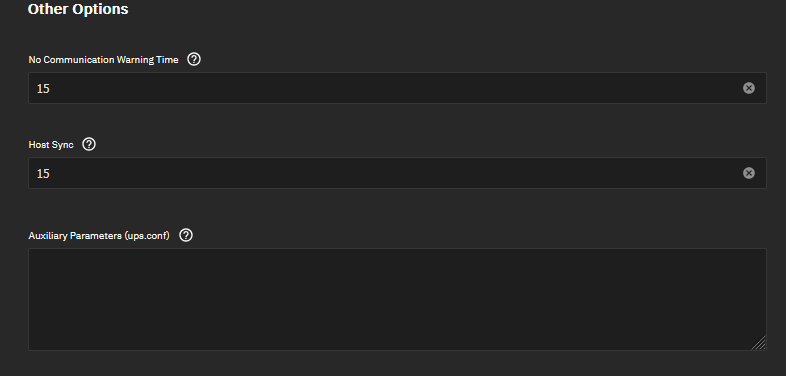
I just took another look at the MASTER config in the TrueNAS Scale GUI and, scrolling down to the bottom, there is an “Auxiliary Parameters (ups.conf)” field, so OP could add the override.battery.mfr.date option there, in theory. :crossed_fingers:

Overrided. Let’s just wait to watch if it works…