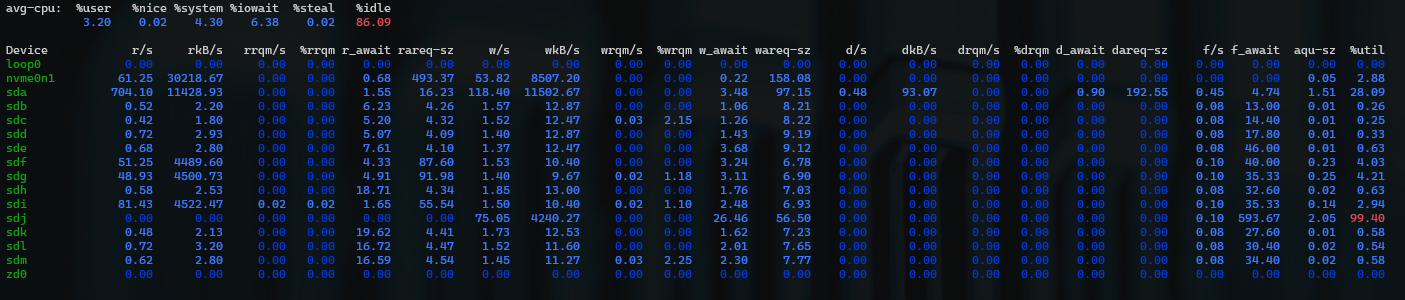
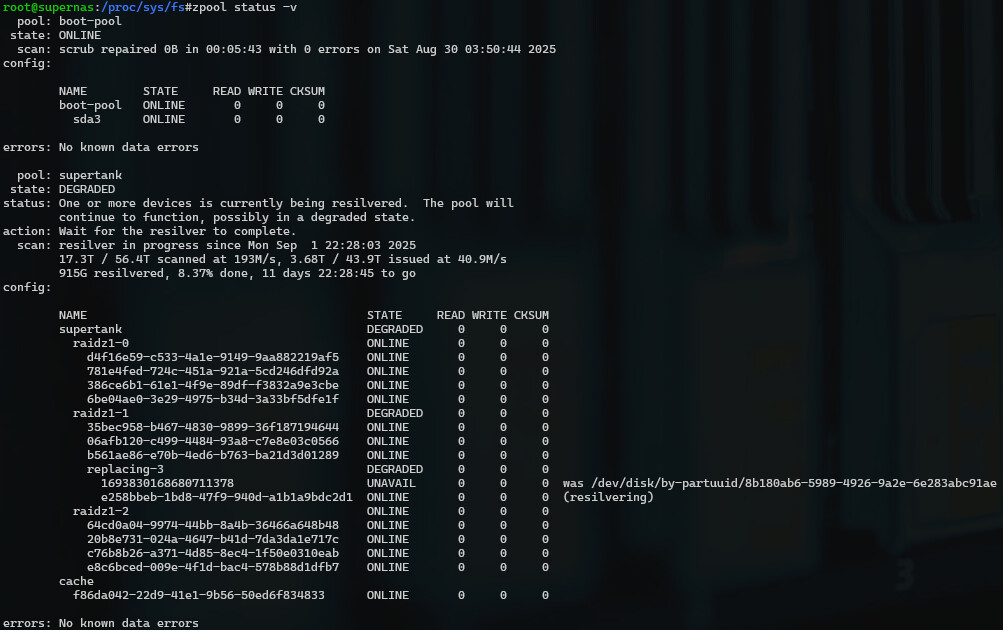
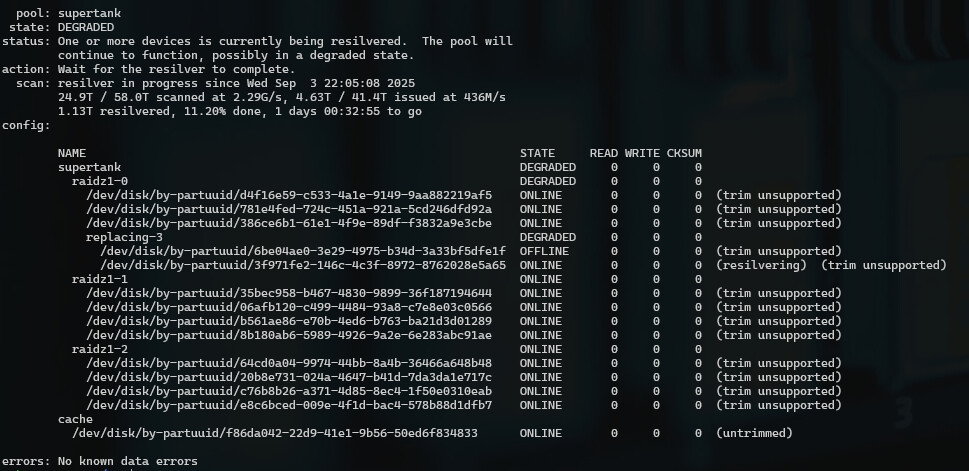
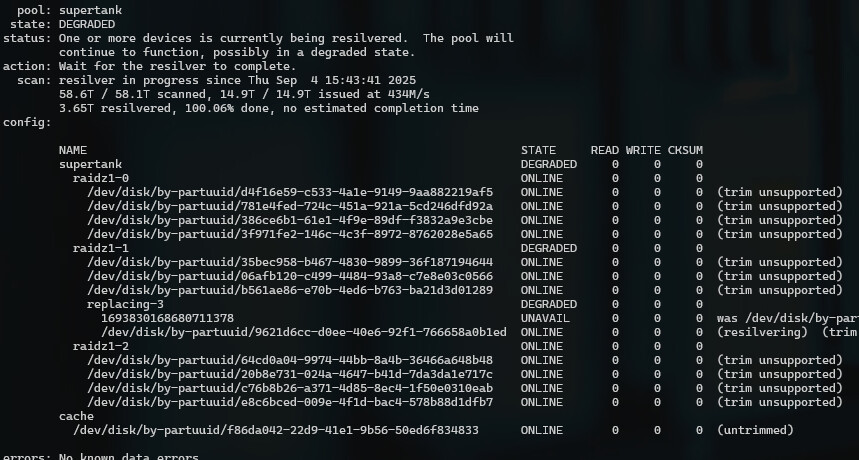
Question for the TrueNAS experts - BLUF I am concerned about the resilvering speed of a replacement drive while in the middle of attempting to upgrade one of my vdevs (from 6tb drives to 18tb drive). I have a 12 bay Supermicro server that has 3x vdevs with 4x drives in each in a raiz1 (one spare per vdev). I am removing the 6tb drives from one vdev and replacing with 18tb drives. The first two swaps went pretty fast, less than 12 hours. The latest one is taking much longer, with write speeds to the drive at only 40 M/s and an estimated completion time of 12 more days.
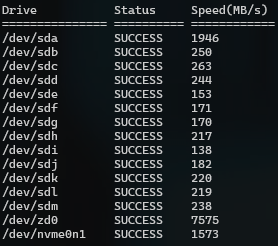
I have individually verified the throughput of the drives and non are less than 160 M/s. I am upgraded to the latest version of TrueNAS Scale community. SAS controller is Broadcom / LSI SAS3224 PCI-Express Fusion-MPT SAS-3 on firmware version 13.0.0. The resilver speed is the same regardless of whether there is any other activity (disabling smb/nfs). The write performance over shares is significantly reduced from ~180 M/s to around 20 M/s.
This is a home NAS and all critical data is backed up off site, so I’ve accepted the cost/redundancy trade offs. My concern is that I’m going to lose the data on this NAS because there is some issue, hardware of software I am not aware of. If I replace the resilvering drive with the one just removed, it resilvers that one in about an hour and is all back up and running. I greatly appreciate any input or suggestions.
/dev/sda is zfs mirrored boot pool
/dev/sdb-m is the main zfs storage pool
/dev/nvme0 is a cache drive for the main zfs storage pool
@SmallBarky - yes sir, that certainly looks like it could be the problem. I verified that the drive is SMR. That Seagate drive is on the way back to Amazon to be replaced with Toshiba N300 8TB NAS 3.5-Inch Internal Hard Drive - CMR SATA 6 GB/s 7200 RPM 512 MB Cache - HDWG780XZSTA.
I will post back with the results of that. Much appreciated.
I just checked another 6TB drive I had attempted to resilver to and was equally as slow - WD60EZAZ - confirmed it is SMR as well. I think you figured out the problem, can’t believe I didn’t realize these drives were SMR and that it made such a huge difference during resilver. I will know for sure tomorrow when the replacement drive arrives.
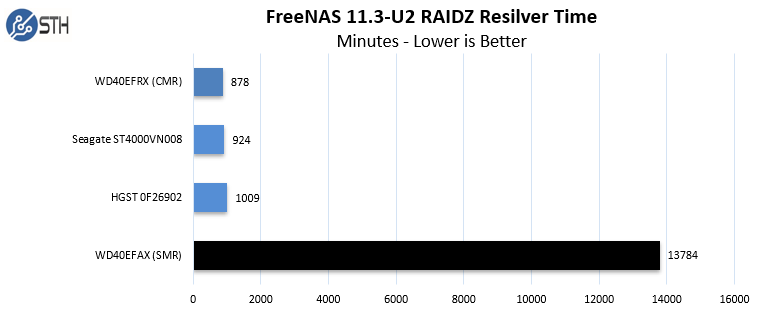
I thought the report in the link was very fair in not condemning SMR drives entirely, and I agree with the conclusion that they are completely unsuitable for use with NAS/ZFS.
BTW, I did extensive searching with paid accounts set for the highest level of research mode on Grok, Copilot and ChatGPT to search for possible causes of slow resilver and never a single mention of SMR at all. I specified excluding hardware failures, maybe that screwed it up. You’d think at this point those tools would at least be good for what is essentially searching the internet for you, apparently not.
Mind you I am fairly suprised it didn’t bring anything up - its a fairly well known issue in the technical press.
I did a google for “ZFS Slow Resilver” and there is nothing obvious in the first page of results that mention SMR - you have to follow up on some of the links. Wierd
No, haha, I don’t trust them at all, but I do know they can run 5000 search queries faster than I can manually. I’ve found them to be reasonably useful for similar search type activities - and it did generate the table of hard drives with the human readable make/model column. I don’t pay for them, I have accounts through work.