I have two VM hosts running Proxmox and a NAS running TrueNAS Core. I could have used any of them to host HA. Because I have two networks – a "safe’ network of VM’s and workstations, and a “not as safe” network for WiFi devices and family and visitors that immediately ask for my WiFi password – I run HA OS on a dedicated machine on the “not as safe” WiFi network. All my sensors, WiFi plugs and other devices for HA are on the WiFi network as well along with a WAP on each floor – 19 devices in total with more on the way. Although I really have no need for it now, I could access HA from outside without unnecessarily endangering my “safe” network. I use an old MacBook Pro on the WiFi network to manage HA.
I tried a Raspberry Pi 4 for HA but eventually settled on a Lenovo-M92p tiny form factor PC that is more robust, faster and does not have the Real Time Clock issues of the Pi. Refurbished tiny PCs are also often cheaper than a Pi.
I quickly realized HA in docker wasn’t going to work for me (can’t even install the community store for add-on’s). But I ran into this mDNS broadcast issue running HAOS in a VM. Can you elaborate on “NIC bound to a bridge?” I think I was using a virtual interface, so it sounds like that might be the missing piece.
If all you want direct access to your LAN (ie. layer-2 exposure), then this can be achieved using Docker MACVLAN. To do this you will need to run Home Assistant as a custom app (as opposed to running the Truenas provided app).
This is how I run my Home Assistant and I have no issues with WOL or network discovery.
To set up a custom app, click on “Discover”, then the 3 vertical dots on the right of “Custom App” and select “install via YAML”.
Here’s a sample YAML:
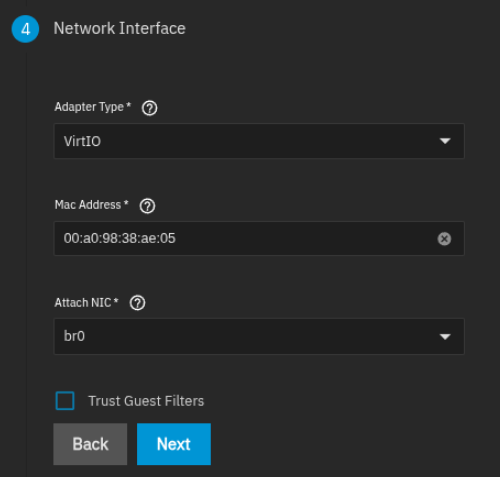
Then use the bridge device you created in your VM. Or if you are not using a bridge, you can also select Trust Guest Filters to get Home Assistant’s discovery to work.
Just wanted to echo that this is exactly what I do as well and it seems to behave as expected (e.g., mDNS functionality). Been running that way for years with no issue.
As a bonus, I can then add in my reverse proxy labels to the container like any other container.