X11SPi-TF new build, UI can't list any HDD and M.2 (but shown in shell)

Hi everyone, I just upgraded my hardware (See signature for old rig) and I decided to wipe the old pools clean and rebuilt.

The new hardware:

Xeon Xeon Silver 4214R

Supermicro X11 SPI-TF

64GB (4x16GB) PC4-17000 (2133 MHz) ECC (I know the RAM is slower than what I should have used, but it shouldn’t cause problems, right?)

Carryover from old rig:

2x Kingston 120GB for boot pool

4x IronWolf pro 10GB (Mirror VDEV for main storage)

4x Barracuda 2GB (Mirror VDEV for temp storage)

(all plugged to onboard SATA)

2x WD Blue SN570 1TB M.2 on Supermicro AOC-SLG3-2M2 (Mirrored for Apps and VM), plugged to slot 2

All old pools were destroyed by the old rig so I can rebuild in new rig

Quadro RTX (for transcoding)

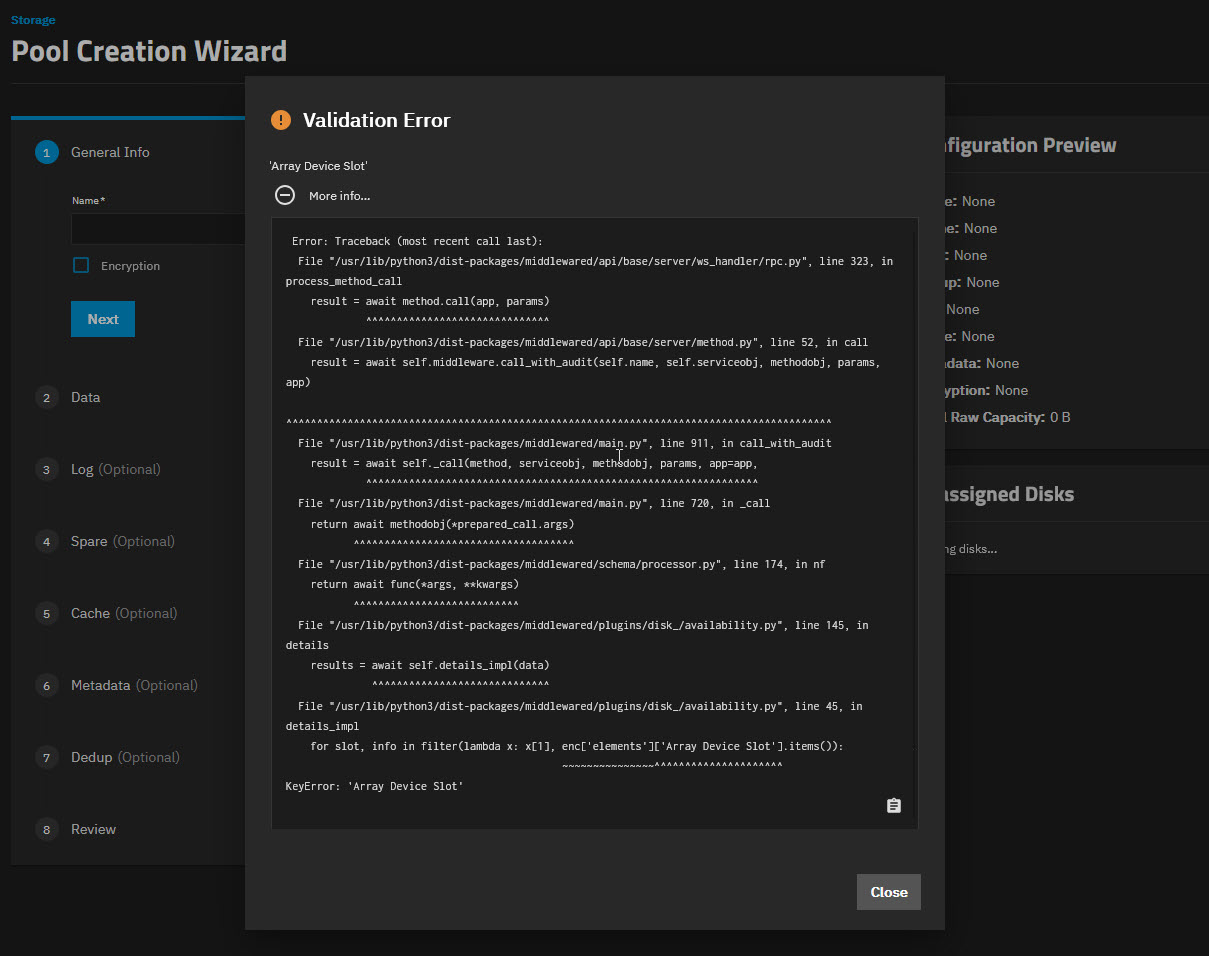
Issue: After boot, I went to UI to create pool and I got the Validation error, (KeyError: “Array Device Slot”) – See attachment

No disk is shown in UI

When I run lsblk in shell, I can see all drives (see attachments)

Things I have tried and observed:

1. Bios → Disable Intel VT-D, confirm VMD disabled, all drives are visible in Bios

2. SATA are running in AHCI mode so no RAID

3. All drives are visible when running lsblk, including the 2xM.2, so bifurcation is working.

4. Restarted middleware (service middlewared restart)

5. So I proceed by removing things. I have removed some HDD (removed the 4xBarracuda), to ALL 8xHDD, then I even removed the M.2 adapter, and then GPU. In all case the error message remain even when there are no drives, no M.2, and no GPU.

6. I have gone back previous version of Truenas, so far I have tried 25.10.1, 25.04.2.6, and 24.10.2.4. (previous rig was running 24.10.2, which I haven’t tried yet)

7. Obviously, none of the above fix the problem.

My big question:

1. Is it issue hardware related (I hope not) or software? If it is hardware, then why I can see all drives in bios and listed in shell?

2. Why was the error retained even after I removed all drives? I understand HBA is preferred instead of onboard SATA, but even in my old rig (X10 SRi-F) the drives were plugged into onboard SATA and nothing happened. (In both case the SATA was set to be AHCI)

3. All my data was backed up in a Window server but it was Storage spaces in stripped formation so no redundancy. I am hoping to get my new rig work ASAP so I can get the data back (before Windows server crap out on me)

Any help is very much appreciated :folded_hands:

.

The original boot pool is still connected, isn’t it? Maybe try a reinstall after saving the config?

The boot pool is still connect. If I go to System → Boot, I can see the boot pool (UI is fine)

But in the main UI, if I go to Storage → Create Pool, I will see the Validation error.

And if I go to Storage → Disk, I will see “Cannot retrieve response” (See attachment)

And this happen whether I plug any storage or not

I have already reinstalled many times (and different versions too)

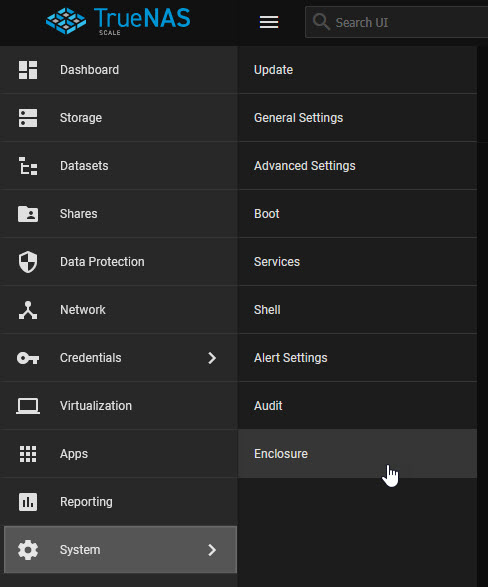
Update: I notice in web UI, under System, there is “Enclousure” which I don’t think it exist in generic hardware (I double check with my VM and it doesn’t have that. Which means that this board was pulled from a real IXsystem unit.

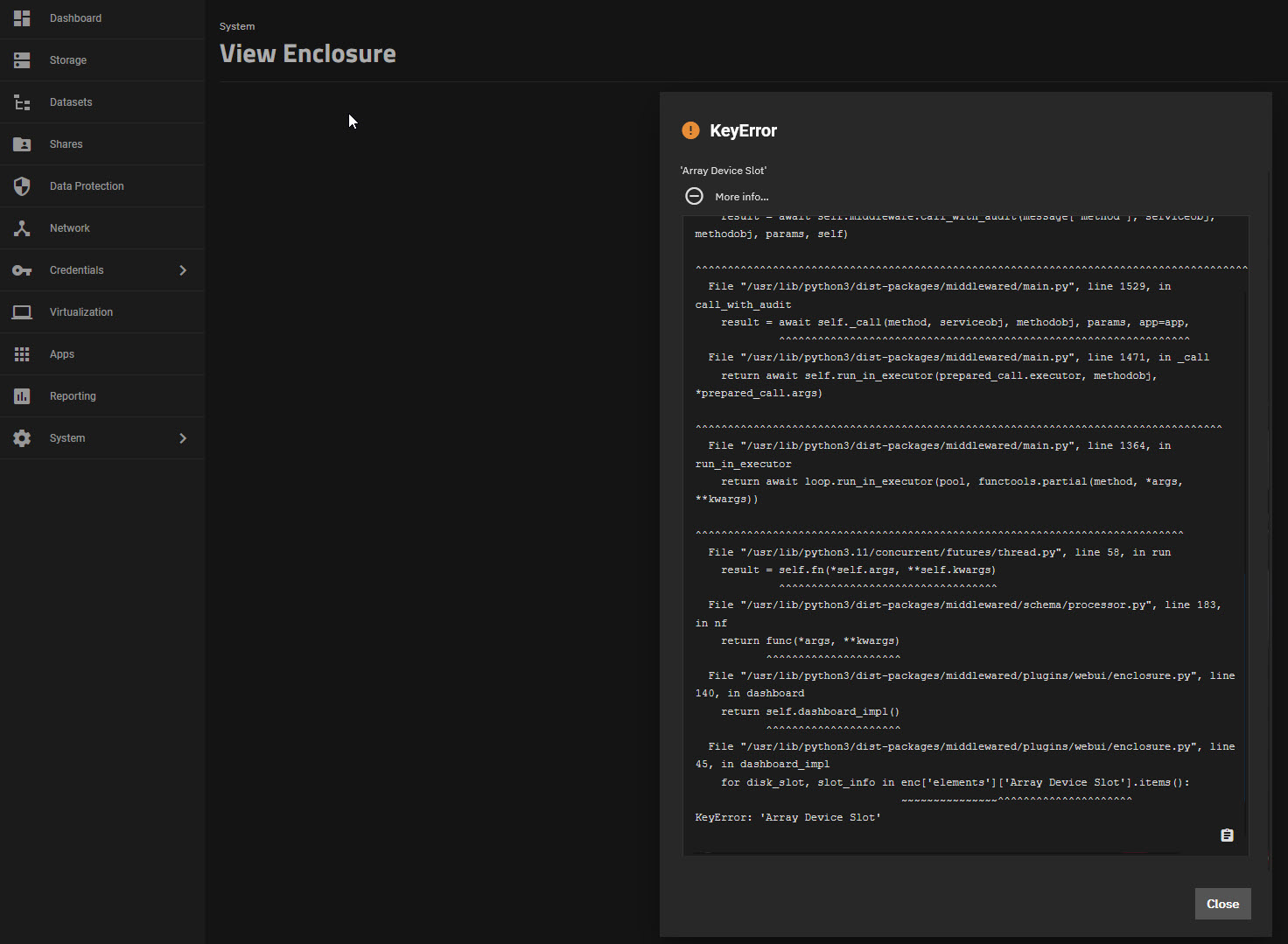
And guess what? The Enclosure page also has the “‘Array Device Slot’“ error

See attachments

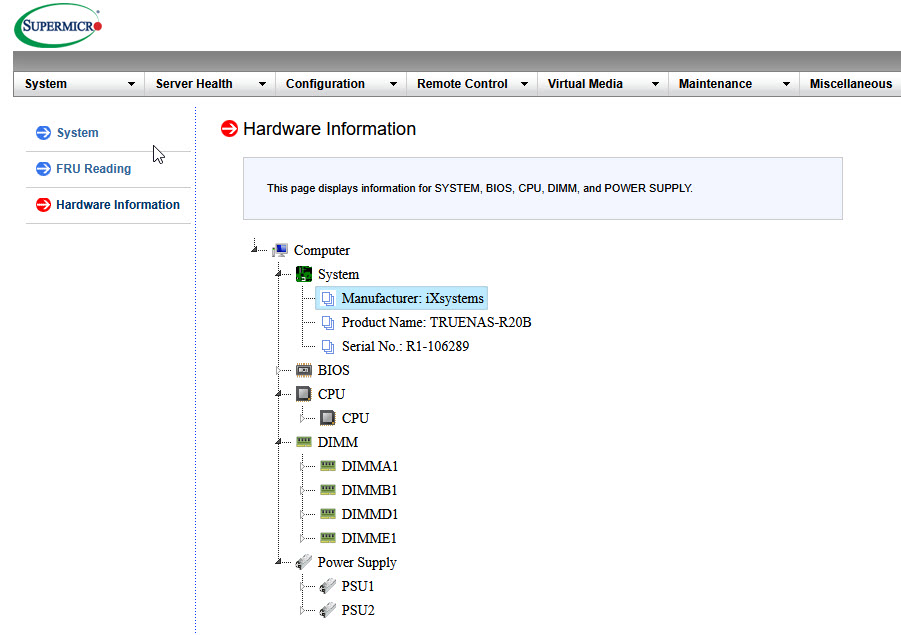
And I notice in the IPMI → System → Hardware information, there are IXSystem model name…

So how do I remove these info? May be making the board a real generic board will resolve the issue?
(Before the whole saga I already flash the BIOS and IPMI)

2 Likes

@HoneyBadger @kris @Captain_Morgan Can you confirm whether the board being pulled from a genuine TrueNAS server is the cause of the isees? If so, how can it be reverted to being a “generic” build?

It does appear like this board came from a genuine R20B. Very interesting. And it’s in that Rosewill chassis now?

Based on the errors it seems like maybe it’s expecting to communicate with the R20 SAS backplane and unable to since that isn’t present. Not sure how you’d go about “jailbreaking” the board though.

1 Like

It is from ebay. The board is listed as openbox

Perhaps it is warranty replacement.

It would be the opposite of what we do to configure the system. It needs a Supermicro SUM capability.

1 Like

Yes my signature is my old rig. I believe it is those info in IPMI that trigger the error in Truenas because it is now expecting a custom chassis.

Hello everyone, the issue is resolved!!

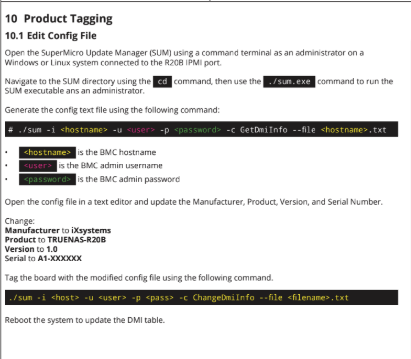
TLDR: Get rid of the IXsystem related info in IPMI using Supermicro Update Manager (SUM)

Note: The information is DRM related so it doesn’t even shown in IPMI tools (I have tried both SMCIPMItool (command) and IPMIView (GUI)

You need to use SUM to export the DMI to a text file, edit out the IXsystem related values, and re-import it back

(This is how it looks like after)

The whole SAGA is in STH: X11 SPi-TF new build, Truenas UI can’t list any HDD and M.2 (but shown in shell) | ServeTheHome Forums

3 Likes