
One of my child folders is not showing up in my datasets. I have a share setup for it. Also, I can view it when connecting to server via my mac. I checked the ACL, but didn’t see anything wrong.
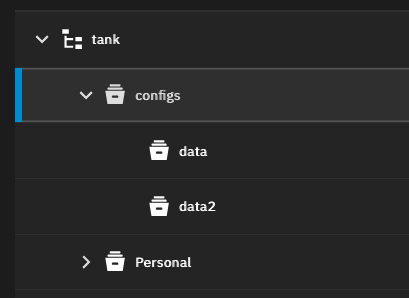
There should be another child folder call “mike” below “data2”.
Post #4 is probably the best reply in that thread.
I was able to view them yesterday and the day before that and so forth. All of a sudden it started today. Beside I do have a dataset for that one.
zfs list -r -t fs tank
Where? In the SMB shares page or the datasets page? The SMB shares page will show you datasets and folders.
In the datasets.
Can you post screenshots of your entire Datasets screen and the Shares screen
The CLI commands are run in the System, Shell or you can run them on the console if you are connected using SSH (secure shell).
If you run any CLI commands, you can copy and paste the results back using Preformatted Text. (</>) on the toobar above where you post replies.
Example on my system of the command winnielinnie posted and my results in preformated text
Welcome to TrueNAS
Last login: Sat Oct  4 22:48:28 CDT 2025 on pts/0
truenas_admin@truenas[~]$ zfs list -r -t fs Shay
NAME                                                    USED  AVAIL  REFER  MOUNTPOINT
Shay                                                   11.5T  6.55T   124K  /mnt/Shay
Shay/.system                                           2.08G  6.55T  1.66G  legacy
Shay/.system/configs-ae32c386e13840b2bf9c0083275e7941  10.4M  6.55T  10.4M  legacy
Shay/.system/configs-f51bc31246e14c8b928ca7d405891bbf  28.5M  6.55T  28.5M  legacy
Shay/.system/configs-f92d694b6b01475ca55fc635cbf72414  17.0M  6.55T  17.0M  legacy
Shay/.system/cores                                       96K  1024M    96K  legacy
Shay/.system/netdata-ae32c386e13840b2bf9c0083275e7941   324M  6.55T   324M  legacy
Shay/.system/netdata-f92d694b6b01475ca55fc635cbf72414  1.47M  6.55T  1.47M  legacy
Shay/.system/nfs                                        112K  6.55T   112K  legacy
Shay/.system/rrd-f51bc31246e14c8b928ca7d405891bbf      18.2M  6.55T  18.2M  legacy
Shay/.system/rrd-f92d694b6b01475ca55fc635cbf72414      16.6M  6.55T  16.6M  legacy
Shay/.system/samba4                                     652K  6.55T   368K  legacy
Shay/.system/services                                    96K  6.55T    96K  legacy
Shay/.system/syslog-f51bc31246e14c8b928ca7d405891bbf   4.17M  6.55T  4.17M  legacy
Shay/.system/syslog-f92d694b6b01475ca55fc635cbf72414   2.33M  6.55T  2.33M  legacy
Shay/.system/vm                                          96K  6.55T    96K  legacy
Shay/.system/webui                                       96K  6.55T    96K  legacy
Shay/BU2                                               11.5T  6.55T  11.5T  /mnt/Shay/BU2
truenas_admin@truenas[~]$
Here are the two screen shots you asked for. Is there some settings that I need to change to use the shell? Every time I type when you suggested, it comes back saying command not found. i am new to this Truenas, so please bear with me. I am trying to learn it the best I can. Thanks!
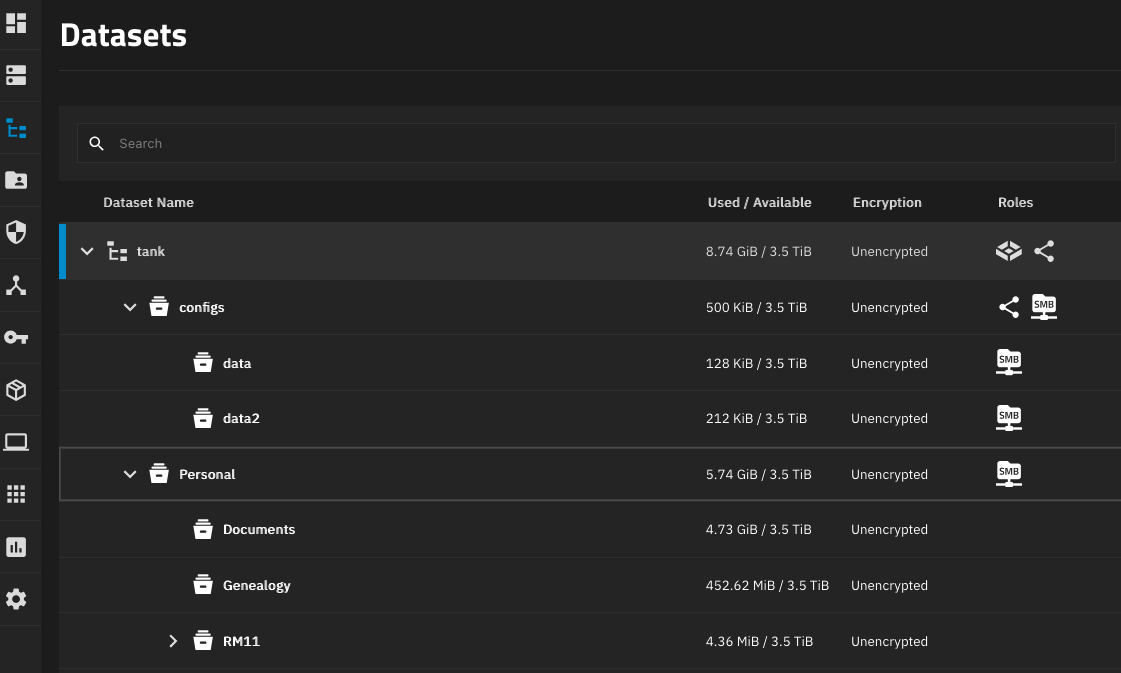
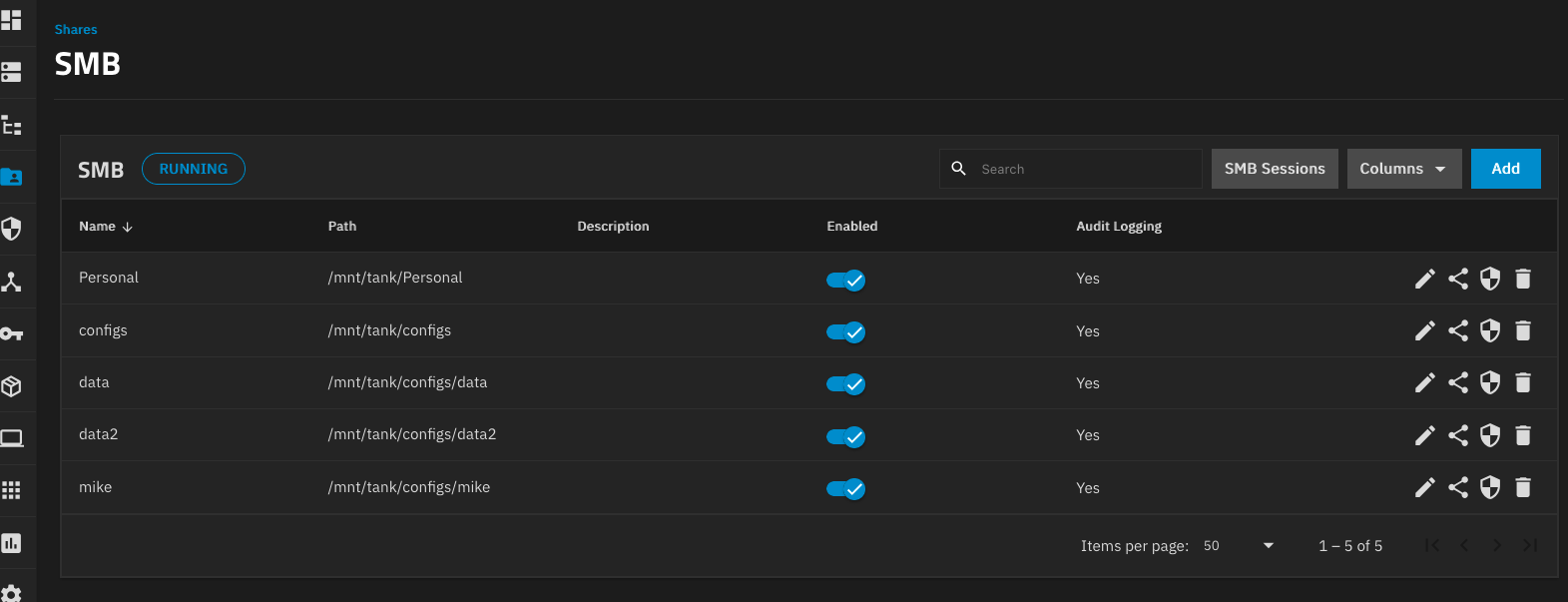
Are you in the GUI Shell? System then Shell? Attached screenshot from mine. I just typed zfs list and hit return and it gave back a bunch of data.
What version of Scale are you on and are you using ‘truenas_admin’ as the user?
You should be able to at least run some sort of command and get a result. Try pwd to see the present working directory.
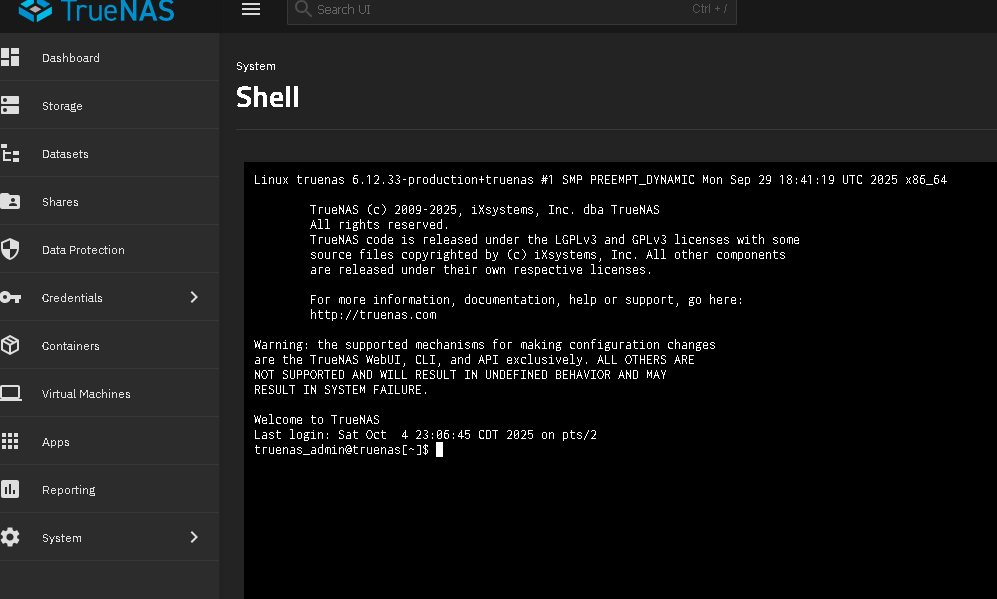
In my installations the truenas_admin account does not have /sbin in $PATH.
You can do /sbin/zfs list or sudo zfs list.
1 Like
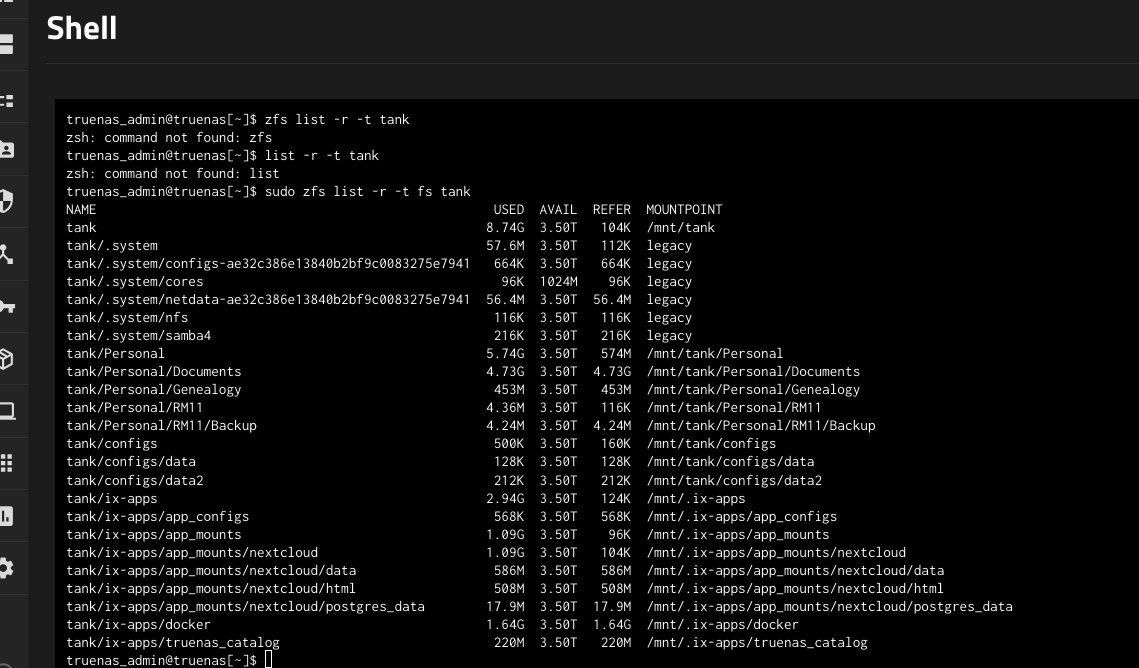
There is currently no dataset called mike.
You can check if you had one previously using the following command:
sudo zpool history tank | grep mike
Are you missing any data?
1 Like
Here is the screen shot of the result. Not missing any data.

In the System, Shell you can copy and paste data. Pasting the data back here using Preformatted text makes it more readable. (</>) on the toolbar above. Ctrl+e will also bring up the option.
The results of using the preformatted text are like post #6. It allows us to expand the window also.
1 Like
The dataset was created yesterday and 1.5 minutes after creation it was deleted. The audit log (System->Audit) should also confirm that.
2 Likes
No folder with the name “mike”?
ls -lh /mnt/tank