my TrueNAS Scale 26.0.0-BETA.2 system started beeping earlier today. I thought it was something to do with the cpu cooling paste?? So I removed the cpu cooler/fan, and after wiping off the old paste I re applied some more, but the beeping is still there.
It is either continuous for about 5/6 seconds or just on/off for less than 1 second. Basically the beeping noise is a bit on the haphazard side, as the system runs quiet for about 4 or 5 minutes before it starts beeping again
I have attached a monitor and rebooted the system, but there is nothing showing that might indicate any hardware problem. Also there are no error messages in TrueNAS web GUI.
Everything seems seems to run of, ie apps work/run, disks are ok.
I have just seen on on the Usage for my main Pool of disks that the ‘horseshoe’ is showing
Warning: Low Capacity
I have a total of 7.11 TiB with usage of 5.73 TiB
Could that be the cause of the beeping sound every now and again.
It could be anything - I would check to make sure its coming from NAS and not an external source - (hehe could be the UPS or anything else [next to the NAS] that could possible beep.)
I have a supermicro X9SCM-F motherboard, no manual as such but a piece of AA sized glossy paper, so I googled the beep codes.
Just after boot up it beeps continuously for about a minute or so like a na na na na sound
Then the system is beeping with 2 short beeps:
2 short beeps: IPMI initialization notice (from cold boot, before IPMI activates)
The about a minute later 1 short beep. Then about 2/3 minutes later 1 short beep followed by 1 long beep, then just 1/2 seconds beep every few minutes.
After googling I found on another forum that it could be the RAM or IPMI. I do have 2 different makes of the same type of ram which has been working for many months without error.
Err no, I’m not out of my mind yet, but could be by tomorrow.
OK, I timed the beeps for a short time and there were 3 short beeps at each 5 second mark. The next beeps were 2 after about 15 minutes at each 5 seconds. I don’t have any more information yet as I went for my evening meal.
I can’t see that helping, but I just wanted to post the information
I have a computer with a Supermicro X11SSH-F motherboard. I do not run TrueNAS on it. I run frigate, docker, and portainer on it. When I boot and frigate first starts up, I hear beeping from the motherboard. Even though I have an Nvidia GPU for hardware acceleration, Frigate bumps up the CPU usage so high that some of the cores reach the critical temperature limit and this causes the warning beeps. You can run the ‘sensors’ command in a loop and watch your core temperatures. *If some process is using a lot of your CPU cores, perhaps the beeping is when one or more cores approaches that critical temperature.
I’ve alleviated some of this with the additional cooling fans and I only see the high CPU usage and temps when frigate first starts. After 30 seconds or so, it settles down and CPU usage is no-longer spiking.*
… am I crazy or could we not just remove the beeper physically from the motherboard? No alarm = no problem; think about it.
Realistically the ipmi sensors should show if any temp or voltage issues are of concern, dmesg should show if TrueNAS having a fault, light codes on the motherboard should show everything from IPMI heartbeat to other faults, etc. etc.
Are you sure you didn’t accidentally trip the ‘intrusion alarm’ or something? I know most server boards have this beautiful feature that is of arguable use in a homelab.
Honestly I have no idea if I tripped the intrusion alarm. There was no beeping at all until earlier today. Non that I could hear anyway because there no noise at anytime yesterday. If something happened then it was through the night.
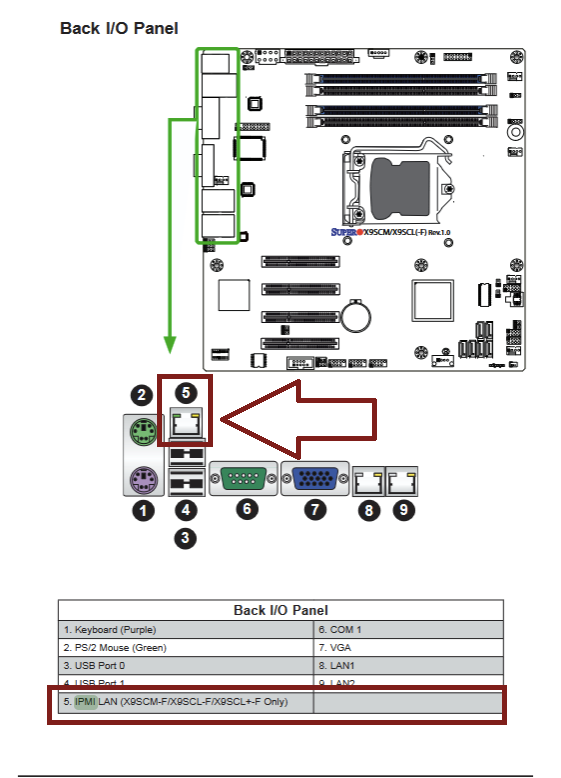
You have your IPMI connected to LAN, right? If so, open the browser, log in & you’ll have access to the motherboard sensors somewhere in the web GUI (I don’t have a super micro board or I’d include a picture).
(If not mistaken, setting up the IPMI network config & IPMI, as well as the login should be available in BIOS… somewhere)
Maybe the simplest explanation is the motherboard beeper is randomly failing? The board may be out of warranty, but you could try opening a support case with SuperMicro.
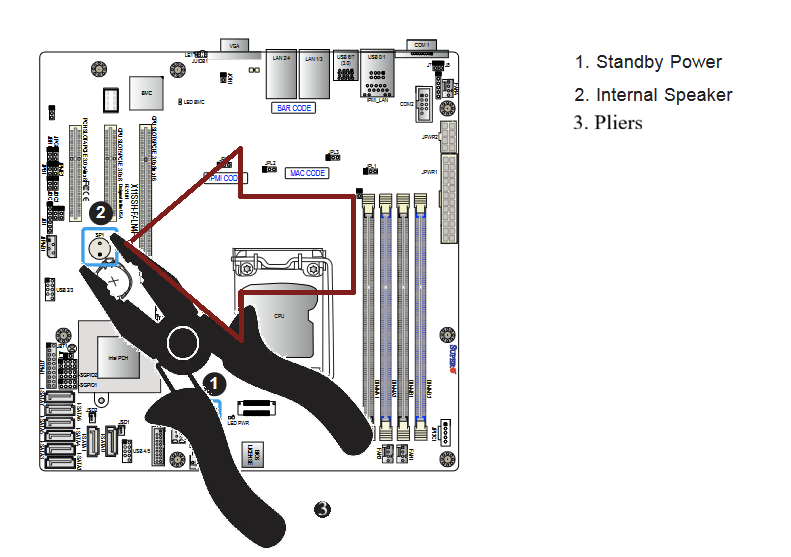
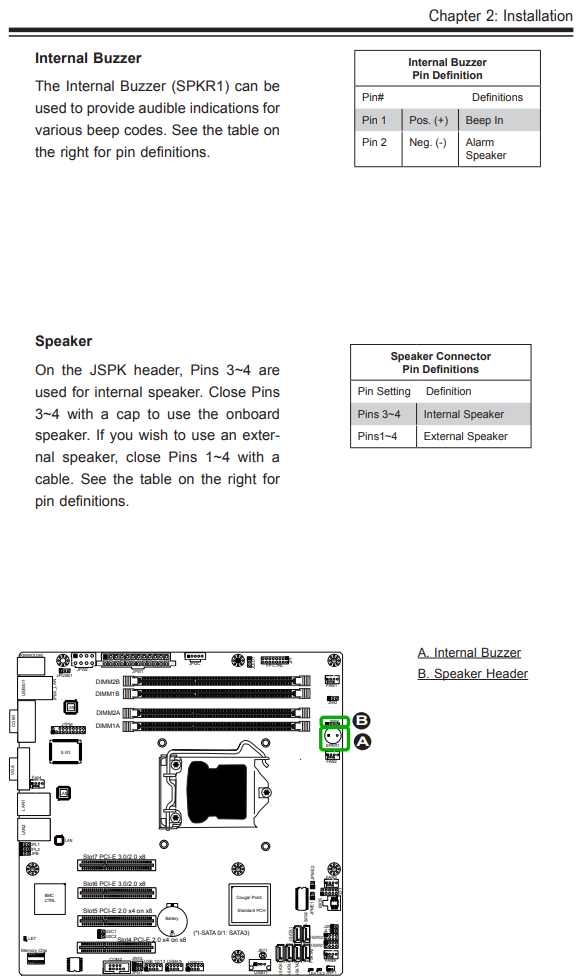
I donno, the manual seems very convincing on how to resolve this (this is 100% not doctored & straight from the manufacturer’s pdf! Everything on the internet is true)
A bit confused on why they randomly changed font for the pliers though…
Or you could use a soldering iron I guess; either way just make sure to knock off as many nearby components as you can in case they were the original cause of the alarm.
Edit:
All jokes aside, I would have check every reasonable sensor, alarm, done testing, confirmed that jumpers are in the right place for intrusion detection (to make sure they disabled), and after a solid day of every test I could think of, I would straight up carefully remove the buzzer (if everything came back clean)

 I’ll let you know in a year if it works out.