
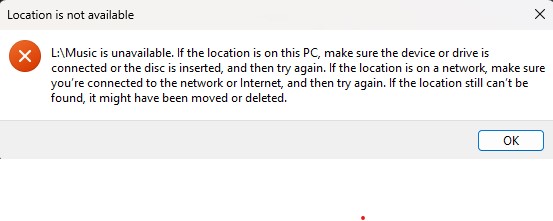
Moving from a Synology to TrueNAS. Some learning curve but I’m getting there. Biggest issue I have been facing is my shares becoming temporarily inaccessible in Windows explorer. These are shares that are mapped network drives in Windows 11. Usually they will go blank and generally will come back with a refresh or 2,3,4… About half the time I create a new folder it won’t show up until I refresh. Sometimes I get an error that is along the lines of “inaccessible check network “. If I close the File explorer window and bring it back up everything will be back up. The inaccessible issue usually occurs when I “back” function.
I have searched the forums and google and most “solutions” talk about ‘kernel change notify’ but that this is not relevant for the linux scale version. Which I believe is what I am using.
TrueNAS CE 25.10.0. My hardware is a Terramaster f4-424 Max. I5-1235U, 96GB Crucial ram, 4 -8TB Ironwolf Pro drives in Raidz1, 500gb NVME for system, 4TB 990 Evo Plus nvme for apps. I really want TrueNAS to reliably replace my Synology for user shares accessed in Windows. Any suggestions would be appreciated. Thanks.