
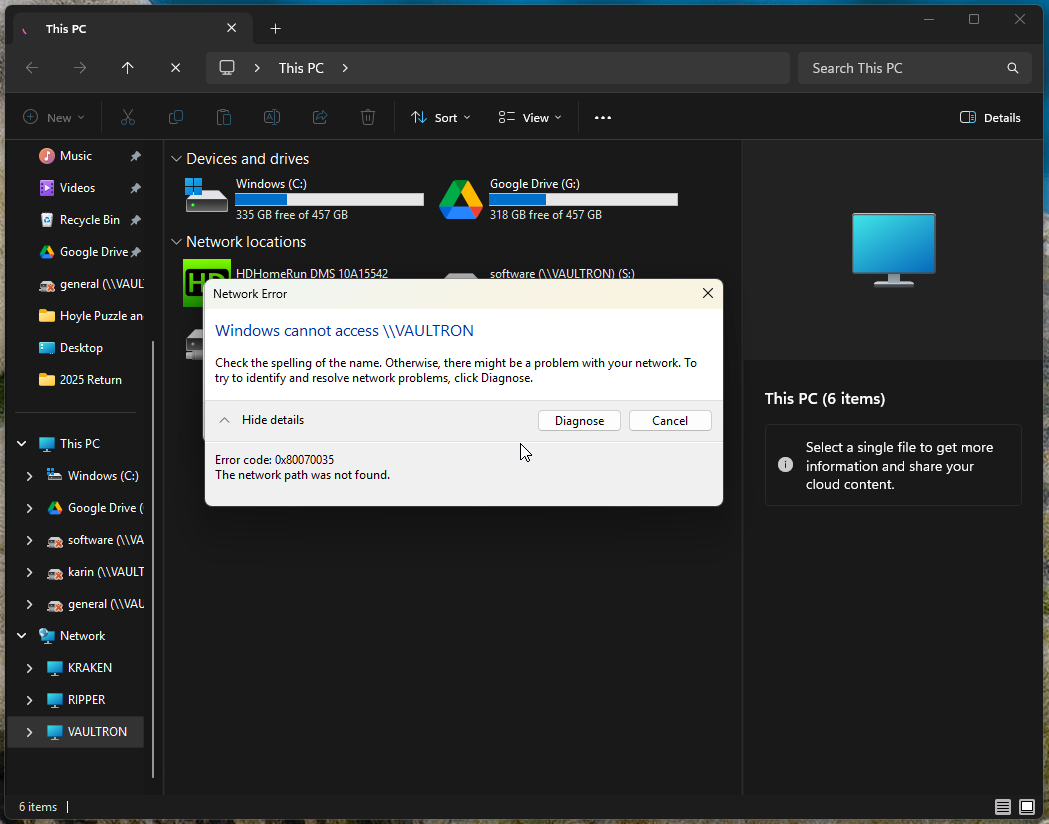
Hmmm…. this is weird. I am very appreciative of the SMB fix, but this isn’t good. Starting last night (over 24 hours after installing the hotfix), I started to see my TrueNAS server “Vaultron” listed in File Explorer and Directory Opus, but when I tried to go to \\vaultron, I got the following (Screen shots from an still affected computer):
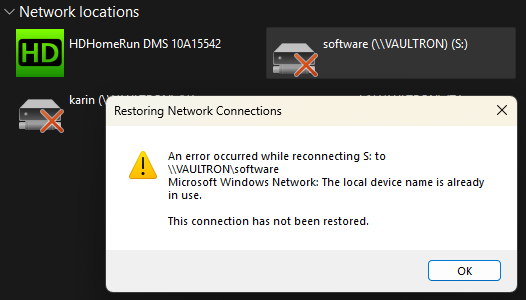
Likewise, when I try to access a mapped drive, I got the following:
I tried pinging it and the FQDN which I have set up on AdGuard Home
C:\Users\micro>ping 192.168.1.2

Pinging 192.168.1.2 with 32 bytes of data:
Reply from 192.168.1.2: bytes=32 time<1ms TTL=64
Reply from 192.168.1.2: bytes=32 time<1ms TTL=64
Reply from 192.168.1.2: bytes=32 time<1ms TTL=64
Reply from 192.168.1.2: bytes=32 time<1ms TTL=64

Ping statistics for 192.168.1.2:
    Packets: Sent = 4, Received = 4, Lost = 0 (0% loss),
Approximate round trip times in milli-seconds:
    Minimum = 0ms, Maximum = 0ms, Average = 0ms

C:\Users\micro>ping vaultron
Ping request could not find host vaultron. Please check the name and try again.

C:\Users\micro>ping vaultron.local

Pinging vaultron.local [192.168.1.2] with 32 bytes of data:
Reply from 192.168.1.2: bytes=32 time<1ms TTL=64
Reply from 192.168.1.2: bytes=32 time<1ms TTL=64
Reply from 192.168.1.2: bytes=32 time<1ms TTL=64
Reply from 192.168.1.2: bytes=32 time<1ms TTL=64

Ping statistics for 192.168.1.2:
    Packets: Sent = 4, Received = 4, Lost = 0 (0% loss),
Approximate round trip times in milli-seconds:
    Minimum = 0ms, Maximum = 0ms, Average = 0ms

C:\Users\micro>
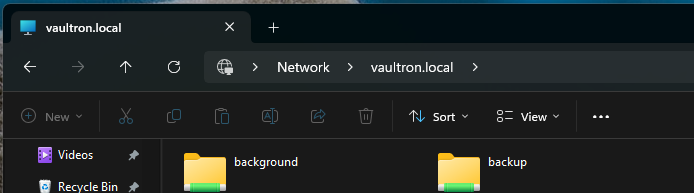
Interesting enough, if I use \\vaultron.local, I am able to access the server:
Running nbtstat shows the following:
C:\Users\micro>nbtstat -r -n

Ethernet:
Node IpAddress: [192.168.1.75] Scope Id: []

                NetBIOS Local Name Table

       Name               Type         Status
    ---------------------------------------------
    KOENK          <00>  UNIQUE      Registered
    KOENK          <20>  UNIQUE      Registered
    WORKGROUP      <00>  GROUP       Registered

Ethernet 2:
Node IpAddress: [0.0.0.0] Scope Id: []

    No names in cache

Bluetooth Network Connection:
Node IpAddress: [0.0.0.0] Scope Id: []

    No names in cache

Wi-Fi:
Node IpAddress: [0.0.0.0] Scope Id: []

    No names in cache

Local Area Connection* 8:
Node IpAddress: [0.0.0.0] Scope Id: []

    No names in cache

Local Area Connection* 10:
Node IpAddress: [0.0.0.0] Scope Id: []

    No names in cache

C:\Users\micro>
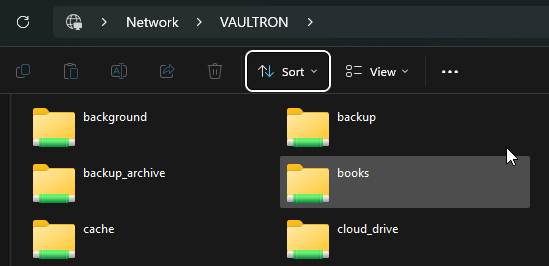
I did attempt to turn off and turn back on the SMB service without resolution. However, rebooting the TrueNAS server restored functionality:
However, to prevent a headache, I edited my Windows C:\Windows\System32\drivers\etc\hosts file so that vaultron was pointed to the IP address of 192.168.1.2 .
More SMB weirdness with the 25.10 release? I pulled my hair out last night on my main computer thinking it was a Windows issue, only to check two other computers this morning experiencing this issue. I’m just posting hoping that this is a “lone wolf” issue rather than another trend.