
Hi, I am trying to install TRUENAS SCALE on Beelink SER5 but after I select INSTALL it just shuts down. I assume I should change some items in the BIOS but not sure where to start. Has anyone done this on the SER5 that could share some wisdom?? Thx!!
Why are you trying to install on a mini pc? As far as i could see it only has one ssd slot so you can’t even use it properly… Truenas needs at least 2 disks, one for the OS and one for storage.
And usb hdds via some kind of enclosure are known to cause problems and dataloss…
(let me give a bit more info) I am using RUFUS to write DD onto a USB stick. I boot using F7 to get the boot menu. I see the INSTALL, and I set a truenas_admin password… and then it begins the install… about 5 or 6 lines… says 0% extracting… then powers off.
I have a DAS with 4 Western Digital RED drives that I will be connecting via a USB cable. I am aware that you could criticize me for doing this… but please let me just try. : ) Any hints about the BIOS settings that might help ???
There is a big chance you wont even be able to set up a pool because of non unique serial numbers.
If you wanna try out Truenas i suggest you set up a virtual machine.
I’m using the TERRAMASTER D4-320, which I’ve seen work with unique serial #’s, but on other hardware. I am (now) aware that I should not have assumed it would just “install easily” on the Beelink SER5… which is why I’m here begging for some BIOS suggestions. 
The only things that come to my mind would be to disable secure boot and make sure the bios is set to uefi and not legacy
Try disabling secure boot
Good suggestion, but I had already disabled it.
Yep, it is set to UEFI. And the USB stick was written using GPT…
Ok, for kicks, I tried installing OpenMediaVault… and was able to install… though it didn’t see the NIC until after I did Trixie updates… but I do have unique serial numbers:
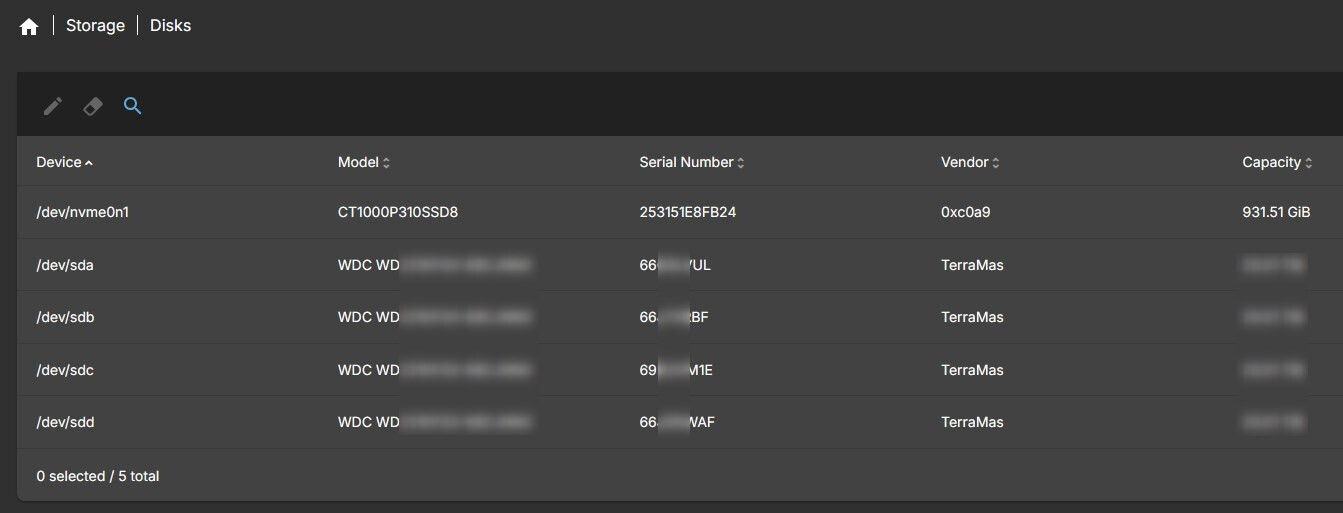
I would MUCH rather have TRUENAS… so maybe I need to try the “latest” version instead of the “stable” version TrueNAS-SCALE-25.04.2.4.iso ???
I do have error msgs when OMV starts, various ACPI ERRORS… like AE_NOT_FOUND… about 6 of them…
you should try to isolate if the problem is with the installation or with the disks.
maybe you can out all but the system disk and see if you can install - you can always add disks later on.
For the TRUENAS install, I had only the NVME installed (did not attach the Terramaster box at all). I got the TRUENAS ISO to boot from 32gig USB stick, then saw the INSTALL option, selected it, created a truenas_admin password, then it began extracting for about 7 seconds… then just powered off the Beelink SER5. I’m going to check with Beelink support.
But… the OpenMediaVault… installed completely… then I powered on the Terramaster… OMV saw all the external drives… unique serial numbers… and worked.
I’m going to try the latest TRUENAS when I get back.
Ok, tried the TrueNAS-SCALE-25.10.1.iso as well… same thing… gets 7 seconds into “extracting 0% formatting” and powers off the SER5.