EDIT: Resolved.
Hi guys,
I’m trying to set up my first SMB share on my new NAS but I’m running into issues when trying to access it from my Windows PC. I created a pool, a dataset on the pool, and I followed the official documentation to set up an SMB share of that dataset.
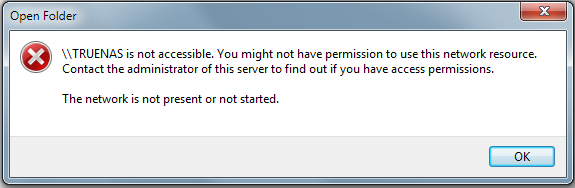
In File Explorer I am able to see TRUENAS under Network. When I click on it I encounter this error:
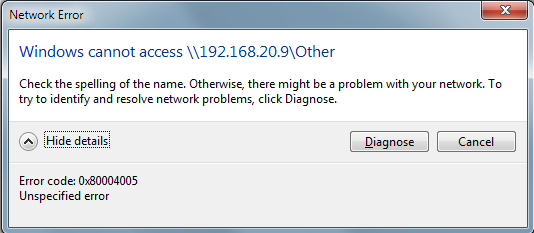
When I type “\\TRUENAS\{share name}” or “\\{static ip}\{share name}” into the address bar I get error code “0x80004005”:
Previously I was getting another error code (before a restart) but the rest of the Network Error prompt was identical. Note that I am able to successfully ping that IP address and even access the GUI from a web browser. Furthermore, I was successful in transferring media files to the share from my smart phone over SMB, so the problem seems to be isolated to my Windows PC.
I’ve read over related issues and watched some YouTube videos about this, to no avail. Please assist me in resolving this issue.
Ok I got this working. My problem was that, for reasons unrelated, I had previously disabled several Windows services that are required for networking. For future reference, these are the services that should be started and running on Windows to access the NAS shares:
- Server (LanmanServer)
- Workstation (LanmanWorkstation)
- TCP/IP NetBIOS Helper (bnshd)
- DNS Client (Dnscache)
- Remote Procedure Call (RpcSs)
- Security Accounts Manager (SamSs)
Now I can enjoy my new NAS!
Hi NovaPulse,
I have the same issue although it happenned overnight !
where do I find if these are active or not in win explo?
edit: My DNS cache as a password that I don’t remember setting ?!
Thank you for the post 
Hi Loransea,
Open your Start Menu and type Services. Double-click on an entry to modify its Status and Start-up Type.
Just so it is mentioned in this thread: I assume the PC is not connected to the internet.
No Windows 7 PC should be connected to the internet in 2025.
Your reply is not relevant to the topic.
I’d say that’s just partly true.
As stated on the site that you linked:
As of TrueNAS 22.12 (Bluefin) and later, TrueNAS does not support SMB client operating systems that are labeled by their vendor as End of Life or End of Support.
That currently means SMB1 is not supported but as Windows 7 has been EOL for quite some time now I don’t think compatibility with it is very important for the iXsystems anymore - it currently just keeps working with TrueNAS because there hasn’t been a major change that would break support yet.
Windows 7 uses SMB2.1. The required Windows services to enable SMB sharing that I listed are also used by Windows 10 and 11.
There has already been at least one other user who’s found this info helpful, so please stop spamming this thread with off-topic OS elitism.