No option to add the interface to Link aggregation

Hi, I just got the network switch that supports LACP, but the TrueNASscale does not allow me to add any interface. why is it the case? and how should i solve this?

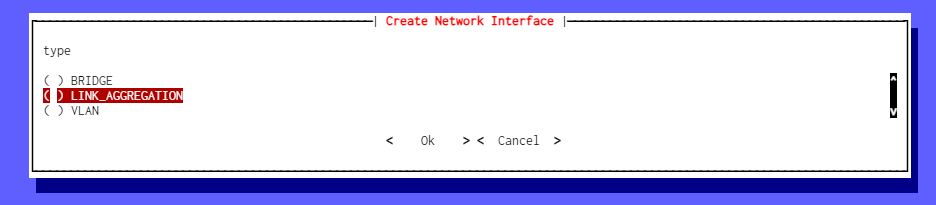
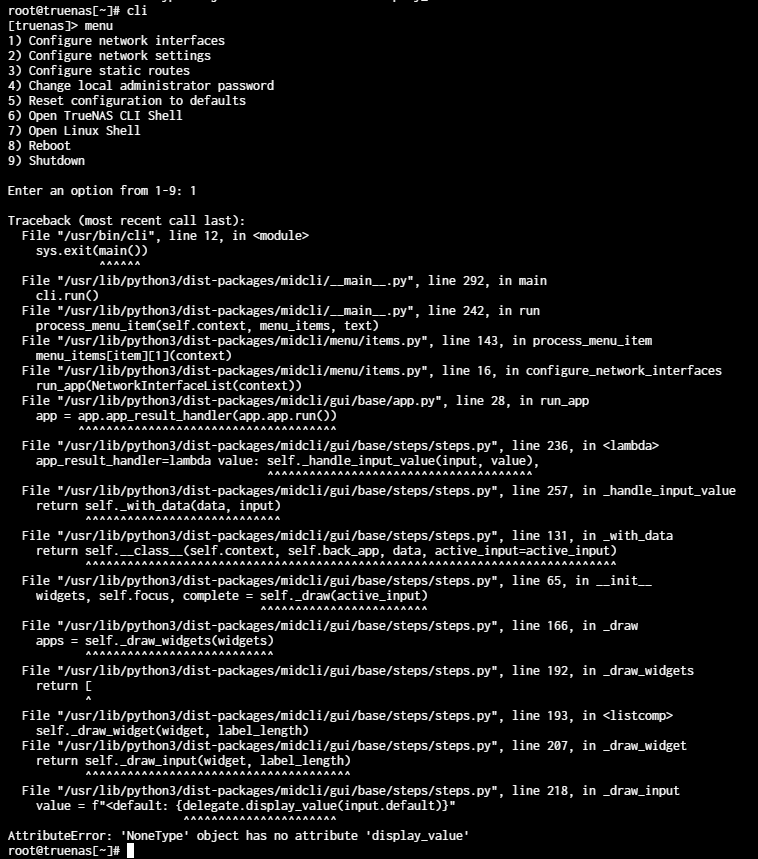
I tried to use CLI i can get as far as this page

and then it crash

I’m running TrueNAS scale 24.04

Problem solved!
I need to click reset network configuration first

1 Like

THANK YOU FOR THIS. I’ve been going up and down for 30 minutes trying to figure out why they didn’t show up.

1 Like

Hi,

Still stuck, where’s the reset network and would that mean I lose the web interface, also why do the interfaces have to have different subnets when the network only has one subnet…

Many thanks.
Michael

1 Like

I didn’t lose the web interface after reset. I had an IP assigned to only one interface. The reset and add Load Balancing as bond0 worked perfectly.

Thank you for this and it worked perfectly. I like trying all options available but was worried I’ll lose my admin web connection if I do this. I didn’t and this worked!

Where is the reset network setting…
Many thanks,
Michael

Thank, you solved my problem. Same issue !

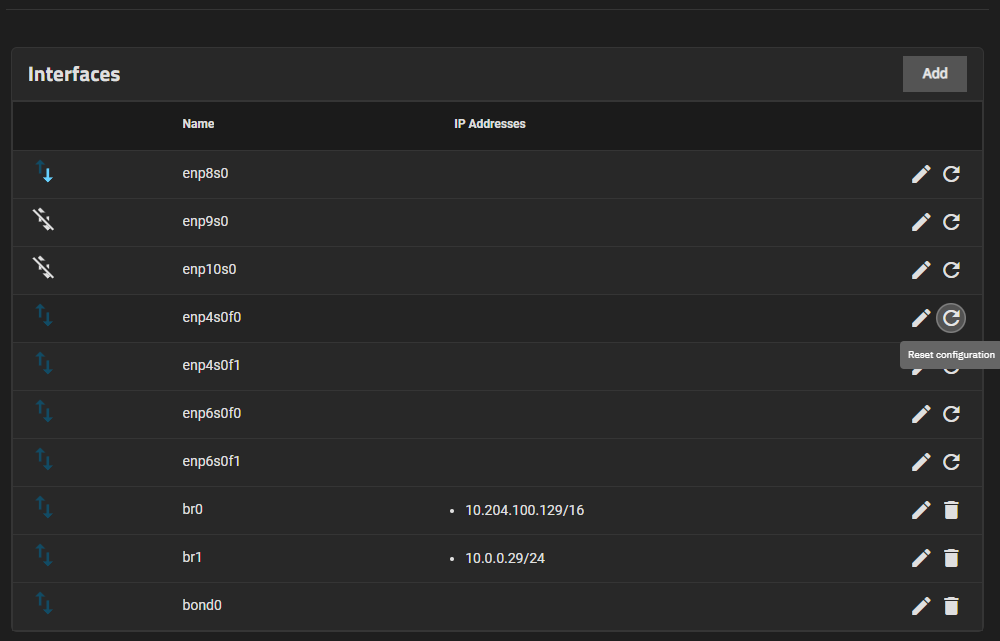
When you login to the web interface, the left side will show “Network” click it

Then, you will see list of the interface name. on the right side, it will have reset icon

This is what reset icon look like
image

Then you click reset on the interface that you want to add to LACP.

Hi, Thanks for your help, in the end I did it from console as nothing would show the interfaces using GUI.
M

Any chance you can share what you did in the console?

Just a note of my:

If you do add an description to the interface after you just reseted it, you still can not add it to the link aggregation interface.

If you try to add an description to the interface after it is in the bond0, you will get the message “Interface in use by bond0. MTU cannot be changed.”. I did not try to change the MTU, just the description…

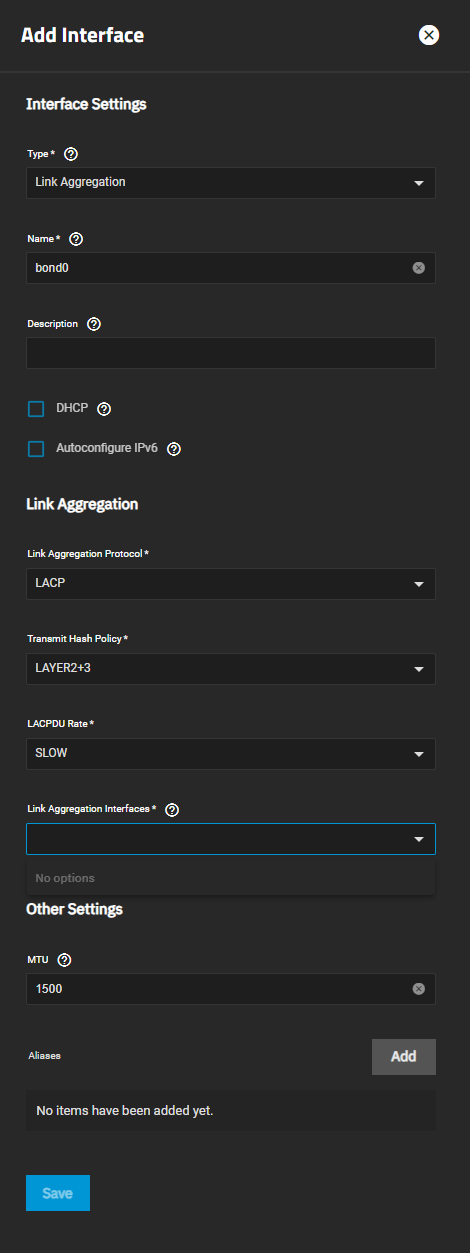
Tested on 25.04.2.1

don