I’ve install and dis-install 5+ times File Browser but I’ve always “Identifiants incorrects !” when I try to enter in the app.
admin / admin don’t work
At the File Browser Doc / Installation / First Boot , it’s indicate “The automatically generated password for the user admin is only displayed once. If you fail to remember it, you will need to manually delete the database and start File Browser again.” But where is it displayed ?
I try overpass this problem by setting at the installation FB_USERNAME : admin / FB_PASSWORD : mypass
Nothing works. Any idea how to solve that ?
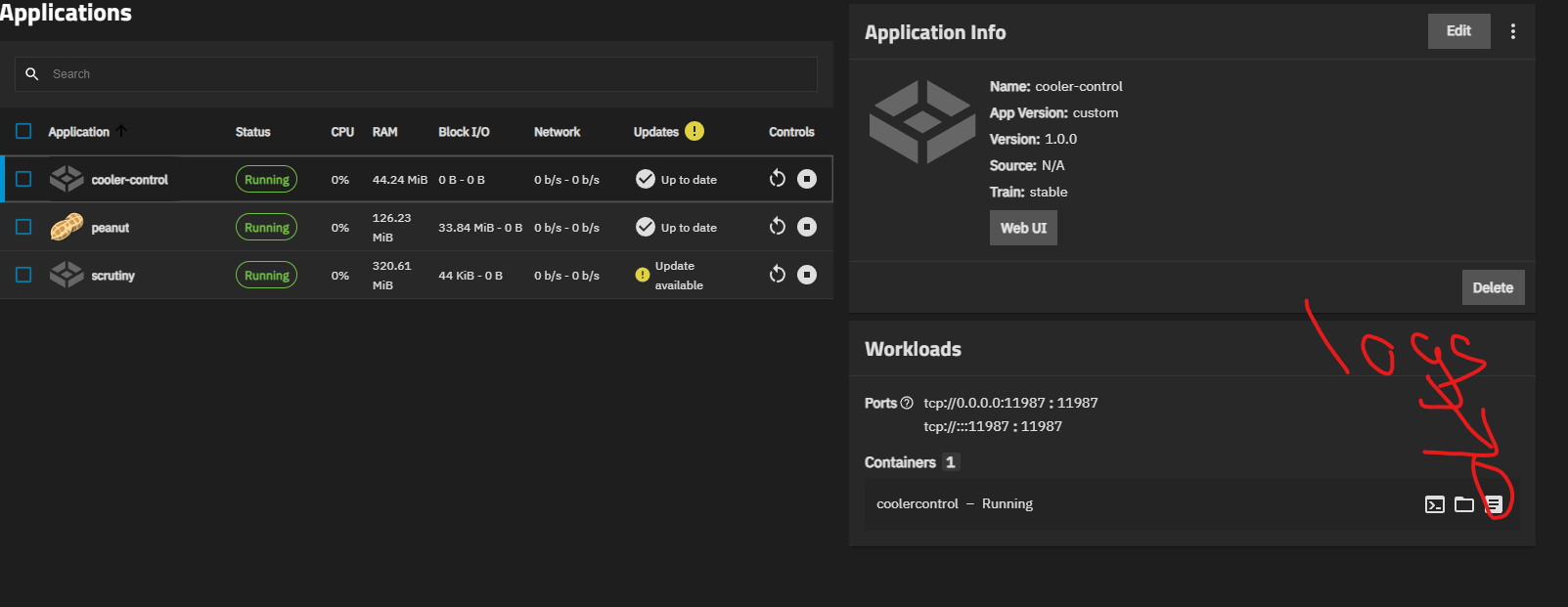
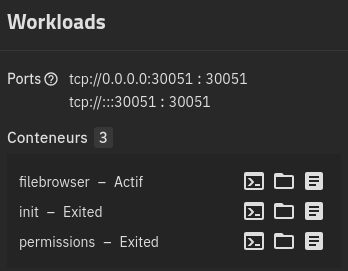
Solution: After installing File Browser have first a look at logs. You’ll see the automatically generated password for the user admin. If you miss this step, you’ve to delete the app and delete and force-delete iXVolumes. And reinstall the app.
go to the apps page and select filebrowser, on the right side some context tiles should appear. On the workload tile should be three little items in the bottom right corner of the tile. The one that looks like a page with text on it are t he container logs.
1/
2026-02-28 19:06:22.867258+00:002026/02/28 19:06:22 Using config file: /config/settings.json
2026-02-28 19:06:22.867346+00:002026/02/28 19:06:22 Using database: /config/filebrowser.db
2026-02-28 19:06:22.893274+00:002026/02/28 19:06:22 Listening on [::]:30051

2/
2026-02-28 19:06:21.980670+00:00Migrating FileBrowser configuration files...
2026-02-28 19:06:21.980704+00:00Checking for file at [/config/filebrowser.json]...
2026-02-28 19:06:21.980743+00:00File not found at [/config/filebrowser.json], no need to migrate.
2026-02-28 19:06:21.980770+00:00Checking for file at [/config/database.db]...
2026-02-28 19:06:21.980786+00:00File not found at [/config/database.db], no need to migrate.
2026-02-28 19:06:21.980811+00:00Migration complete.

3/ 2026-02-28 19:06:21.519812+00:00🚀 Starting permissions configuration...
2026-02-28 19:06:21.519853+00:00-------------------------- config --------------------------
2026-02-28 19:06:21.519873+00:00⏭️ Path is not empty, no changes will be applied
2026-02-28 19:06:21.519889+00:00============================================================
2026-02-28 19:06:21.519900+00:002026-02-28T19:06:21.519900496Z
2026-02-28 19:06:21.519916+00:002026-02-28T19:06:21.519916486Z
2026-02-28 19:06:21.519925+00:00⏱️ Total time taken: 0.21ms
2026-02-28 19:06:21.519935+00:00🎉 All permissions configured successfully!
Fresh install or running app? The password is only displayed once after installation and if you miss to look it up you have to delete the app, including the config file.
You have to do that manually when using hostpath for storage via cli. If you chose iXVolume there should be an option to delte volumes when deleting the app
Edit: Or delete the dataset you set up for the config and recreate it
Filebrowser changed this around a year ago, if they haven’t updated their documentation that’s pretty bad, but yes the apps page could propably add more information about that…