Hi there,
I’ve never had any issue upgrading my Truenas Core until now.
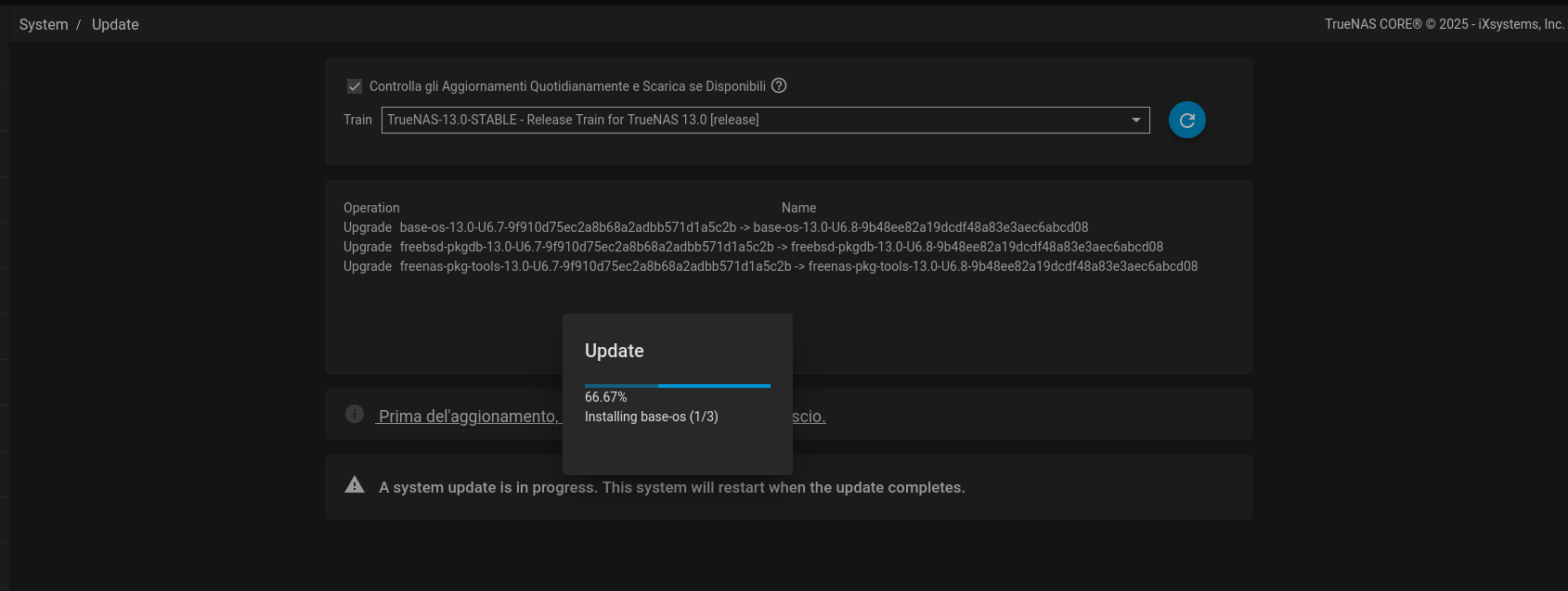
Every time I try to install the latest release I got stuck on:
“Installing base-os (1/3)”
Is this a known problem with the latest release or am I missing something?
Can I try a different kind of update? Maybe not launching it through the web-ui update page?
Thank you!
Do you require the TrueNAS Core 13.0-u6.8 update to fix Microsoft Active Directory issues? That is all there is in that update. If not, stick with 13.0-u6.7 on the previous boot environment.
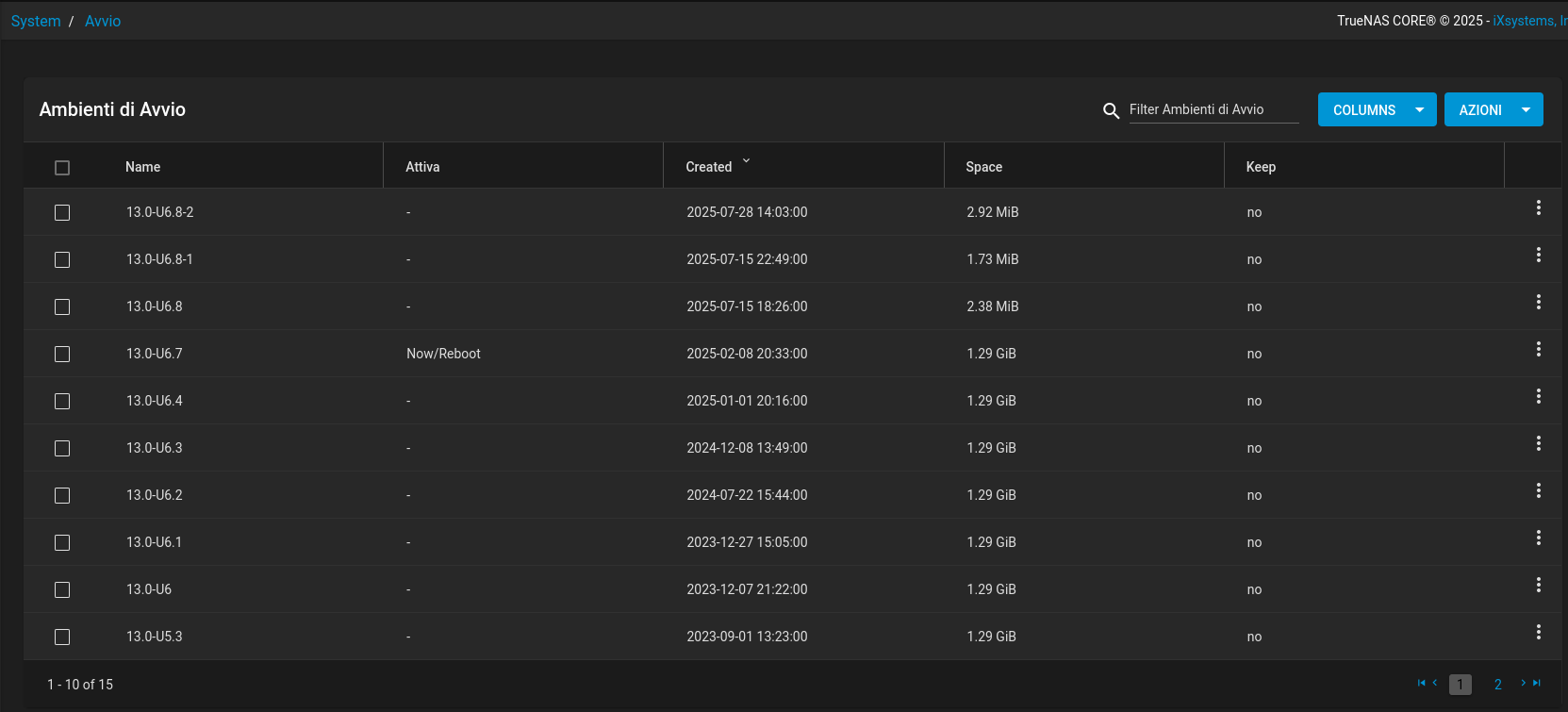
Check to see how many previous boot environments you have. You might be able to clean up some old ones and free a bit of space.
Release Note
The TrueNAS team is pleased to release TrueNAS 13.0-U6.8!
This maintenance release contains a single change to prevent Active Directory interruptions for TrueNAS systems using the “AD” idmap backend (NAS-135515). See the linked NAS ticket for more information.
Thank you. I don’t need the update, I’m just used to keep my system updated whenever I can.
I can stay with this version and wait for the next.
Yeah I noticed now I have some old boot environments:
I would keep u6.7 and u6.4 or so. If you are booted into u6.7 currently, you should be able to get rid of the rest and clean up u6.8 sets also. Not really sure why you can’t update. You can try downloading the manual file and updating if you wish to do so.
This is probably the last update you will see for the Core line unless there is another ‘emergency’ or required security update.
The manual update is likely the way you will need to go, however once you have deleted a lot of those old boot environments, try the update again. Maybe you ran out of space? And it goes without saying, reboot before you start the upgrade.
The manual way:
- Make a copy of your TrueNAS configuration file, store it someplace safe, you will need it again.
- Place a copy of the TrueNAS 13.0-U6.8 ISO on a flash drive as a bootable media.
- Make sure you have remove those old boot environments called 6.8 and some of the other non-used ones.
- Boot into the TrueNAS installer and tell it to update. I forget the exact words it uses. And it that option isn’t there, just install the thing normally.
- If you had to install then you may have a different IP address. You need to restore the config file you saved earlier.
Done.
I’ve tried cleaning up the old boot environments, rebooting and launching the update again… it didn’t work…
I’ll try with the manual update soon. I’ll keep this thread updated.
Thank you.
Sometimes the online update does not work as expected. I’ve been there a few times. You will have much better luck making that bootable ISO and install it like new, then restore your configuration backup and all should be good again.