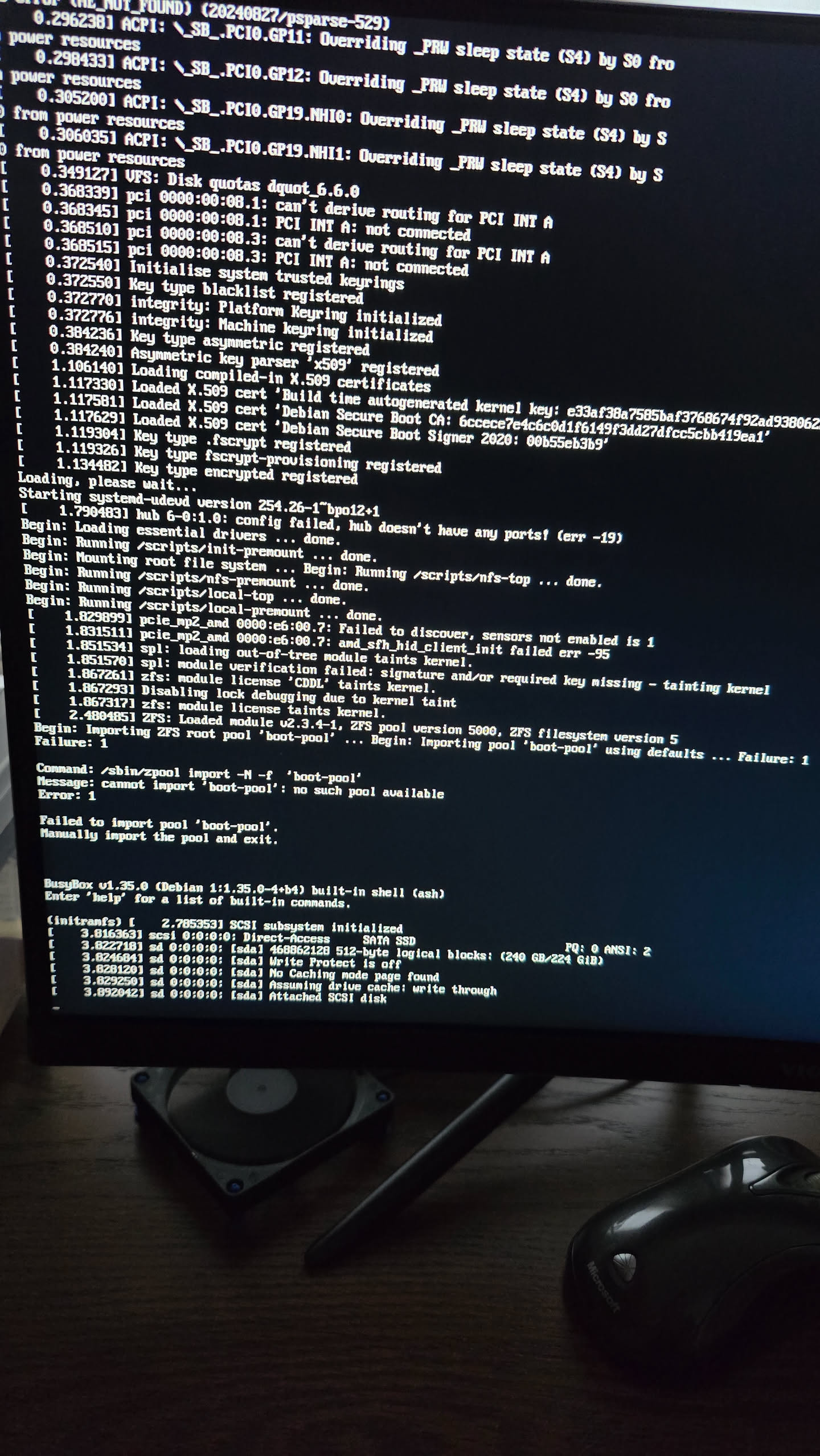
I attempted a few times to update from 25.10.1 to 25.10.2 and the update failed to import boot-pool (not found). I select update, and save configuration. I can boot from the 25.10.1 boot enviroment. I scrubed the boot drive and tried update but failed again. I was able to delete a few of failed boot enviroment, but unable to delete the latest update.
1: How to delete the failed restart/update boot enviroment so the system can reboot to a working version 25.10.1 as default?
2: Is there something I missed during the 25.10.2 update I need to do to solve this problem?
I am using a ACEMAGICIAN M1 Mini PC AMD Ryzen 7 6800H 16GB with plenty of free space on the boot drive.
You boot to a previous boot environment and then go to the boot menu and delete 25.10.2. The boot environment has to be inactive to delete.
You might need to download your System Configuration, do a fresh install of 25.10.2 and reload your configuration. There was a problem fixed and you might be running into it.
Make your 25.10.1 boot environment Active. When you reboot, you should be running 25.10.1. After that you should be able to delete 25.10.2 environment.
Thank you for the quick response. I was able to delete the first few update attemps, but the last update has the Active colum show as “Restart” and the delete button is grayed out and I can’t delete it. Any action I need to take to enable the delete button to delete the last update boot enviroment?
The boot drive is a 225 GB HDD/SSD connected to the system via USB 2. It is not mirror. It has 2 boot enironments used about 13GB, should be plenty of free space.
I tried to upload a jpg of the screen capture, but this site would not allow me to include media object. Is there a way to include a jpg file in the reply?
I think the following two lines is the info you are looking for
You can try posting image again. Bumped up a Trust Level.
What is the error text saying on the boot-pool issue. It may be out of space in the UEFI boot menu and not the actual boot-pool. It may require going into the UEFI and deleting some of the boot options that are not needed anymore.
You need to select the ACTIVATE check circle for 25.10.1 and apply. You should be able to delete the other after activating 25.10.1 as boot, and maybe rebooting into 25.10.1
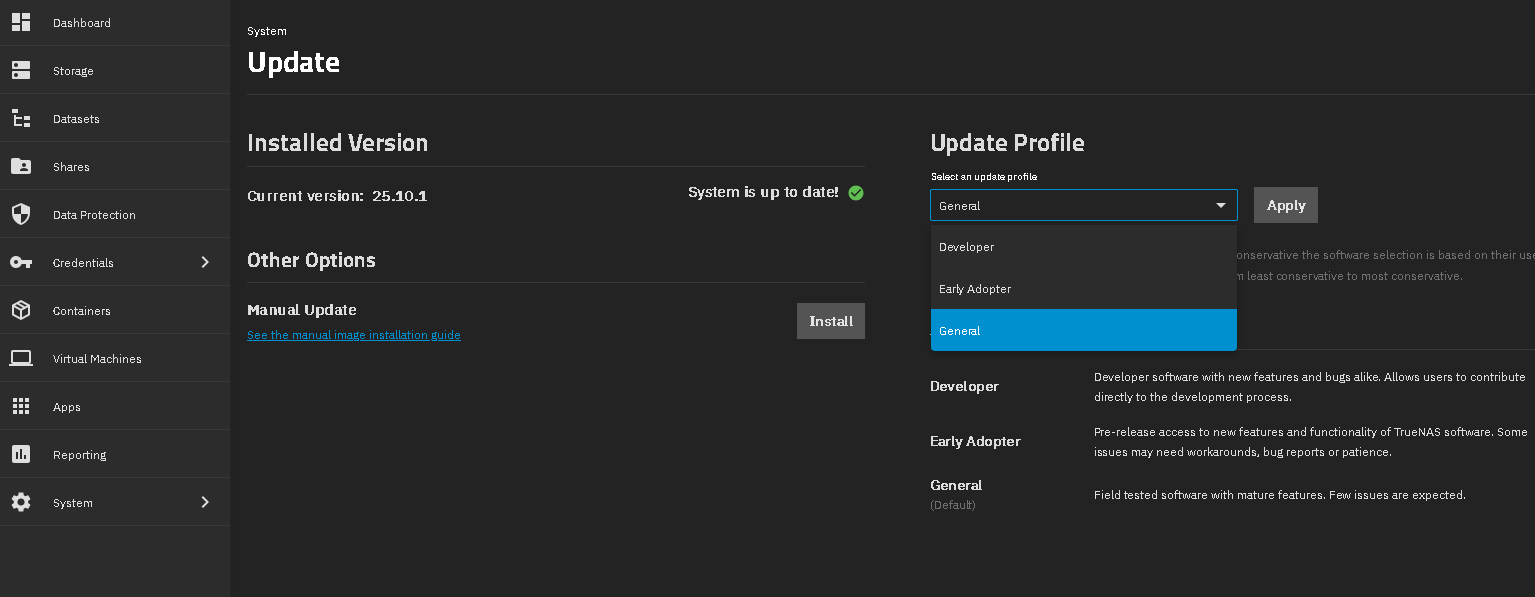
If you don’t NEED to be on the 25.10.2 update, I would change your update train to GENERAL and wait for the update to be shown later. It is still considered Early Adopter. GENERAL is a safer option.
You click on the UPDATE from the first GUI screen and then change the train drop down to GENERAL.
You should be fine with doing the fresh install like you stated. Everything should just work fine after, if you chose to do that.
Im a newby with Truenas, and I didnt realize that my update train setting was not set for the General release. I will change this setting and wait for the official release.
Thanks for your help again. This is actually helpful to have a better understanding of using Truenas.