“System is already registered” when trying to add a system to Connect

This is after I hit the TrueNAS Connect cloud-shaped icon in the upper right of the GUI of my QNAP TrueNAS and click on the Get Connected button. Have I accidentally registered it in a different Connect account, which I cannot recall having done?

More to the point, how do I fix this? I am about to pay for a Connect Plus account. I want to hold off on that, before I can figure this problem out.

A reboot did not help. There were some other irregularities I observed in testing. Unfortunately, they weren’t reproducible, and thus I cannot document them here. It does appear that this product’s reliability is still at the beta level.

Is this a fresh installation, or was it upgraded from an earlier release - and is this the first time you’ve tried to join this system to Connect?

You can use the “Report a Bug” functionality here:

and submit this as an issue with TrueNAS Connect - but don’t submit your “System ID” in the ticket as that would be readable.

I installed that system from scratch after Christmas of this past year. I am pretty sure that that could have only been a version of Goldeye.

What I was hoping to find out from a thread respondent was how to reset the registration, so as to be able to register the system with TrueNAS Connect from scratch.

If the account in the back end is the same person, I’m seeing a “TrueNAS mini” system with what appears to be a matching systemID that’s still actively communicating with TNC. Did you link it up during a beta period or on a beta account?

Short-term, issue this from the CLI:

midclt call tn_connect.update '{"enabled": false}'

Wait a minute for it to sync, hard-refresh your UI, and then re-register.

We’ll work on extending and adding a “force de/re-register” flow.

You can also reset the entire key ring:

1 Like

That wouldn’t be able to unregister a NAS that might be registered to a different account somewhere, would it?

One more think I thought to try: Sign into TrueNAS Connect with a newly generated account. Same issue. Same System ID.

Sorry.. I didn’t quite understand that was the goal.. move NAS to another account.

I’ll check this week and let you know how that is best done.

I realize I sounded snarky. The apology is mine!

I have found the solution and had to try it myself.

In the standard WebUI of TrueNAS, click on the Connect Icon which shows Connect status.
There should be a Cloud icon with a strike-through symbol.

Click on that and it deregisters the TrueNAS.

Then you can register again… this time with your preferred account.

2 Likes

I am afraid I don’t have that:

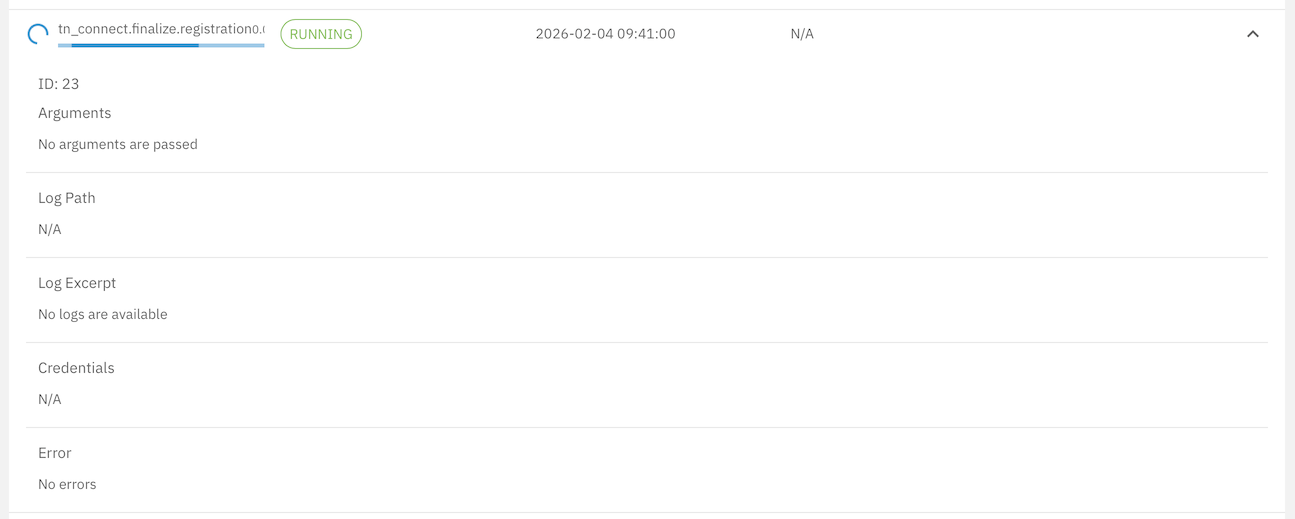
I do have a running job:

which got triggered by my attempt to connect. It will not finish or quit, until I reboot. I can’t reboot right now, because I have a drive burn-in process running right now and don’t want to waste at least a day’s worth of burn-in time.

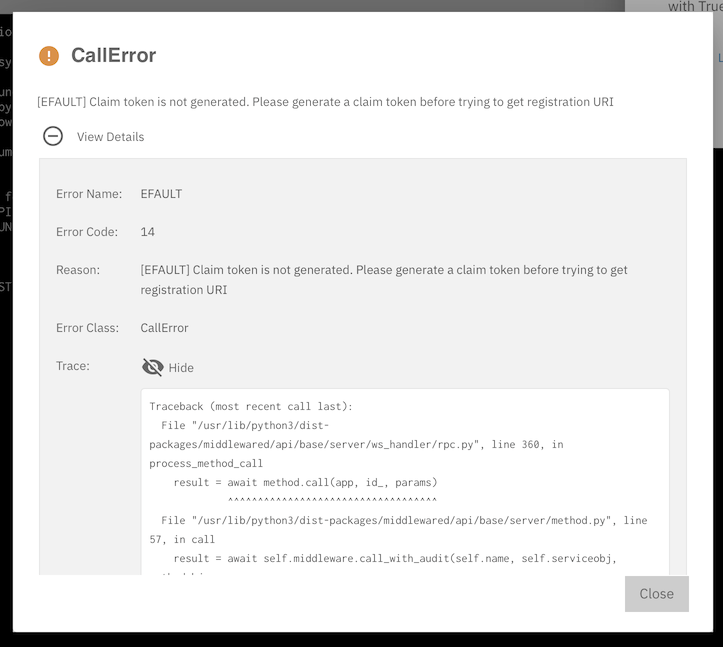
So, that tn.connect.finalize.registration job is no longer running. When I try to redo the connection I get this:

And the traceback code in its entirety is:

Traceback (most recent call last):
  File "/usr/lib/python3/dist-packages/middlewared/api/base/server/ws_handler/rpc.py", line 360, in process_method_call
    result = await method.call(app, id_, params)
             ^^^^^^^^^^^^^^^^^^^^^^^^^^^^^^^^^^^
  File "/usr/lib/python3/dist-packages/middlewared/api/base/server/method.py", line 57, in call
    result = await self.middleware.call_with_audit(self.name, self.serviceobj, methodobj, params, app,
             ^^^^^^^^^^^^^^^^^^^^^^^^^^^^^^^^^^^^^^^^^^^^^^^^^^^^^^^^^^^^^^^^^^^^^^^^^^^^^^^^^^^^^^^^^
  File "/usr/lib/python3/dist-packages/middlewared/main.py", line 954, in call_with_audit
    result = await self._call(method, serviceobj, methodobj, params, app=app,
             ^^^^^^^^^^^^^^^^^^^^^^^^^^^^^^^^^^^^^^^^^^^^^^^^^^^^^^^^^^^^^^^^
  File "/usr/lib/python3/dist-packages/middlewared/main.py", line 771, in _call
    return await methodobj(*prepared_call.args)
           ^^^^^^^^^^^^^^^^^^^^^^^^^^^^^^^^^^^^
  File "/usr/lib/python3/dist-packages/middlewared/api/base/decorator.py", line 108, in wrapped
    result = await func(*args)
             ^^^^^^^^^^^^^^^^^
  File "/usr/lib/python3/dist-packages/middlewared/plugins/truenas_connect/register.py", line 87, in get_registration_uri
    raise CallError(
middlewared.service_exception.CallError: [EFAULT] Claim token is not generated. Please generate a claim token before trying to get registration URI

So this can be a TrueNAS bug report.

I’d suggest rebooting first to avoid wasting your time.

I filed a bug report. The agent processing my report wanted me to upload the log file at /var/log/truenas_connect.log. It contains the following entries, which are repeated many times:

[2025/12/26 13:16:02] (INFO) truenas_connect.sync_interface_ips():61 - Updating IPs for TrueNAS Connect due to CHANGED change on interface enp1s0
[2025/12/26 13:16:02] (DEBUG) truenas_connect.sync_interface_ips():66 - Updating TrueNAS Connect database with interface IPs: '192.168.57.28'
[2025/12/26 13:16:02] (DEBUG) truenas_connect.sync_interface_ips():73 - Syncing interface IPs for TrueNAS Connect
[2025/12/26 13:16:02] (DEBUG) truenas_connect.register_update_ips():39 - Updating TNC hostname configuration with '192.168.57.28' ips and with create_wildcard False value
[2025/12/26 13:16:14] (DEBUG) truenas_connect.start():32 - TNC Heartbeat: Starting heartbeat service

and:

[2026/01/07 12:25:25] (DEBUG) truenas_connect.start():58 - TNC Heartbeat: Received 401, unsetting TNC
[2026/01/07 12:25:25] (DEBUG) truenas_connect.unset_registration_details():243 - Unsetting registration details
[2026/01/07 12:25:25] (DEBUG) truenas_connect.unset_registration_details():248 - TNC is being disabled, removing any stale TNC heartbeat failure alert
[2026/01/07 12:25:25] (DEBUG) truenas_connect.unset_registration_details():258 - Skipping revoking TNC user account
[2026/01/07 12:25:25] (DEBUG) truenas_connect.delete_cert():281 - Deleting TNC certificate with id 2
[2026/01/29 21:19:48] (DEBUG) truenas_connect.do_update():147 - Removing any stale TNC unconfigured alert or heartbeat alert
[2026/01/29 21:19:48] (DEBUG) truenas_connect.generate_claim_token():55 - Claim token for TNC generation has been generated, kicking off registration process to finalize registration after 30 seconds
[2026/01/29 21:20:18] (DEBUG) truenas_connect.registration():33 - Starting TNC registration finalization
[2026/01/29 21:20:18] (DEBUG) truenas_connect.registration():49 - Attempt 1: Polling for TNC registration finalization
[2026/01/29 21:20:18] (DEBUG) truenas_connect.registration():98 - TNC registration has not been finalized yet: "400, message='Bad Request', url='https://account-service.tys1.truenasconnect.net/v1/systems/finalize'"
[2026/01/29 21:20:18] (DEBUG) truenas_connect.registration():101 - Waiting for 5 seconds before attempting to finalize registration
[2026/01/29 21:20:23] (DEBUG) truenas_connect.registration():49 - Attempt 2: Polling for TNC registration finalization
[2026/01/29 21:20:23] (DEBUG) truenas_connect.registration():98 - TNC registration has not been finalized yet: "400, message='Bad Request', url='https://account-service.tys1.truenasconnect.net/v1/systems/finalize'"

After the 23rd attempt I get this:

[2026/01/29 22:13:24] (DEBUG) truenas_connect.registration():44 - TNC claim token has expired

The following day I (presumably initiated by me and not by an automated trigger) tried to register again. The logs have this:

[2026/01/30 12:34:04] (DEBUG) truenas_connect.unset_registration_details():243 - Unsetting registration details
[2026/01/30 12:34:04] (DEBUG) truenas_connect.unset_registration_details():248 - TNC is being disabled, removing any stale TNC heartbeat failure alert
[2026/01/30 12:34:04] (DEBUG) truenas_connect.do_update():177 - Restarting nginx to not use TNC certificate anymore
[2026/01/30 12:34:04] (DEBUG) truenas_connect.do_update():147 - Removing any stale TNC unconfigured alert or heartbeat alert
[2026/01/30 12:34:43] (DEBUG) truenas_connect.generate_claim_token():55 - Claim token for TNC generation has been generated, kicking off registration process to finalize registration after 30 seconds
[2026/01/30 12:35:13] (DEBUG) truenas_connect.registration():33 - Starting TNC registration finalization
[2026/01/30 12:35:13] (DEBUG) truenas_connect.registration():49 - Attempt 1: Polling for TNC registration finalization
[2026/01/30 12:35:13] (DEBUG) truenas_connect.registration():98 - TNC registration has not been finalized yet: "400, message='Bad Request', url='https://account-service.tys1.truenasconnect.net/v1/systems/finalize'"
[2026/01/30 12:35:13] (DEBUG) truenas_connect.registration():101 - Waiting for 5 seconds before attempting to finalize registration
[2026/01/30 12:35:18] (DEBUG) truenas_connect.registration():49 - Attempt 2: Polling for TNC registration finalization
[2026/01/30 12:35:18] (DEBUG) truenas_connect.registration():98 - TNC registration has not been finalized yet: "400, message='Bad Request', url='https://account-service.tys1.truenasconnect.net/v1/systems/finalize'"

and again many more attempts follow, each one proceeded by a longer wait interval. It ends as before.

I don’t know enough about what the TrueNAS Connect registration process does or how to interpret the logs. I thought, I’d post them here for public examination, however. For what it’s worth.

This error occurs when the system ID is already registered to a TrueNAS Connect account. A common cause is restoring a config backup from a different system, as the config
includes the global system ID, making the new system appear as a duplicate.

To resolve this, log into TrueNAS Connect with the account that owns the original registration, remove the old system, and re-register from the new system’s UI.

We’re working on improving the error message to surface more details about the existing registration when this happens.

1 Like

Thanks very much, Zack, for pointing this out. This is exactly what happened.

The problem is that I need to have both the original system and the one I restored from a config backup of the first in TrueNAS Connect. Is there a way to generate a new global system ID (“system_id”) and and assign that to the the second system? I want to use TrueNAS Connect for replicating the first to the second system.

A fresh install is recommended in order to generate a fresh system ID. For this reason, we do not recommend uploading a config backup between systems. I’ll make sure we note this in documentation for config download/upload.

1 Like

Duly noted!

However, I also appreciate the solution you sent me privately. You wrote:

“The QNAP TrueNAS will need a new system_id, which can be done as so:

removed to facilitate troubleshooting other users

(…)

“You can validate the change effective by running midclt call system.global.id.”

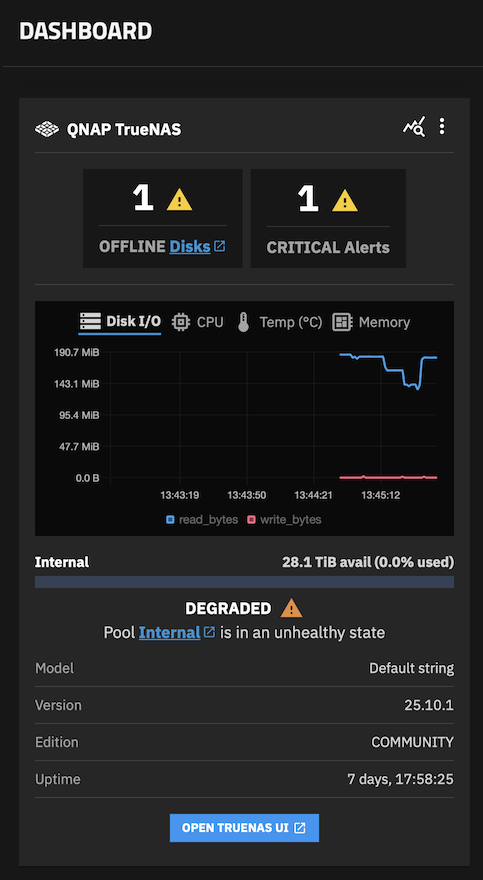
It worked: