
Can I also install TrueNAS on the small sister system “TerraMaster F4 SSD”? Thank you
The specs page lists it as 8GB of RAM that is the bare min listed in the TrueNAS documents. You probably should choose different hardware. I didn’t see anything listed when I search for that specific model on the TrueNAS forums. You may have trouble getting TrueNAS to install and run.
1 Like
I upgrade the memory to 16 GB and am I fine?
If you can upgrade the RAM, that would be better. 32GB looks be the the maximum on the specifications page.
Try searching the forums for the TerraMaster models and read the threads. It may require some work to get TrueNAS to install and run. In this thread, it looks like they had to turn off VT-d in the BIOS. There may be other issues
@brucie the community found ways to make TrueNAS SCALE work on this device. Check these replies:
3 Likes
Thank you @Wolfizen
I am trying to find a better solution to run this device with VT-D enabled. Could you please help me to compare hardware models, bios versions and whether you run the system with pci=nommconf and VT-D enabled?
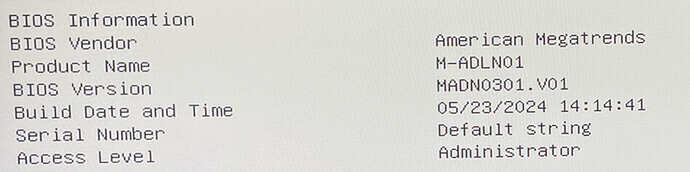
Product Name: M-ADLN01
Bios Version: MADN0301.V01
Build Date: 05/23/2024
pci=nommconf + VT-D: enabled
You can get an updated BIOS (MADN0301.V07) and ASM2806 firmware here.
I can’t post the link 
Go to the Terramaster forums and search for
“How to Resolve the Issue of F8 SSD Failing to Boot or Automatically Restarting After Installing a 3rd Party OS” thread. Files and instructions are there.
I haven’t tried TrueNAS with it yet as I’m testing TOS 7 Preview, but will try soon.
2 Likes
With the last BIOS and PCIe expansion Controller Firmware Upgrade for the F8 Plus I didn’t have to tweak anything for Truenas Scale to install & run without problems. VT-d is also still activated. 7 slots populated, tomorrow 8th nvme arrives but I don’t think it will cause any problems. Btw if you don’t want to sacrifice 1 nvme slot for the boot disk, you can buy a SSD USB-stick, disamble the case and connect it to the internal f8 usb-connector with a 90 degree usb-connector. That way I have 8 nvme slots for storage now.
Edit: another thing to mention: it also runs fine with Crucial SO-DIMM 48GB (CT48G56C46S5)
4 Likes
Thank you, i was not aware of this firmware upgrade.
I have now upgraded and can also confirm that it works well with TrueNAS and proxmox. no workarounds necessary any more.
Also the cstates seem to work much better and so i am able to safe another ~2W in power.
I can confirm it works well with 8x 8TB WD_BLACK SN850X and 48GB Corsair Vengeance (CMSX48GX5M1A4800C40)
1 Like
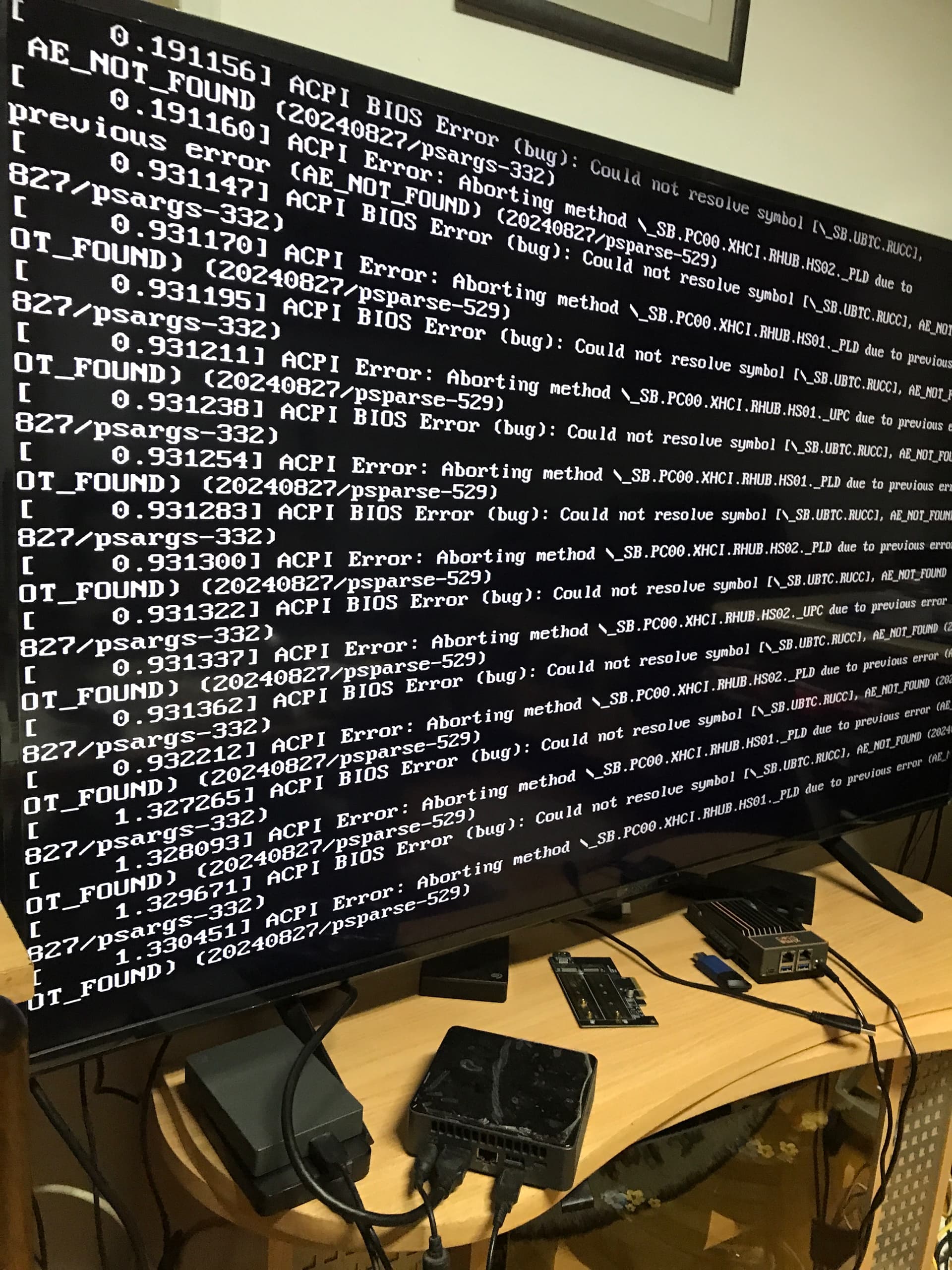
Did you update the BIOS and the ASM2806 firmware?
h.t.t.p.s://forum.terra-master.com/en/viewtopic.php?t=8961
Thanks for this. The instructions on the Terramaster forum post for upgrading the PCIe expansion chip firmware look TOS specific (… so parts 2 and B of the post). Did you just follow a similar process in a dataset, once TrueNAS was installed?
I did this before installing Truenas on TOS. But what part looks TOS specific to you? The paths you have to change of course
The screenshots and the paths look TOS specific. I didn’t use NVMe slots 1 & 2 when I installed TrueNAS and it seemed to install and run fine. I had done the BIOS update but skipped the PCIe expansion chip update. I tried the instructions from the Terramaster forum post in TrueNAS but got an error on this command… “./218xfwdl /s”
Asmedia PCIe Gen3 Switch SPI ROM Update Linux Utility - Version 1.7.4.0
pcilib: Unaligned read: pos=ff, len=2
So I loaded TOS instead and the firmware update worked there. Thanks again. 