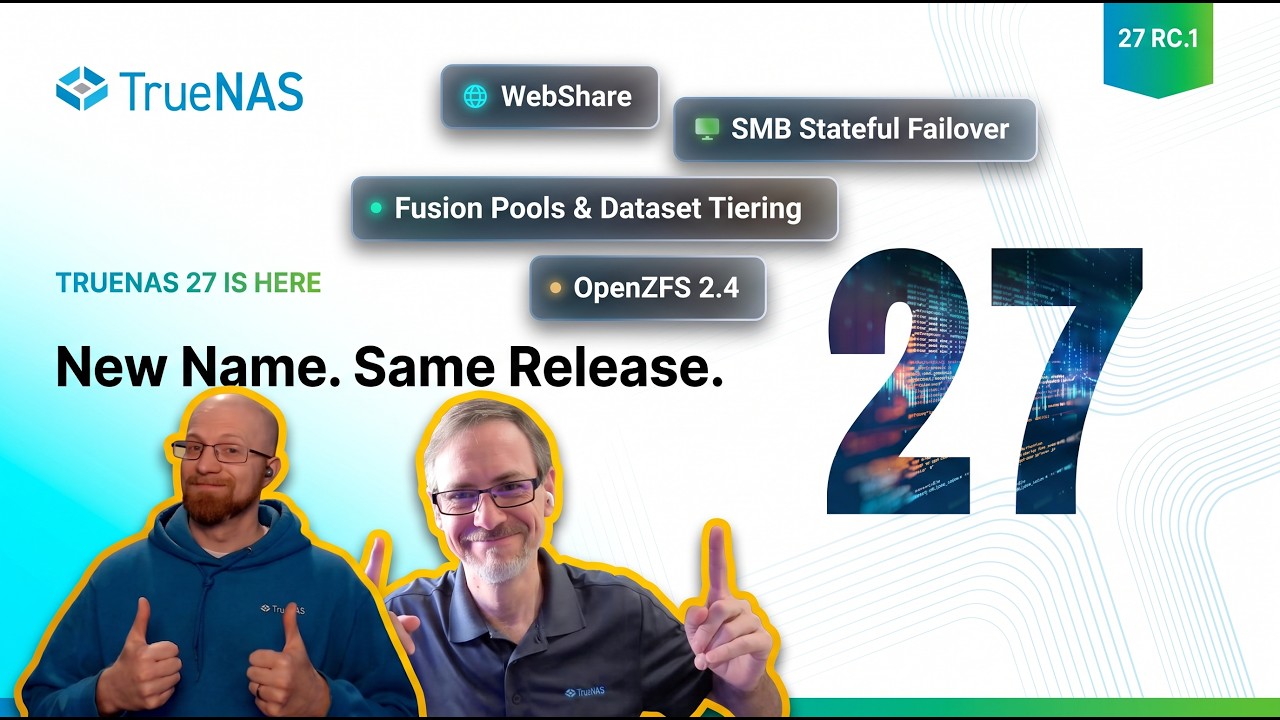
TrueNAS 27 RC.1 - WebShare, Tiered Storage, OpenZFS 2.4, and More | TrueNAS Tech Talk (T3) E062

Back after a long break, Kris and Chris return to deliver an update on TrueNAS 27 - and no, you didn’t miscount, it’s just been re-numbered! TrueNAS 26 is now TrueNAS 27, and the RC.1 is out with lots of exciting new features; including one that managed to stay under wraps until the launch date for once! Learn about WebShare, search indexing with TrueSearch, Fusion Pools 2.0 and Tiered Datasets, OpenZFS performance improvements, and that elusive “One More Thing.” Plus, there’s integrations galore - from Proxmox to Terraform, OpenStack to Veeam - find out what’s new and exciting for TrueNAS in the release candidate, downloadable now.

(As commented on YouTube already:)

With the evolving prices (and sizes on the other hand) of flash storage at the moment and the foreseeable near future, why won’t you allow at least a manual way to open the boot SSDs remaining space for manual partitioning and usage for another pool?

I don’t necessarily mean an GU I installer or even an automated process for this. I mean at least some form of set convention, so that an manually partitioned and installed installation would be sure not to break during updates or upgrades.

At the moment, I would like to mirror two SSDs for data integrity and use it such a way instead of having one single boot drive and one single pool drive, especially for apps.

What holds me back doing this manually or by adapting the installer during installation is only being unsure if future updates won’t break the system.

What are the technical reasons not against the necessary efforts of creating a tool for this, but ensuring some manual way?

Thank you very much, and thank you for this incredible NAS OS!

P. S.

It’s not the flash prices only, e.g. In small cases or miniPCs there is just not enough room for dual boot drives, dual apps pool drive, and maybe an data pool.

With such devices, I’d definitely always would prefer splitting mirrored devices than using them single for boot and pool.

As correctly mentioned by a commentator on YouTube, NVMe namespaces would allow you to do this with NVMes, but given the current economic situation regarding flash prices my gut feeling is SATA SSDs are here to stay just a bit longer for awhile now.

Again, best regards and thank you for your efforts!

It’s so cute the way that they talk about WebShare and TrueSearch like they’re something that actually works outside of their curated spaces. Meanwhile TrueNAS Connect hasn’t connected for months, searches on WebShare always fail, and TrueSearch on macOS has never worked.

And filling a bug is pointless because it will just be closed.

Dataset tiering is a weird feature to hide behind enterprise. It feels like something even more focused on homelab and home users who minimize their flash consumption. Enterprise can just throw more money at the problem and tier the whole system in nvme. Also, something desperately needed in ZFS natively.

WebShare still feels worse than a vibe-coded hobby project. Downloads don’t use native browsers so they download sequentially in a single thread and invisibly. How that made it past like the most basic testing is perplexing. The first thing a webshare feature should do well is 1) User clicks download. 2) It downloads (with a progress bar and ideally quickly). Downloading invisibly with zero UX indications is unshippable.

And clicking the back button on your mouse while using Webshare? Straight to the login screen and you’re logged out. :man_facepalming:

Sometimes this seems to be true and I can understand your frustration with the JIRA system and the configured workflow, I am not a fan. The TN team get a lot of bug reports and apparently a lot of them are duplicates which is understandable, but I don’t know if you get any feedback as to whether the submitted issue is a duplicate.

I have had this issue. The AI can just close stuff that are clearly bugs. The AI can be useful in triaging issues but I think it needs some retraining.

When a JIRA ticket is closed, it can be unclear if there has actually been any code uploaded. The way I verify this is to search the TruenNAS GitHub Repository for the JIRA ticket number for commits or Pull requests etc..

These are some other basic things you can check:

  • Closed Without Changes = nothing done, will not fix, not an issue etc
  • If the Resolution is changed to Needs Suggestion Ticket this means the issue is classed as a feature request, and this is why it has been closed.
  • On the right hand side, look for tags under the Fix versions to confirm which versions the fix was applied to, proving a fix was made.

I wish the closing comment had just some simple information like Did not fix, we made a fix and here is the commit reference. On the actual commits and pull requests the comments refer back to a JIRA ticket number, so why not the other way around.

Great update guys and some truly awesome features heading down the pipe!!! Always great to see!

I am curious since all optimizations are a target… Being that zfs started it’s life on hdd’s it was never out of the gate designed to work at today’s nvme speeds. To be clear I am not saying zfs on nvme flat out doesn’t work at all. What I am saying is I’ve noticed no matter the tuning, or tweaking a lot of performance of especially gen4 and up nvme’s is being left on the table. Can you talk about your theories and direction regarding this? Thanks again.

Honestly, mirrorred boot is useless for home users… but if you want to play slice and mirror, you can find instructions to do it on the CLI.
Just do not expect TrueNAS to spend a penny on even checking that this wont’t break: It is not useful for Enterprise.

Thank you for your reply!

I do understand the money point, but all I’m asking is some kind of tolerated convention, not a tool or even GUI adaptation.

I think that should be feasible, at least I wouldn’t sweat with every single update given I once installed it manually.

I hear also hear your point concerning boot drives for home users, but at the latest when it comes to data drives I beg to differ - which leads back to mirrored boot drives in case of two SSDs only.

I didn’t go the manual route yet, it’s am still considering. You mentioned CLI methods and seem experienced with TrueNAS, just in case you happen to know some worthwhile post links of the top of your head, I would appreciate it very much before getting llon the search myself.

Anyway, thank you very much for your reply!

We are conservative in out recommendations on the boot-pool. If you partition it into anything but default, you can break, EVERYTHING!

I don’ think any updates are expecting, or are tested, against anything but the default set up. If you wish to do any changes, you’re completely responsible for any change and data recovery if anything goes wrong. You need to have backup with, tested recovery of all the data.

How are you experiencing this ? Are you running 40Gbit/100Gbit networking ? What types of NVMEs ? Reading /writing or both ?

I disagree. I think keeping the Boot SSD as it is, is still the most reliable way. Remember TrueNAS is reliability first.

I understand the general arguments, but I disagree in detail.

One of the evolved solution is to modify the TrueNAS installer, specifically changing

sgdisk -n3:0:0 -t3:BF01

to something like

sgdisk -n3:0:+65536M -t3:BF01

All this does is not using the remaining rest of the boot disk for the third partition, but only 64G thereof.

Other than that, this doesn’t change anything to the original TrueNAS boot drive layout, and manually then adding a fourth partition from the remaining space for usage in a pool wouldn’t do that either.

Certainly, if I screw up with such manual modifications, that’s on me, I think everyone going such a route would be aware of that!

All I ask is that updates simply won’t delete partitions after the third on the boot drive, and if they have to recreate partitions up to the third, to do it with that existing partition size, instead of simply using the rest of the remaining disk space.

This should not limit iXSytems to modify the boot drive structure at a later point in time. I think at such a moment, a insistant warning that the user created partition would be destroyed with that specific update should suffice. These warnings to the benefit of the user exist when deleting a pool or exporting the dataset secrets, also!

In that case, experienced user can backup his manually created pool along with the current settings , run that “destructive” update or reinstall with his installer modifications, redo his manual modifications and restore the pool.

As said, this should remain a way for an experienced power user, acting on his own risk and accord!

All I am asking for is an agreement that updates won’t break partitions after the third, and in case that will become unavoidable at some point in time, just warn accordingly.

In my understanding, this would consume rather fairly little resources on iXSytems side, assuring updates won’t wipe the rest of the disk, and implementing a warning in case they would have.

But in my view, it would be a great benefit, especially for all the home lab and power users out there!

Best regards

We’ve received the request a couple times for multipurpose boot devices. I can bring it up with Engineering again, given the current climate around NAND pricing, but in general the system and middleware expects to be able to deal with entire disks.

While it might seem like a one-line fix in the installer, we need to make sure everything from the disk replacement to the pool expansion is prepared to respond to “there are more partitions on this drive than I anticipated” with the behavior of “fail safe and preserve data” being the default.

Lots of community users are doing this already, via the method you’re proposing, but they’re also usually having to jump into the CLI and manually fdisk and zpool their way to happiness in case of a failure.

System is a AMD Epyc 7513 on a Supermicro X12ssl-ct MB, 256gb ECC DDR4 (all 8 sticks @ 32gb ea), 2x pools each consisting of 4 samsung 990 nvme drives that are in stripe. (in stripe trying to get as much performance out of them as possible) Transfer speeds were first noticed to be “sub par” when transferring between pools so no outside network or other reason to skew results. But to answer your question the local network here is 25gbe. Of course my knee jerk reaction was wondering why I wasn’t seeing near PCIe Gen4 aggregated x4. I was looking because I was stress testing the machine to ensure I had sufficient cooling for the drives. Even with a percentage of overhead bw penalty throughout… To be clear, I didn’t expect full theoretical line rated speed either… But when I was seeing less then even one single drive’s speed I was seriously left thinking why go the added expense of these 990 drives if they cant be driven towards their rate capacity.

Later some FIO tests:
1 job, QD32, 1 MiB write 1.40 GB/s Single-stream ZFS bottleneck
1 job, QD32, 1 MiB read 3.71 GB/s Insufficient parallelism
LZ4 compression enabled, write 599 MB/s Compression overhead
Compression disabled, write 2.37 GB/s Improved, but still ZFS-limited
ARC bypassed, read 3.35 GB/s Confirmed ARC wasn’t responsible

Later still:
Multiple concurrent streams, sequential read ~10.2 GB/s Parallel I/O across drives - better, but.. 4wide stripe?!
Multiple concurrent streams, sequential write ~5.66 GB/s Better utilization of all drives
Raw-device aggregate read ~25 GiB/s Bypassed ZFS filesystem overhead
ZFS highly parallel read (16 jobs) ~18.6 GiB/s Sufficient concurrency to utilize the pool
ZFS highly parallel write ~16.9 GiB/s Parallelism overcame much of the bottleneck

I also checked and found out:

  • PCIe bandwidth wasn’t the problem. All eight 990 PRO drives operated at PCIe Gen4 x4 on separate root ports.
  • ARC wasn’t the problem. Disabling data caching didn’t resolve slow reads.
  • Compression contributed. Disabling LZ4 improved some write performance.
  • Concurrency was critical. Multiple jobs substantially increased throughput but still left some on the table.
  • The drives themselves were capable of much higher speeds. Raw-device testing demonstrated this.

The biggest performance difference was between single-stream filesystem I/O and highly parallel I/O. I just can’t help but wonder if this is just the nature of ZFS. When I tried this same system and drives with a regular debian bare metal install and other filesystems the speeds were strikingly better and more inline with what the drives are rated for. So I am left wondering what knob or tweak I have failed to dial in or if indeed this is inherent to present day ZFS functionality? And please don’t think I am picking this apart - that isn’t my intent. I happen to like the advantages of ZFS as well as the TrueNAS platform.

Best regards

I might have missed it in your testing write up: Did you use directio on the test dataset?

In my own NVMe testing it made a big difference, and as I understand it NVMe is exactly the use case it’s for.

Thanks for the suggestion. Off the top of my head I do not recall. I checked and confirmed that my TrueNAS SCALE 25.10 system already has direct=standard configured by default. I ran another series of FIO benchmarks specifically comparing all three OpenZFS Direct I/O modes (disabled, standard, and always) on a temporary dataset.

Test configuration:
4× Samsung 990 PRO, ZFS stripe
8 jobs, QD32, 1 MiB blocks
8 GiB per job (64 GiB total)
fio --direct=1, libaio
Compression disabled, ARC data caching disabled (primarycache=none)
Recordsize 1 MiB

Direct I/O mode Sequential write Sequential read
Disabled 2.78 GB/s 16.4 GB/s
Standard (default) 1.84 GB/s 10.7 GB/s
Always 1.86 GB/s 10.9 GB/s

I’m not looking to hijack the OP with diagnostics. With that said is nobody else experiencing similar results?

Qnap quts hero has tiring built in latest 6.0 firmware without any additional price.

I wanted to try that fusion pool 2.0 but since I don’t want to use truenas connect I guess there is no point.

Just did it again myself on RC1 for a remote machine with only 1 m.2 and 1 SATA slot, still works great. Would be nice for some kind of unsupported/community flag thing but to be honest as long as it’s not being blocked in the future then people can Google lol

@HoneyBadger @kris

I have a question regarding TrueNAS 27: does it support TOE on Chelsio NICs?

I haven’t been able to find any authoritative information. As far as I could find on the web, TOE is not supported on Linux unless the Chelsio Unified Wire software stack is installed.

I’m still running TrueNAS Core 13 and have been planning my upgrade to the latest Linux-based TrueNAS release. I keep telling myself that I’ll upgrade with the next release, but the reality is that my current setup just works.

I use TrueNAS Core 13 primarily as a NAS (plus Home Assistant) on a FreeNAS Mini XL+ based on the Intel Atom C2750 CPU. Years ago, I spent some time tuning the system, and one of the changes that made a huge difference was enabling TOE on my Chelsio T520 NIC. In FreeBSD, both TOE and iSCSI offload are supported out of the box.

Without TOE, iperf3 tops out at around 2 Gbps on MTU 1500 before CPU utilisation becomes the bottleneck (about ~5Gpbs with MTU 9000 if I remember correctly). With TOE enabled, MTU size becomes largely irrelevant. The system can sustain the full 10 Gbps line rate while using only about 20% of a single CPU core, which is a huge benefit.

Since you recently discussed tuning TrueNAS 27 for 100 Gbps+ networking on the podcast, I’m curious whether TOE support on Chelsio adapters is available or at least planned?