TrueNAS Scale boot-pool Error: topology Disks have duplicate serial numbers

On a fresh install of TrueNAS Scale 25.10.1 - Goldeye
installed on mirrored 2 SSD (sdi, sdj)
Under Pool Creation Wizard create a data pool (RAIDZ or dRAID) with 8 other HDD (sda, sdb, sdc, sdd, sde, sdf, sdg, sdh)
Fail with :

Error: topology

Disks have duplicate serial numbers: ‘"\x03D\x00D\x000\x000\x000\x000\x000’ (sdi, sdj).

How do you have them attached? Post full hardware details. We can’t guess at your setup and can only go off information provided in your post.

Welcome to the forum !
My wild guess would be, that (at least some.of…) your drives are attached externaly via USB…
If so, try to use the search for “topology”, and you will find some (even recent) threads about this topic, with some details what might be the problem, and with some (light …) bashing, that USB-attached drives are (mostly) a bad idea… :slight_smile:

1 Like
# dmidecode

# dmidecode 3.4

Getting SMBIOS data from sysfs.
SMBIOS 2.7 present.
23 structures occupying 1419 bytes.
Table at 0x000EB060.

Handle 0x0000, DMI type 0, 24 bytes
BIOS Information
Vendor: American Megatrends Inc.
Version: 4.6.4
Release Date: 02/10/2012
Address: 0xF0000
Runtime Size: 64 kB
ROM Size: 1 MB
Characteristics:
PCI is supported
BIOS is upgradeable
BIOS shadowing is allowed
Boot from CD is supported
Selectable boot is supported
BIOS ROM is socketed
EDD is supported
5.25"/1.2 MB floppy services are supported (int 13h)
3.5"/720 kB floppy services are supported (int 13h)
3.5"/2.88 MB floppy services are supported (int 13h)
Print screen service is supported (int 5h)
8042 keyboard services are supported (int 9h)
Serial services are supported (int 14h)
Printer services are supported (int 17h)
ACPI is supported
USB legacy is supported
BIOS boot specification is supported
Targeted content distribution is supported
UEFI is supported
BIOS Revision: 4.6

Handle 0x0001, DMI type 1, 27 bytes
System Information
Manufacturer: ICP/iEi
Product Name: QA61
Version: V1.0
Serial Number: To be filled by O.E.M.
UUID: XXXXXX
Wake-up Type: Power Switch
SKU Number: To be filled by O.E.M.
Family: To be filled by O.E.M.

Handle 0x0002, DMI type 2, 15 bytes
Base Board Information
Manufacturer: ICP/iEi
Product Name: QA61
Version: V1.0
Serial Number: To be filled by O.E.M.
Asset Tag: To be filled by O.E.M.
Features:
Board is a hosting board
Board is replaceable
Location In Chassis: To be filled by O.E.M.
Chassis Handle: 0x0003
Type: Motherboard
Contained Object Handles: 0

Handle 0x0003, DMI type 3, 22 bytes
Chassis Information
Manufacturer: To Be Filled By O.E.M.
Type: Desktop
Lock: Not Present
Version: To Be Filled By O.E.M.
Serial Number: To Be Filled By O.E.M.
Asset Tag: To Be Filled By O.E.M.
Boot-up State: Safe
Power Supply State: Safe
Thermal State: Safe
Security Status: None
OEM Information: 0x00000000
Height: Unspecified
Number Of Power Cords: 1
Contained Elements: 0
SKU Number: To be filled by O.E.M.

Handle 0x0004, DMI type 7, 19 bytes
Cache Information
Socket Designation: Not Specified
Configuration: Enabled, Not Socketed, Level 1
Operational Mode: Varies With Memory Address
Location: Internal
Installed Size: 256 kB
Maximum Size: 256 kB
Supported SRAM Types:
Unknown
Installed SRAM Type: Unknown
Speed: Unknown
Error Correction Type: Unknown
System Type: Other
Associativity: 8-way Set-associative

Handle 0x0005, DMI type 7, 19 bytes
Cache Information
Socket Designation: Not Specified
Configuration: Enabled, Not Socketed, Level 2
Operational Mode: Varies With Memory Address
Location: Internal
Installed Size: 1 MB
Maximum Size: 1 MB
Supported SRAM Types:
Unknown
Installed SRAM Type: Unknown
Speed: Unknown
Error Correction Type: Unknown
System Type: Unified
Associativity: 8-way Set-associative

Handle 0x0006, DMI type 7, 19 bytes
Cache Information
Socket Designation: Not Specified
Configuration: Enabled, Not Socketed, Level 3
Operational Mode: Varies With Memory Address
Location: Internal
Installed Size: 8 MB
Maximum Size: 8 MB
Supported SRAM Types:
Unknown
Installed SRAM Type: Unknown
Speed: Unknown
Error Correction Type: Unknown
System Type: Unified
Associativity: 16-way Set-associative

Handle 0x0008, DMI type 16, 23 bytes
Physical Memory Array
Location: System Board Or Motherboard
Use: System Memory
Error Correction Type: Multi-bit ECC
Maximum Capacity: 32 GB
Error Information Handle: Not Provided
Number Of Devices: 4

Handle 0x0009, DMI type 19, 31 bytes
Memory Array Mapped Address
Starting Address: 0x00000000000
Ending Address: 0x003FFFFFFFF
Range Size: 16 GB
Physical Array Handle: 0x0008
Partition Width: 1

Handle 0x000A, DMI type 17, 34 bytes
Memory Device
Array Handle: 0x0008
Error Information Handle: Not Provided
Total Width: 72 bits
Data Width: 64 bits
Size: 8 GB
Form Factor: DIMM
Set: None
Locator: A1_DIMM0
Bank Locator: A1_BANK0
Type: DDR3
Type Detail: Synchronous
Speed: 1333 MT/s
Manufacturer: Micron
Serial Number: 0DD3A1C4
Asset Tag: A1_AssetTagNum0
Part Number: 18JSF1G72AZ-1G6E1
Rank: 2
Configured Memory Speed: Unknown

Handle 0x000B, DMI type 20, 35 bytes
Memory Device Mapped Address
Starting Address: 0x00000000000
Ending Address: 0x001FFFFFFFF
Range Size: 8 GB
Physical Device Handle: 0x000A
Memory Array Mapped Address Handle: 0x0009
Partition Row Position: 1

Handle 0x000C, DMI type 17, 34 bytes
Memory Device
Array Handle: 0x0008
Error Information Handle: Not Provided
Total Width: 72 bits
Data Width: 64 bits
Size: No Module Installed
Form Factor: DIMM
Set: None
Locator: A1_DIMM1
Bank Locator: A1_BANK1
Type: Unknown
Type Detail: Synchronous

Handle 0x000D, DMI type 126, 35 bytes
Inactive

Handle 0x000E, DMI type 17, 34 bytes
Memory Device
Array Handle: 0x0008
Error Information Handle: Not Provided
Total Width: 72 bits
Data Width: 64 bits
Size: 8 GB
Form Factor: DIMM
Set: None
Locator: A1_DIMM2
Bank Locator: A1_BANK2
Type: DDR3
Type Detail: Synchronous
Speed: 1333 MT/s
Manufacturer: Micron
Serial Number: 0DD39E49
Asset Tag: A1_AssetTagNum2
Part Number: 18JSF1G72AZ-1G6E1
Rank: 2
Configured Memory Speed: Unknown

Handle 0x000F, DMI type 20, 35 bytes
Memory Device Mapped Address
Starting Address: 0x00200000000
Ending Address: 0x003FFFFFFFF
Range Size: 8 GB
Physical Device Handle: 0x000E
Memory Array Mapped Address Handle: 0x0009
Partition Row Position: 1

Handle 0x0010, DMI type 17, 34 bytes
Memory Device
Array Handle: 0x0008
Error Information Handle: Not Provided
Total Width: 72 bits
Data Width: 64 bits
Size: No Module Installed
Form Factor: DIMM
Set: None
Locator: A1_DIMM3
Bank Locator: A1_BANK3
Type: Unknown
Type Detail: Synchronous

Handle 0x0011, DMI type 126, 35 bytes
Inactive

Handle 0x0015, DMI type 4, 42 bytes
Processor Information
Socket Designation: SOCKET 0
Type: Central Processor
Family: Xeon
Manufacturer: Intel
ID: A7 06 02 00 FF FB EB BF
Signature: Type 0, Family 6, Model 42, Stepping 7
Flags:
FPU (Floating-point unit on-chip)
VME (Virtual mode extension)
DE (Debugging extension)
PSE (Page size extension)
TSC (Time stamp counter)
MSR (Model specific registers)
PAE (Physical address extension)
MCE (Machine check exception)
CX8 (CMPXCHG8 instruction supported)
APIC (On-chip APIC hardware supported)
SEP (Fast system call)
MTRR (Memory type range registers)
PGE (Page global enable)
MCA (Machine check architecture)
CMOV (Conditional move instruction supported)
PAT (Page attribute table)
PSE-36 (36-bit page size extension)
CLFSH (CLFLUSH instruction supported)
DS (Debug store)
ACPI (ACPI supported)
MMX (MMX technology supported)
FXSR (FXSAVE and FXSTOR instructions supported)
SSE (Streaming SIMD extensions)
SSE2 (Streaming SIMD extensions 2)
SS (Self-snoop)
HTT (Multi-threading)
TM (Thermal monitor supported)
PBE (Pending break enabled)
Version: Intel(R) Xeon(R) CPU E31260L @ 2.40GHz
Voltage: 0.0 V
External Clock: 100 MHz
Max Speed: 3800 MHz
Current Speed: 2400 MHz
Status: Populated, Enabled
Upgrade: Socket BGA1155
L1 Cache Handle: 0x0004
L2 Cache Handle: 0x0005
L3 Cache Handle: 0x0006
Serial Number: Not Specified
Asset Tag: Not Specified
Part Number: Not Specified
Core Count: 4
Core Enabled: 4
Thread Count: 8
Characteristics:
64-bit capable

Handle 0x0016, DMI type 13, 22 bytes
BIOS Language Information
Language Description Format: Long
Installable Languages: 1
en|US|iso8859-1
Currently Installed Language: en|US|iso8859-1

Handle 0x0017, DMI type 129, 8 bytes
OEM-specific Type
Header and Data:
81 08 17 00 01 01 02 01
Strings:
Intel_ASF
Intel_ASF_001

Handle 0x0018, DMI type 130, 20 bytes
OEM-specific Type
Header and Data:
82 14 18 00 24 41 4D 54 00 00 00 00 00 A5 1B 02
00 00 00 00

Handle 0x0019, DMI type 131, 64 bytes
OEM-specific Type
Header and Data:
83 40 19 00 14 00 00 00 07 00 00 00 00 00 39 00
F8 00 56 1C FF FF FF FF 01 80 00 00 01 00 07 00
76 04 1E 00 00 00 00 00 C8 00 02 15 00 00 00 00
00 00 00 00 36 00 00 00 76 50 72 6F 00 00 00 00

Handle 0x001B, DMI type 127, 4 bytes
End Of Table

My mirrored SSD (sdi, sdj) are plug on internal USB

# lsblk -o NAME,SERIAL

NAME SERIAL
sda WD-WCC4M0TYT2TE
sdb WD-WCC1T0961166
sdc WD-WMC4M1816922
sdd WD-WMC4M1843845
sde WD-WMC4M1819791
sdf WD-WMC301615938
sdg WD-WMAZA8694651
sdh WD-WMAZA8640063
sdi 164312800238
├─sdi1
├─sdi2
└─sdi3
sdj 170710804031
├─sdj1
├─sdj2
└─sdj3

# lsusb

Bus 001 Device 003: ID 152d:0581 JMicron Technology Corp. / JMicron USA Technology Corp. External
Bus 001 Device 002: ID 8087:0024 Intel Corp. Integrated Rate Matching Hub
Bus 001 Device 001: ID 1d6b:0002 Linux Foundation 2.0 root hub
Bus 004 Device 001: ID 1d6b:0003 Linux Foundation 3.0 root hub
Bus 003 Device 002: ID 413c:2113 Dell Computer Corp. KB216 Wired Keyboard
Bus 003 Device 001: ID 1d6b:0002 Linux Foundation 2.0 root hub
Bus 002 Device 003: ID 152d:0581 JMicron Technology Corp. / JMicron USA Technology Corp. External
Bus 002 Device 002: ID 8087:0024 Intel Corp. Integrated Rate Matching Hub
Bus 002 Device 001: ID 1d6b:0002 Linux Foundation 2.0 root hub

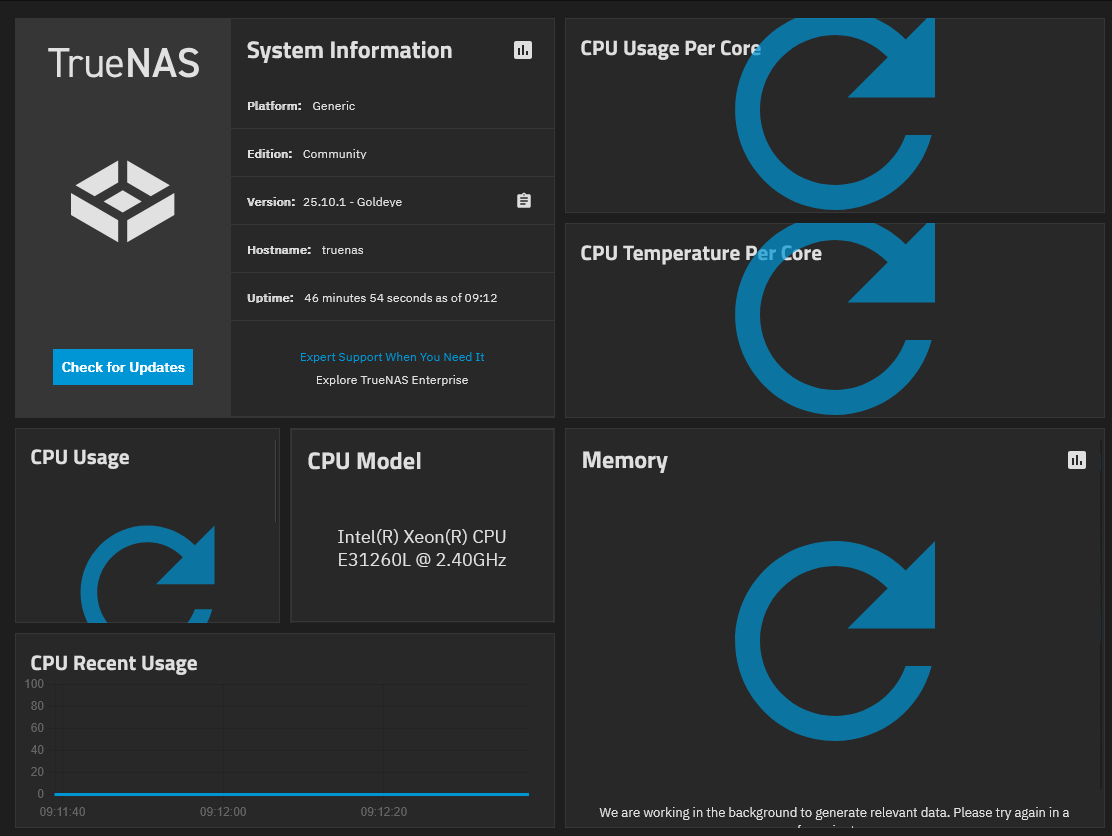
side note : in Dashboard some widget won’t work

Dashboard

Can you post your hardware setup like the DETAILS section under my post. What are the USB attached drives, make, model? Are they USB thumb drives or actual SATA drives attached over USB. To temp bypass, you can remove a drive from the mirror boot pool and make it a single. Just make sure you have a backup of your current, system configuration. It’s easy to reload the OS / boot drive, upload the config and be back to ‘normal’

Check your motherboard documentation for what is supported. How are all the 8 HD attached?

QNAP TS-879 Pro

lscpu

Architecture: x86_64
CPU op-mode(s): 32-bit, 64-bit
Address sizes: 36 bits physical, 48 bits virtual
Byte Order: Little Endian
CPU(s): 8
On-line CPU(s) list: 0-7
Vendor ID: GenuineIntel
BIOS Vendor ID: Intel
Model name: Intel(R) Xeon(R) CPU E31260L @ 2.40GHz
BIOS Model name: Intel(R) Xeon(R) CPU E31260L @ 2.40GHz CPU @ 2.4GHz
BIOS CPU family: 179
CPU family: 6
Model: 42
Thread(s) per core: 2
Core(s) per socket: 4
Socket(s): 1
Stepping: 7
CPU(s) scaling MHz: 77%
CPU max MHz: 2400.0000
CPU min MHz: 1600.0000
BogoMIPS: 4788.95
Flags: fpu vme de pse tsc msr pae mce cx8 apic sep mtrr pge mca cmov pat pse36 clflush dts acpi mmx fxsr sse sse2 ht tm pbe syscall nx rdtscp lm constant_tsc arch_perfmon pebs bts rep_good nopl xtopol
ogy nonstop_tsc cpuid aperfmperf pni pclmulqdq dtes64 monitor ds_cpl smx est tm2 ssse3 cx16 xtpr pdcm pcid sse4_1 sse4_2 x2apic popcnt tsc_deadline_timer aes xsave avx lahf_lm epb pti ssbd ibrs
ibpb stibp xsaveopt dtherm arat pln pts md_clear flush_l1d
Caches (sum of all):
L1d: 128 KiB (4 instances)
L1i: 128 KiB (4 instances)
L2: 1 MiB (4 instances)
L3: 8 MiB (1 instance)
NUMA:
NUMA node(s): 1
NUMA node0 CPU(s): 0-7
Vulnerabilities:
Gather data sampling: Not affected
Indirect target selection: Not affected
Itlb multihit: KVM: Mitigation: VMX unsupported
L1tf: Mitigation; PTE Inversion
Mds: Mitigation; Clear CPU buffers; SMT vulnerable
Meltdown: Mitigation; PTI
Mmio stale data: Unknown: No mitigations
Reg file data sampling: Not affected
Retbleed: Not affected
Spec rstack overflow: Not affected
Spec store bypass: Mitigation; Speculative Store Bypass disabled via prctl
Spectre v1: Mitigation; usercopy/swapgs barriers and __user pointer sanitization
Spectre v2: Mitigation; Retpolines; IBPB conditional; IBRS_FW; STIBP conditional; RSB filling; PBRSB-eIBRS Not affected; BHI Not affected
Srbds: Not affected
Tsx async abort: Not affected

lshw -C disk

*-disk
description: SCSI Disk
product: SATA581
vendor: JMicron
physical id: 0.0.0
bus info: scsi@13:0.0.0
logical name: /dev/sdi
version: 4204
serial: "D
size: 119GiB (128GB)
capabilities: gpt-1.00 partitioned partitioned:gpt
configuration: ansiversion=6 guid=f5eb4fff-db28-4f59-9120-db87608990a5 logicalsectorsize=512 sectorsize=4096
*-disk:0
description: ATA Disk
product: WDC WD20EZRX-00D
vendor: Western Digital
physical id: 0
bus info: scsi@7:0.0.0
logical name: /dev/sdd
version: 0A80
serial: WD-WCC1T0961166
size: 1863GiB (2TB)
configuration: ansiversion=5 logicalsectorsize=512 sectorsize=4096
*-disk:1
description: ATA Disk
product: WDC WD20EZRX-00D
vendor: Western Digital
physical id: 1
bus info: scsi@8:0.0.0
logical name: /dev/sda
version: 0A80
serial: WD-WMC301615938
size: 1863GiB (2TB)
configuration: ansiversion=5 logicalsectorsize=512 sectorsize=4096
*-disk:0
description: ATA Disk
product: WDC WD20EZRX-00D
vendor: Western Digital
physical id: 0
bus info: scsi@9:0.0.0
logical name: /dev/sde
version: 0A80
serial: WD-WMC4M1819791
size: 1863GiB (2TB)
configuration: ansiversion=5 logicalsectorsize=512 sectorsize=4096
*-disk:1
description: ATA Disk
product: WDC WD20EZRX-00D
vendor: Western Digital
physical id: 1
bus info: scsi@10:0.0.0
logical name: /dev/sdf
version: 0A80
serial: WD-WMC4M1816922
size: 1863GiB (2TB)
configuration: ansiversion=5 logicalsectorsize=512 sectorsize=4096
*-disk:0
description: ATA Disk
product: WDC WD20EURS-63S
vendor: Western Digital
physical id: 0
bus info: scsi@11:0.0.0
logical name: /dev/sdg
version: AB51
serial: WD-WMAZA8694651
size: 1863GiB (2TB)
configuration: ansiversion=5 logicalsectorsize=512 sectorsize=4096
*-disk:1
description: ATA Disk
product: WDC WD20EURS-63S
vendor: Western Digital
physical id: 1
bus info: scsi@12:0.0.0
logical name: /dev/sdh
version: AB51
serial: WD-WMAZA8640063
size: 1863GiB (2TB)
configuration: ansiversion=5 logicalsectorsize=512 sectorsize=4096
*-disk
description: SCSI Disk
product: SATA581
vendor: JMicron
physical id: 0.0.0
bus info: scsi@14:0.0.0
logical name: /dev/sdj
version: 4204
serial: "D
size: 119GiB (128GB)
capabilities: gpt-1.00 partitioned partitioned:gpt
configuration: ansiversion=6 guid=a90d0559-9b33-4ab4-bfc3-84157769b8f9 logicalsectorsize=512 sectorsize=4096
*-disk:0
description: ATA Disk
product: WDC WD20EFRX-68E
vendor: Western Digital
physical id: 1
bus info: scsi@0:0.0.0
logical name: /dev/sdc
version: 0A82
serial: WD-WCC4M0TYT2TE
size: 1863GiB (2TB)
configuration: ansiversion=5 logicalsectorsize=512 sectorsize=4096
*-disk:1
description: ATA Disk
product: WDC WD20EZRX-00D
vendor: Western Digital
physical id: 0.0.0
bus info: scsi@1:0.0.0
logical name: /dev/sdb
version: 0A80
serial: WD-WMC4M1843845
size: 1863GiB (2TB)
configuration: ansiversion=5 logicalsectorsize=512 sectorsize=4096

lshw -C memory

*-firmware
description: BIOS
vendor: American Megatrends Inc.
physical id: 0
version: 4.6.4
date: 02/10/2012
size: 64KiB
capacity: 1MiB
capabilities: pci upgrade shadowing cdboot bootselect socketedrom edd int13floppy1200 int13floppy720 int13floppy2880 int5printscreen int9keyboard int14serial int17printer acpi usb biosbootspecification uefi
*-cache:0
description: L1 cache
physical id: 4
size: 256KiB
capacity: 256KiB
capabilities: internal varies
configuration: level=1
*-cache:1
description: L2 cache
physical id: 5
size: 1MiB
capacity: 1MiB
capabilities: internal varies unified
configuration: level=2
*-cache:2
description: L3 cache
physical id: 6
size: 8MiB
capacity: 8MiB
capabilities: internal varies unified
configuration: level=3
*-memory
description: System Memory
physical id: 8
slot: System board or motherboard
size: 16GiB
capabilities: ecc
configuration: errordetection=multi-bit-ecc
*-bank:0
description: DIMM DDR3 Synchronous 1333 MHz (0.8 ns)
product: 18JSF1G72AZ-1G6E1
vendor: Micron
physical id: 0
serial: 0DD3A1C4
slot: A1_DIMM0
size: 8GiB
width: 64 bits
clock: 1333MHz (0.8ns)
*-bank:1
description: DIMM Synchronous [empty]
product: Array1_PartNumber1
vendor: A1_Manufacturer1
physical id: 1
serial: A1_SerNum1
slot: A1_DIMM1
width: 64 bits
*-bank:2
description: DIMM DDR3 Synchronous 1333 MHz (0.8 ns)
product: 18JSF1G72AZ-1G6E1
vendor: Micron
physical id: 2
serial: 0DD39E49
slot: A1_DIMM2
size: 8GiB
width: 64 bits
clock: 1333MHz (0.8ns)
*-bank:3
description: DIMM Synchronous [empty]
product: Array1_PartNumber3
vendor: A1_Manufacturer3
physical id: 3
serial: A1_SerNum3
slot: A1_DIMM3
width: 64 bits

TrueNAS Scale 25.10.1 - Goldeye
installed on mirrored
2 SanDisk SSD X600 SATA m.2
mounted on

M.2 SATA/NVMe SSD To USB 3.1 Adapter

connected to USB_DOM 1 and USB_DOM 2 of Motherboard
All main pool disk are SATA Western Digital on trays connected to SAS connectors of main backplane

Try browsing another thread and see if you are reporting the same, ID_USB_SERIAL_SHORT as was reported there.

# zpool status boot-pool

pool: boot-pool
state: ONLINE
config:

    NAME        STATE     READ WRITE CKSUM
    boot-pool   ONLINE       0     0     0
      mirror-0  ONLINE       0     0     0
        sdi3    ONLINE       0     0     0
        sdj3    ONLINE       0     0     0

errors: No known data errors

# zpool detach boot-pool sdj3

# zpool status boot-pool
pool: boot-pool
state: ONLINE
config:

    NAME        STATE     READ WRITE CKSUM
    boot-pool   ONLINE       0     0     0
      sdi3      ONLINE       0     0     0

errors: No known data errors

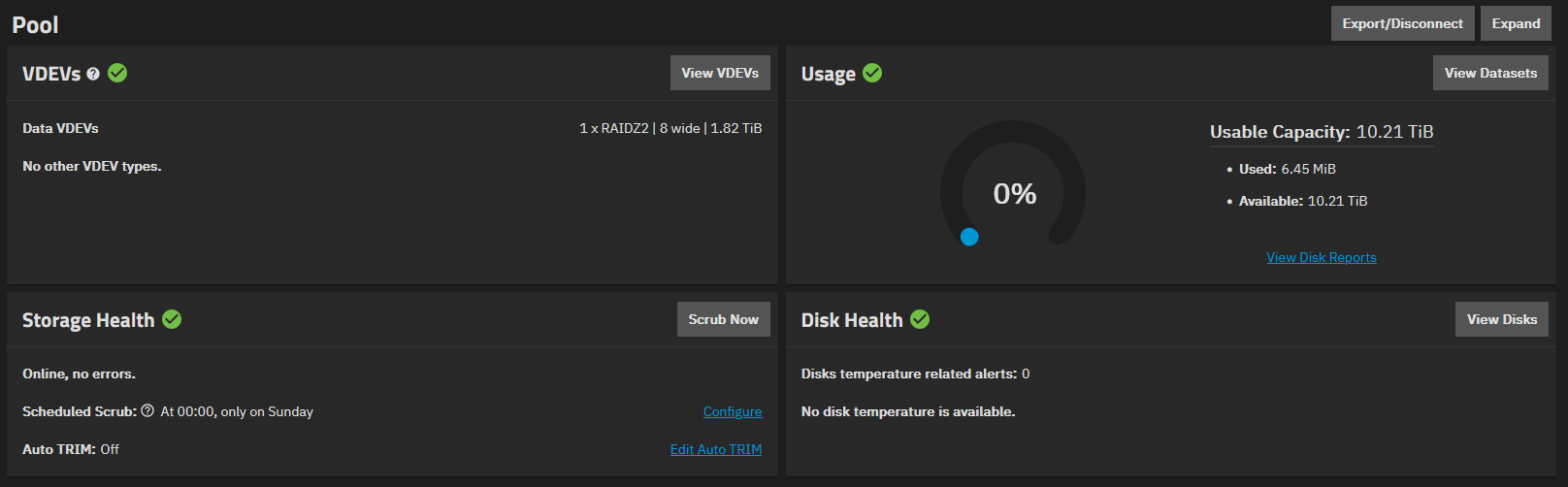
Pool can be created

# zpool attach boot-pool sdi3 /dev/sdj3

# zpool status boot-pool

pool: boot-pool
state: ONLINE
scan: resilvered 3.51G in 00:01:50 with 0 errors on Mon Jan 12 22:36:48 2026
config:

    NAME        STATE     READ WRITE CKSUM
    boot-pool   ONLINE       0     0     0
      mirror-0  ONLINE       0     0     0
        sdi3    ONLINE       0     0     0
        sdj3    ONLINE       0     0     0

errors: No known data errors

# udevadm info --query=all --name=/dev/sdi | grep -i serial
E: ID_SERIAL=SanDisk_SD8SN8U-128G-1006_170710804031
E: ID_SERIAL_SHORT=170710804031
E: ID_USB_SERIAL=JMicron_SATA581_DD0000000000001D-0:0
E: ID_USB_SERIAL_SHORT=DD0000000000001D
# udevadm info --query=all --name=/dev/sdj | grep -i serial
E: ID_SERIAL=SanDisk_SD8SN8U-128G-1006_164312800238
E: ID_SERIAL_SHORT=164312800238
E: ID_USB_SERIAL=JMicron_SATA581_DD0000000000001D-0:0
E: ID_USB_SERIAL_SHORT=DD0000000000001D

# diff -y <(udevadm info --query=all --name=/dev/sdi | grep -i serial) <(udevadm info --query=all --name=/dev/sdj | grep -i serial)

E: ID_SERIAL=SanDisk_SD8SN8U-128G-1006_170710804031           | E: ID_SERIAL=SanDisk_SD8SN8U-128G-1006_164312800238
E: ID_SERIAL_SHORT=170710804031                               | E: ID_SERIAL_SHORT=164312800238
E: ID_USB_SERIAL=JMicron_SATA581_DD0000000000001D-0:0           E: ID_USB_SERIAL=JMicron_SATA581_DD0000000000001D-0:0
E: ID_USB_SERIAL_SHORT=DD0000000000001D                         E: ID_USB_SERIAL_SHORT=DD0000000000001D