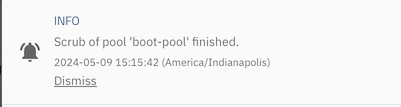
TrueNAS / ZFS has already resilvered a drive and swapped it 4 days ago. I would assume that happened before you reported anything. And because you had only limited data it took only 1min 12secs to resilver. So what is currently the spare and if it is the device that was swapped out after the resilver and which had previously been having errors does it need to be replaced before you do anything else?
The alerts appear to post date that - and refer to /dev/sda. But we also have the SMART output for /dev/sde which shows two issues in the pending defects log and 2 reallocated sectors - but these are not necessarily an indicator that the drive needs replacing. I think we need the output of smartctl -x /dev/sda too. And you need to try to map GUID bee99e48-08fa-41d1-8a58-1af466b76587 which has 2 CKSUM errors to a device.
The SMART output shows that you have not done ANY SMART tests on /dev/sde. So in addition to no scrubs (which read all the actual data and metadata and confirm it is readable), you don’t have any SMART tests running regularly either. (You should run frequent SMART short tests and infrequent SMART long tests.)
You should probably also implement Joe’s Multi-Repport script.
4-wide raidz2 is perfectly advisable with large HDDs.
With only 4 bays, you would indeed need to offline to replace, or bring in a HBA. An intermediate option would be to attach the failing (but not totally failed) drive through a USB adapter to keep full redundancy while resilvering.
I supposed it would make sense if there were multiple vdevs in the pool, in which the hot spare is waiting to replace a failed drive from any of these vdevs.
Drive sda (S/N: JK1130YAHPK9KT) is failing. Replace it.
Drive sde (S/N: JK11D1YAKWB2VZ) has two sector errors, not tragic yet. You do not run SMART Tests on your drives, this will screw you in the end.
sda you performed a SMART test once and it failed at 30% remaining, sde you never ran a SMART test. Highly recommend you run a SMART Long/Extended test on sde, keeping in mind that it did have two failed sectors. I don’t get worried until I get to 10 bad sectors but that is just my personal preference.
Out of curiosity, is there ANY important data on this system? If yes, back it up. Both drives in your MIRROR have failures.
You can probably clear the zpool errors for a while but you can’t fix the hard drive errors. I recommend replacing your MIRROR drives (S/N: JK1130YAHPK9KT and JK11D1YAKWB2VZ) after you backup your system. Next I recommend you adjust your system to remove the cache, it is likely slowing you down a little, unless you are accessing the same few files repeatedly. Third, setup TrueNAS to run daily SMART Short tests and a weekly SMART Long test. This will keep you better informed of your media status.
You have a lot to digest, it is a good thing that 2TB and 4TB hard drives are fairly inexpensive. Make sure they are NOT SMR drives. If the price seems too good to be true, it probably is.
Not really. It contains a fairly new Time Machine backup set. Once I have all the 12-TB drives I need (I currently have 3 of the four) for my RAIDZ2 pool, I will swap out all the 2-TB drives and start afresh. It will just be great to have gone through some of the maintenance scenarios already.
I checked, and the scrub task is on the pool I set up after installing TrueNAS for the first time. It must have been set up automatically, because at the time I did not know anything about the term “scrub.”
There is currently no scrub task scheduled for the boot pool. The boot pool is not available as a target of a scrub task.
Set up frequent SMART short tests on all drives including boot.
Set up infrequent SMART long tests on all drives including boot.
Make sure there are scrubs on all pools - because it gets increasingly time consuming as drives fill up, this should be infrequent.Set up frequent SMART short tests on all drives including boot.
Set up infrequent SMART long tests on all drives including boot.
Make sure there are scrubs on all pools - because it gets increasingly time consuming as drives fill up, this should be infrequent.
I would also recommend asking for advice about your pool setup. You may not want separate pools for separate data types - it might make more sense to have one pool and several datasets.
Although that disk has reallocated sectors. And the checksum error at the pool level could be caused by the pending/unreadable sectors
The UDMA CRC errors normally indicate an
Issue with cabling/backplane :-/.
I always have trouble figuring out how to use spares. BUT if you detach the spare, Ie so it is no longer part of the pool, and then “replace” the failing disk with the now available spare, that will work. And if you don’t offline/remove the failing disk first then you won’t lose redundancy either.
Regarding why a mirror + arc + spare. I’d do the same thing if testing a new nas os.