
Thank you so much for making this guide. I was five hours down my self made rabbit hole and missed the part where I had to specify the zvol with a leading /dev/zvol
I would love to be able to do haos in an lxc.
Not possible.
You can of course run Home Assistant in an LXC. But not HAOS which is a complete appliance style Linux distribution similar to TrueNAS in that regard - with boot loader, kernel and everything. So bare metal or VM it is.
That’s why it is named Home Assistant Operating System.
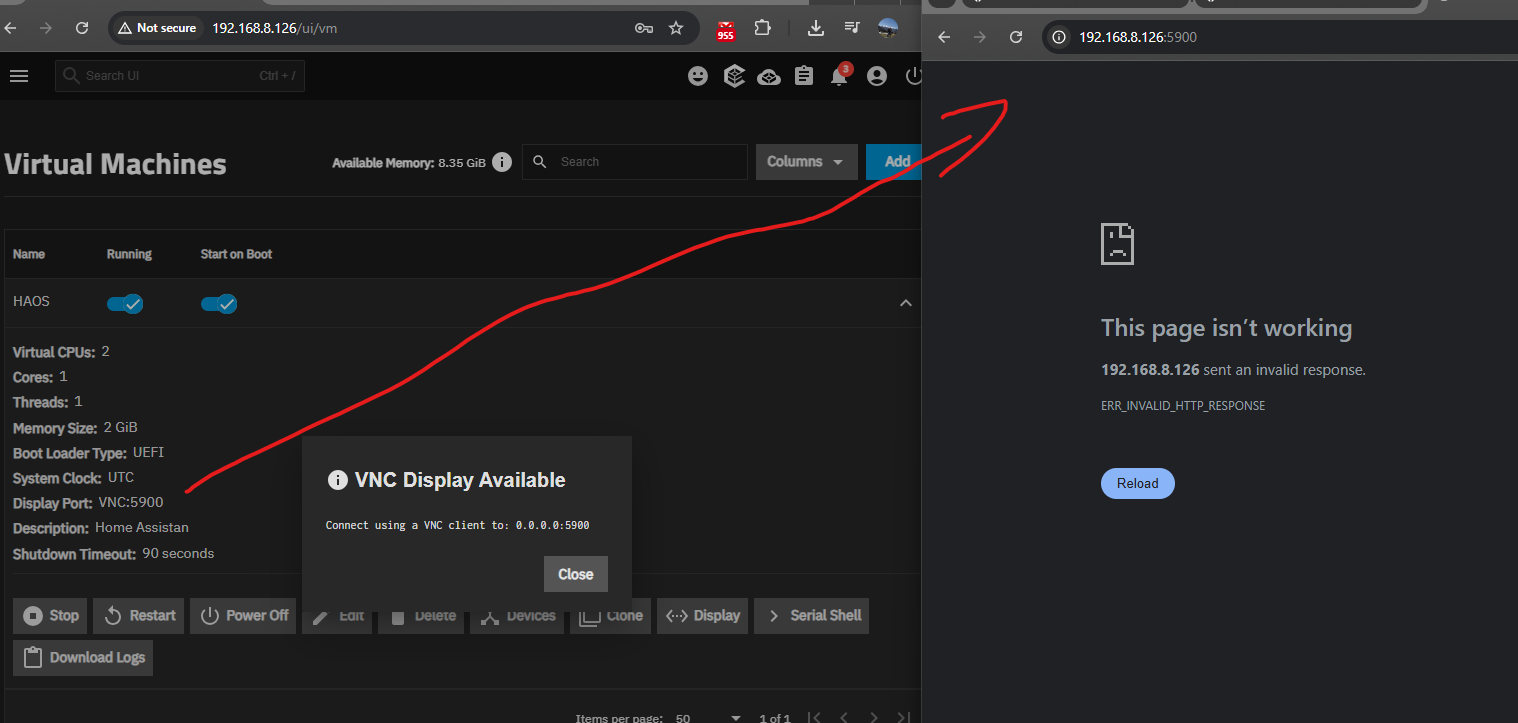

The VNC port is not for your browser but for VNC as you found out. So you can use the HAOS console over VNC to e.g. change the network settings, shutdown or reboot, etc.
The browser port for the HA web UI is 8123 as documented by the Home Assistant project.
Thx a lot for immediate reaction… much appreciated.
Firstly I am a newbee regaring this, nevertheless I read and try to understand.
I try to put :8123 on ip address and is not passing through.
I follow your instructuins and check network settings of VNC/HAOS and I saw different IP adress. I cannot change… or I dont know how to access HAOS from browsers or Home Assistance app.
I try:
- Open with 192.168.8.126:8123 - not working
- Change adapter from HAOS to enp1s0 (Truenass network) - not working
- I try to open 172.30.32.0:8123 (HAOS current IP) - not working
I have a feeling is something small.. which most of you are laughing 
somehow I need to make a bridge between enp1s0 and enp0s3(HAOS adapter) ? or is more simplier than that.
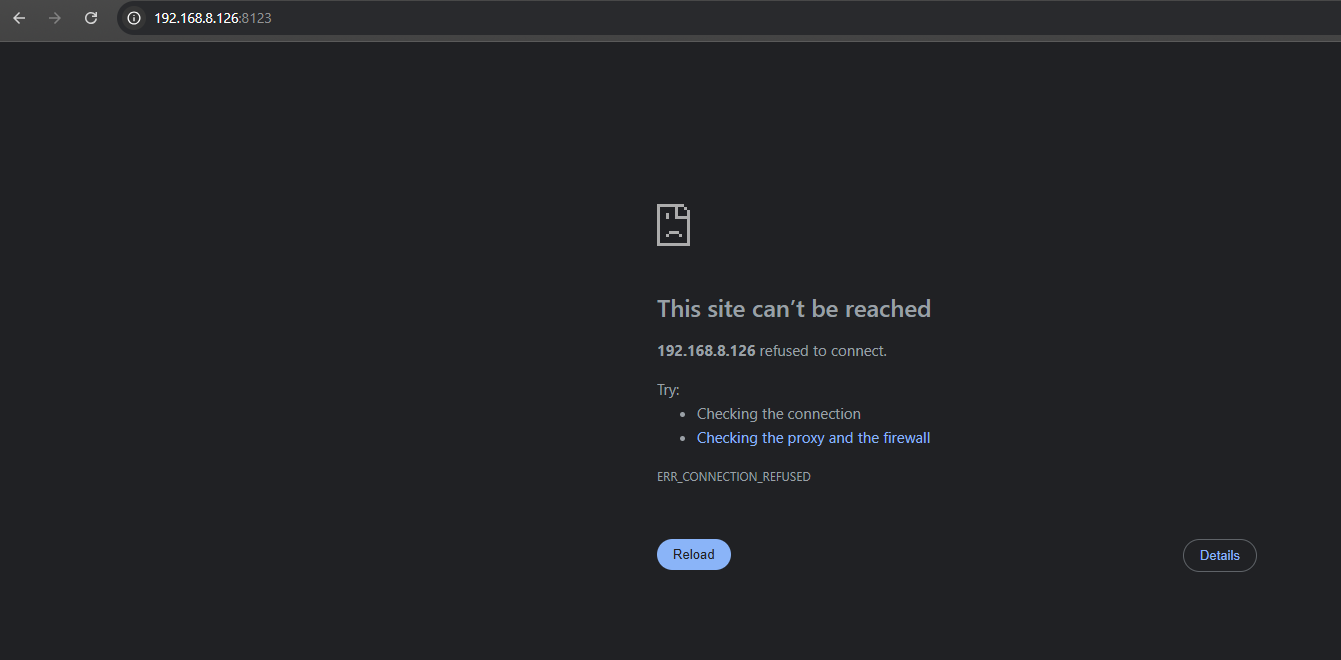
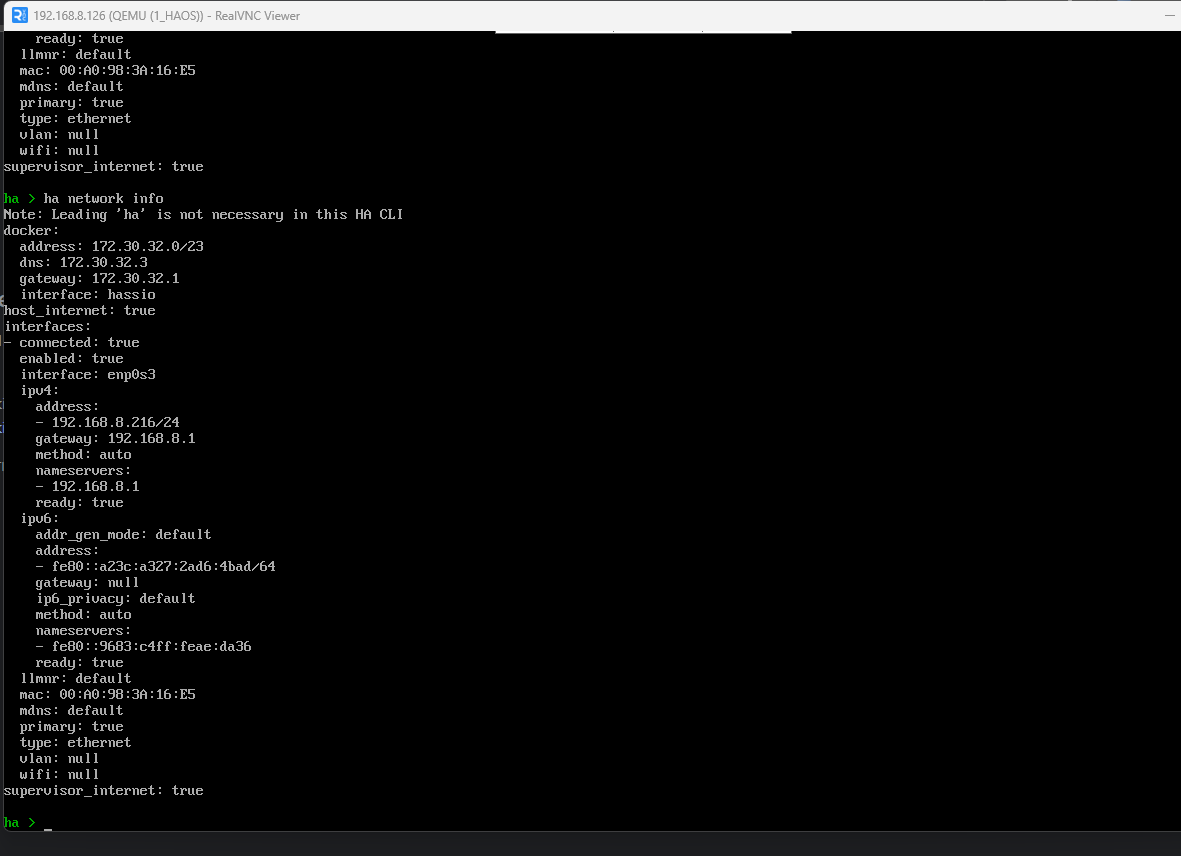
My hardware is: MiniMe Beelink 12GB ram and N150 Intel CPU.
HAOS is its own operating system. It does not share its IP address with TrueNAS, it’s like a separate machine. Hence “Virtual Machine”.
To connect it to your network you need to create a bridge interface in TrueNAS and connect the virtual network adapter in the VM’s device settings to that bridge. Best set the virtual network type to “VirtIO”.
Thx a lot mate… I manage to connect.
I realize before the IP address was allocated automatically by system .. 192.168.8.216… and I saw it later.
Thx again for assistance, is good to see such helpful community.
Hello,
Is there a complete tutorial, up to date and from scratch, to install and use HA in a VM on 25.10?
I’ve not yet used VMs on true Nas and also new to HA, so it seems “a bit” complicated…
Thanks.
This guide covers installing HAOS from scratch, but does not cover TrueNAS preconfiguration, such as setting up a bridge, which is covered in the TrueNAS documentation.
You can consider this guide 99% up to date. Screenshots are from TrueNAS version 25.04, but I have confirmed these steps continue to work on TrueNAS 25.10. I also keep this guide updated for installing the latest HAOS release. The only thing missing here is that 25.10 introduced the ability to import the qcow2 image file from the TrueNAS GUI.
Thanks, at first I was a bit afraid but in the end it was quite simple and immediately worked fine. Now the Home Assistant learning curve will be another story 
The guide is great; I managed to run it without any problems.
Another problem has occurred, and I don’t know exactly what to check to solve it.
The VM keeps shutting down for no apparent reason. The only information I found in the VM log is “shutting down, reason=crashed.” There is no information in the VM logs. What else can I check?
I check/var/log/app_lifecycle.log is empty, the HA logs also do not indicate anything.
Hi @Tomasz
I haven’t seen this issue myself, so I’m just taking a guess here… I vaguely remember seeing reports of VMs crashing due to limited system resources.
How much RAM does your TrueNAS have? How much RAM is allocated to the VM?
Hi @troy
The first thing I thought of was RAM. On the test machine where I’m running this, I only have 8GB of RAM, and I’ve already increased the VM allocation to 3GB. There’s a clean TrueNAS installed, with only the VM running. I noticed I had TrueNAS version 25.04.2.6, so I updated to 25.10.1, and so far, the problem is gone. The VM has been running for over 30 hours without crashing. So far, even 18 hours is not working properly. Thanks again for the idea.
Have nice day
After much struggle with running Home Assistant from the app catalog, I found this guide and followed it to the letter, and have Home Assistant working much better in a VM. Only issue I’m running in to is that it can’t connect to any of my containers (i.e. AdGuard), and my understanding is that this is because I need to set up a “bridge” network.
I followed the guide from “Capt Stux” to do this, and successfully got through disabling DHCP and setting a fixed IP address, but every time I try to create a bridge, the GUI becomes inaccessible, and it reverts back to its previous settings. I’m not sure what I’m doing wrong; I’ve shut down all of my applications and my virtual machine, and I even rebooted the entire server to see if that would make a difference, but no. I follow the guide, I test settings, and it kills the network.
I’d appreciate some help getting this figured out! Seems like I’m hitting brick walls every way I turn!
After several days of testing and verifying everything, it turned out that the TrueNAS with 8GB and only the HAOS VM installed had minor RAM issues. Everything only worked well with 12GB. The guide is great, and everything works fine for me. I’ve already got it running on the target hardware. Thank you very much.
Hmm, everything appears to be running but when I try to view the spice display I am never prompted for the password I entered and no display is shown. Downloaded the logs and I do not see any issues, so not sure what went wrong. Using 25.04.2.5 and Virtualization (not Incus).
I’m not sure. My first guess would be to click the Edit button for the VM and check that Ensure Display Device is enabled.

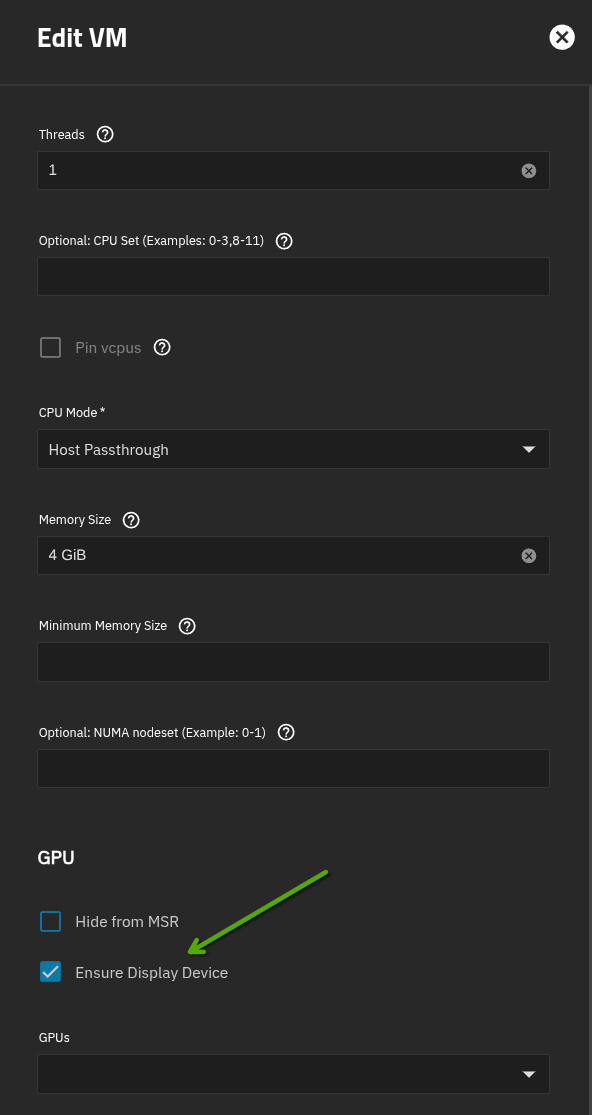
If that is enabled and still not working, click on the Devices button and Edit the current display device. Check that Web Interface is enabled. Maybe for trouble shooting set the Bind address to 0.0.0.0 if not already set to that.
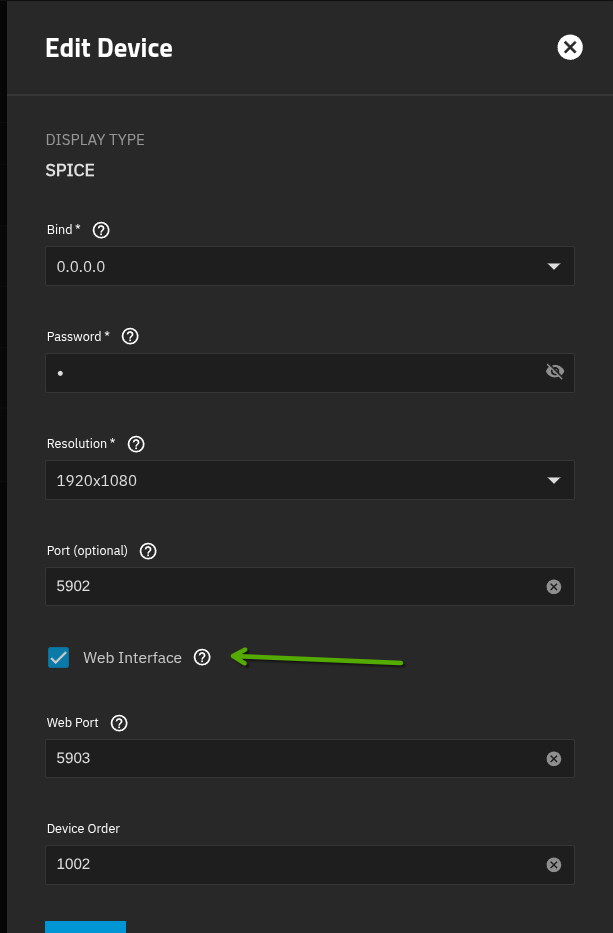
Finally, if all else fails trying deleting the current display device and adding a new one
(PS sorry I missed your post yesterday)

I do not see the log in prompt, is there a way I can confirm that HAOS is actually started?
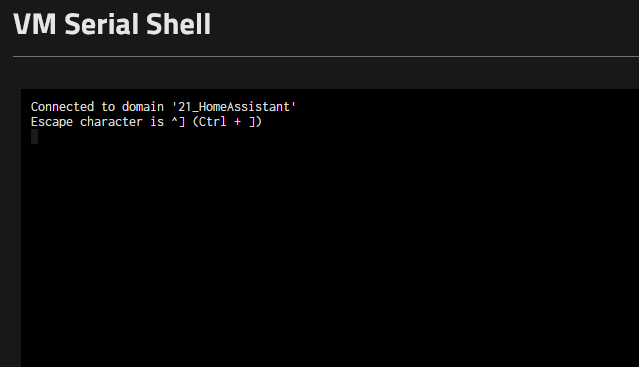
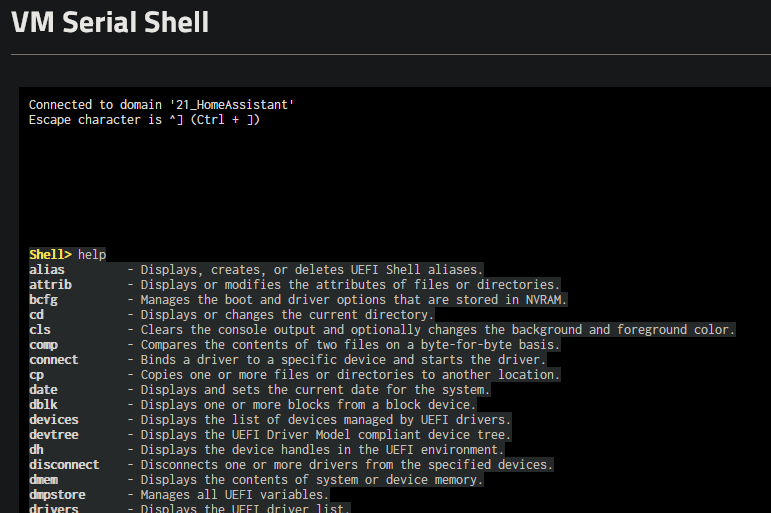
Everything checks out as far as the VM settings. I’ve remade it and the zvol a few times just in case something went wrong. I even converted the qcow to a raw .img and uploaded that as part of VM creation and it behaved the same as preparing the zvol as in the instructions. Here are some images showing VM settings:
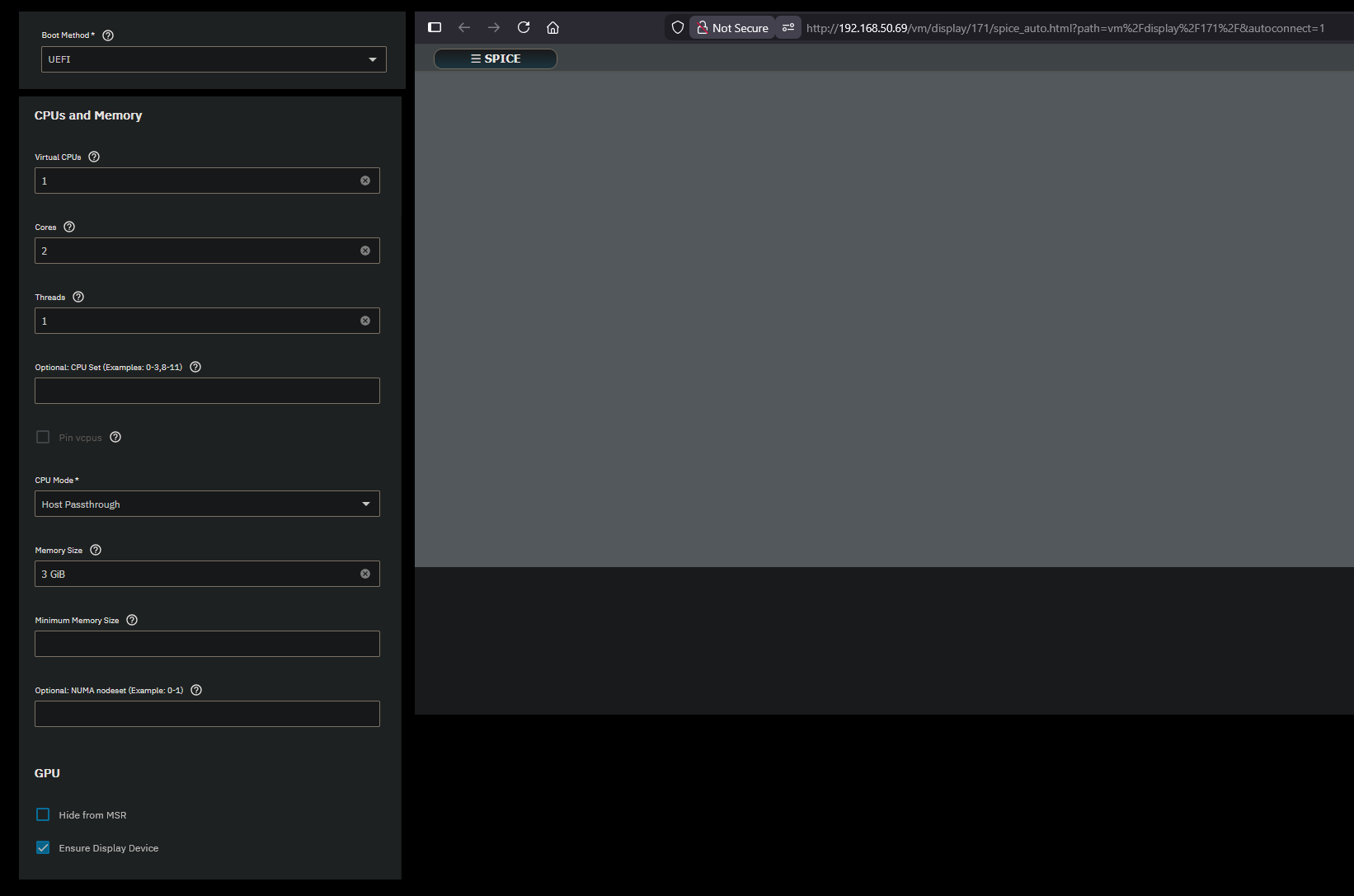
And also logs from an attempt setting up zvol properly via instructions: JustPaste.it - Share Text & Images the Easy Way