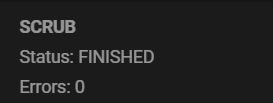
My triple M.2 SSD array with RAID-z1 reported checksum error today. The array were in high loads in the past two days, about 4TB random r/w was processed. The SMART check was OK in all drives, is it safe to not replace the drive?
Pool XXX state is ONLINE: One or more devices has experienced an unrecoverable error. An attempt was made to correct the error. Applications are unaffected.
  pool: XXX
 state: ONLINE
status: One or more devices has experienced an unrecoverable error.  An
        attempt was made to correct the error.  Applications are unaffected.
action: Determine if the device needs to be replaced, and clear the errors
        using 'zpool clear' or replace the device with 'zpool replace'.
   see: https://openzfs.github.io/openzfs-docs/msg/ZFS-8000-9P
  scan: scrub repaired 0B in 00:42:31 with 0 errors on Sun Nov  2 00:42:31 2025
config:

        NAME                                            STATE     READ WRITE CKSUM
        XXX                                            ONLINE       0     0     0
          raidz1-0                                      ONLINE       0     0     0
            gptid/aaa  ONLINE       0     0     0
            gptid/bbb  ONLINE       0     0     0
            gptid/ccc  ONLINE       0     0     3
=== START OF INFORMATION SECTION ===
Model Number:                       HYV2TBX3
Serial Number:                      XXXX
Firmware Version:                   SN11529
PCI Vendor/Subsystem ID:            0x1e4b
IEEE OUI Identifier:                0x000000
Total NVM Capacity:                 2,000,398,934,016 [2.00 TB]
Unallocated NVM Capacity:           0
Controller ID:                      0
NVMe Version:                       1.4
Number of Namespaces:               1
Namespace 1 Size/Capacity:          2,000,398,934,016 [2.00 TB]
Namespace 1 Formatted LBA Size:     512
Namespace 1 IEEE EUI-64:            000000 0000000001
Local Time is:                      Wed Nov  5 00:02:22 2025 CST
Firmware Updates (0x1a):            5 Slots, no Reset required
Optional Admin Commands (0x0017):   Security Format Frmw_DL Self_Test
Optional NVM Commands (0x001f):     Comp Wr_Unc DS_Mngmt Wr_Zero Sav/Sel_Feat
Log Page Attributes (0x02):         Cmd_Eff_Lg
Maximum Data Transfer Size:         128 Pages
Warning  Comp. Temp. Threshold:     90 Celsius
Critical Comp. Temp. Threshold:     95 Celsius

Supported Power States
St Op     Max   Active     Idle   RL RT WL WT  Ent_Lat  Ex_Lat
 0 +     6.50W       -        -    0  0  0  0        0       0
 1 +     5.80W       -        -    1  1  1  1        0       0
 2 +     3.60W       -        -    2  2  2  2        0       0
 3 -   0.7460W       -        -    3  3  3  3     5000   10000
 4 -   0.7260W       -        -    4  4  4  4     8000   45000

Supported LBA Sizes (NSID 0x1)
Id Fmt  Data  Metadt  Rel_Perf
 0 +     512       0         0

=== START OF SMART DATA SECTION ===
SMART overall-health self-assessment test result: PASSED

SMART/Health Information (NVMe Log 0x02)
Critical Warning:                   0x00
Temperature:                        40 Celsius
Available Spare:                    100%
Available Spare Threshold:          1%
Percentage Used:                    4%
Data Units Read:                    276,527,108 [141 TB]
Data Units Written:                 121,912,430 [62.4 TB]
Host Read Commands:                 2,524,757,194
Host Write Commands:                2,590,941,895
Controller Busy Time:               9,848
Power Cycles:                       51
Power On Hours:                     21,970
Unsafe Shutdowns:                   20
Media and Data Integrity Errors:    0
Error Information Log Entries:      2
Warning  Comp. Temperature Time:    0
Critical Comp. Temperature Time:    0
Temperature Sensor 1:               40 Celsius
Temperature Sensor 2:               31 Celsius

Error Information (NVMe Log 0x01, 16 of 64 entries)
No Errors Logged

Self-test Log (NVMe Log 0x06)
Self-test status: No self-test in progress
No Self-tests Logged